
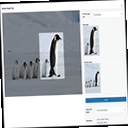
Manual Image Crop
Plugin allows you to manually crop all the image sizes registered in your WordPress theme (in particular featured image).
Plugin info
Maintenance & Compatibility
Maintenance score
Stale • Last updated 225 days ago • 56 reviews
Is Manual Image Crop abandoned?
Likely maintained (last update 225 days ago).
Compatibility
Developers
Similar & Alternatives
Explore plugins with similar tags, and compare key metrics like downloads, ratings, updates, support, and WP/PHP compatibility.
Description
Plugin allows you to manually crop all the image sizes registered in your WordPress theme (in particular featured image).
Simply click on the “Crop” link next to any image in your media library.
The WordPress Media Modal interface will be brought up and you are ready to go.
Whole cropping process is really intuitive and simple.
Apart from media library list, the plugin adds links in few more places:
* Below featured image box (“Crop featured image”)
* In the media insert modal window (once you select an image)
Settings
The plugin includes a settings page where you can configure:
* Image quality settings
* Visibility of crop options
* Custom labels for image sizes
GitHub Repository
https://github.com/tomaszsita/wp-manual-image-crop
Translations
- Czech (AI Generated)
- Dutch (Bernardo Hulsman)
- French (Gabriel Féron)
- German (Bertram Greenhough)
- Hungarian (Roland Kal)
- Italian (Alessandro Curci)
- Japanese (AI Generated)
- Korean (AI Generated)
- Polish (myself)
- Portuguese (Brazil) (AI Generated)
- Russian (Andrey Hohlov)
- Spanish (Andrew Kurtis)
- Swedish (Karl Oskar Mattsson)
- Turkish (AI Generated)
Please contact me if you want to add a translation (or submit a pull request on GitHub)
Installation
Manually:
- Upload
manual-image-cropto the/wp-content/plugins/directory - Activate the plugin through the ‘Plugins’ menu in WordPress
Automatically:
- Navigate to the ‘Plugins’ menu inside of the wordpress wp-admin dashboard, and select ADD NEW
- Search for ‘Manual Image Crop’, and click install
- When the plugin has been installed, Click ‘Activate’
Frequently Asked Questions
Installation Instructions
Manually:
- Upload
manual-image-cropto the/wp-content/plugins/directory - Activate the plugin through the ‘Plugins’ menu in WordPress
Automatically:
- Navigate to the ‘Plugins’ menu inside of the wordpress wp-admin dashboard, and select AD NEW
- Search for ‘Manual Imag Crop’, and click install
- When the plugin has been installed, Click ‘Activate’
Review feed
Doesn't seem to work with
Abandoned
Screenshots


Changelog
1.13
- Migrated from thickbox to WordPress Media Modal for better user experience
- Improved responsive design and mobile compatibility
- Enhanced accessibility and modern UI
- Better integration with WordPress admin interface
- Removed size limitations (no more 940px width constraint)
- Improved modal sizing (95vw/95vh) for better screen utilization
- Enhanced error handling and user feedback
- Updated tested up to WordPress 6.5
1.12
- Fixed ‘streched images’ issue
1.11
- Hungarian translation added
- Swedish translation added
- Security improvements
1.10
- Fixed handling of array $crop param
1.09
- Dutch translation added
- Better error handling
- Fixed overwriting of previously saved crops
- Minor tweaks all around
1.08
- More descriptive error messages
- Russian translation added
- Hooked ‘Crop’ link to new media library layout (WP 4.0)
- A few minor edits
1.07
- Fixed ‘Cannot use string offset as an array’ error
1.06
- French, German, Italian, Polish, Spanish translations added
- Settings page added (quality, visibility, custom labels)
- Compatibility with Retina/HiDPI (@2x) plugin added
- Fixed issue with closing editor window from within media uploader screen
1.05
- WordPress 3.9 compatibility issues fixed
- Removed randomly floated ‘Maximum upload file size’
1.04
- Added remembering of the previously selected area after cropping the specific image size
- Fixed the “wp_enqueue_script was called incorrectly” warning in the WP debug mode
1.03
- Fixed the issue with overwriting the original image when cropping image size registered after the attachment had been uploaded
1.02
- Fixed HTTP Authentication no preview issue
- Fixed path issues on multisite/subfolder WP installations
1.01
- Fixed Chrome stretched image issue
- Improved compatibility with other plugins using ‘thickbox’
1.0
- Initial version