

Maps Deriction
The easiest to use Google maps , Get your current location and travel to your destination
Plugin info
Maintenance & Compatibility
Maintenance score
Possibly abandoned • Last updated 3725 days ago
Is Maps Deriction abandoned?
Possibly abandoned (last update 3725 days ago).
Compatibility
Similar & Alternatives
Explore plugins with similar tags, and compare key metrics like downloads, ratings, updates, support, and WP/PHP compatibility.
Description
help your Visitors the get your address, and send them to you.
you can generate your own shortcode
attributes
- place:the adress , or the name of your campany location .
- map_width:the width of map.(100 like value mean 100% of width ).
- map_height:the height of map.(80 like value mean 80% of height ).
- zoom :A value from 0 (the world) to 21 (street level).
- map_type:Display any kind of maps you want (Hybrid,Roadmap,Satellite).
Exemple
[locate place=”Mohammed 6 , ouarzazate , Morroco” map_type=”HYBRID” map_width=”100″ map_height=”80″ zoom=”16″]
How To Use it
Installation
Using The WordPress Dashboard
- Navigate to the ‘Add New’ in the plugins dashboard
- Search for ‘Locate deriction’
- Click ‘Install Now’
- Activate the plugin on the Plugin dashboard
Uploading in WordPress Dashboard
- Navigate to the ‘Add New’ in the plugins dashboard
- Navigate to the ‘Upload’ area
- Select maps-deriction.zip from your computer
- Click ‘Install Now’
- Activate the plugin in the Plugin dashboard
Using FTP
- Download maps-deriction.zip
- Extract the maps-deriction.zip directory to your computer
- Upload the maps-deriction directory to the /wp-content/plugins/ directory
- Activate the plugin in the Plugin dashboard
Frequently Asked Questions
Why should install this plugin?
He able to show your compnay adress , and detect your visitors location , and of course make a connection between them and you
Review feed
Screenshots

Plugin icon
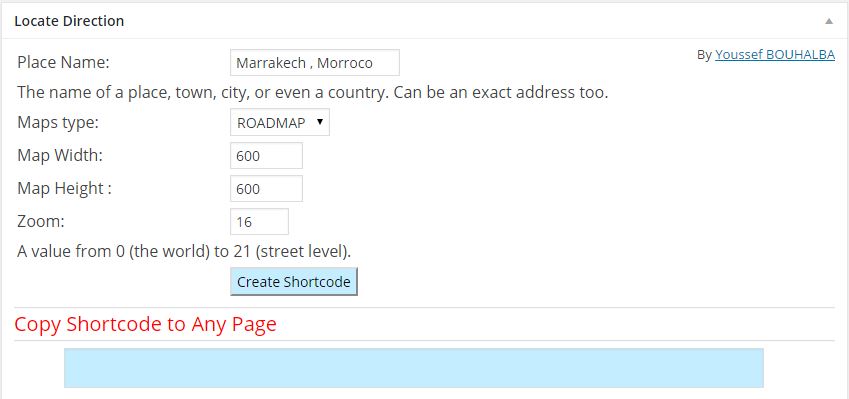
form screen and Generate the Shortcode

use it in your page

get your location
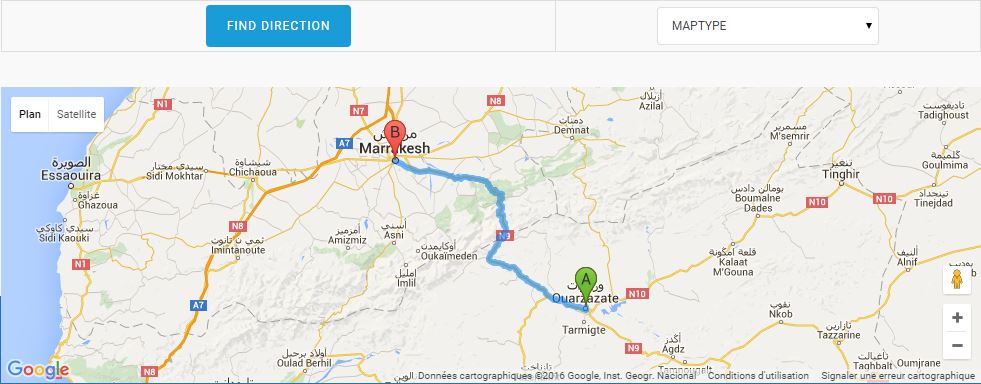
travel
Changelog
1.0
- Initial version