

MariaDB Health Checks
MariaDB Health Checks helps you debug your MariaDB database with advanced information from your database.
Plugin info
Maintenance & Compatibility
Maintenance score
Possibly abandoned • Last updated 1022 days ago • 1 reviews
Is MariaDB Health Checks abandoned?
Possibly abandoned (last update 1022 days ago).
Compatibility
Similar & Alternatives
Explore plugins with similar tags, and compare key metrics like downloads, ratings, updates, support, and WP/PHP compatibility.
Description
MariaDB Health Checks helps you debug your MariaDB database with advanced information from your database.
- Shows relevant information about the Database, Logs, Locale, Connnections, Character Set and Collation, and Options.
- Shows a graph of the MariaDB average execution time (7 days by default) and its data.
- Allows enabling of MariaDB optimizer histograms for improved MariaDB performance.
- Checks that your MariaDB version is still supported.
Contributors
Installation
Automatic download
Visit the plugin section in your WordPress, search for [MariaDB Health Checks]; download and install the plugin.
Manual download
Extract the contents of the ZIP and upload the contents to the /wp-content/plugins/mariadb-health-checks/ directory. Once uploaded, it will appear in your plugin list.
Frequently Asked Questions
Review feed
Handy for MariaDB users
Screenshots
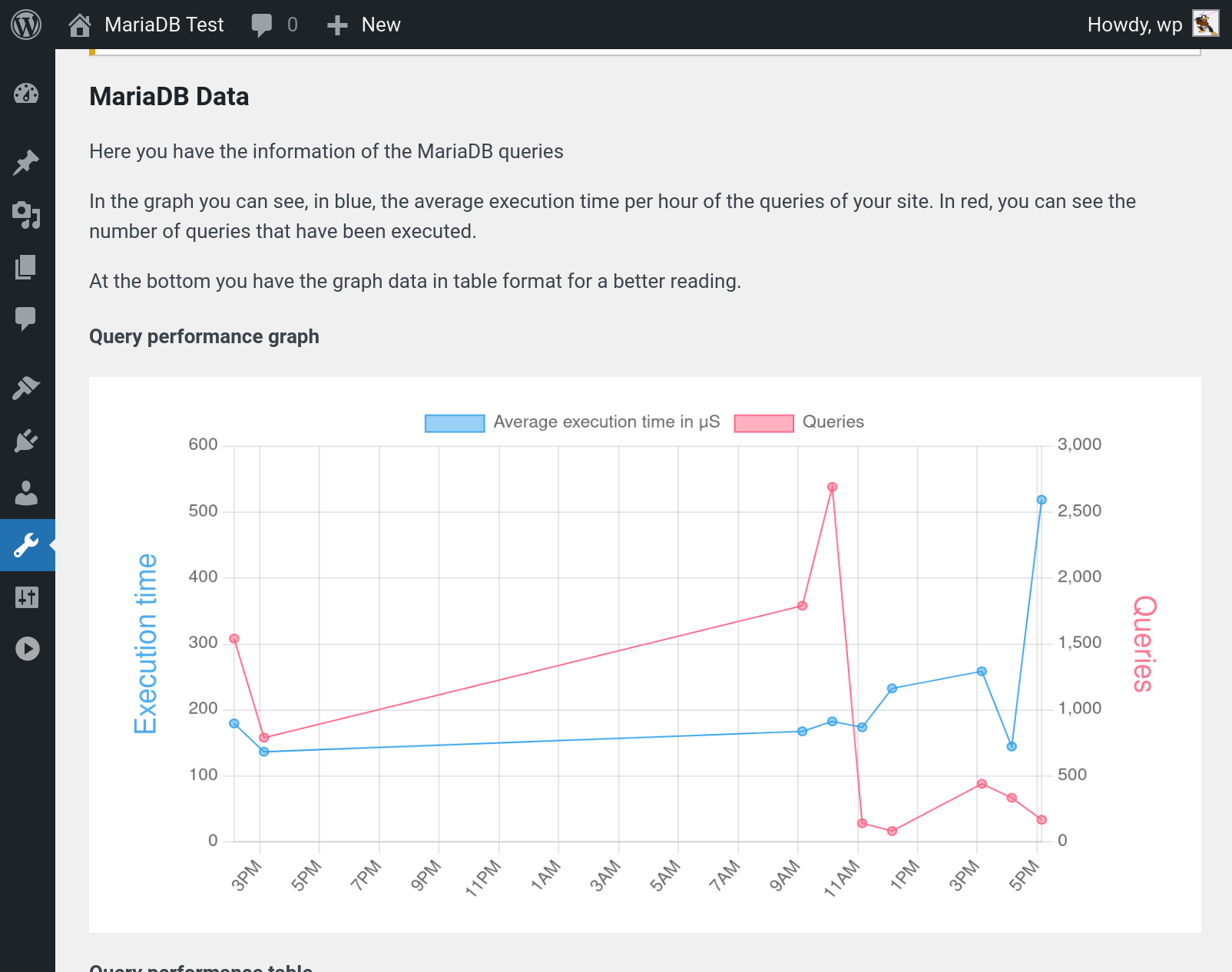
Graph of MariaDB average execution time and number of queries
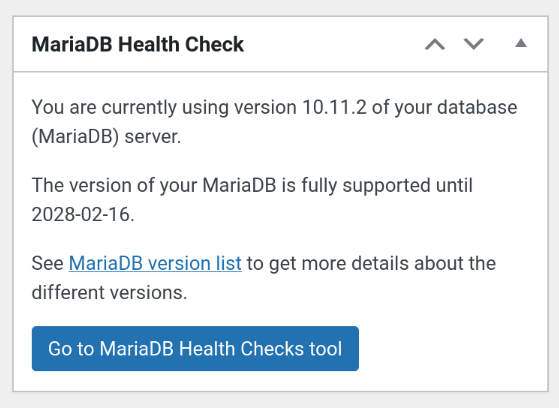
Graph of MariaDB Health Checks Panel
Changelog
1.1.0
The “I did way too much hacking at WordCamp” release 🙂
Note: graph data from earlier versions will be rendered incorrectly in this version. But legacy data should roll-over after 24 hours.
- Make graph data easier to understand
- Add more useful metrics to the graph
- Fix version check for MariaDB < 10.2
- Drop plugin’s tables on uninstall
- Use SAVEQUERIES data if exists
1.0.3
- Fix DB error that can happen on install
- Add 11.0 to MariaDB versions table
- Make MariaDB versions table update on upgrade or activation
1.0.2
- Fix division by zero bug
- Fix query result double-free bug
- Update translations
- Add package type
1.0.1
- Graph data cleanup moved to cron
- Suppressed DB error that doesn’t need to go to log (as we catch and use it anyway)
- Fix project URLs
- Add GitHub Plugin URL
- Fix issues found by WordPress review team
1.0.0
- First Release
- Shows relevant information about the Database.
- Shows a Histogram and its data.