

Markdown Shortcode
Damn simple markdown for wordpress via shortcode, uses parsedown (parsedown.org) and highlight.js (highlightjs.org).
Plugin info
Maintenance & Compatibility
Maintenance score
Stale • Last updated 192 days ago • 3 reviews
Is Markdown Shortcode abandoned?
Likely maintained (last update 192 days ago).
Compatibility
Similar & Alternatives
Explore plugins with similar tags, and compare key metrics like downloads, ratings, updates, support, and WP/PHP compatibility.
Description
Damn simple [markdown]#via shortcode[/markdown] for wordpress.
This plugin uses parsedown and highlight.js. Zero configuration.
Write this into the editor:
[markdown]
#h1
h2
text
____source code (two ore more underscores will be replaced by empty spaces)
____source code (two ore more underscores will be replaced by empty spaces)

    `javascript
source code
    `
[/markdown]
and the shortcode content will be parsed with parsedown. Syntax highlighting will appear for the source codes.
This plugin is available at github, too.
Please report issues at github, pull requests are welcome, too!
Installation
- Upload the
markdown-shortcodedirectory to the/wp-content/pluginsdirectory. - Activate the plugin through the plugins menu in WordPress.
- Use it by wrapping text in the shortcode
Frequently Asked Questions
Yes. You can switch between Visual and Text(HTML) mode. The plugin converts html entities back to the original characters.
Indeed, TinyMCE is well-known for destroying markup. Replace empty spaces with underscores __ .
Underscores will be converted to empty spaces right before markdown conversion.
Review feed
Screenshots
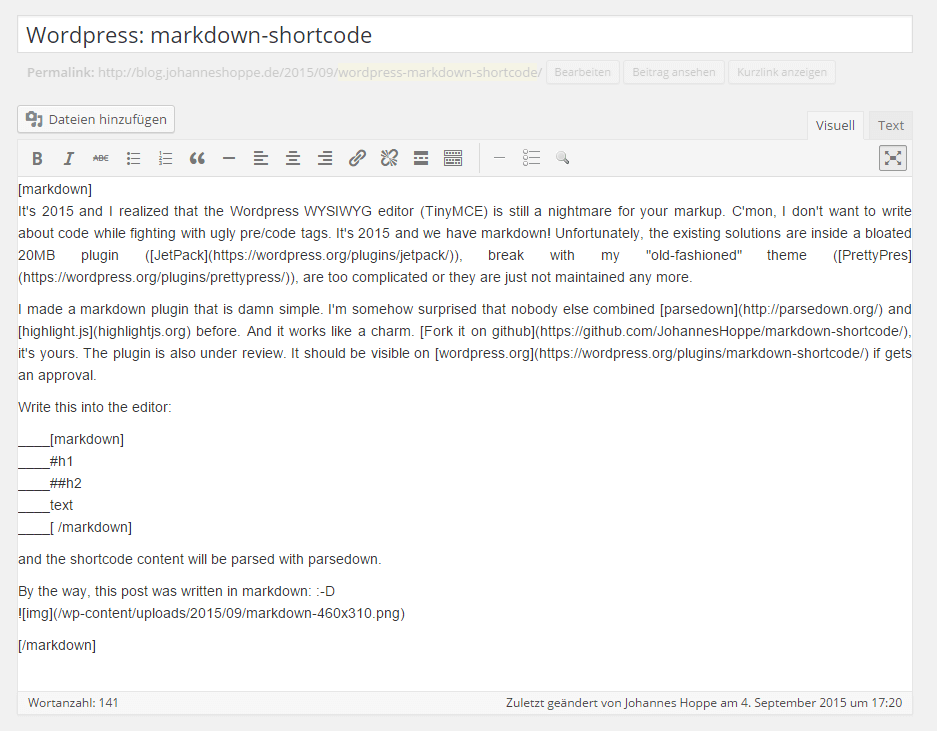
Blog post written in markdown.
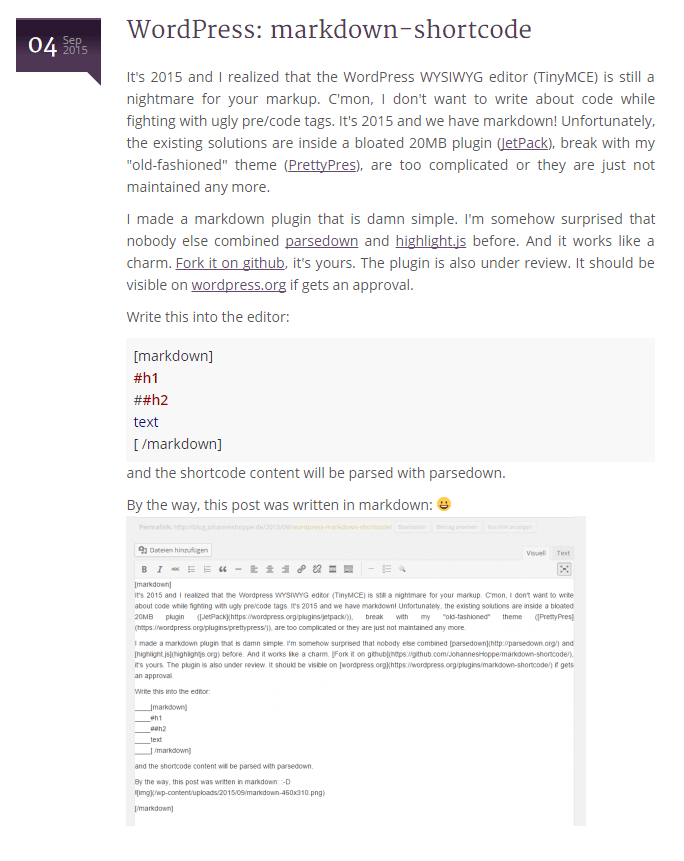
Same blog post on front end.
Changelog
0.2.3
- Security fix: Added wp_kses_post() sanitization to prevent XSS vulnerability (CVE-2025-10180)
- Fixed stored XSS vulnerability where contributors could inject malicious scripts through markdown content
0.1
- see https://github.com/JohannesHoppe/markdown-shortcode/releases for a list of all releases