

Plugin info
Maintenance & Compatibility
Maintenance score
Possibly abandoned • Last updated 484 days ago
Is MAS Brands for WooCommerce abandoned?
Possibly abandoned (last update 484 days ago).
Compatibility
Languages
Similar & Alternatives
Explore plugins with similar tags, and compare key metrics like downloads, ratings, updates, support, and WP/PHP compatibility.
Description
The MAS Brands for WooCommerce plugin can add brands to your products, as well as widgets and shortcodes for displaying your brands.
Create a product attribute for brand and configure the brand attribute settings in WooCommerce > Settings > Products > Brands.
Use the [mas_product_brand_list] shortcode to display brands A-Z. Allowed attributes are show_top_links and show_empty_brands.
Use the [mas_product_brand_thumbnails] shortcode to display brands thumbnails. Allowed attributes are columns, orderby, order, slug, hide_empty and number.
Installation
Minimum Requirements
- PHP version 7.4 or greater
Automatic installation
Automatic installation is the easiest option as WordPress handles the file transfers itself and you don’t need to leave your web browser. To do an automatic install of MAS Brands for WooCommerce, log in to your WordPress dashboard, navigate to the Plugins menu and click Add New.
In the search field type “MAS Brands for WooCommerce” and click Search Plugins. Once you’ve found our plugin you can view details about it such as the point release, rating and description. Most importantly of course, you can install it by simply clicking “Install Now”.
Manual installation
The manual installation method involves downloading our plugin and uploading it to your webserver via your favourite FTP application. The WordPress codex contains instructions on how to do this here.
Updating
Automatic updates should work like a charm; as always though, ensure you backup your site just in case.
Frequently Asked Questions
Yes; MAS Brands for WooCommerce will work with any theme which supports WooCommerce.
Bugs can be reported either in our support forum or preferably on the MAS Brands for WooCommerce GitHub repository.
Yes you can! Join in on our GitHub repository 🙂
Review feed
Screenshots
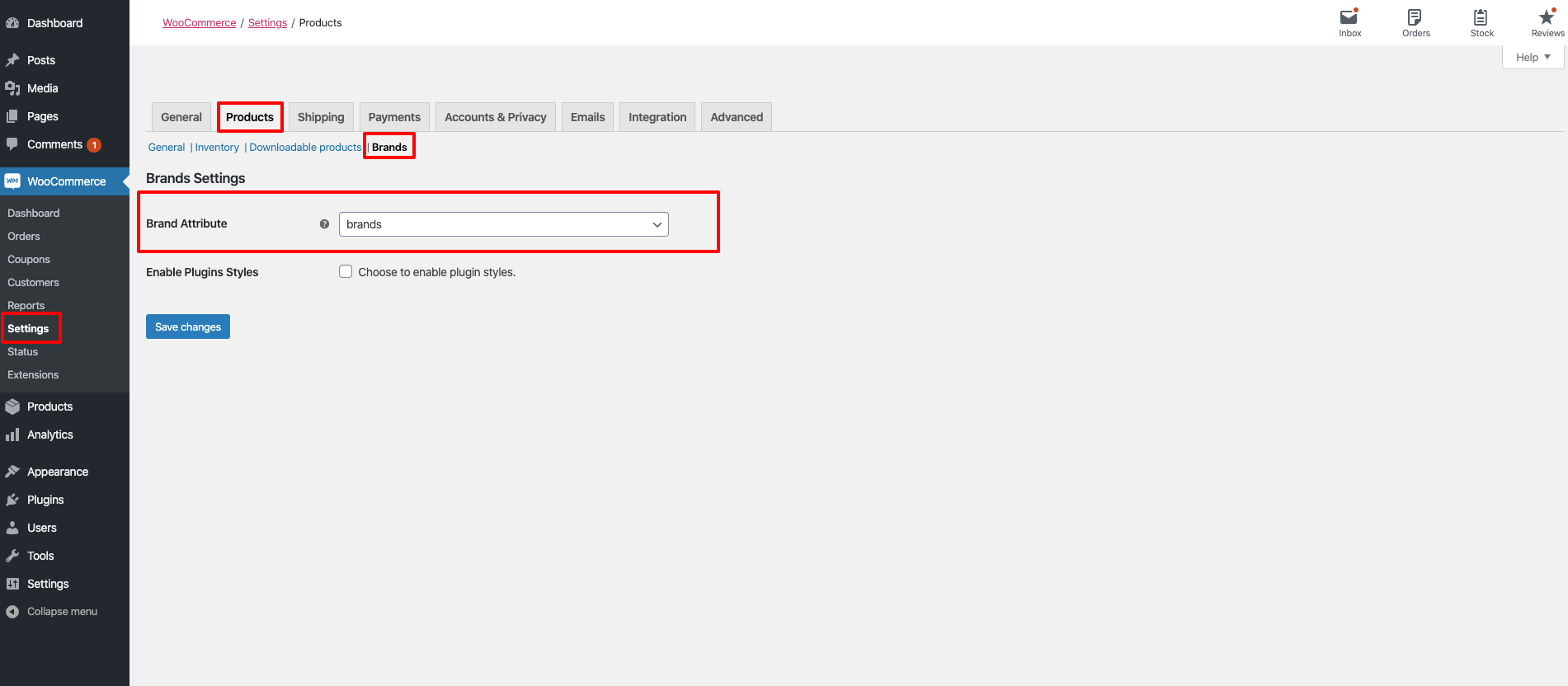
Settings page.

Brand Attribute admin.

Brands admin.

Shortcode Editor.

Shortcode Output.
Changelog
1.1.0 – 2024-12-04
- Compatible with php 8.x for MAS Brands
1.0.9 – 2024-04-09
- Fix PHP issues
1.0.8 – 2024-01-25
- Feature – WordPress 6.4 compatible
- Feature – WooCommerce 8.5.x compatible
- Feature – Improved security for widget/shortcode output
- Feature – TwentyTwentyFour theme compatibile
- Feature – HPOS compatibile
1.0.7 – 2023-10-17
- Tweak – WooCommerce 8.x compatible
1.0.6 – 2022-11-07
- Tweak – WooCommerce 7.x compatible
1.0.5 – 2022-04-07
- Tweak – WooCommerce 6.x compatible
1.0.4 – 2020-12-17
- Tweak – WooCommerce 4.8 compatible
1.0.3 – 2020-05-07
- Tweak – WooCommerce 4.1.x compatible
1.0.2 – 2020-03-23
- Tweak – WooCommerce 4.x compatible
1.0.1 – 2019-06-28
- Fix – Minor Fixes
1.0.0 – 2019-06-28
- Initial Release