

Mawu Art – View in Your Space
Universal 2D "View in Your Space" wall preview for WooCommerce products.
Plugin info
Maintenance & Compatibility
Maintenance score
Actively maintained • Last updated 81 days ago
Is Mawu Art – View in Your Space abandoned?
Likely maintained (last update 81 days ago).
Compatibility
Similar & Alternatives
Explore plugins with similar tags, and compare key metrics like downloads, ratings, updates, support, and WP/PHP compatibility.
Description
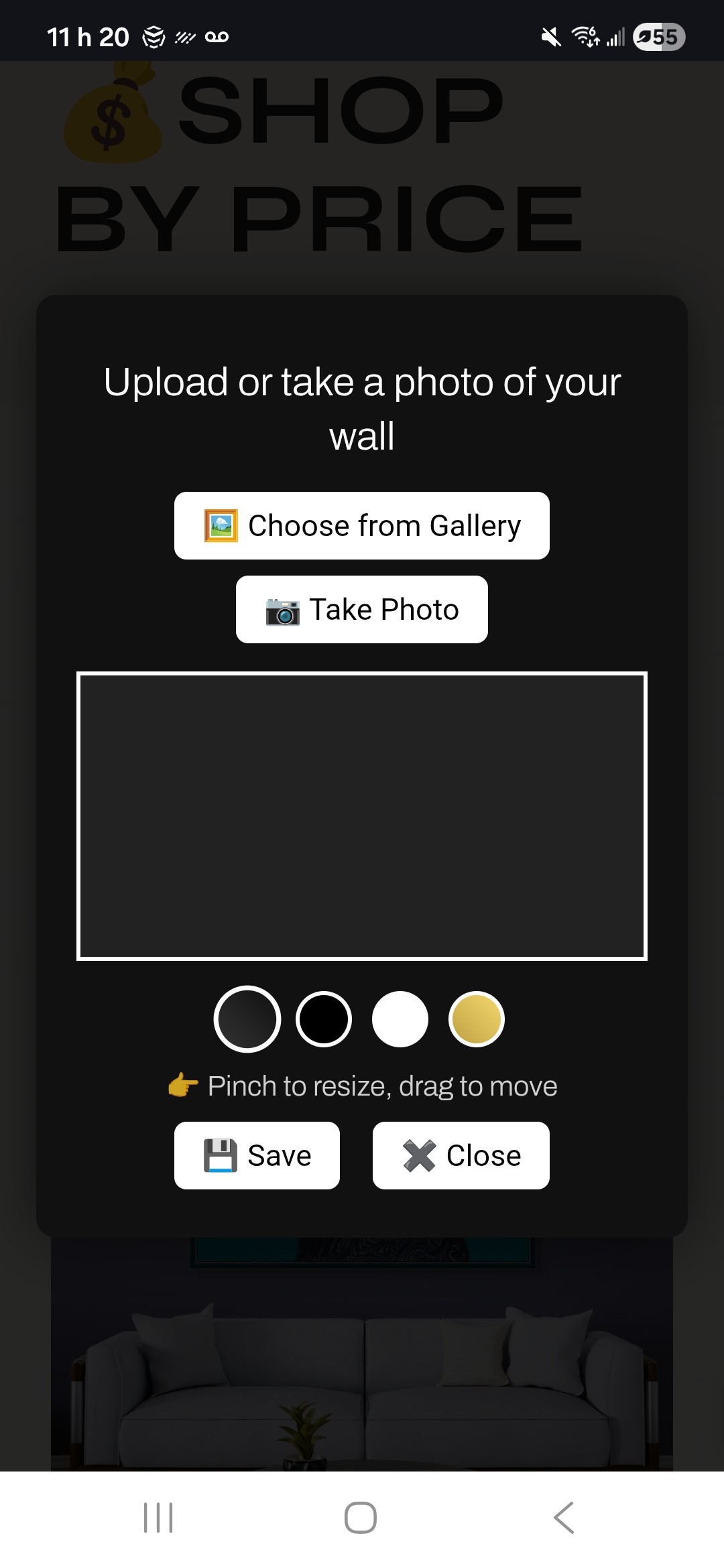
Mawu Art View in Your Space allows customers to upload or take a photo of their wall and preview the product image on it. They can move and resize the artwork and choose from simple frame styles.
Features include:
- Uses the WooCommerce product’s featured image.
- Customers can upload a wall photo or take one using their device.
- Drag to reposition the artwork.
- Pinch to resize (touch devices).
- Frame options: none, black, white, gold.
- Download the final preview as an image.
- Works with any theme using the standard WooCommerce product page.
This is a 2D preview — it does not use AR, 3D models, ARCore, or WebXR.
How to Use
- Click View in your space on a product page.
- Choose one of the options:
- Upload from gallery
- Take a photo (supported mobile devices)
- The wall photo will load into the preview.
- Move the artwork:
- Drag with mouse or touch
- Resize the artwork:
- Pinch on touch devices
- Select a frame style (optional).
- Click Save to download the preview, or Close to exit.
No setup beyond activation is required.
Installation
- Upload the
mawu-artfolder to/wp-content/plugins/, or install the ZIP through Plugins Add New Upload Plugin. - Activate the plugin from the Plugins menu in WordPress.
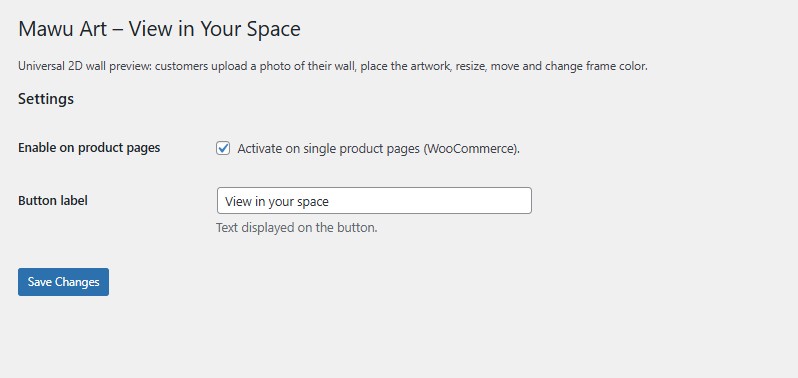
- Go to Settings Mawu Art View in Your Space and make sure the feature is enabled.
- Ensure each WooCommerce product has a featured image.
- Visit a single product page — the View in your space button will appear automatically.
Frequently Asked Questions
It always uses the featured image of the WooCommerce product.
Yes, as long as the theme uses the standard WooCommerce single product template.
No. This is a 2D preview only and does not include augmented reality functionality.
I would love to hear your suggestions, feature requests, or pain points so I can keep improving this plugin for artists.
You can send feedback directly here: [https://mawuartgallery.com/%f0%9f%93%a9contact-us/]
Review feed
Screenshots

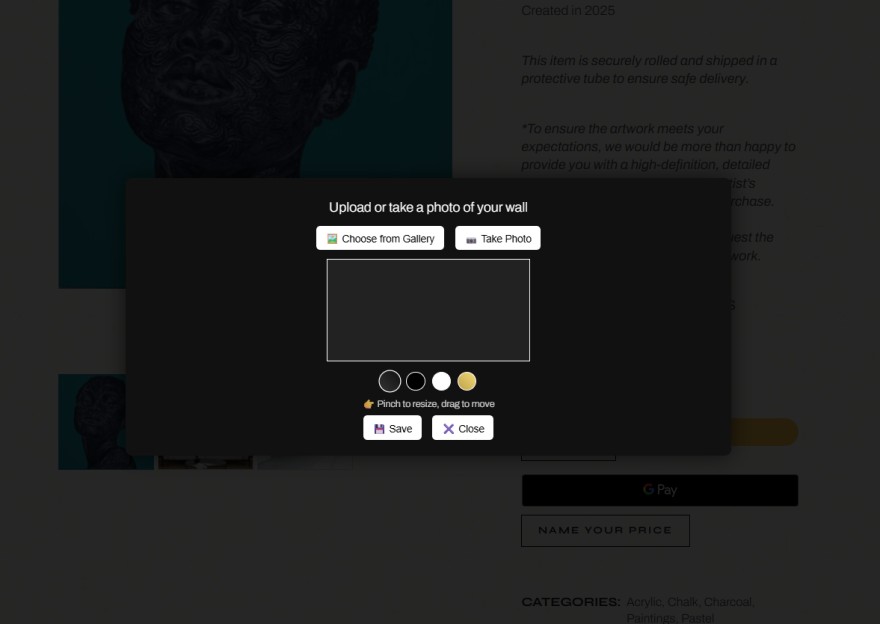
WooCommerce product page showing the "View in your space" button.
The overlay with upload and camera options.
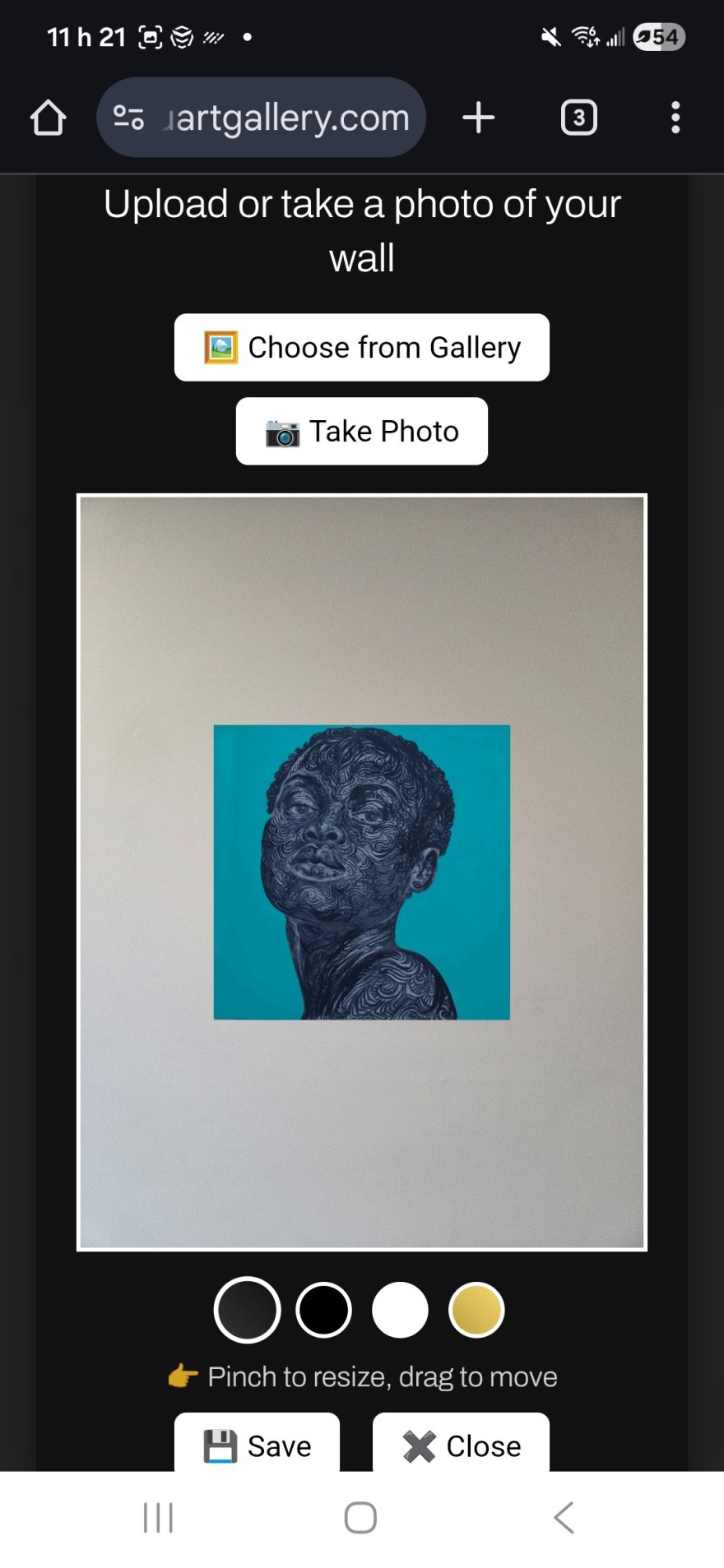
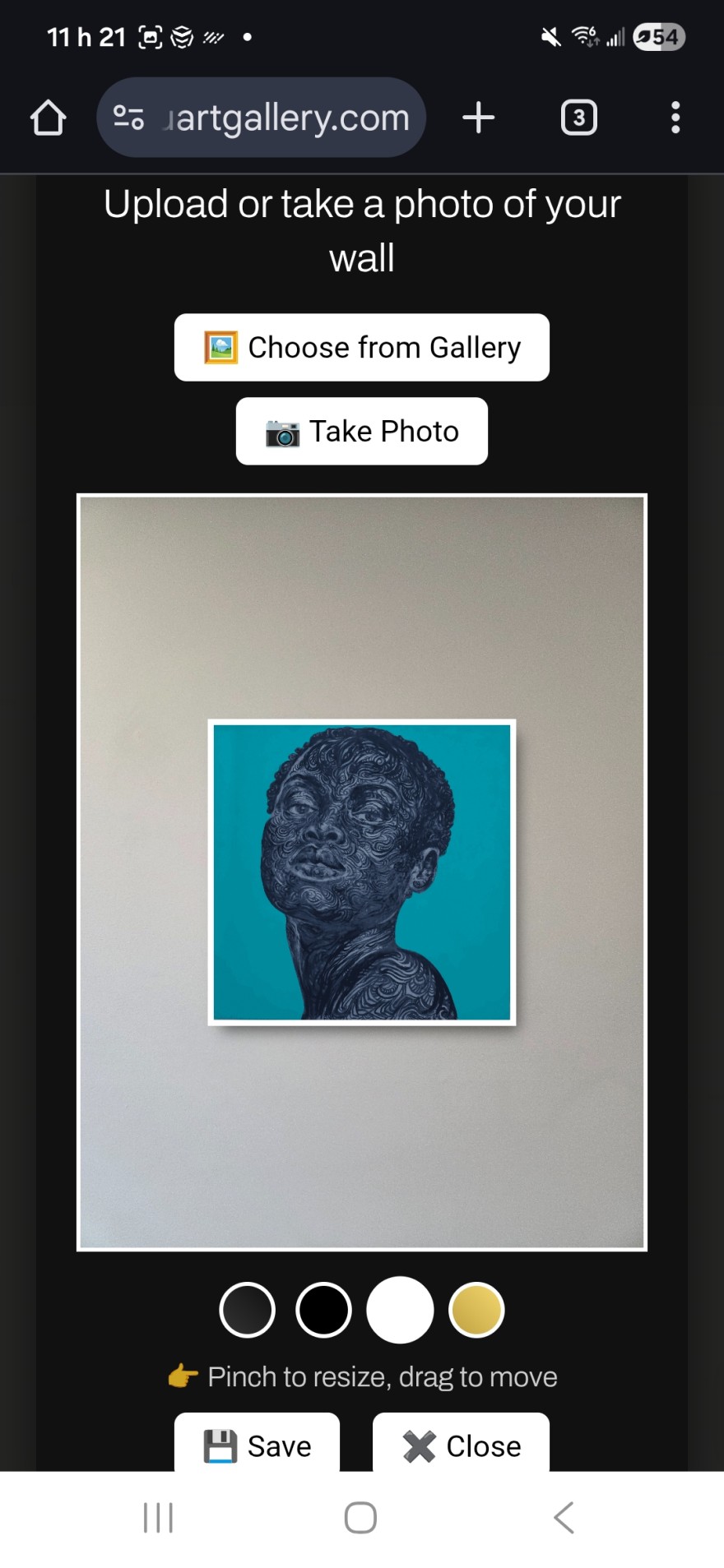
A wall photo loaded with artwork placed on it.
Frame selection and resizing in use.
Plugin settings page in WordPress.

Changelog
2.1.2
- Replaced PNG screenshots with optimized JPG versions for WordPress.org.
- Updated assets and improved display performance in the plugin directory.
2.1.1
- Added text domain loading for translation support.
- Improved script handling and dependency safety.
- Added
deferloading for better performance. - Updated asset handles and versioning.
2.1.0
- UI improvements for drag and touch interactions.
- More stable pinch-to-zoom.
- Updated frame rendering and shadow styling.
- Internal code cleanup and better compatibility.
2.0.0
- First public release based on the original snippet.