

Media Carousel for Guten Blocks
The Media Carousel for Guten Blocks: Customize media display with captions, border radius, FancyBox, sliders, and navigation options.
Plugin info
Maintenance & Compatibility
Maintenance score
Stale • Last updated 216 days ago
Is Media Carousel for Guten Blocks abandoned?
Likely maintained (last update 216 days ago).
Compatibility
Similar & Alternatives
Explore plugins with similar tags, and compare key metrics like downloads, ratings, updates, support, and WP/PHP compatibility.
Description
The Media Carousel for Guten Blocks is a versatile content block that enables users to dynamically upload and display images and videos. It offers a range of customizable features to enhance the presentation of media. Users can enable captions for their media, adjust the border radius for both images and videos, and utilize FancyBox settings to activate fancybox functionality for an enhanced viewing experience. The Slider Type settings provide options to choose the type of slider, adjust its speed, and configure autoplay and infinite loop features. Additionally, users can show or hide navigation arrows, with customizable styles and colors, and select the type and color of navigation dots to match their design preferences.
Plugin Requirement
PHP version : 7.4 and latest
WordPress : WordPress 5.9 and latest
OUR OTHER PLUGINS
- Abandoned Contact Form 7 Pro
- Accept 2 Checkout Payments Using Contact Form 7 Pro
- Accept Authorize.NET Payments Using Contact Form 7 Pro
- Accept Elavon Payments Using Contact Form 7 Pro
- Accept PayPal Payments Using Contact Form 7 Pro
- Accept Sagepay(Opayo) Payments Using Contact Form 7 Pro
- Accept Stripe Payments Using Contact Form 7 Pro
- Custom Product Options WooCommerce Pro
- Generate PDF Using Contact Form 7 Pro
- Smart Appointment & Booking Pro
- Smart Showcase for Google Reviews Pro
- User Registration Using Contact Form 7 Pro
Getting Help With WordPress
If you have any difficulties while using this Plugin, please feel free to contact us at support
We also offer custom WordPress extension development and WordPress theme design services to fulfill your e-commerce objectives.
Our professional impassioned WordPress experts provide profound and customer-oriented development of your project within short timeframes.
Thank you for choosing a Plugin developed by ZealousWeb!
Functionality
This plugin utilizes third-party libraries to enhance its functionality:
- Fancybox JS: https://cdn.jsdelivr.net/npm/@fancyapps/[email protected]/dist/fancybox/fancybox.umd.js – Used to achieve lightbox functionality for displaying images and videos in a popup.
- Fancybox CSS: https://cdn.jsdelivr.net/npm/@fancyapps/[email protected]/dist/fancybox/fancybox.css – Use to achieve lightbox functionality for images and videos in popup
- Slick JS: https://cdn.jsdelivr.net/npm/[email protected]/slick/slick.min.js – Used to achieve slider functionality for images and videos.
- Slick CSS: https://cdn.jsdelivr.net/npm/[email protected]/slick/slick.css – Used to achieve slider functionality for images and videos.
Installation
Installing the plugin is easy. Just follow these steps:
- From the dashboard of your site, navigate to Plugins –> Add New.
- Select the Upload option and hit “Choose File.”
- When the popup appears, select the gutenberg-media-carousel.zip file from your desktop.
- Follow the on-screen instructions and wait till the upload completes.
- When it’s finished, activate the plugin via the prompt. A message will display confirming activation was successful.
That’s it! Configure your settings as you see fit, and you’re on your way to creating visually appealing grids in Gutenberg.
e.g.
- Upload the plugin files to the
/wp-content/plugins/gutenberg-media-carouseldirectory, or install the plugin through the WordPress plugins screen directly. - Activate the plugin through the ‘Plugins’ screen in WordPress
Frequently Asked Questions
- Add a new post or page.
- Click on the “+” icon to add a new block.
- Search for “Media Carousel for Guten blocks” and add the block to your content.
- Configure the block settings, including Upload Media, Media settings, Media options, etc.
- Publish or update your post/page to see the Media Carousel for Guten blocks in action.
There are two main slider types: Simple Slider and Carousel Slider.
The Simple Slider provides straightforward transitions and minimalistic design, while the Carousel Slider offers a more dynamic display with multiple items visible at once and advanced features like center mode and lazy loading.
FancyBox allows users to view content, such as YouTube videos, in a larger, detailed pop-up window.
Navigation arrows allow users to manually cycle through the media items, enhancing user control and navigation.
The Caption feature allows users to add descriptive text to each media item, providing context and additional information.
Navigation dots provide a visual indicator of the total number of media items and the current position within the carousel, enhancing user navigation.
Review feed
Screenshots

It will show Back-End Option for Media Carousel - Image and Video Upload Options
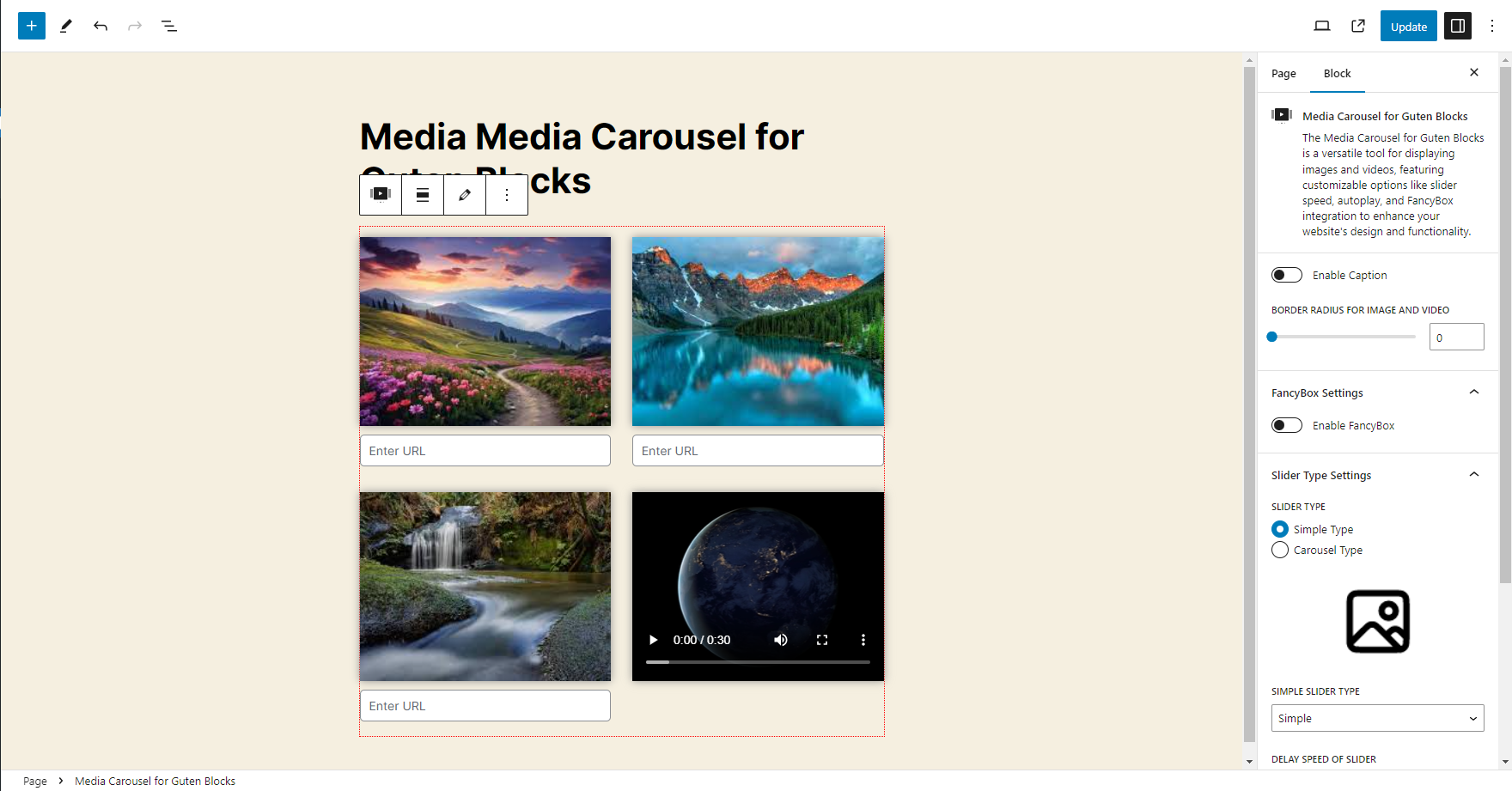
It will show Back-End View for Media Carousel Section
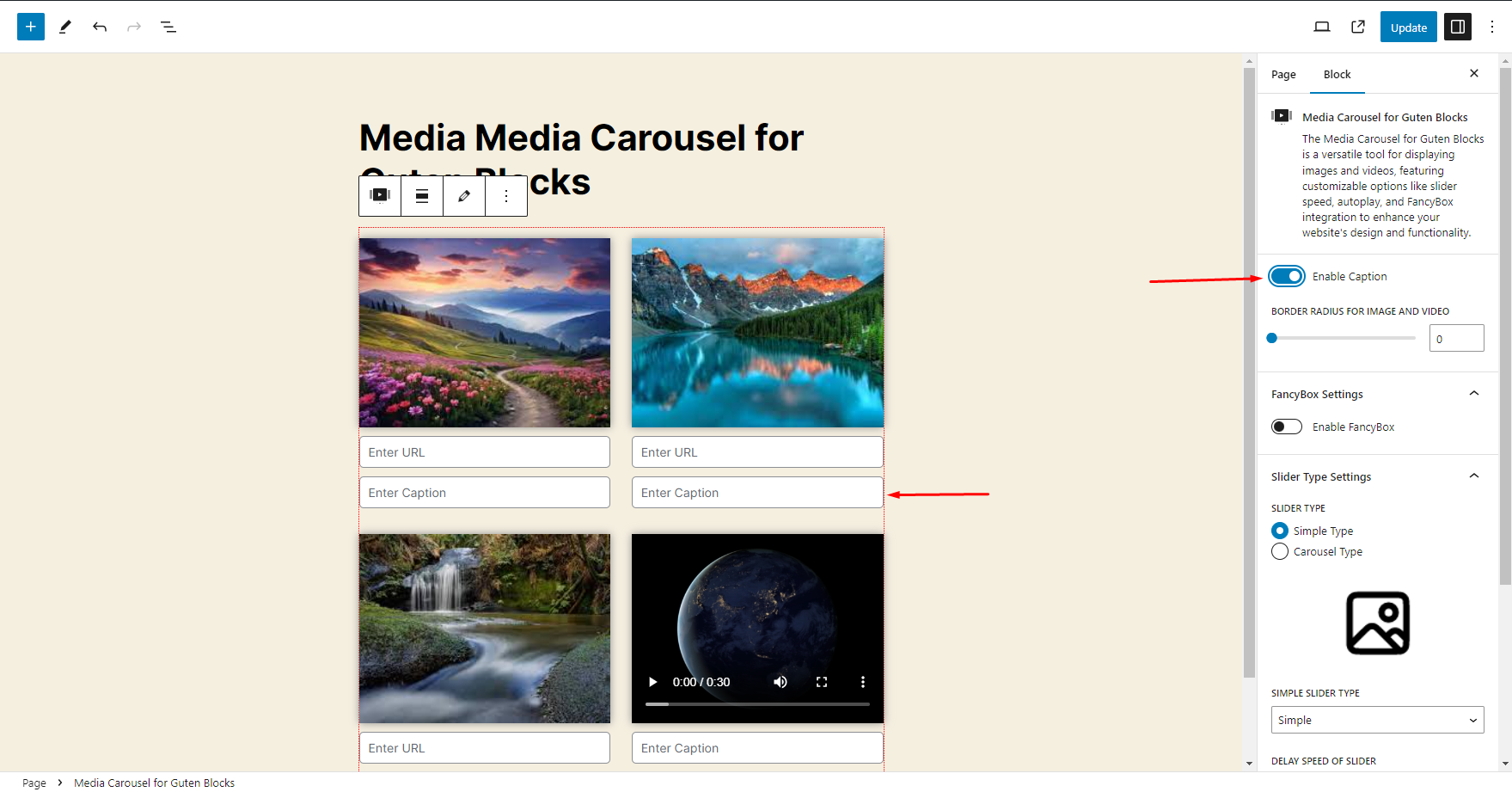
It will show Back-End Option for Media Carousel - How to Enable the Caption option and How it will show Back-End Option for Media Carousel
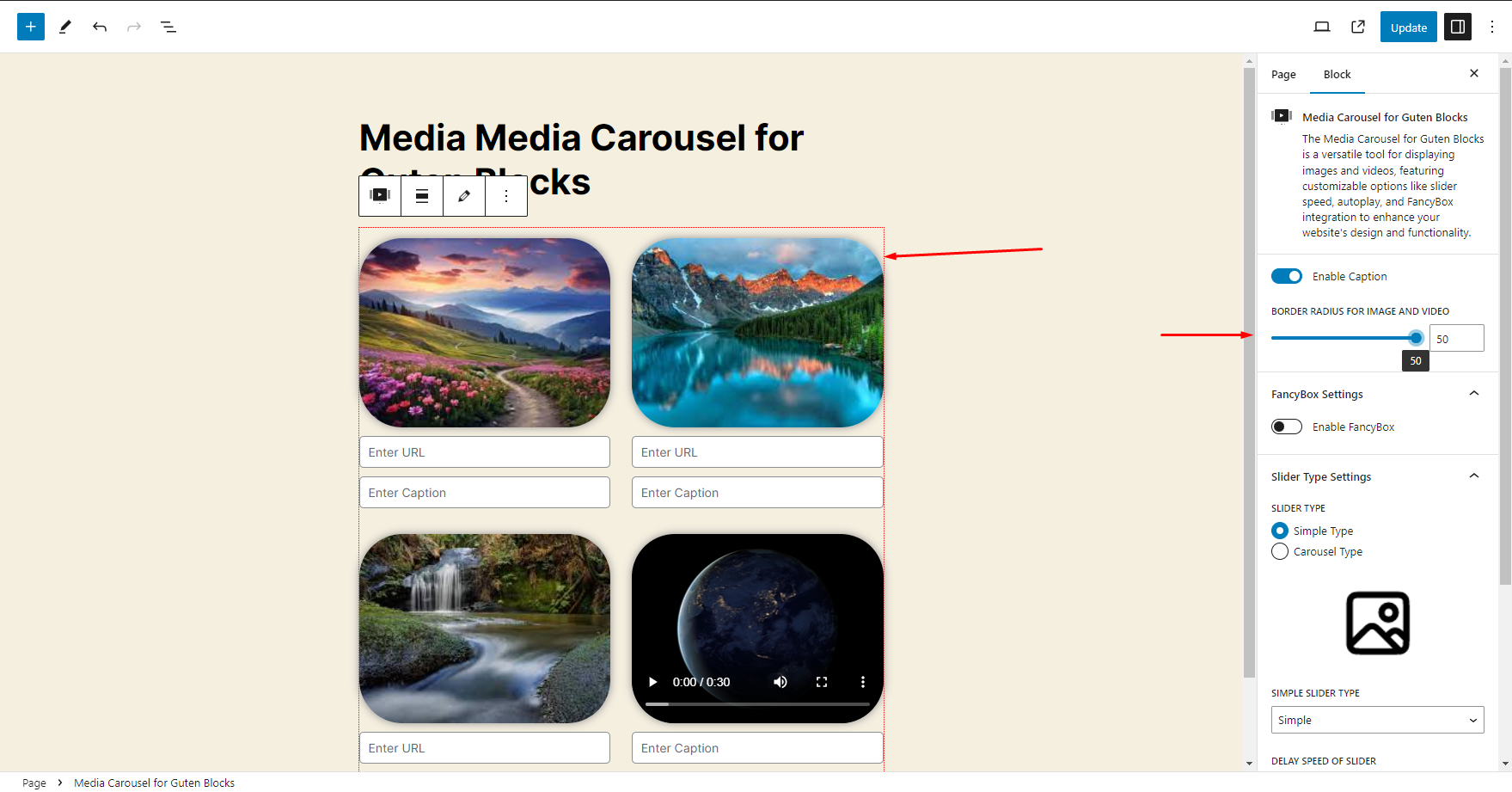
It will show Back-End Option for Media Carousel - How to change Border Radius option and How it will show Back-End Option for Media Carousel
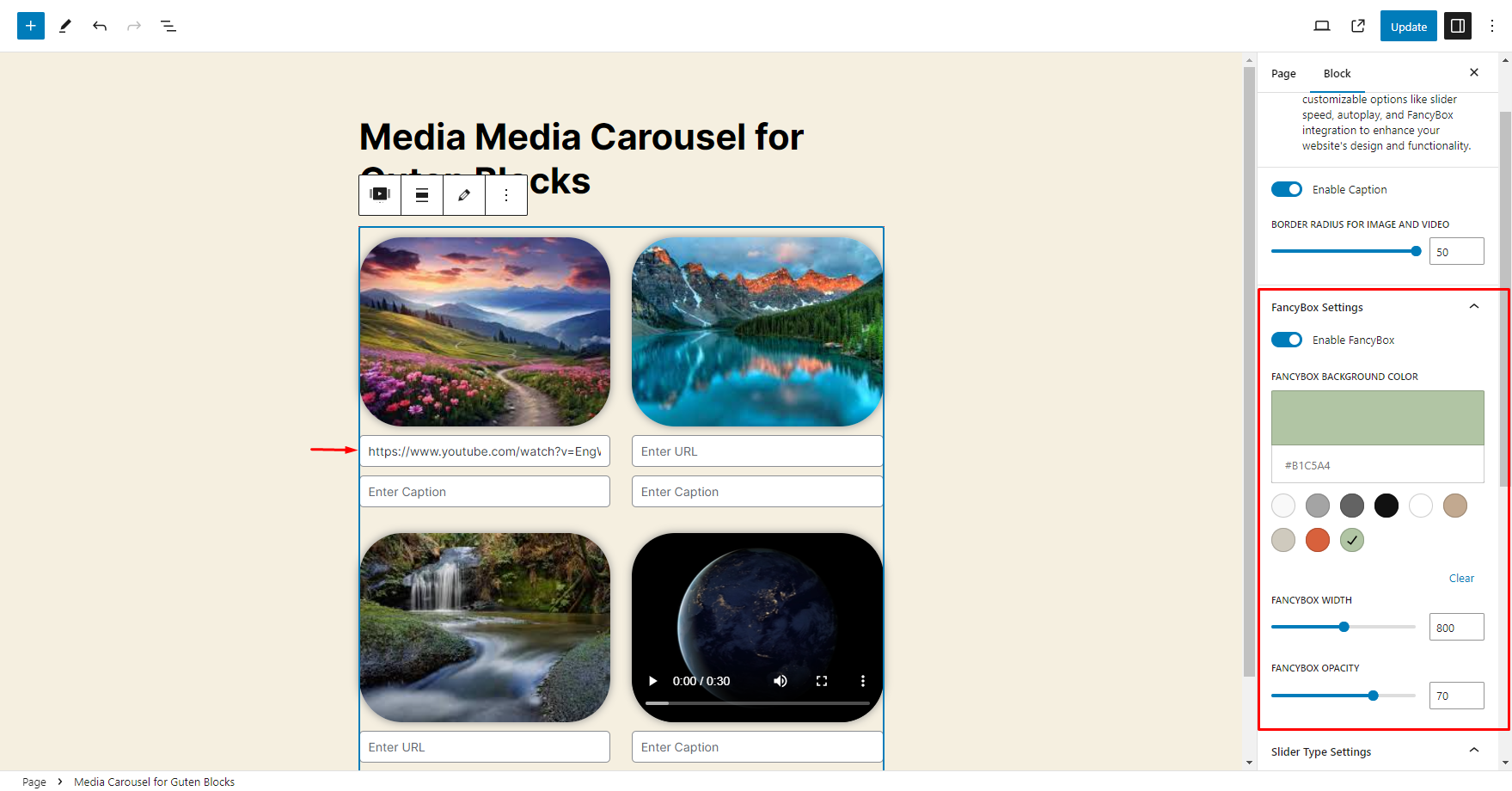
It will show Back-End Option for Media Carousel - How to Enable the FancyBox option
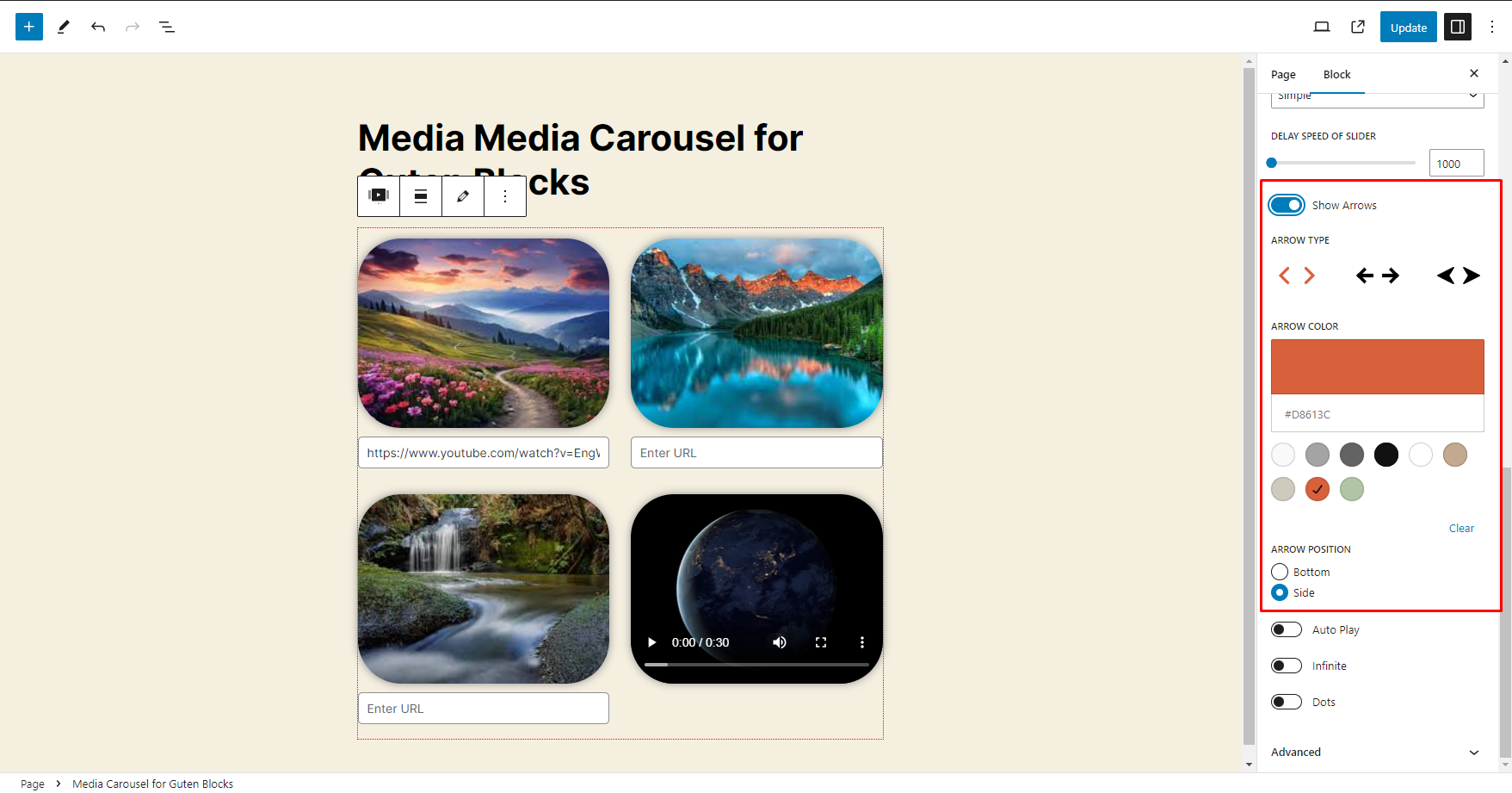
It will show Back-End Option for Media Carousel - How to Enable the Navigation Arrows option
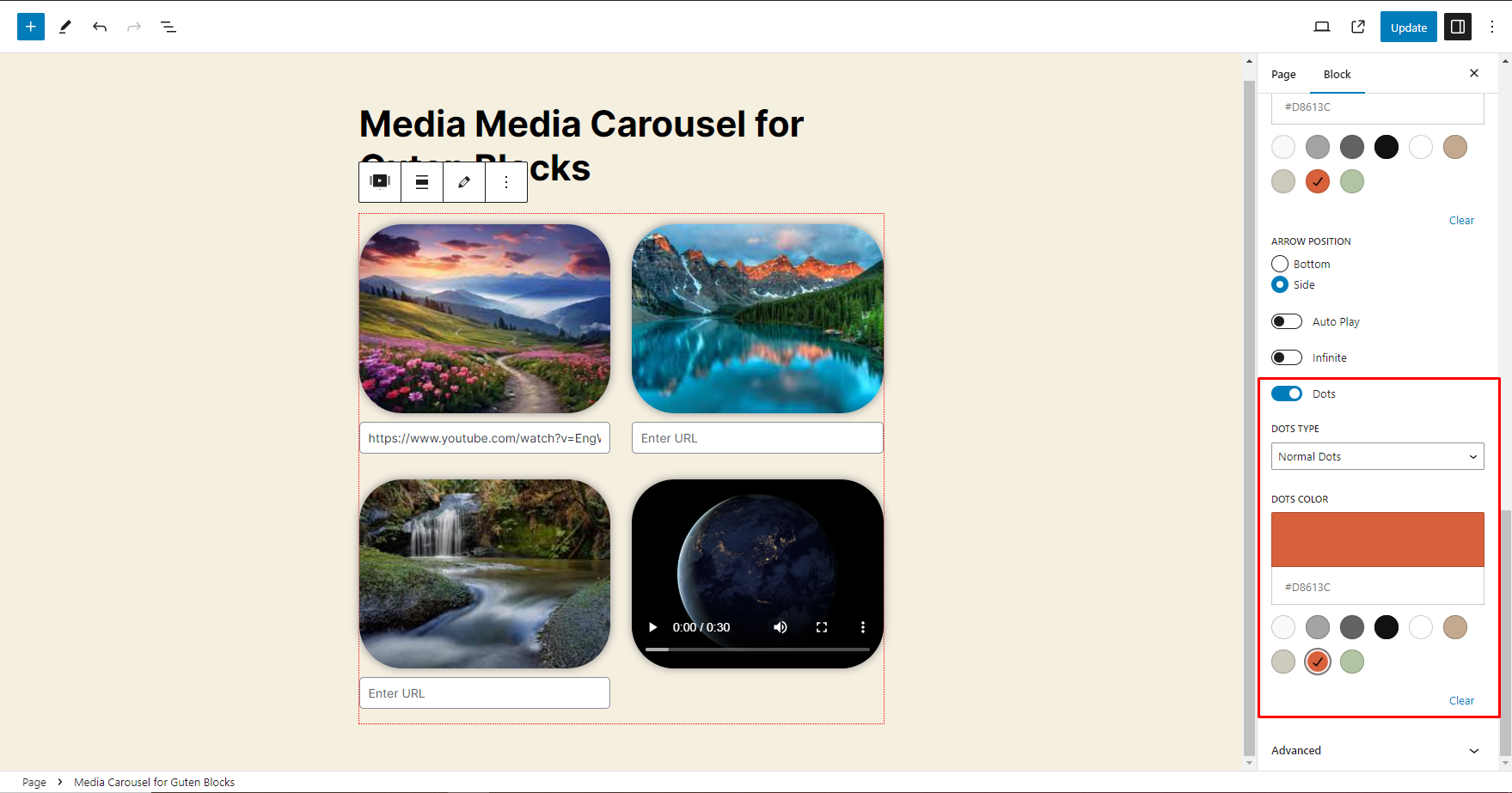
It will show Back-End Option for Media Carousel - How to Enable the Navigation Dots option
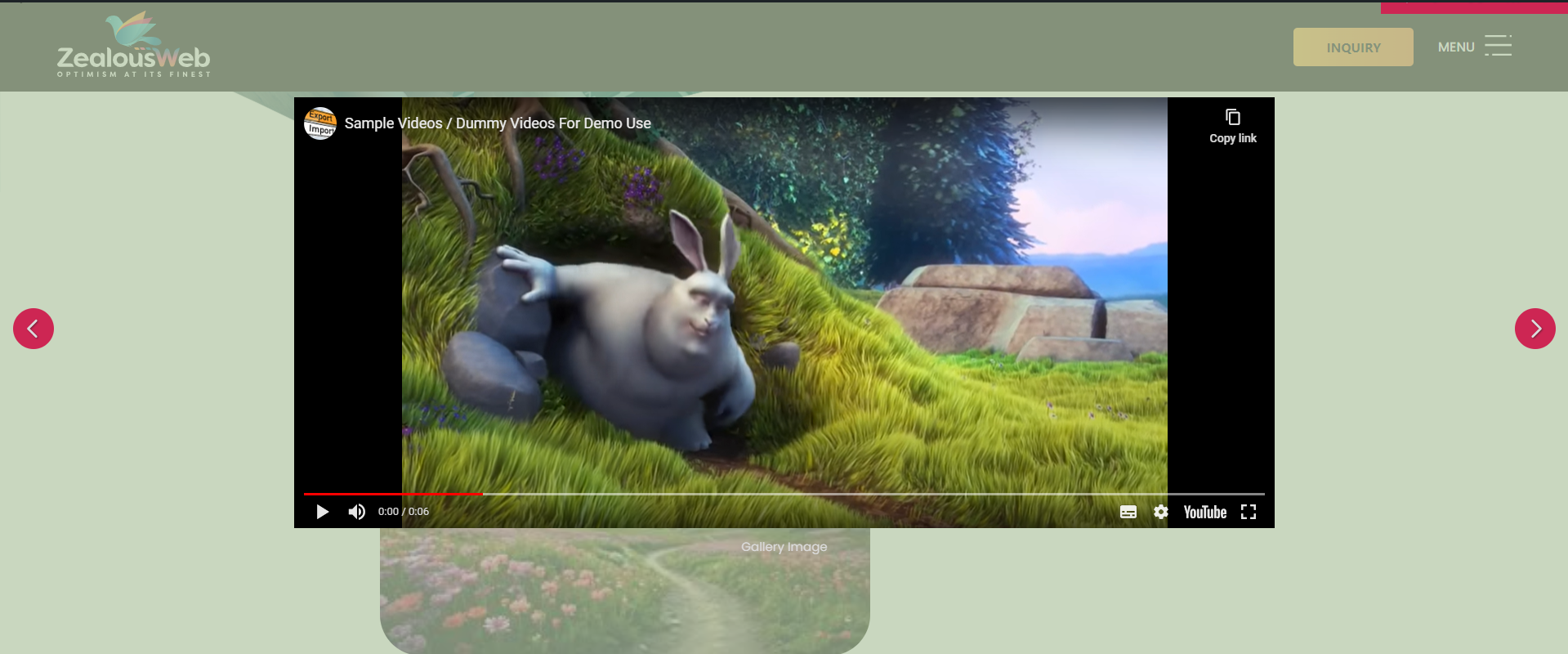
It will show Front-End View for Media Carousel when FancyBox is Enable
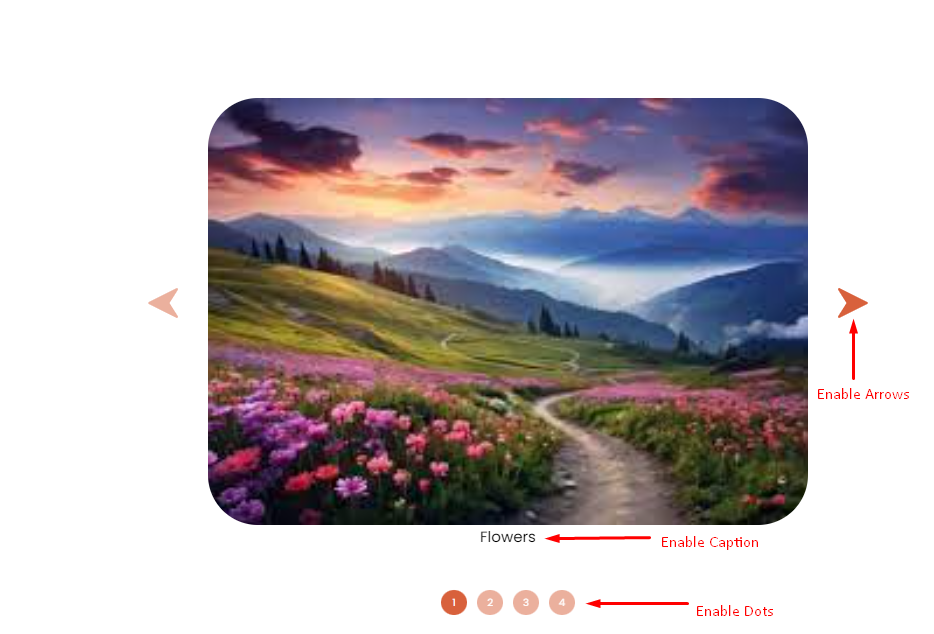
It will show Front-End View for Media Carousel when Caption is Enable ,Dots is Enable and Enable the Navigation Arrows option
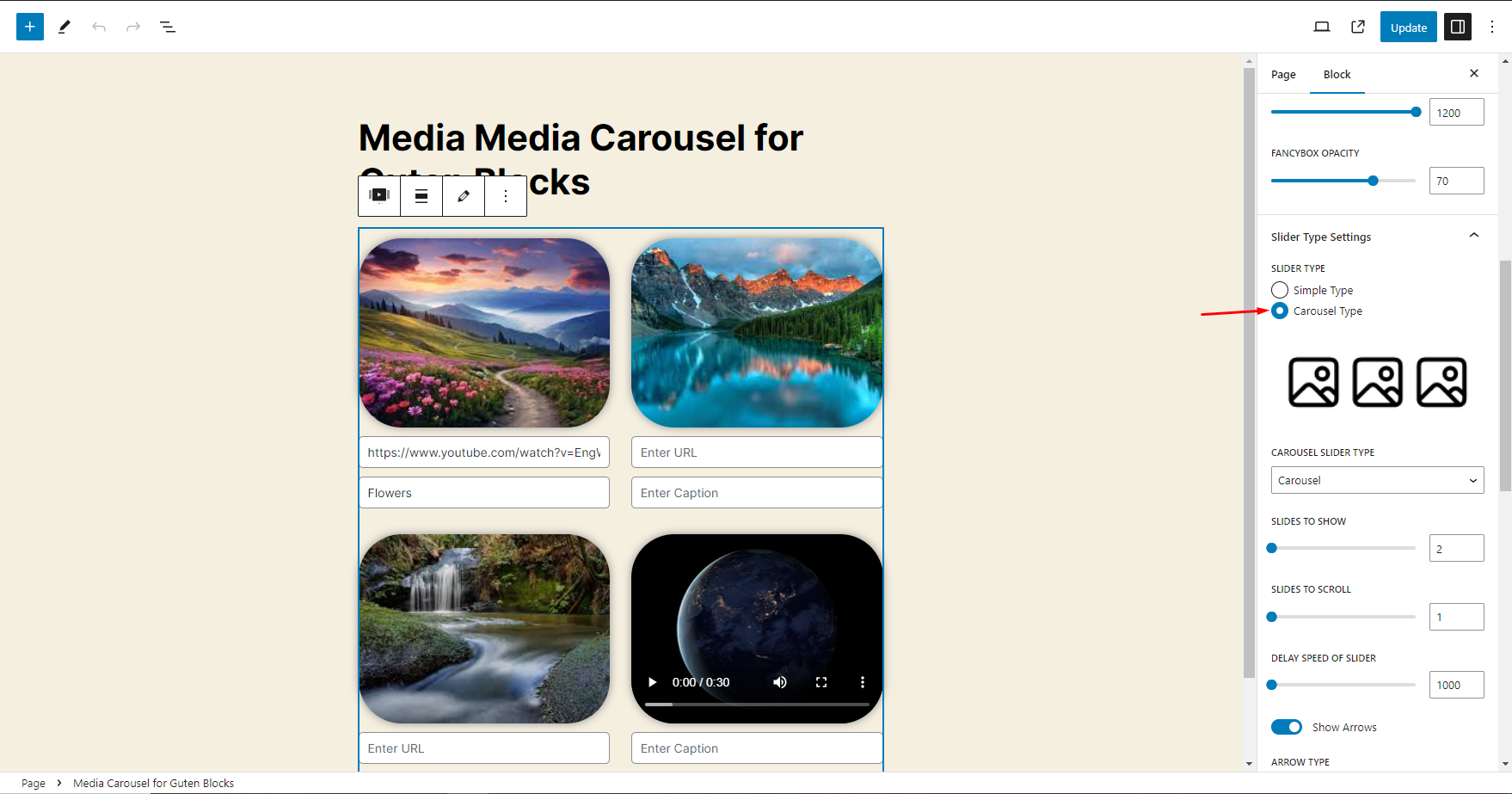
It will show Back-End Option for Media Carousel - How to switch to other slider mode i.e Carousel Type
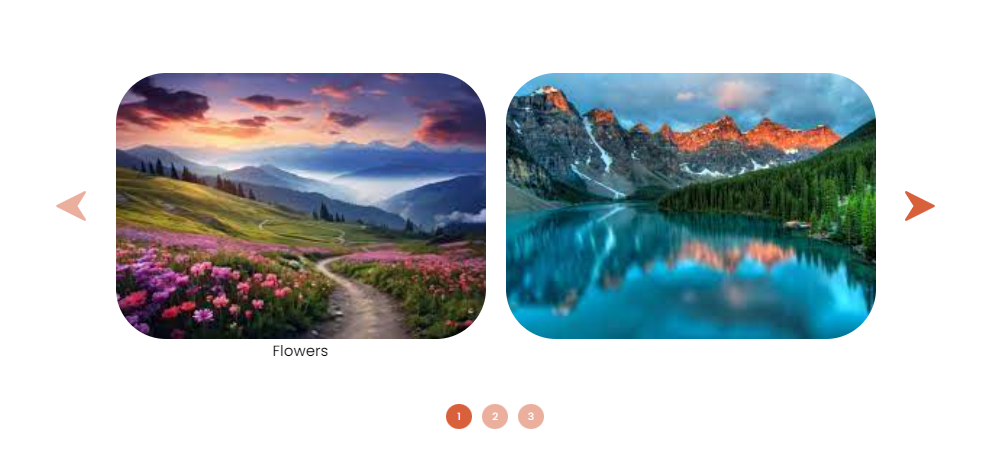
It will show Front-End View for Media Carousel when Carousel Type is Enable
Changelog
1.0.3
- Added breakpoint options for Carousel (Desktop, Laptop, Tablet).
- Added Pause on Hover toggle (ON/OFF).
- Introduced Border Radius option (similar to Elementor).
- Added option to upload custom navigation arrows.
- Added Responsive Conditions for visibility:
(1) Hide on Desktop
(2) Hide on Tablet
(3) Hide on Mobile - Updated Caption section to support custom heading tags.
- Added Image Aspect Ratio option for better design flexibility.
- Added Text Color option for captions.
- Added option to hide carousel/slider arrows with responsive conditions:
(1) Hide on Desktop
(2) Hide on Tablet
(3) Hide on Mobile
1.0.2
- Minor changes – Doc update
1.0.1
- Minor workflow adjustments
1.0.0
- Release
Initial Release