

Media Meta & Force Regenerate
Displays the metadata information in the Media Library. Regenerates the metadata and thumbnails even if they exist.
Plugin info
Maintenance & Compatibility
Maintenance score
Possibly abandoned • Last updated 2244 days ago • 5 reviews
Is Media Meta & Force Regenerate abandoned?
Possibly abandoned (last update 2244 days ago).
Compatibility
Similar & Alternatives
Explore plugins with similar tags, and compare key metrics like downloads, ratings, updates, support, and WP/PHP compatibility.
Description
Displays the metadata information in the Media Library. Regenerates the metadata and thumbnails even if they exist. This plugin is really useful when the metadata is broken. This is an extremely light plugin.
I am using this tool for debugging many installs and decided to make it available here. Try it, discuss it. Remarks are very welcome 🙂
Installation
- Upload the plugin to the
/wp-content/plugins/directory - Activate the plugin through the
Pluginsmenu in WordPress - Check your Media Library in List Mode.
Frequently Asked Questions
No questions yet.
Review feed
This plugin works
Screenshots
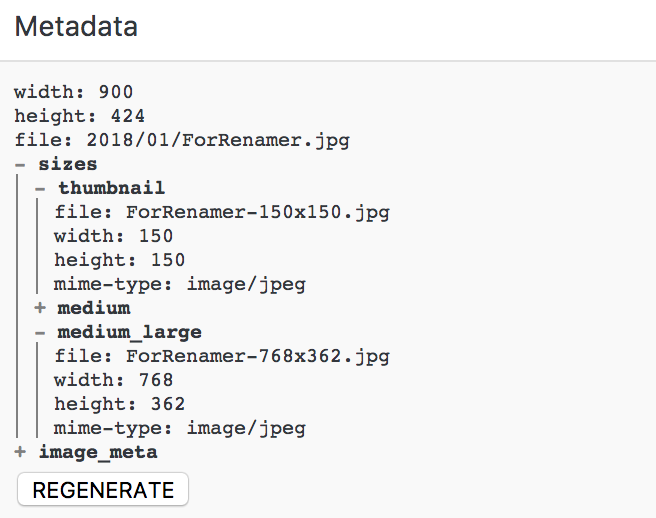
Column Metadata in the Media Library (List Mode).
Changelog
0.0.3
- Info: Make sure it works with latest WordPress.
0.0.2
- Update: Make sure it regenerates all the custom sizes.
0.0.1
- Info: Initial commit.