

Media Sweep – WordPress Media Cleaner
Clean up your WordPress Media Library by finding and removing unused files. Safely scan, preview, and sweep away orphaned media to keep your site fast …
Plugin info
Maintenance & Compatibility
Maintenance score
Maintained • Last updated 157 days ago • Support resolved 67% • 1 reviews
Is Media Sweep – WordPress Media Cleaner abandoned?
Likely maintained (last update 157 days ago).
Compatibility
Similar & Alternatives
Explore plugins with similar tags, and compare key metrics like downloads, ratings, updates, support, and WP/PHP compatibility.
Description
Media Sweep: The Ultimate WordPress Media Library Cleaner
Media Sweep is a powerful WordPress plugin designed to help you reclaim valuable server space by identifying and safely removing unused media files from your WordPress site. Whether you’re dealing with orphaned attachments, forgotten uploads, or files left behind by themes and plugins, Media Sweep provides a comprehensive solution to keep your media library clean and organized.
Perfect for bloggers, agencies, e-commerce sites, and any WordPress website looking to optimize storage space and improve site performance.
🚀 Key Benefits:
✅ Reclaim Server Space – Remove unused files and free up valuable storage
✅ Improve Site Performance – Faster backups and reduced server load
✅ Safe & Reversible – Files moved to trash folder, not permanently deleted
✅ Smart Detection – Advanced algorithms identify truly unused files
✅ Batch Operations – Process multiple files efficiently
✅ Detailed Analytics – Comprehensive scan reports and file insights
🎯 Core Features
🔍 Dual Scan Modes
Media Library Scan
* Scans all media attachments in your WordPress library
* Checks for usage in posts, pages, and custom fields
* Detects thumbnail and size variations
* Identifies gallery shortcodes and blocks
* Fast and efficient for large media libraries
* Recommended for most WordPress sites
File System Scan
* Deep scan of your uploads directory
* Finds orphaned files not in the media library
* Detects cache and temporary files
* Identifies theme and plugin generated files
* Comprehensive but may take longer to complete
* Best for sites with file management plugins
📊 Smart File Detection
- Usage Analysis – Checks posts, pages, custom fields, and widgets
- Database Scanning – Searches content for file references
- Shortcode Detection – Identifies gallery and media shortcodes
- Block Analysis – Scans Gutenberg blocks for media usage
- Plugin Integration – Detects files used by popular plugins
- Theme Assets – Identifies theme-related media files
🗂️ Advanced File Management
- Status Classification – Files categorized as In Use, Unused, or Orphaned
- Bulk Actions – Select and process multiple files at once
- Smart Filtering – Filter by file type, status, date, and directory
- Search Functionality – Quickly find specific files
- Preview Mode – View files before taking action
- Detailed File Info – Size, type, usage locations, and more
🛡️ Safety Features
- Trash System – Files moved to secure trash folder, not deleted
- Restore Capability – Easily restore accidentally removed files
- Backup Integration – Works with popular backup plugins
- Progress Monitoring – Real-time scan progress with pause/resume
- System Resources – Intelligent resource management prevents timeouts
- Rollback Protection – Safe operations with detailed logging
📈 Comprehensive Analytics
- Scan History – Track all previous scans and results
- Storage Statistics – See exactly how much space you’ve reclaimed
- File Breakdown – Detailed analysis by file type and status
- Usage Patterns – Understand your media library usage
- Performance Metrics – Scan duration and processing statistics
🚀 Easy 3-Step Process
Step 1: Choose Scan Type
* Select Media Library or File System scan based on your needs
* Configure advanced options for thorough analysis
Step 2: Run the Scan
* Watch real-time progress as Media Sweep analyzes your files
* Pause and resume scans as needed without losing progress
Step 3: Review & Clean
* Browse detected files with detailed information
* Use bulk actions to efficiently process multiple files
* Restore files from trash if needed
🔧 Advanced Configuration
- Scan Options – Deep scan, thumbnail inclusion, custom field checking
- File Type Filters – Focus on specific file types (images, documents, etc.)
- Directory Exclusions – Skip specific folders during scans
- Performance Settings – Adjust batch sizes and resource limits
- Automation Rules – Set up automatic cleanup schedules (planned for future versions)
💡 Perfect For
- Content Creators – Bloggers and publishers with large media libraries
- Web Agencies – Managing multiple client sites efficiently
- E-commerce Sites – Cleaning up product images and assets
- Membership Sites – Optimizing user-generated content
- Portfolio Sites – Managing large image collections
- News Sites – Handling high-volume media uploads
Support
Need help with Media Sweep? We’re here to assist!
- Support Forum: WordPress.org support forum
- Feature Requests: Submit ideas and suggestions
- Bug Reports: Report issues for quick resolution
Privacy
Media Sweep respects your privacy and does not collect or transmit any personal data. All file analysis and cleanup operations are performed locally on your server. No external services are contacted during plugin operation.
Credits
Media Sweep is crafted with ❤️ by the WPCreatix team. We’re passionate about creating tools that help WordPress users optimize and maintain their websites efficiently.
Special thanks to the WordPress community for their continuous feedback and support in making this plugin better.
Installation
Automatic Installation (Recommended)
- Go to Plugins > Add New in your WordPress admin
- Search for “Media Sweep”
- Click “Install Now” and then “Activate”
- Navigate to Media Sweep in your admin menu to get started
Manual Installation
- Download the plugin ZIP file
- Upload to
/wp-content/plugins/media-sweep/ - Activate through the Plugins menu in WordPress
- Access Media Sweep from your admin dashboard
Getting Started
- Visit Media Sweep > Dashboard
- Click “Start New Scan”
- Choose your scan type and options
- Let Media Sweep analyze your files
- Review results and clean up unused files
Frequently Asked Questions
Yes! Media Sweep uses advanced detection algorithms and moves files to a secure trash folder rather than permanently deleting them. You can always restore files if needed.
Media Library scans focus on WordPress attachments and are faster, while File System scans check all files in your uploads directory for a more comprehensive cleanup.
Absolutely! Files are moved to the Media Sweep trash folder and can be easily restored through the Trash section of the plugin.
Yes! Media Sweep includes detection for popular page builders, gallery plugins, and other media-related extensions.
This varies greatly depending on your site, but users typically reclaim 10-50% of their media storage space, sometimes even more on older sites.
No, Media Sweep only runs when you initiate a scan and includes intelligent resource management to prevent server overload.
Currently, Media Sweep requires manual scan initiation. Automatic scheduling may be added in future versions.
Review feed
Screenshots
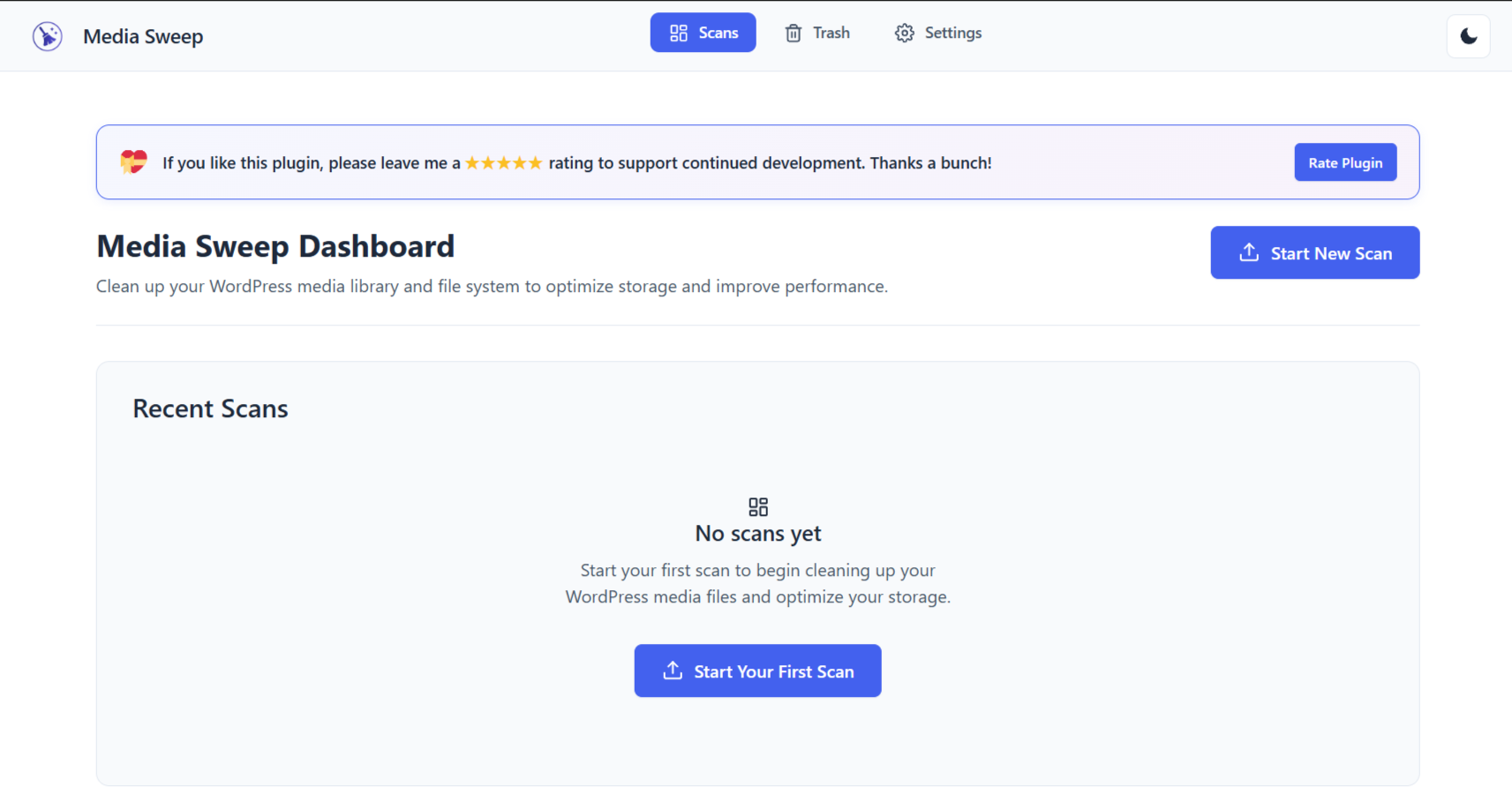
Dashboard Overview – Clean, intuitive interface showing scan history and quick actions
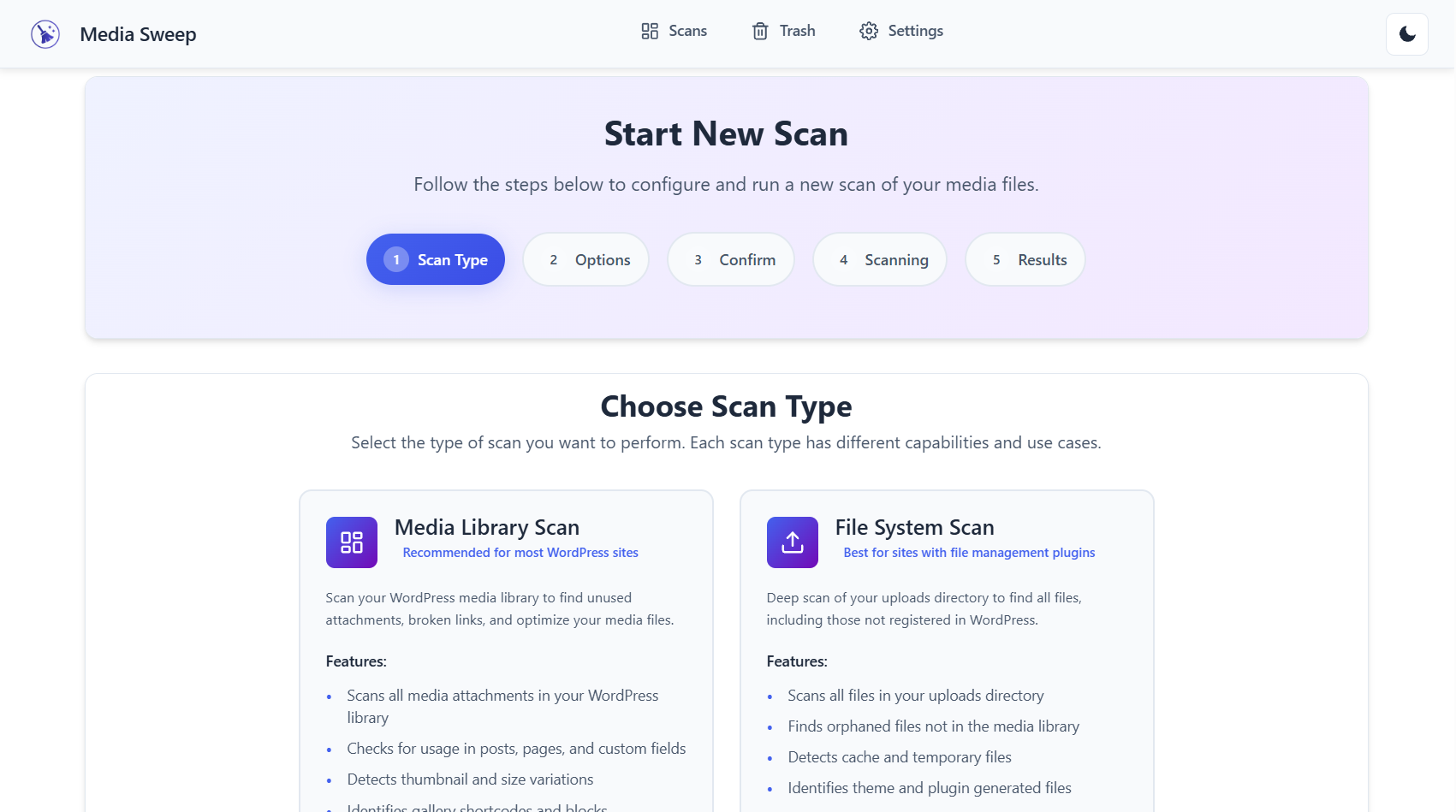
Scan Type Selection – Choose between Media Library and File System scans with detailed explanations
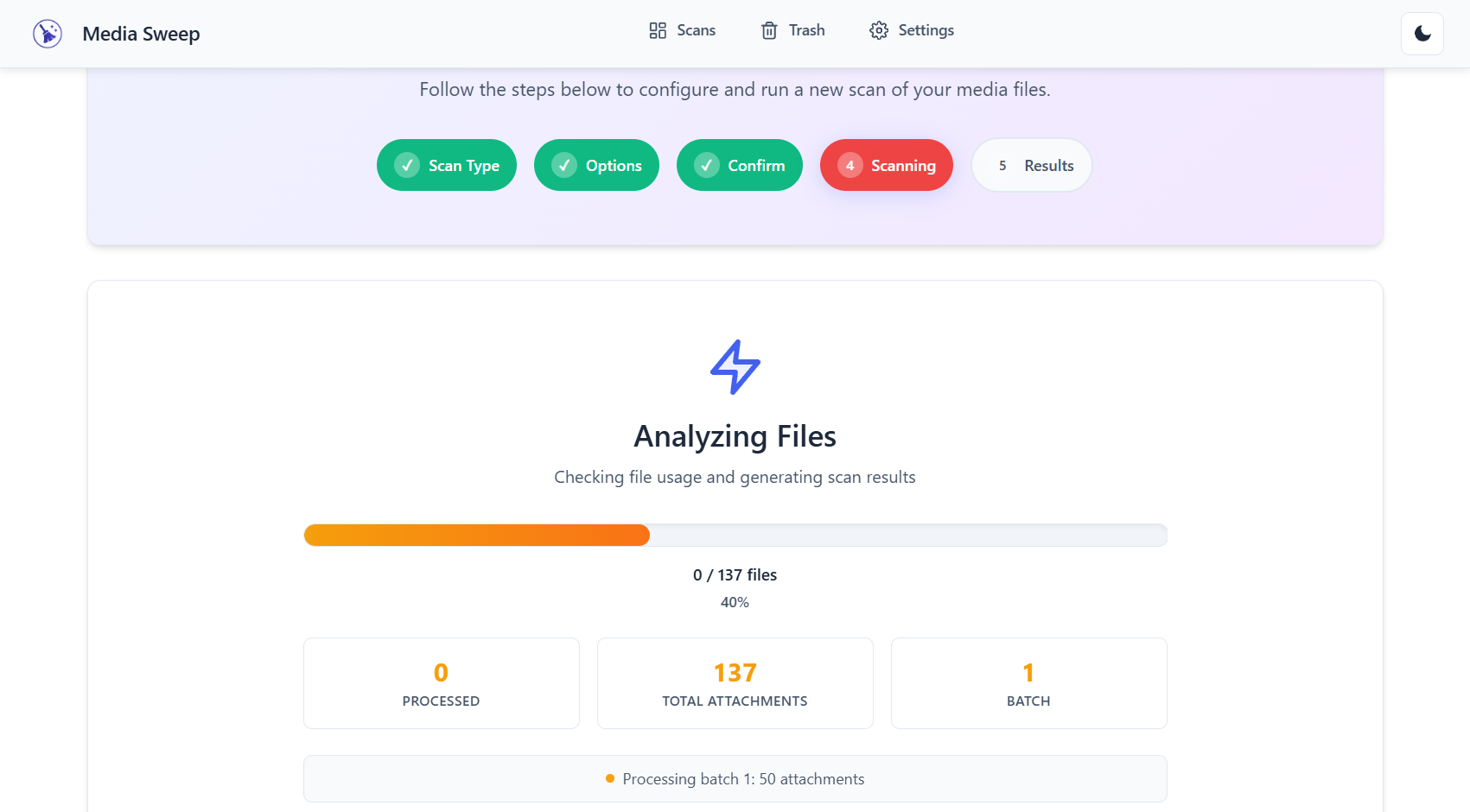
Real-time Scan Progress – Watch your scan progress with detailed status updates and resource monitoring
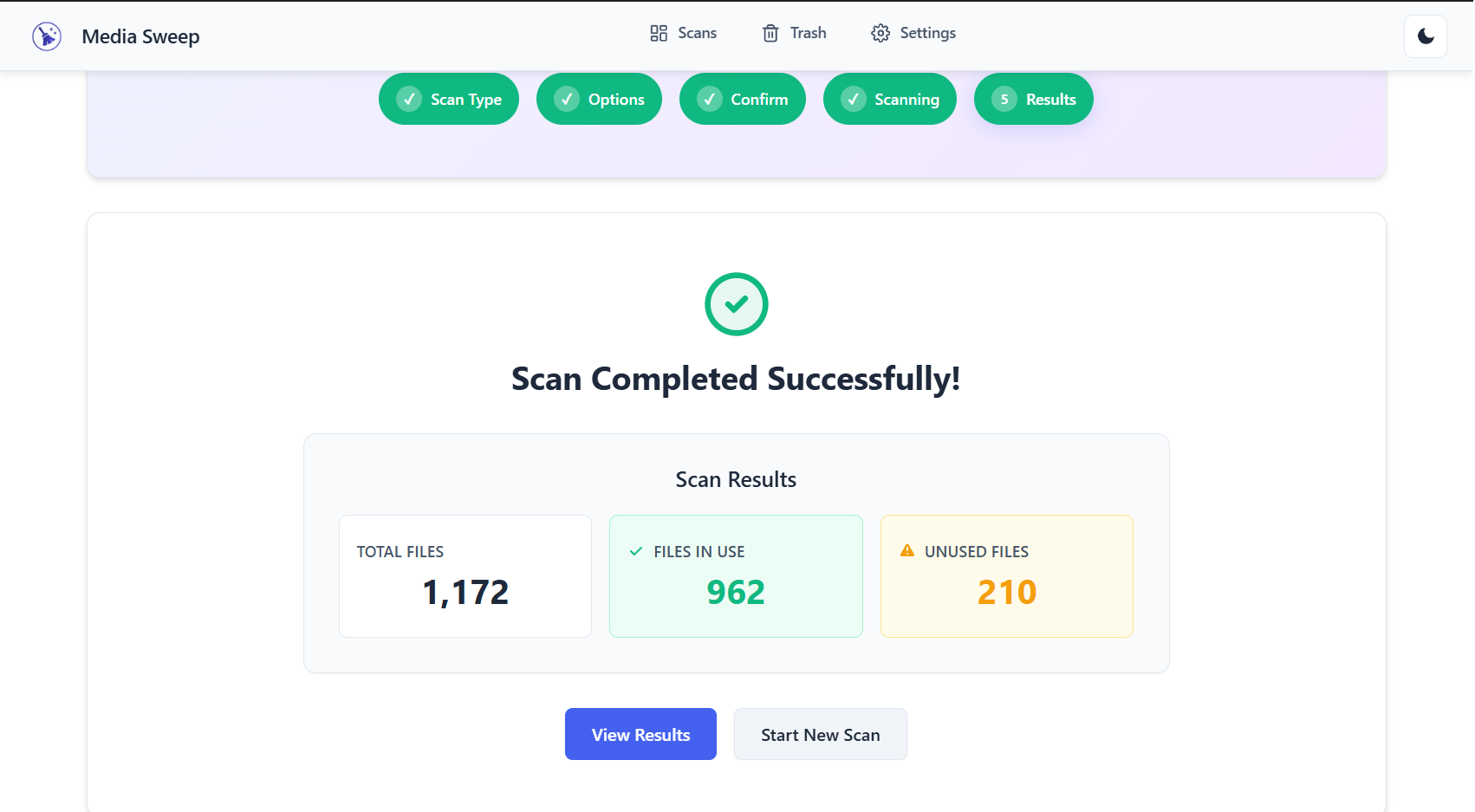
Scan Results – Comprehensive file listing with status, size, and usage information
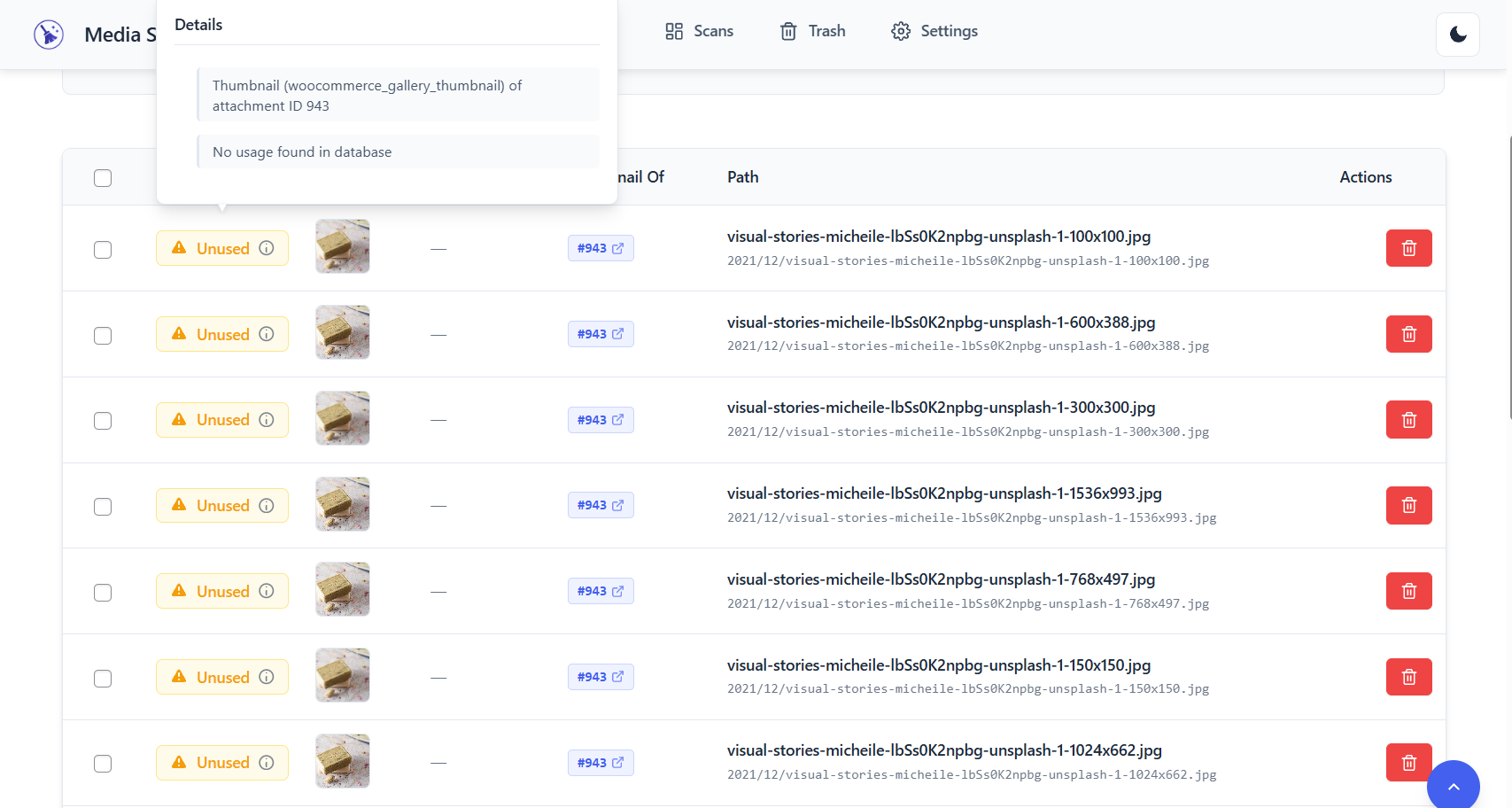
File Details – Detailed view showing where and how files are used across your site
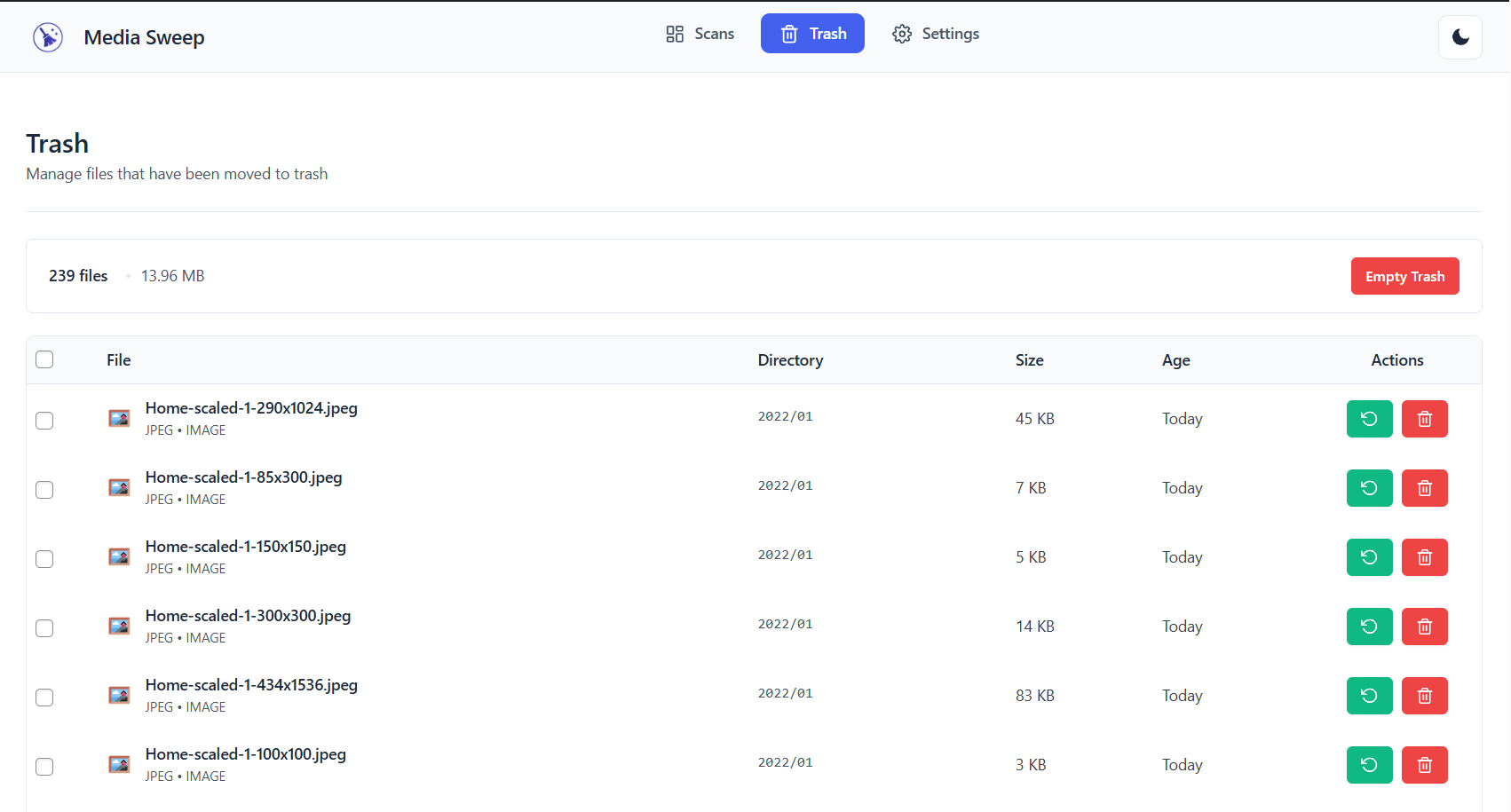
Trash Management – Safe file removal with easy restore capabilities
Changelog
1.0.1
- Fixed file status not being reactivated when previously trashed/deleted files are found again during new scans
- Improved file record management to automatically restore files that were moved back to original locations
1.0.0 – Initial Release
🎉 Launch Features:
- Dual Scan Modes – Media Library and File System scanning capabilities
- Smart Detection Engine – Advanced algorithms for accurate unused file identification
- Safe Trash System – Secure file removal with restore capabilities
- Comprehensive Analytics – Detailed scan reports and file insights
- Bulk Operations – Efficient processing of multiple files
- Real-time Progress – Live scan monitoring with pause/resume functionality
- Advanced Filtering – Filter by status, file type, date, and directory
- Search Functionality – Quick file location and identification
- Resource Management – Intelligent system monitoring prevents timeouts
- Modern UI/UX – Clean, responsive interface optimized for all devices
- Translation Ready – Full internationalization support
- Developer Friendly – Extensive hooks and filters for customization
🔧 Technical Highlights:
- Built with modern React components and WordPress REST API
- Optimized database queries for large media libraries
- Memory-efficient processing with batch operations
- Compatible with popular caching and optimization plugins
- Follows WordPress coding standards and security best practices
- Extensive error handling and logging capabilities
🛡️ Security & Performance:
- Secure file operations with proper capability checks
- Nonce verification for all AJAX requests
- Sanitized input/output throughout the application
- Optimized for sites with thousands of media files
- Minimal server resource usage during scans