
Menu Export Import
Easily export and import WordPress navigation menus between sites. A quick and reliable solution for duplicating or transferring menu structures.
Plugin info
Maintenance & Compatibility
Maintenance score
Possibly abandoned • Last updated 439 days ago • 2 reviews
Is Menu Export Import abandoned?
Possibly abandoned (last update 439 days ago).
Compatibility
Similar & Alternatives
Explore plugins with similar tags, and compare key metrics like downloads, ratings, updates, support, and WP/PHP compatibility.
Description
Nav Menu Export Import is a simple tool for exporting and importing WordPress navigation menus. This plugin is particularly useful for developers, designers, and site administrators who need to move menu structures between sites quickly and without manual recreation.
Features:
* Export navigation menus as a JSON file.
* Import navigation menus from a JSON file.
* Maintain menu hierarchies and settings upon transfer.
* Supports all menu locations and nested items.
Usage:
1. Go to Appearance > Menu Export Import.
3. Select a menu or all to download your menu.
3. Use the “Export Menu” option to download your menu.
4. To import, upload your JSON file and select “Import Menu.”
Important: Menu items linked to specific content (e.g., posts, pages) may need to be relinked on the new site if the exact content is not available.
License
This plugin is licensed under the GPLv2 or later.
Installation
- Download the plugin zip file.
- Upload the zip file through Plugins > Add New in your WordPress admin.
- Activate the plugin through the Plugins screen in WordPress.
- Access the menu export/import features under Appearance > Menu Export Import.
Frequently Asked Questions
Yes, the plugin exports all URLs associated with menu items. However, if the items link to specific content (e.g., pages or posts) that does not exist on the new site, you may need to update the links after import.
Yes, the plugin can work with multisite installations. Ensure that the import site has compatible theme locations.
The plugin will create a new menu during import. It will not overwrite existing menus unless explicitly updated by the user.
Review feed
Screenshots
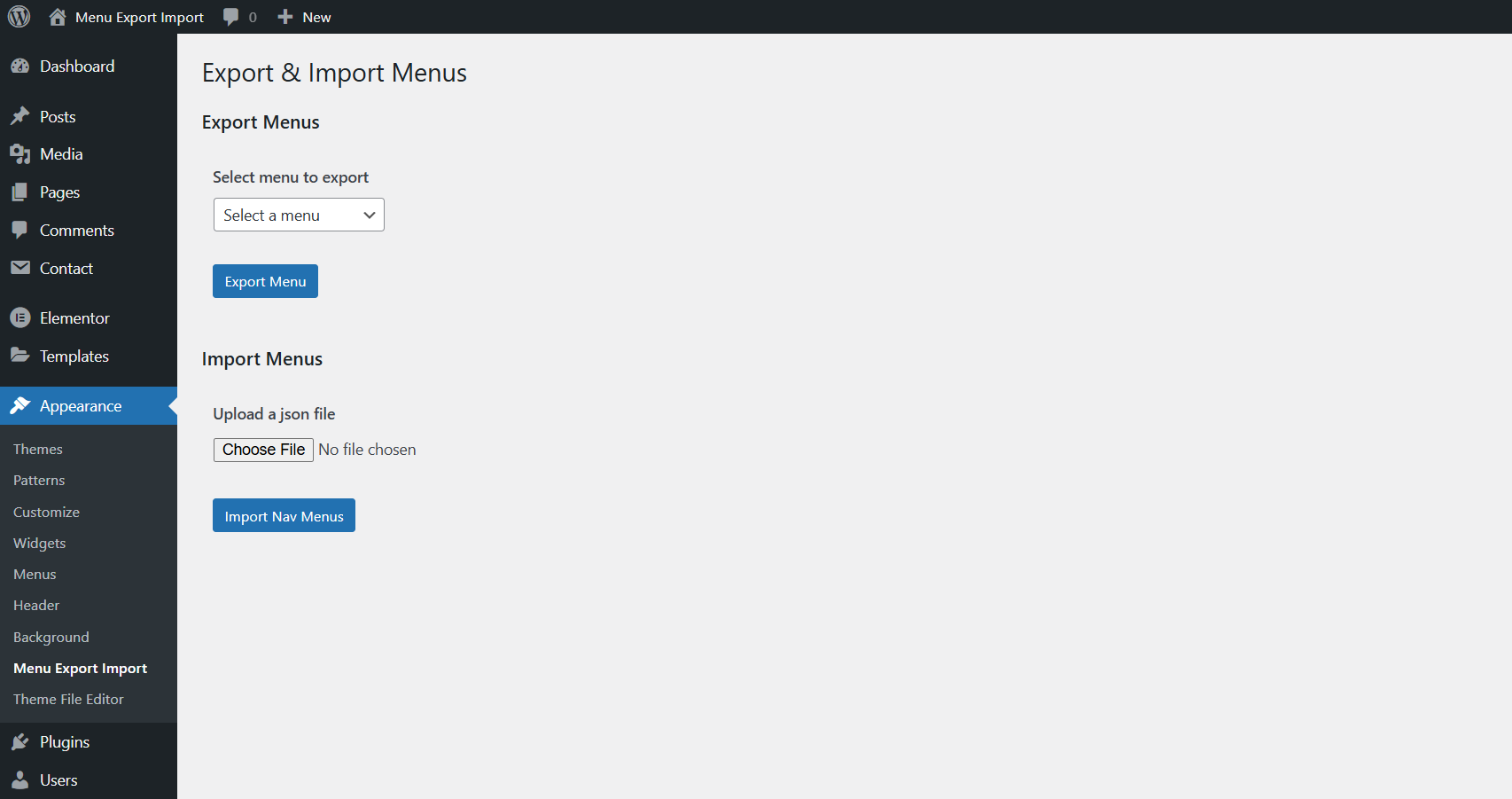
Menu Export/Import Screen - A simple interface for exporting and importing menus.

Select Menu Import Screen - A field to select menu to export.

Import Menu Progress Screen - Menu import progress and completion.
Changelog
1.0.0
- Initial release.
- Export navigation menus to JSON.
- Import navigation menus from JSON.