

Skip Links for Menus
Automatically adds skip links to WordPress menus and Easy Table of Contents to comply to the WCAG bypass blocks accessibility criterion.
Plugin info
Maintenance & Compatibility
Maintenance score
Stale • Last updated 233 days ago • 1 reviews
Is Skip Links for Menus abandoned?
Likely maintained (last update 233 days ago).
Compatibility
Similar & Alternatives
Explore plugins with similar tags, and compare key metrics like downloads, ratings, updates, support, and WP/PHP compatibility.
Description
This WordPress plugin automatically generates skip links for every menu on your website, improving navigation for users relying on screen readers or keyboard navigation.
It also seamlessly integrates with the Easy Table of Contents plugin, adding skip links to table of contents menus when installed.
By implementing skip links, the plugin helps meet the WCAG 2.1 Level A “Bypass Blocks” criterion, ensuring users can easily skip repetitive content and navigate directly to the main content of a page.
Simplifying navigation in this way makes your WordPress site more accessible and user-friendly, providing a better experience for all visitors with just one click.
The Bypass Blocks Criterion
The intent of this Success Criterion is to allow people who navigate sequentially through content more direct access to the primary content of the Web page.
Specific Benefits of Success Criterion 2.4.1:
- When this Success Criterion is not satisfied, it may be difficult for people with some disabilities to reach the main content of a Web page quickly and easily.
- Screen reader users who visit several pages on the same site can avoid having to hear all heading graphics and dozens of navigation links on every page before the main content is spoken.
- People who use only the keyboard or a keyboard interface can reach content with fewer keystrokes. Otherwise, they might have to make dozens of keystrokes before reaching a link in the main content area. This can take a long time and may cause severe physical pain for some users.
- People who use screen magnifiers do not have to search through the same headings or other blocks of information to find where the content begins each time they enter a new page.
- People with cognitive limitations as well as people who use screen readers may benefit when links are grouped into lists.
Read more about Success Criterion 2.4.1 Bypass Blocks
Supported Languages
The plugin automatically detects the clients preferred language and takes this into account when generating the skip link.
The following languages are supported currently:
- English (default)
- German
- French
- Italian
- Spanish
- Portuguese
- Polish
- Czech
Installation
Frequently Asked Questions
Review feed
Simple plugin to add skip links with one click
Screenshots
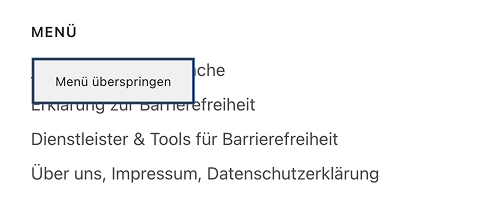
Pressing TAB will show the "Skip Menu" button.
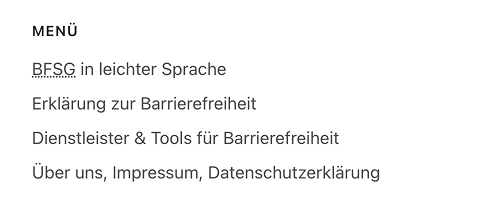
The initial menu. Nothing to see here without pressing TAB.
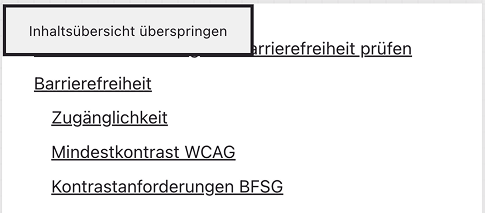
The same works for table of contents as well.
Changelog
1.0
- Initial version
1.0.1
- Improve performance and security
- Add new languages: Italian, Portuguese, Polish, Czech
1.0.2
- Increased plugin stability
- Distinct HTML-IDs for menus and TOCs