

MenuMax – Digital Restaurant Menus
Create stunning, mobile-responsive digital restaurant menus with drag-and-drop builder, WooCommerce integration, and multi-currency support.
Plugin info
Maintenance & Compatibility
Maintenance score
Maintained • Last updated 130 days ago
Is MenuMax – Digital Restaurant Menus abandoned?
Likely maintained (last update 130 days ago).
Compatibility
Similar & Alternatives
Explore plugins with similar tags, and compare key metrics like downloads, ratings, updates, support, and WP/PHP compatibility.
Description
MenuMax – Digital Restaurant Menus is the ultimate WordPress plugin for restaurants, cafes, bars, and food businesses to create beautiful, professional digital menus that work perfectly on all devices.
Transform your website into a complete digital menu solution with our easy-to-use menu builder. Whether you run a restaurant, cafe, food truck, catering business, bar, or bakery, MenuMax helps you showcase your offerings elegantly and efficiently.
🌟 Why Choose MenuMax?
MenuMax simplifies digital menu creation for WordPress websites. No coding required – just drag, drop, and publish beautiful menus that engage customers and drive sales.
Perfect for:
-
🍽️ Restaurants and fine dining establishments
-
☕ Coffee shops and cafes
-
🍕 Pizzerias and fast food restaurants
-
🚚 Food trucks and pop-up vendors
-
🎂 Bakeries and dessert shops
-
🍹 Bars and breweries
-
🥘 Catering companies
-
🏨 Hotels and resorts
✨ Key Features
Easy Menu Management
-
Custom post types for organizing Menus and Menu Items
-
Intuitive drag-and-drop interface for menu organization
-
Bulk import/export functionality for easy backup and migration
-
Simple shortcode integration – add menus anywhere on your site
Professional Design
-
📱 100% mobile-responsive and touch-friendly design
-
🖼️ Support for high-quality menu item images
-
🎨 Customizable colors, backgrounds, and layouts
-
💡 Clean, modern design that matches any WordPress theme
-
📐 Flexible column layouts (1, 2, or 3 columns)
E-Commerce Integration
-
🛒 Direct WooCommerce product linking
-
💰 Multi-currency support for international businesses
-
🔗 Turn menu items into clickable product links
-
💳 Seamless online ordering integration
Business Tools
-
📊 Export menus as JSON for backup purposes
-
📥 Import menus from JSON files for quick setup
-
🔄 Easy menu duplication and migration between sites
-
⚙️ Centralized settings dashboard
🚀 How It Works
-
Create Your Menu – Add a new menu from the MenuMax dashboard
-
Add Menu Items – Create items with titles, descriptions, prices, and images
-
Organize – Drag and drop items to arrange your perfect menu layout
-
Customize – Set currency symbols, colors, and display options
-
Publish – Use the shortcode to display menus on any page or post
-
Optional – Link items to WooCommerce products for online ordering
📱 Perfect for QR Code Menus
Create contactless digital menus perfect for QR codes! Customers can scan and view your menu on their phones instantly. Ideal for:
-
Contactless dining experiences
-
Table-side menu access
-
Takeout and delivery menu displays
-
Social distancing compliance
🔗 WooCommerce Integration
Seamlessly connect your menu items to your WooCommerce store. When customers click a menu item, they’re taken directly to the product page where they can add items to their cart and complete their order.
Perfect for:
-
Online food ordering
-
Restaurant delivery services
-
Takeout and pickup orders
-
Catering order forms
💼 Professional Support
Built by Polar Line Services LLC, a trusted WordPress development agency specializing in restaurant and hospitality solutions.
Need custom features or professional setup? Contact our team for expert WordPress development services.
🌐 More WordPress Solutions
Looking for more WordPress plugins and themes? Visit Polar Line Services for:
-
Custom WordPress plugin development
-
Restaurant website themes
-
E-commerce solutions
-
Website maintenance and support
🎯 SEO-Friendly Menus
MenuMax creates search engine optimized menus that help customers find your restaurant online. Proper HTML structure and semantic markup ensure your menu items are discoverable by search engines.
🆓 Free Forever
MenuMax core features are completely free. We believe every restaurant deserves professional digital menus.
Love MenuMax? Support continued development or leave us a review!
Additional Info
Credits
Developed with ❤️ by Polar Line Services LLC
Links
-
[Plugin Homepage](https://polarlineservices.com/menumax-digital-restaurant-menus/
-
[Documentation](https://polarlineservices.com/menumax-digital-restaurant-menus/
Privacy
MenuMax does not collect any user data. All menu information is stored locally in your WordPress database. No external services or third-party tracking.
Support This Plugin
If MenuMax saves you time and helps your business, please:
-
📢 Tell other restaurant owners about MenuMax
Thank you for choosing MenuMax!
Installation
Automatic Installation
-
Log in to your WordPress dashboard
-
Navigate to Plugins > Add New
-
Search for “MenuMax Digital Restaurant Menus”
-
Click Install Now and then Activate
Manual Installation
-
Download the plugin ZIP file
-
Log in to your WordPress dashboard
-
Navigate to Plugins > Add New > Upload Plugin
-
Choose the downloaded ZIP file and click Install Now
-
Click Activate Plugin
Getting Started
-
After activation, navigate to MenuMax in your WordPress dashboard
-
Click Menu Items to create your first menu item with title, description, price, and image
-
Go to Menus and create a new menu
-
Select which menu items to include and arrange them by dragging and dropping
-
Copy your menu’s ID number
-
Use the shortcode
[crm_menu id="YOUR_MENU_ID"]on any page or post -
Customize display with optional parameters:
-
columns="2"– Display in 2 columns (default: 1) -
background="#f9f9f9"– Set background color (default: #f9f9f9) -
background="none"– Remove background and box shadow
Example Shortcode:
[crm_menu id="123" columns="2" background="#ffffff"]
Optional: WooCommerce Integration
-
Install and activate WooCommerce plugin
-
Create WooCommerce products
-
Edit any Menu Item in MenuMax
-
Select the linked WooCommerce product from the dropdown
-
Menu items will now link to product pages on your site
Import/Export Menus
Export:
-
Go to MenuMax > Settings
-
Click Export Menus
-
Download the JSON file
Import:
-
Go to MenuMax > Settings
-
Click Import Menus
-
Upload your JSON file
-
All menus and items will be imported
Need help? Visit our support page or check our documentation.
Frequently Asked Questions
Use the shortcode [crm_menu id="X"] on any page or post, replacing “X” with your menu ID (found in the MenuMax > Menus list). You can customize the display with additional parameters like columns="2" and background="#f9f9f9".
Yes! You can customize:
-
Background colors using the
backgroundshortcode parameter -
Currency symbols in the MenuMax settings
-
Number of columns (1, 2, or 3)
-
Remove backgrounds by setting
background="none"
More customization options are coming in future updates!
Absolutely! MenuMax is built with mobile-first design principles. Your menus will look beautiful on smartphones, tablets, and desktop computers. The layout automatically adjusts for optimal viewing on any screen size.
Yes! MenuMax seamlessly integrates with WooCommerce. You can link any menu item to a WooCommerce product, turning your digital menu into a powerful online ordering system. Customers click the menu item and go directly to the product page to add items to their cart.
Perfect for QR menus! Simply create your menu, publish it on a page, and generate a QR code linking to that page. Customers can scan the code with their phones to view your contactless digital menu.
When creating or editing a Menu Item, you’ll see a “Price” field in the sidebar. Enter the numeric price (without currency symbol). The currency symbol you set in MenuMax > Settings will be displayed automatically.
Yes! Create unlimited menus for different purposes:
-
Lunch menu
-
Dinner menu
-
Drinks menu
-
Dessert menu
-
Kids menu
-
Seasonal specials
Each menu gets its own unique ID for the shortcode.
Export creates a JSON file containing all your menus, items, prices, descriptions, and settings. Use it for:
-
Backup – Save your menu data safely
-
Migration – Move menus between websites
-
Duplication – Clone menus for similar restaurants
Import uploads a JSON file and recreates all menus and items on your site.
Not at all! MenuMax is designed for restaurant owners and managers with no technical background. The intuitive interface makes menu creation as easy as filling out a form.
No. MenuMax is lightweight and optimized for performance. It only loads the necessary CSS and JavaScript on pages where menus are displayed.
Yes! MenuMax is translation-ready and works with popular translation plugins like WPML and Polylang. You can create multilingual menus for international customers.
-
Documentation: polarlineservices.com/menumax-digital-restaurant-menus
-
Support Forum: WordPress.org support forum
-
Professional Support: Contact Polar Line Services
We love feedback! Contact us with feature requests or visit our development roadmap.
Review feed
Screenshots
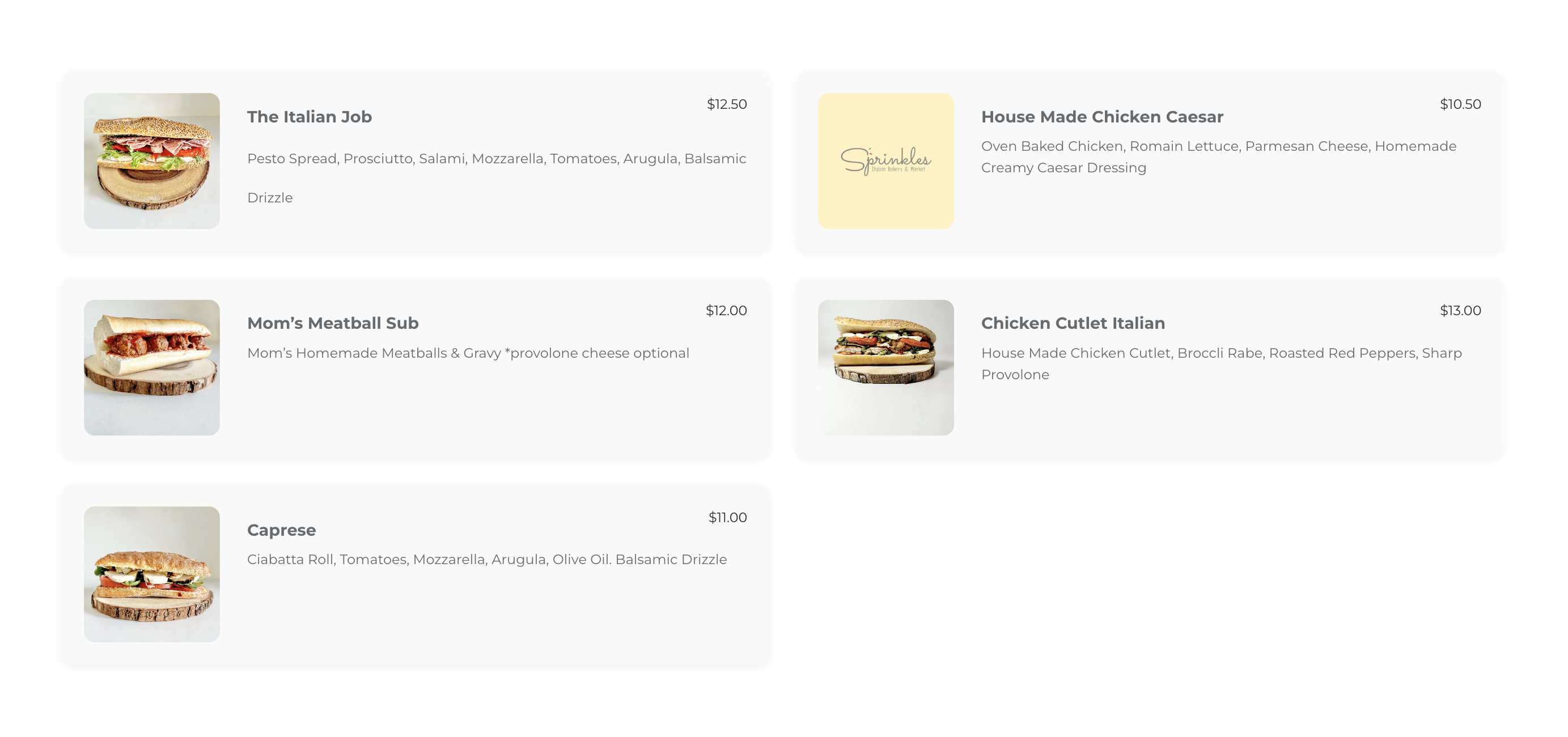
Beautiful Frontend Display - Responsive menu with images, descriptions, and prices
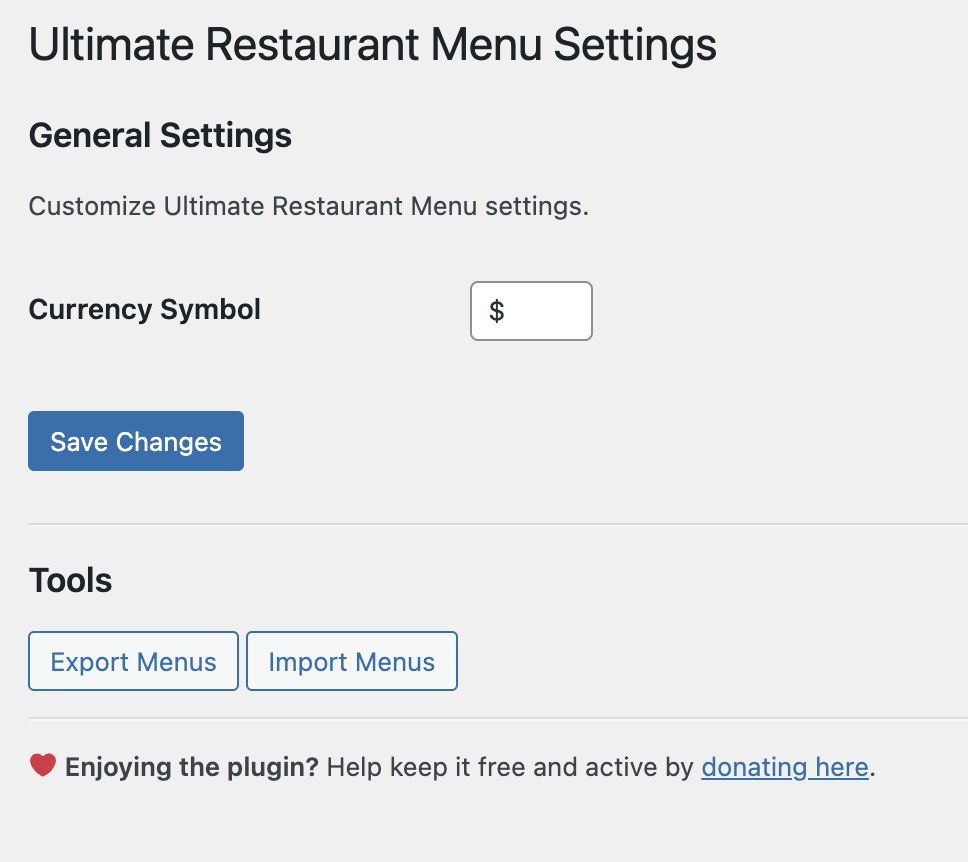
Easy Menu Management - Drag-and-drop interface for organizing menu items
Changelog
1.0.0 – 2024-11-23
-
🎉 Initial Release
-
✨ Custom post types for Menus and Menu Items
-
🎨 Responsive menu display with customizable styling
-
💰 Multi-currency support for international businesses
-
🛒 WooCommerce product integration
-
📤 Import/Export functionality for backup and migration
-
🔀 Drag-and-drop menu organization
-
📱 Mobile-optimized responsive design
-
🧩 Easy shortcode integration
-
⚙️ Settings dashboard for global configuration