

Plugin info
Maintenance & Compatibility
Maintenance score
Possibly abandoned • Last updated 3967 days ago
Is Menus History abandoned?
Possibly abandoned (last update 3967 days ago).
Compatibility
Similar & Alternatives
Explore plugins with similar tags, and compare key metrics like downloads, ratings, updates, support, and WP/PHP compatibility.
Description
The Menus History plugin provides history of changes to WordPress menus items. The history information may be useful in restoring deleted or misplaced menu items.
To maximize the benefit of this plugin, install it on new WordPress set ups. The information it provides can be extremely useful particularly when database back-ups are not available. Once activated, it keeps track of the following.
- Item arrangement
- Navigation labels
- Title attributes
- CSS classes
- Description
- URL
- Item targets
- Link relationships
Please note the plugin’s limitations.
- The plugin must be activated prior to making changes to your menus. Changes done before the plugin had been activated would not be shown.
- The plugin doesn’t provide the ability to restore menus; it only shows history information. You still need to manually restore your menus.
- Deleted menus are also removed from the plugin’s menu list.
Credits:
- Hourglass icon made by Freepik from www.flaticon.com is licensed under CC BY 3.0
- List icon made by Anton Saputro from www.flaticon.com is licensed under CC BY 3.0
Installation
This section describes how to install the plugin and get it working.
- Upload the plugin folder to the
/wp-content/plugins/directory. - Activate the plugin through the ‘Plugins’ menu in WordPress.
- Go to Tools->Menus History.
- Follow the on-screen instructions.
Frequently Asked Questions
How do I restore my menus?
You cannot restore your menus using this plugin. However, you can use the information it provides to restore your menus.
Why can’t I see previous changes to my menus?
The plugin must be activated to keep track of your menus. Changes done prior to activation cannot be shown.
Review feed
Screenshots
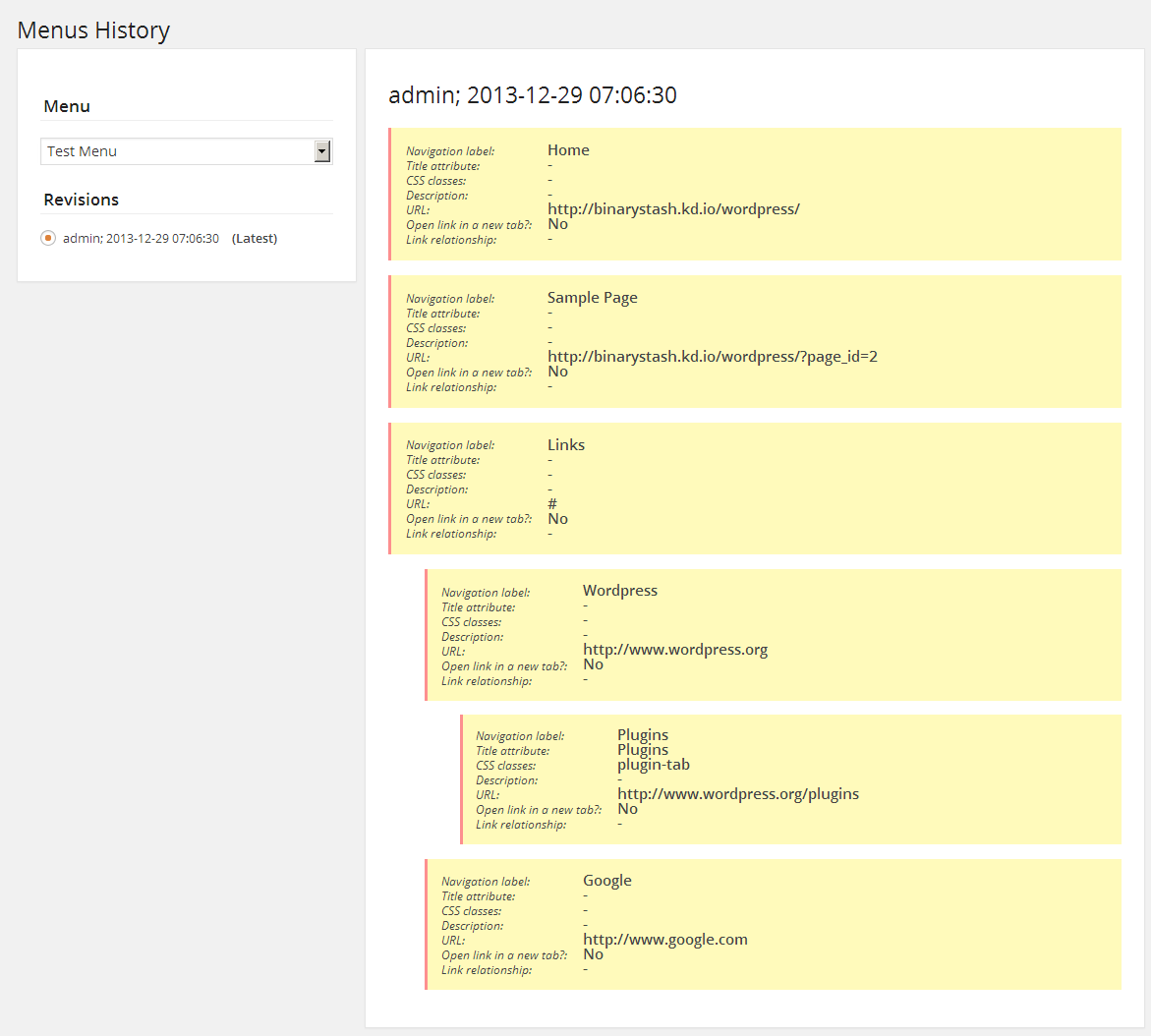
Administration screen
Changelog
1.0.2
- Moved plugin page under “Tools”
1.0.1
- Fixed plugin path
1.0
- Stable version