

Meta Tags SEO
Meta Tags SEO auto-fetches and manages WordPress meta tags, letting users edit SEO, Open Graph, Twitter Cards, and Schema Markup effortlessly.
Plugin info
Maintenance & Compatibility
Maintenance score
Stale • Last updated 335 days ago
Is Meta Tags SEO abandoned?
Likely maintained (last update 335 days ago).
Compatibility
Similar & Alternatives
Explore plugins with similar tags, and compare key metrics like downloads, ratings, updates, support, and WP/PHP compatibility.
Description
Meta Tags SEO automatically fetches meta tags for WordPress pages/posts, enabling users to edit metadata for SEO optimization.
✔ Supports primary meta tags, Open Graph, Twitter Card metadata, and Schema Markup (JSON-LD)
✔ Auto-fetches page title, URL, featured image, and default metadata settings
✔ Provides a customizable admin settings page for global defaults
✔ Allows enabling/disabling automatic meta injection
Features
✔ Primary Meta Tags: Auto-generates title, description, and canonical link
✔ Open Graph / Facebook Tags: Supports og:title, og:description, og:image, and URL
✔ Twitter Card Tags: Generates summary & large image card meta tags
✔ Schema Markup (JSON-LD): Injects structured data for better SEO visibility
✔ Auto-Fetch Featured Image: Uses post thumbnail dynamically
✔ Admin Settings Panel: Set global defaults for Open Graph & Twitter metadata
✔ Enable/Disable Option: Allows users to toggle automatic meta tag injection
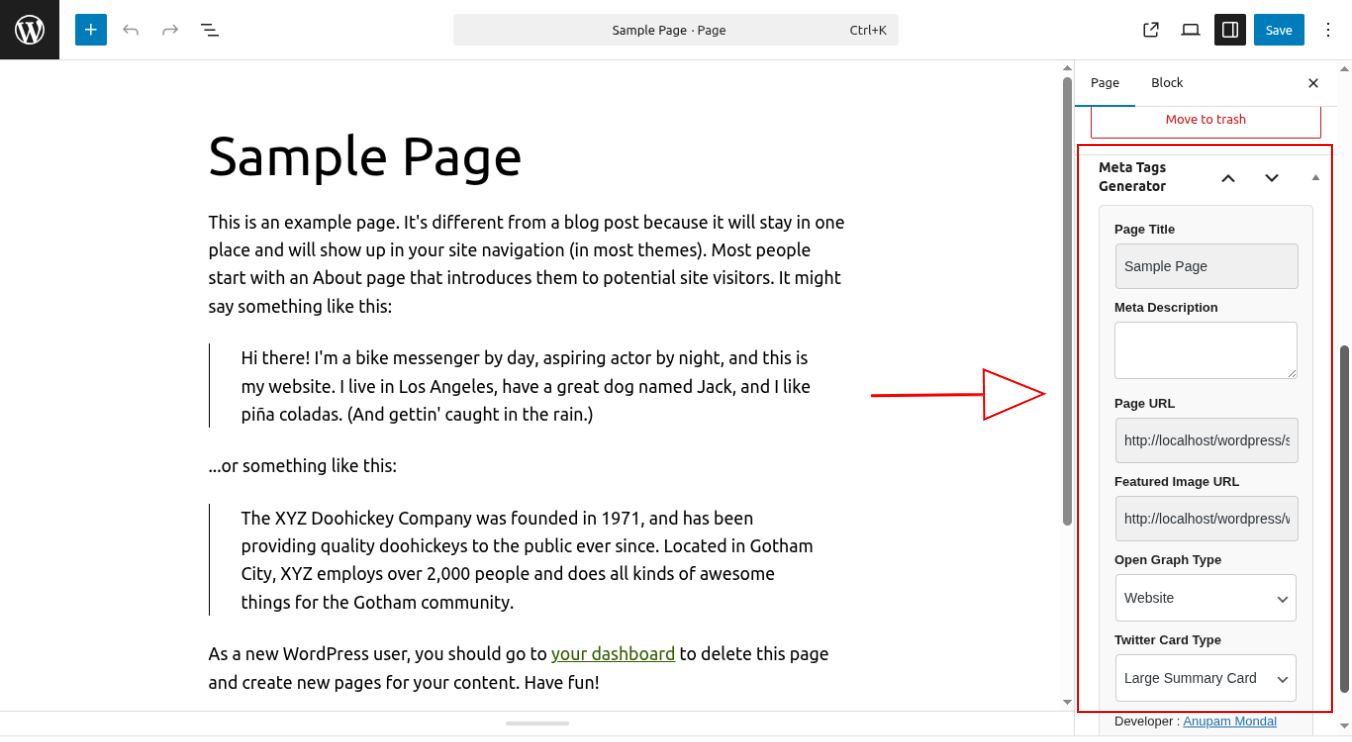
✔ Easy-to-Use Interface: Works inside post/page editor
Donate
Support future development of this plugin by donating at:
Donate Here
Installation
- Upload
meta-tags-generator.zipto/wp-content/plugins/. - Activate the plugin in Plugins Installed Plugins.
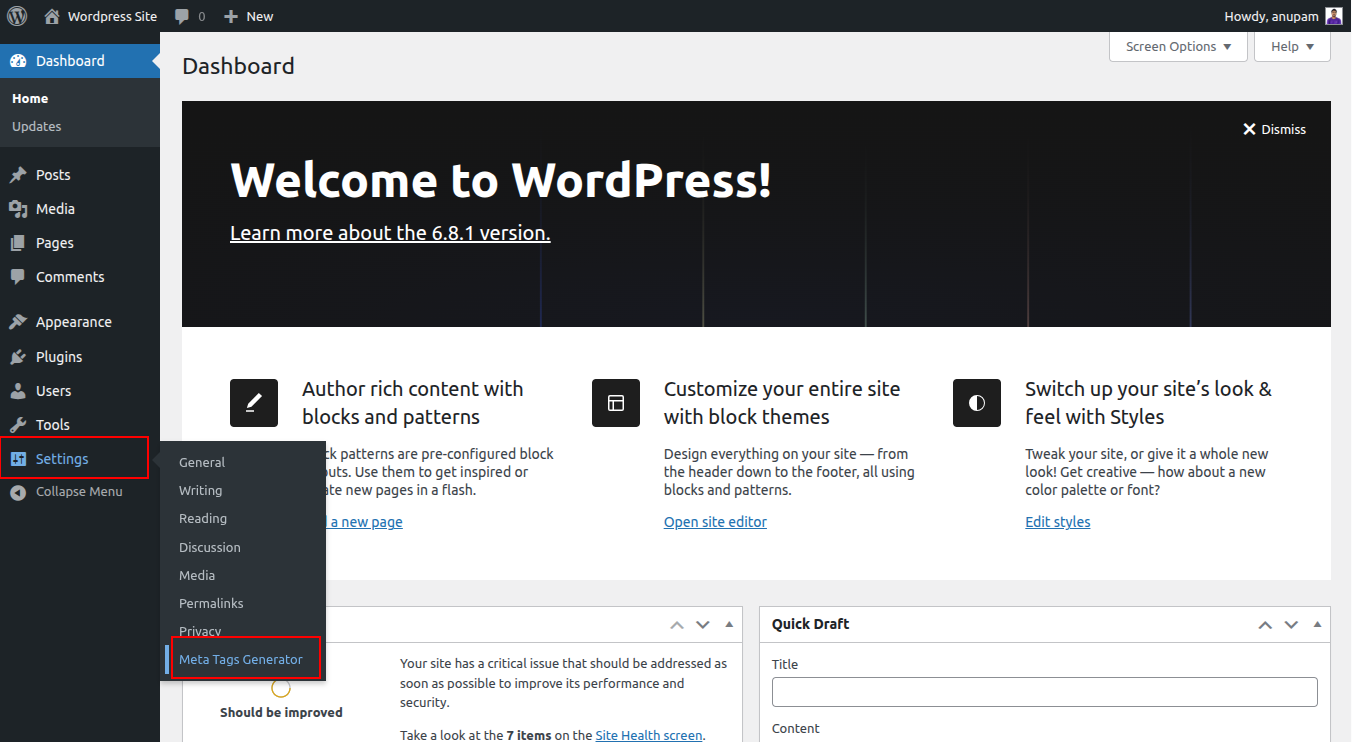
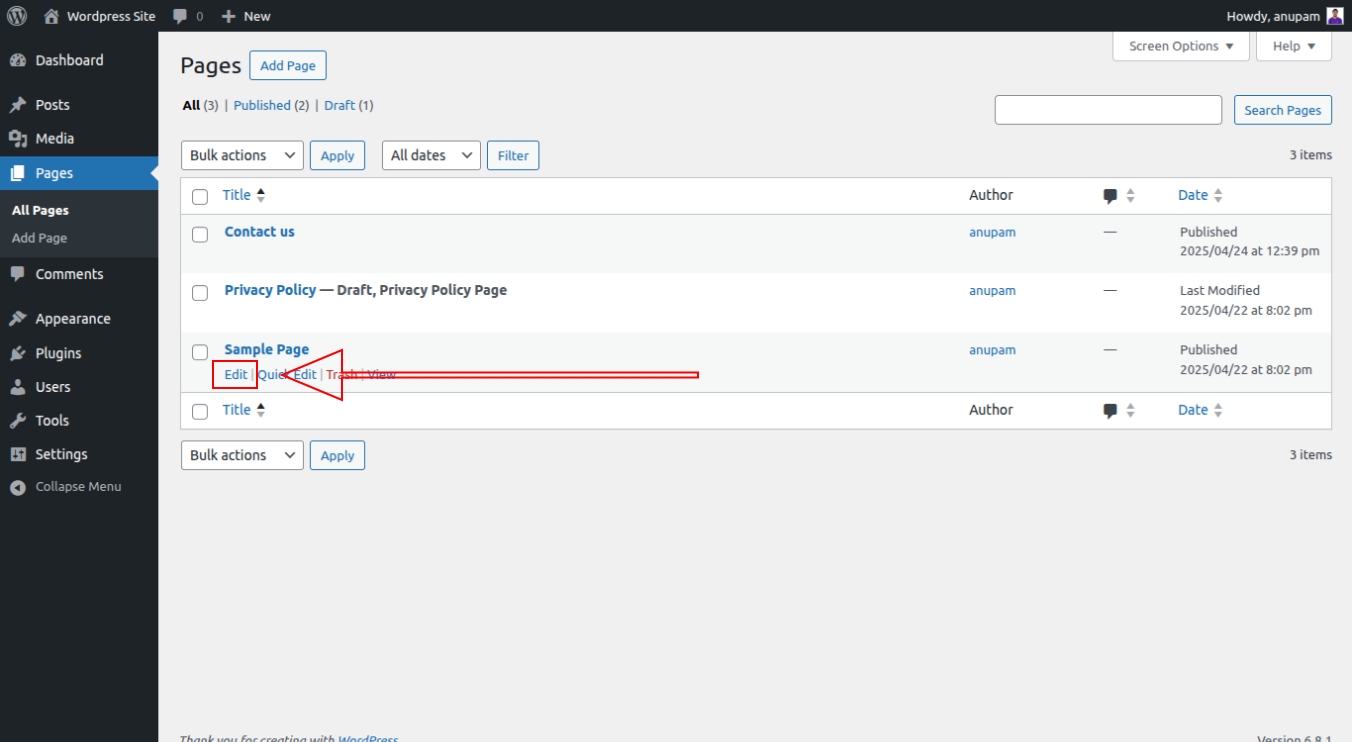
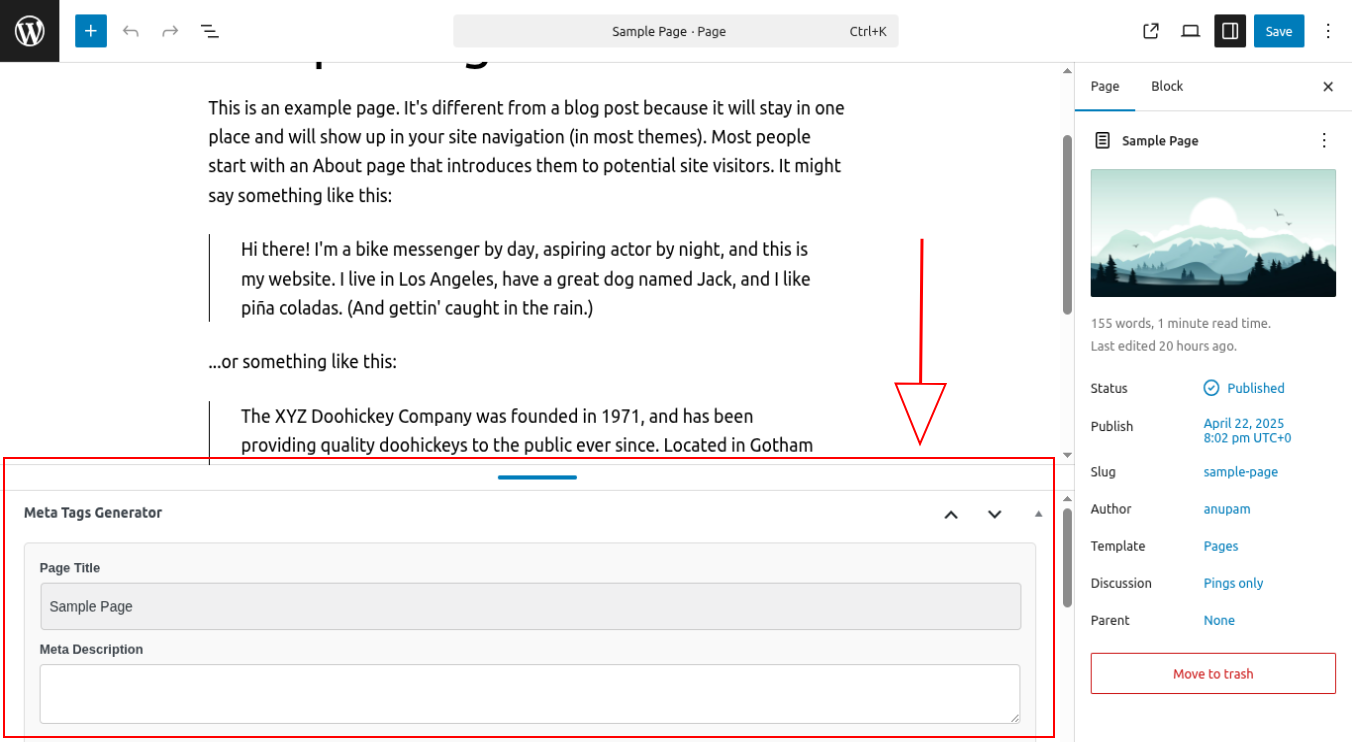
- Open any post/page editor to find the Meta Tags SEO section.
- Customize meta tags, edit Open Graph & Twitter settings, and save!
Frequently Asked Questions
Navigate to Settings Meta Tags SEO and check the Enable Meta Injection box.
Yes! If Yoast SEO or Rank Math is detected, the plugin prevents duplicate meta tags from being generated.
Go to Settings Meta Tags SEO and set your preferred defaults.
Review feed
Screenshots
Meta Tags SEO UI in Post/Page Editor
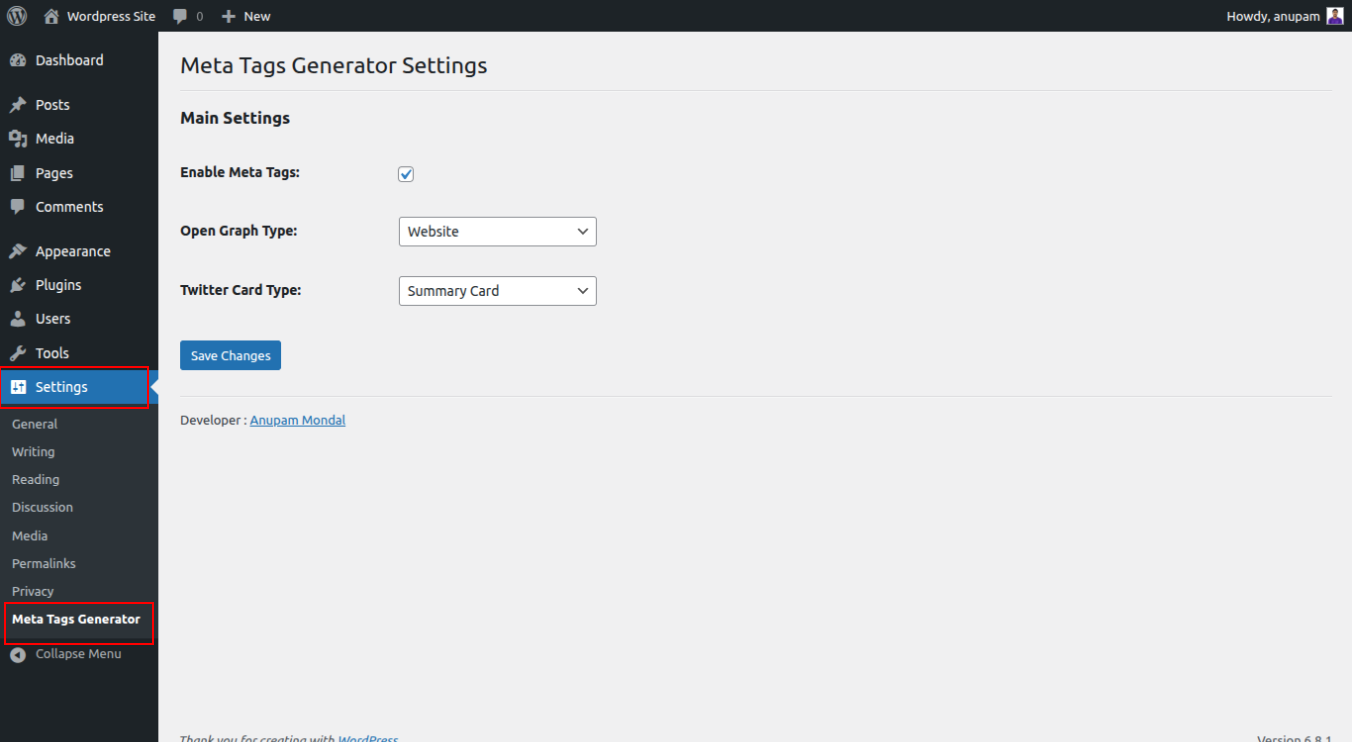
Admin Settings Panel for Global Defaults
Changelog
1.2.0
– Added Enable/Disable meta tag injection setting
– Auto-fetch featured image from post thumbnail
– Inject Schema Markup (JSON-LD) for enhanced SEO
– Admin settings panel for global metadata defaults
1.1.0
– Added Open Graph & Twitter Card editing in post/page meta box
– Implemented automatic meta description fetching
1.0.0
– Initial release: Core meta tag generation