
Meteoprog Weather Widget
Embed free Meteoprog weather widgets with Gutenberg, Elementor, Shortcodes Ultimate, REST API, and legacy WP/PHP compatibility.
Plugin info
Maintenance & Compatibility
Maintenance score
Maintained • Last updated 156 days ago
Is Meteoprog Weather Widget abandoned?
Likely maintained (last update 156 days ago).
Compatibility
Similar & Alternatives
Explore plugins with similar tags, and compare key metrics like downloads, ratings, updates, support, and WP/PHP compatibility.
Description
Meteoprog Weather Widgets allows you to quickly embed free weather informers (widgets) from Meteoprog.
⚠️ Important: This plugin uses a separate API key for widgets (informers).
It is NOT the same as the Meteoprog Weather API key.
Informer API keys are always free and have no usage limits.
You can create new informers here: https://billing.meteoprog.com/informer.
Features:
* Easy setup with free informer API key.
* Widgets are fully customizable via Meteoprog dashboard.
* Supports Gutenberg block: Meteoprog Weather Widget (in the Widgets category).
* ✅ Legacy Widget (WordPress 4.9–5.7) for classic widget screen.
* Supports shortcodes:
– [meteoprog_informer id="YOUR_INFORMER_ID"]
– [meteoprog_informer] (uses default widget)
* Supports placeholders in content:
– {meteoprog_informer_YOUR_INFORMER_ID}
– {meteoprog_informer} (uses default widget)
* Default widget option: set once in admin, use everywhere.
* Admin preview with “Copy” buttons.
* Responsive admin interface (mobile-friendly).
* WP-CLI support for managing keys, defaults, and cache.
* ✅ Legacy support: works on WordPress 4.9+ and PHP 5.6+ (also tested on PHP 8.3/8.4).
Integrations:
* ✅ Gutenberg Block — modern block with dynamic informer selector (REST API).
* ✅ Shortcodes Ultimate — custom integration with dropdown and admin preview.
* ✅ Elementor — native widget in the Elementor editor.
* ✅ Legacy Widget — for WP 4.9–5.7 classic widget screens.
* ✅ Shortcodes & Placeholders — for flexible embedding in content and templates.
* ✅ WP-CLI — manage API keys, defaults, and cache from the command line.
* ✅ REST API — exposes /wp-json/meteoprog/v1/informers (secured by edit_posts) for block integration.
Widgets are free, unlimited, and without API limits.
Privacy
This plugin itself does not collect or store any personal data. However, when the widget is displayed on the frontend, visitors’ browsers load the widget script from the Meteoprog CDN, which receives standard request information (IP address, User-Agent, Referrer).
The CDN may also set technical cookies required for content delivery or security. These cookies are managed by Meteoprog and are subject to their privacy policy.
This plugin adds a suggested section to WordPress’s default Privacy Policy page, explaining what data is transmitted when widgets are displayed.
Links
- Meteoprog Homepage — main weather portal
- Meteoprog Informer Dashboard — create and manage your free informers
- GitHub repository
External Services
This plugin connects to the Meteoprog services to display widgets.
-
https://billing.meteoprog.com — used by the plugin to fetch your informer list via a secure API request (Authorization header with your informer API key and site domain).
-
https://cdn.meteoprog.net — the visitor’s browser loads a small JavaScript file from the Meteoprog CDN to render the widgets. As with any CDN, the visitor’s IP address and browser information are transmitted as part of the HTTPS request. This is standard browser behavior.
No personal data is collected or stored by the plugin itself.
Installation
- Upload plugin to
/wp-content/plugins/or install via Plugins Add New. - Activate the plugin in the WordPress admin.
- Go to Settings Meteoprog Widgets.
- Enter your Informer API key from billing.meteoprog.com.
- Refresh the informer list.
- Insert widgets with Gutenberg block, Elementor, Shortcodes Ultimate, Legacy Widget, shortcodes, or placeholders.
Frequently Asked Questions
You can generate a widget (informer) API key at billing.meteoprog.com/informer.
No.
Informer API keys are different.
The Meteoprog Weather API requires a separate subscription.
Informer API keys are free, unlimited, and without limits.
You can use the following shortcodes:
-
[meteoprog_informer id="YOUR_INFORMER_ID"]
Embed a specific informer by its ID. -
[meteoprog_informer]
Embed the default informer (set in plugin settings).
You can also use placeholders directly in post/page content:
-
{meteoprog_informer_YOUR_INFORMER_ID}
Replaced with the widget matching the ID. -
{meteoprog_informer}
Replaced with the default informer.
Yes. For older WordPress versions (4.9–5.7) the plugin registers a Legacy Widget that you can add via Appearance Widgets.
On modern WordPress (5.8+) we recommend using the Gutenberg block (Meteoprog Weather Widget), but the Legacy Widget remains for maximum backward compatibility.
The plugin works with PHP versions from 5.6 up to 8.3 inclusive.
Yes. Create multiple informers at billing.meteoprog.com/informer, then insert them with their IDs.
You can set a “Default Widget” in plugin settings. Then just use [meteoprog_informer] or {meteoprog_informer} without ID.
Yes. Use the block Meteoprog Weather Widget from the Widgets category.
Yes. The plugin includes a native Elementor widget that you can insert from the Elementor panel.
Yes. The plugin integrates with Shortcodes Ultimate, adding a custom Meteoprog Weather shortcode with a dropdown and live preview.
Yes. Example commands:
wp meteoprog-weather-informers set-key <key>— set API keywp meteoprog-weather-informers get-key— show current API key (masked)wp meteoprog-weather-informers set-default <id>— set default informerwp meteoprog-weather-informers get-default— show default informerwp meteoprog-weather-informers refresh— clear cache and reload informerswp meteoprog-weather-informers clear-cache— clear cache only
No.
The plugin first enqueues a local script loader-fallback.js from your WordPress site.
That script then asynchronously loads the actual loader.js from the Meteoprog CDN.
This approach is required by WordPress.org plugin guidelines, and ensures that:
- No external scripts are loaded during the initial HTML render.
- Informers are added asynchronously and do not block rendering.
- Core Web Vitals and page performance are unaffected.
- The widget is embedded after the main content has loaded, similar to YouTube or Twitter embeds.
✅ As a result, informers do not slow down your site and work even on caching/CDN setups without issues.
The source code is available on GitHub.
This plugin is developed in the open and tested automatically via Travis CI on GitHub.
The test matrix covers multiple WordPress (4.9–6.8+) and PHP (5.6–8.4) versions to ensure broad compatibility and legacy support.
We welcome issues and pull requests on GitHub.
Review feed
Screenshots
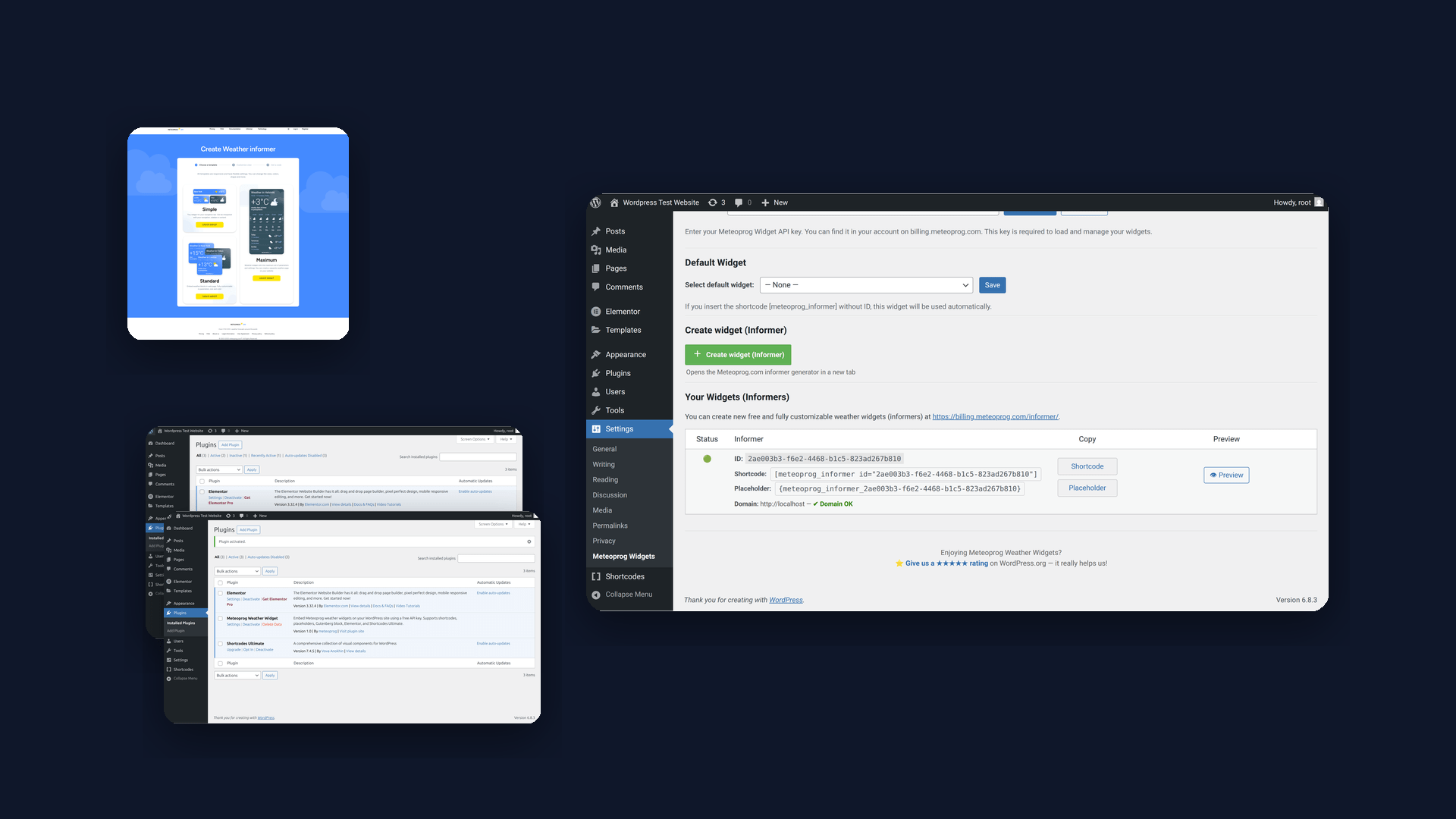
Main settings screen: add your API key, create and preview weather informers.
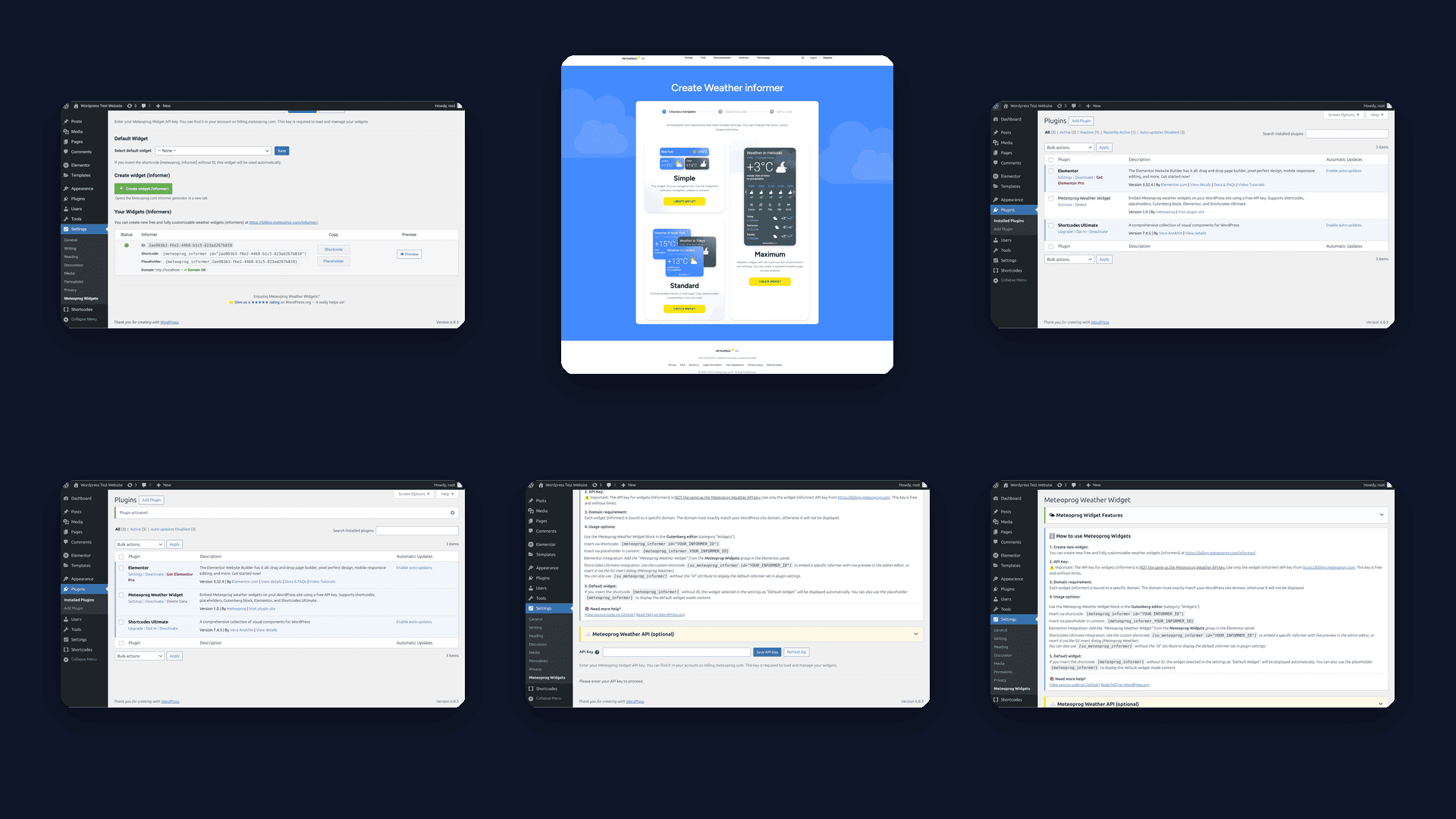
Plugin interface in WordPress admin with shortcode and placeholder examples.
Changelog
1.0.2
- 🐞 Fixed issue where
[su_meteoprog_informer]without an ID rendered an empty informer block when no default informer was set. - ⚙️ Improved data layer generation — prevents empty IDs in
<head>output. - 🧹 Minor internal code cleanup for Shortcodes Ultimate integration.
1.0.1
- 🧩 Removed filtered 5-star reviews link (WP.org guideline compliance)
- ⚙️ Updated “Requires PHP” to 7.0 in plugin header and readme
- 🗒️ Added note explaining required
su_prefix for Shortcodes Ultimate integration - 🕹️ Maintains backward compatibility with PHP 5.6 (legacy mode)
1.0
- Initial release.
- ✅ Gutenberg block (Meteoprog Weather Widget) with REST API integration.
- ✅ Shortcodes Ultimate integration with dropdown and preview.
- ✅ Elementor widget integration.
- ✅ Legacy Widget, shortcode, and placeholder support.
- ✅ Default widget option.
- ✅ Responsive admin UI.
- ✅ WP-CLI integration (optional).
- ✅ REST API endpoint
/wp-json/meteoprog/v1/informers. - ✅ Legacy WordPress/PHP support (4.9+, PHP 5.6+; tested on PHP 8.3/8.4).