

Plugin info
Maintenance & Compatibility
Maintenance score
Possibly abandoned • Last updated 912 days ago
Is Micropayments Paywall abandoned?
Possibly abandoned (last update 912 days ago).
Compatibility
Similar & Alternatives
Explore plugins with similar tags, and compare key metrics like downloads, ratings, updates, support, and WP/PHP compatibility.
Description
Micropayments Paywall allows you to monetize your content by setting up a paywall. Users pay to access individual posts or pay for a lifetime membership (Premium Plugin only), allowing you to generate revenue directly from your website.
Getting Started
- Install the Micropayments Paywall plugin.
- Activate the plugin.
- Go to your WordPress dashboard and click on ‘Paywall’ on the left hand menu.
- Configure the Stripe payment gateway.
- From “Posts” on the left hand menu, create or edit a post. Enable the paywall by checking the “Enable Paywall” box.
- Set the price for the post in the “Product Price” field.
- Publish or Save the post.
- That’s it! Your post will now be paywalled.
Configuring Stripe Payment Gateway
If you have a Stripe account, you can allow customers to pay you via card by purchasing the Premium plugin.
Stripe fees typically include a flat fee (often 30c) plus a fixed percentage over 2.5%. In certain cases, you can request micropayment fee rates which allow for a lower fixed fee.
!!! Stripe does not allow for payments below 0.5 Euro. For this reason, if you enable the Stripe payment gateway, the minimum you can charge for a post is $0.75.
To configure Stripe within Micropayments Paywall Settings (accessible via “Paywall” on your WordPress dashboard):
- Copy the Stripe Webhook URL.
- Navigate to Stripe.com and log into your account. This account will receive payments.
- Search for “webhooks” in the developer section of the site and create a new webhook for the Stripe Webhook URL you copied over from WordPress. You can set the webhook to receive all events.
- Again, on your Stripe dashboard, find your api keys in the developer setting. Set up a new key and get the public key and the secret.
- Enter the public key (which is the API key) and the secret (API secret) into Micropayments Paywall Settings (acessible via “Paywall” on your WordPress admin dashboard).
- Press “Save Settings” on WordPress to confirm changes.
Configuring Life-time Access (Premium Plug-in Only)
- Navigate to WordPress -> Settings -> Micropayments Paywall Settings (see ‘Paywall’ on the left menu)
- Scroll down and tick the box to enable Lifetime access to posts
- Set a price
- Save Settings
- Purchase the premium plugin here
Installation
Frequently Asked Questions
Users can pay for the content by clicking the “Purchase this post” button that appears when the content is paywalled. If a user is not logged in, they will be prompted to log in before they can pay. They can pay using their credit or debit card (Stripe).
Yes, you can set different prices for each post by editing the “Product Price” field in the paywall meta box. If you enable Stripe, you cannot set the price below 75c.
Card payments via Stripe.
This plugin does not charge for payments made via credit/debit card. Fees are managed by Stripe. Upgrade to the premium plugin to be able to charge a flat fee for lifetime access buy here.
Review feed
Screenshots

Adding api keys.

Enabling the paywall and setting the price for a post.
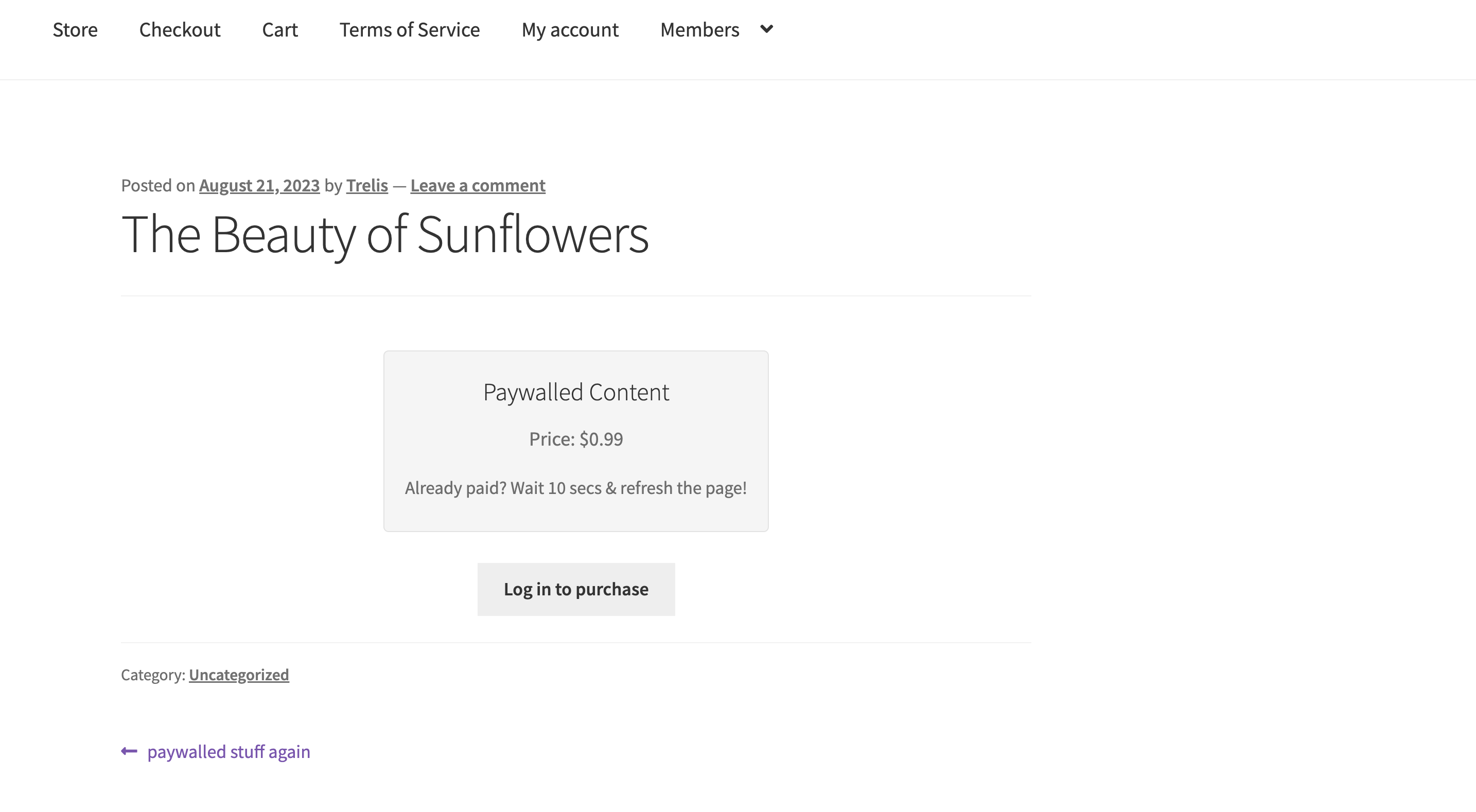
Paywall displayed on a post.
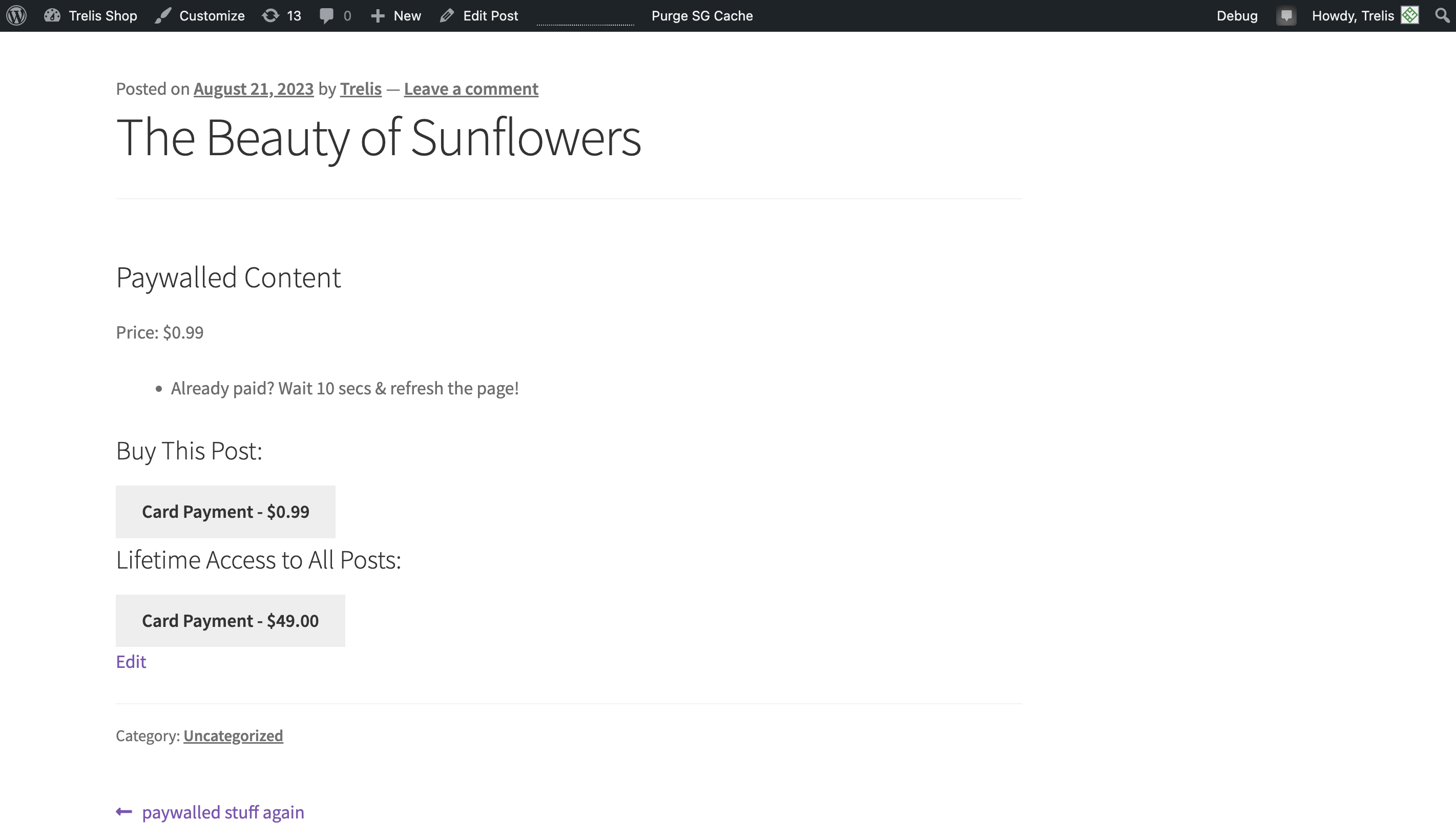
Paying for access.
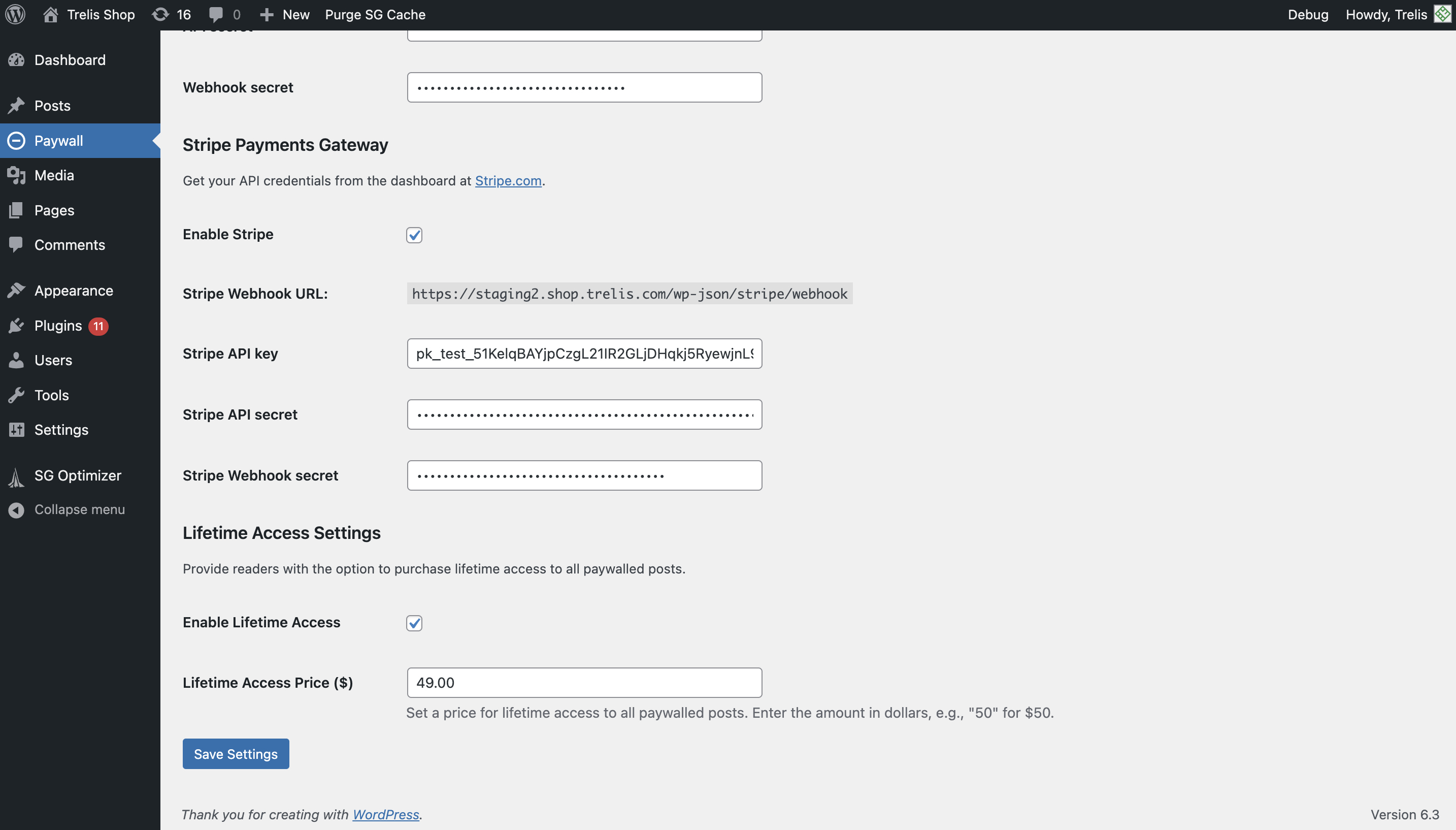
Configuring lifetime access (Premium Plugin).
Changelog
Open issues
None.
4.0.2
Fix paywall payment button alignment
4.0.0
Enable Stripe onthe free plug-in.
Remove Trelis payment gateway (USDC), as it has been discontinued.
3.0.0
Allow for lifetime access to all posts via credit/debit card in the Premium plugin.
2.5
Cosmetic fixes
2.4.1
Release on WordPress.org
2.2.2
Fix bug on payment link generation
2.2.0
File clean-up
2.1.0
Micropayments Paywall Settings now accessible via “Paywall” on the WordPress admin dashboard
2.0.0
Add support for Stripe
1.0.0
Initial release.