

Plugin info
Maintenance & Compatibility
Maintenance score
Possibly abandoned • Last updated 6257 days ago
Is MicroPoll abandoned?
Possibly abandoned (last update 6257 days ago).
Compatibility
Similar & Alternatives
Explore plugins with similar tags, and compare key metrics like downloads, ratings, updates, support, and WP/PHP compatibility.
Description
MicroPoll is a service that allows you to gather customer responses to polls on your website.
Normally, JavaScript code has to be inserted on each page where you want micropoll to be used. That approach requires editing of templates and including conditionals based on post ID.
This plugin makes it easy to incorporate the MicroPoll service in your WordPress blog without editing templates by providing a MicroPoll widget that can be used in any widget-ready theme.
Once you have installed MicroPoll, navigate to the configuration page and paste in your poll embed code from the MicroPoll web site.
More info:
- MicroPoll plugin.
- Check out the other WordPress plugins by the same author.
- To be notified of plugin updates, follow me on Twitter!
More Information
- For more info, version history, etc. check out the page on my site about the MicroPoll plugin.
- To check out the other WordPress plugins I wrote, visit my WordPress plugins page.
- For updates about this plugin and the other plugins that I maintain, read my consulting blog or follow me on Twitter!
Installation
Installing MicroPoll is easy:
- Download and unzip the plugin.
- Copy the micropoll folder to the plugins directory of your blog.
- Enable the plugin in your admin panel.
- An options panel will appear under Plugins.
- Paste in your embed code.
- Enable the MicroPoll widget.
Frequently Asked Questions
Review feed
Screenshots
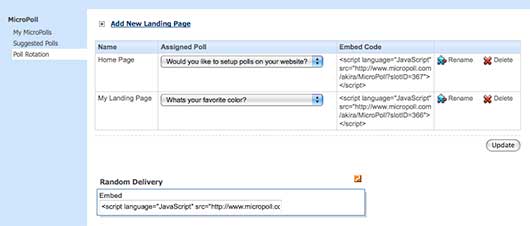
Obtaining the embed code in your MicroPoll account.

MicroPoll options page in WordPress.

Activating the MicroPoll widget.

MicroPoll in action.