

Mobile Call Buttons
Lightweight plugin that displays two fixed call buttons on mobile devices to boost conversions.
Plugin info
Maintenance & Compatibility
Maintenance score
Maintained • Last updated 120 days ago • 1 reviews
Is Mobile Call Buttons abandoned?
Likely maintained (last update 120 days ago).
Compatibility
Similar & Alternatives
Explore plugins with similar tags, and compare key metrics like downloads, ratings, updates, support, and WP/PHP compatibility.
Description
Mobile Call Buttons is a lightweight WordPress plugin that displays two fixed call buttons on every mobile page, making it easy for visitors to get in touch instantly. Customize each button with your own text, color, icon (choose from a set of preset icons or upload your own), and link (tel, https, mailto, etc.) to match your brand and boost conversions.
Designed with ease-of-use in mind, the plugin provides an intuitive admin interface that lets you configure the buttons in just a few clicks. By offering immediate access to contact options, Mobile Call Buttons helps drive engagement and improve conversion rates, ensuring that your mobile visitors take action.
Fully responsive and compatible with any WordPress theme, Mobile Call Buttons is the perfect solution to enhance your site’s mobile experience and increase your overall conversion performance.
Installation
- Upload the mobile-call-buttons folder to the /wp-content/plugins/ directory.
- Activate the plugin through the “Plugins” menu in WordPress.
- Configure the plugin settings as desired.
Frequently Asked Questions
Review feed
Screenshots
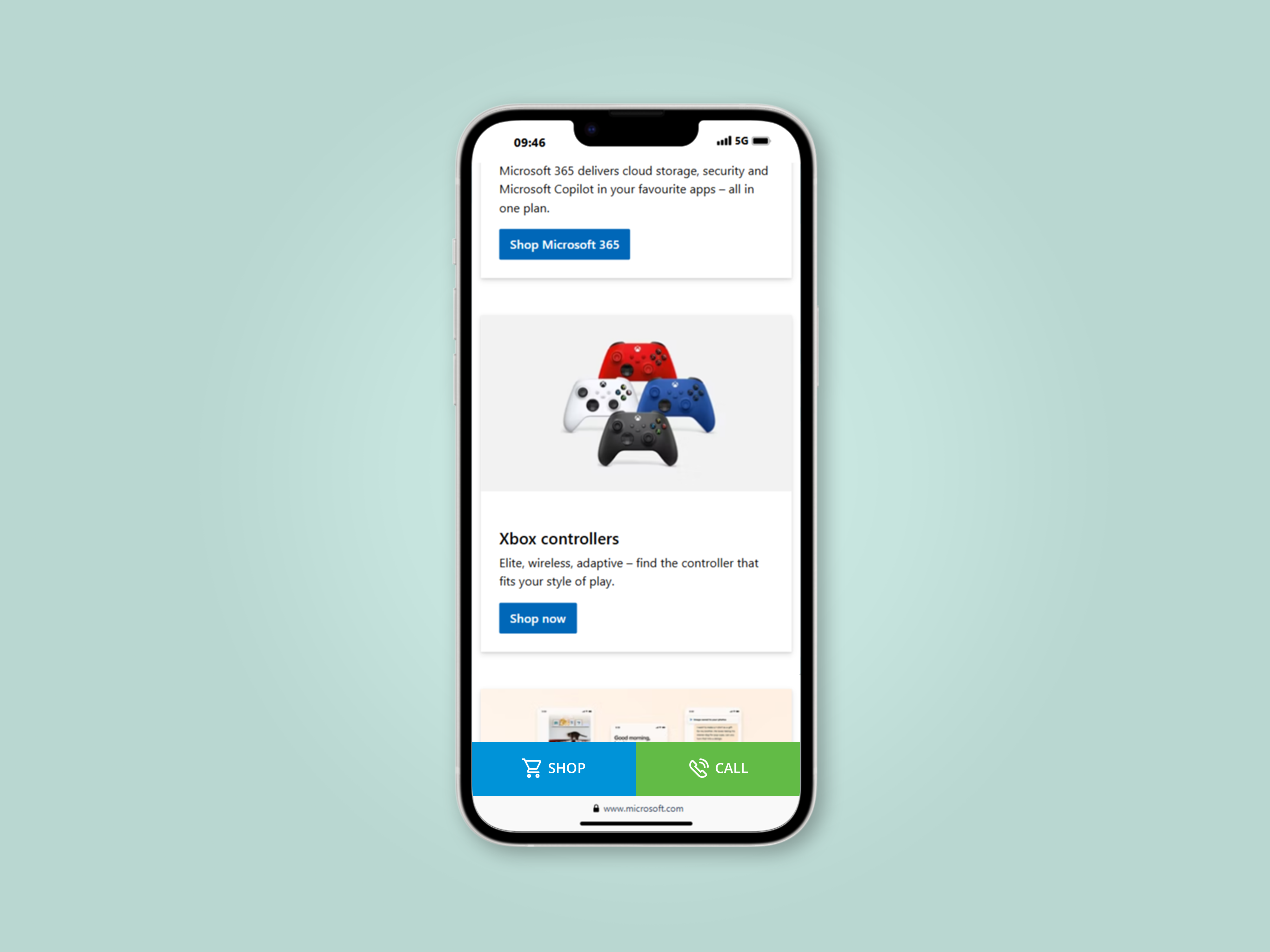
Example of work on the site

Example of work on the site

Example of work on the site

Example of work on the site

Example of work on the site

Screenshot of the interface on the settings page
Changelog
1.0.5 (2025-09-11)
- Icon pack update.
1.0.4 (2025-07-26)
- Icon pack update.
1.0.3 (2025-07-15)
- Fixed credit line output: use printf + esc_html__ instead of “hard” HTML.
1.0.2 (2025-07-15)
- New icons added, unnecessary files removed.
1.0.1 (2025-05-04)
- Added donation links to the settings page.
- Fixed the title on the settings page.
- Fixed the centering of elements on the settings page.