

OTP Login Woocommerce (Login with OTP)
Allow users to log in/sign up with a one-time password (OTP) sent to their mobile device.
Plugin info
Maintenance & Compatibility
Maintenance score
Stale • Last updated 264 days ago • Support resolved 0% • 44 reviews
Is OTP Login Woocommerce (Login with OTP) abandoned?
Likely maintained (last update 264 days ago).
Compatibility
Similar & Alternatives
Explore plugins with similar tags, and compare key metrics like downloads, ratings, updates, support, and WP/PHP compatibility.
Description
Live Demo
Allow users to login/signup with one time password(OTP) sent on your mobile device.
Features And Options:
- Adds a phone number field to the signup form
- No need to remember email/password, login with OTP
- Fully customizable
- Woocommerce Compatible
- Fully Ajaxed.
Third Party Services
This plugin uses third party services to send SMSs
SMS Operators available:
- Firebase ( Free messages )
- Twilio
- Amazon
- SMS Alert, MSG91, Textlocal, Unifonic and others..
For detecting country code, plugin uses API endpoints for looking up user IP address. This is optional and can be disabled from the settings
Options available
ipify, ipecho, ident, whatismyipaddress
Pro Features:
- Login with Email OTP.
- Two Factor Authentication – SMS/Email
- Validate and verify phone number in checkout form before customer places an order.
- Register with a single click. Email & Password less registration.
- Manage registration fields.
- Popup & inline form design ( Try here)
https://wordpress.org/plugins/easy-login-woocommerce/ - Show the countries’ flags
Documentation
Installation
- Upload the plugin files to the `/wp-content/plugins/ directory, or install the plugin through the WordPress plugins screen directly.
- Activate the plugin through the ‘Plugins’ screen in WordPress
- Click on Login/Signup Popup on the dashboard.
Frequently Asked Questions
- Go to plugin settings.
- You need a third party service to send SMS, select the desired one.
- Please read the documentation to get API keys.
It is recommended to use plugin “Loco Translate”. Below is the manual way.
1. Download PoEdit.
2. Open the mobile-login-woocommerce.pot file in PoEdit. (/plugins/mobile-login-woocommerce/languages/
mobile-login-woocommerce.pot)
3. Create new translation & translate the text.
4. Save the translated file with name “mobile-login-woocommerce-Language_code”. For eg: German(mobile-login-woocommerce-de_DE)
, French(mobile-login-woocommerce-fr_FR). — Language code list
5. Save Location: Your wordpress directory/wp-content/languages/
Plugin template files are under mobile-login-woocommerce/templates folder.
Copy the template file to your theme->templates folder and make the desired changes there.
Review feed
Doesn't seem to work
Not work the new version
Pro version isn't worth it
Paid for a pro version and there are issues... And got none of support, even cannot contact support...
Screenshots
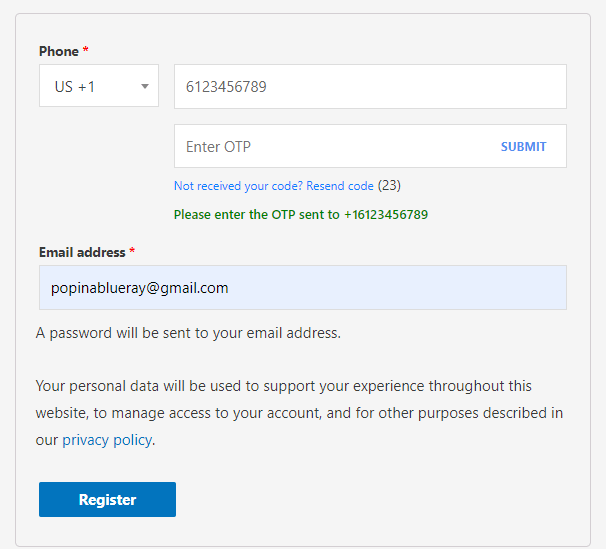
Banner
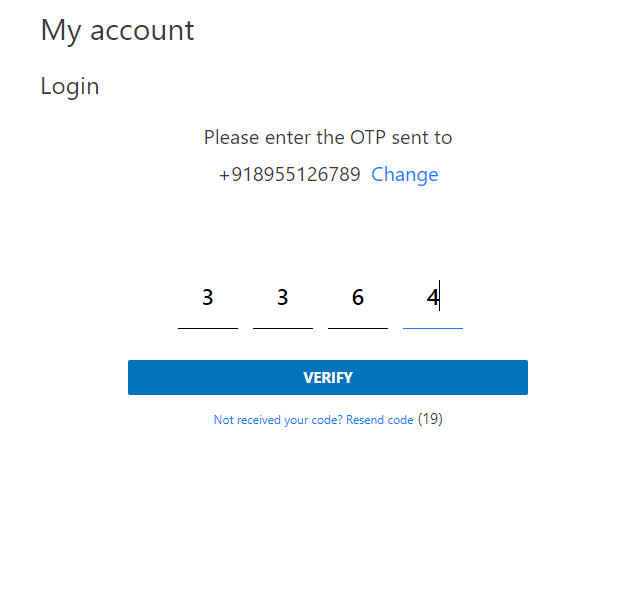
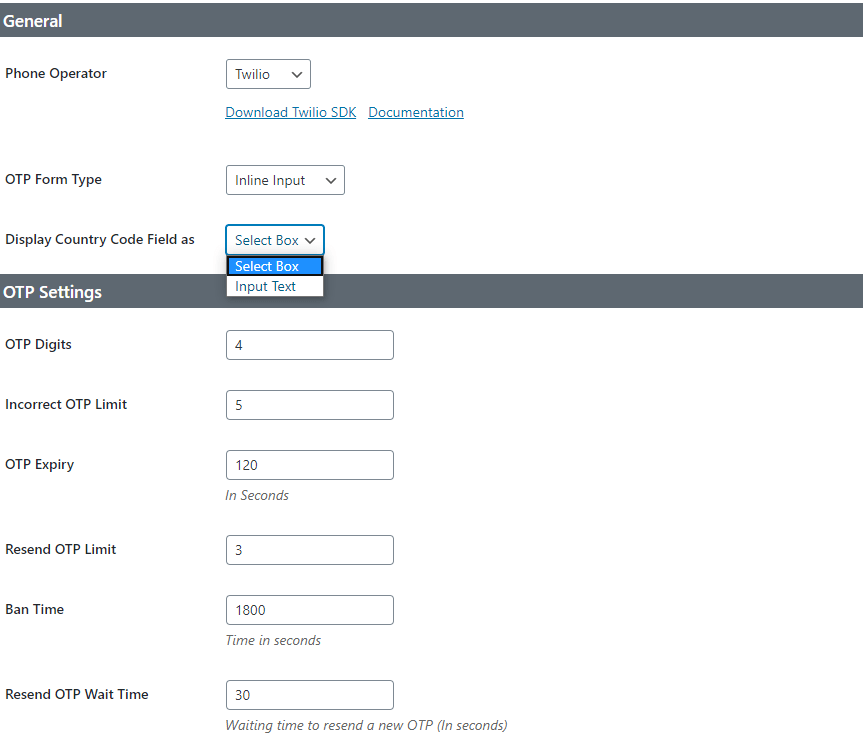
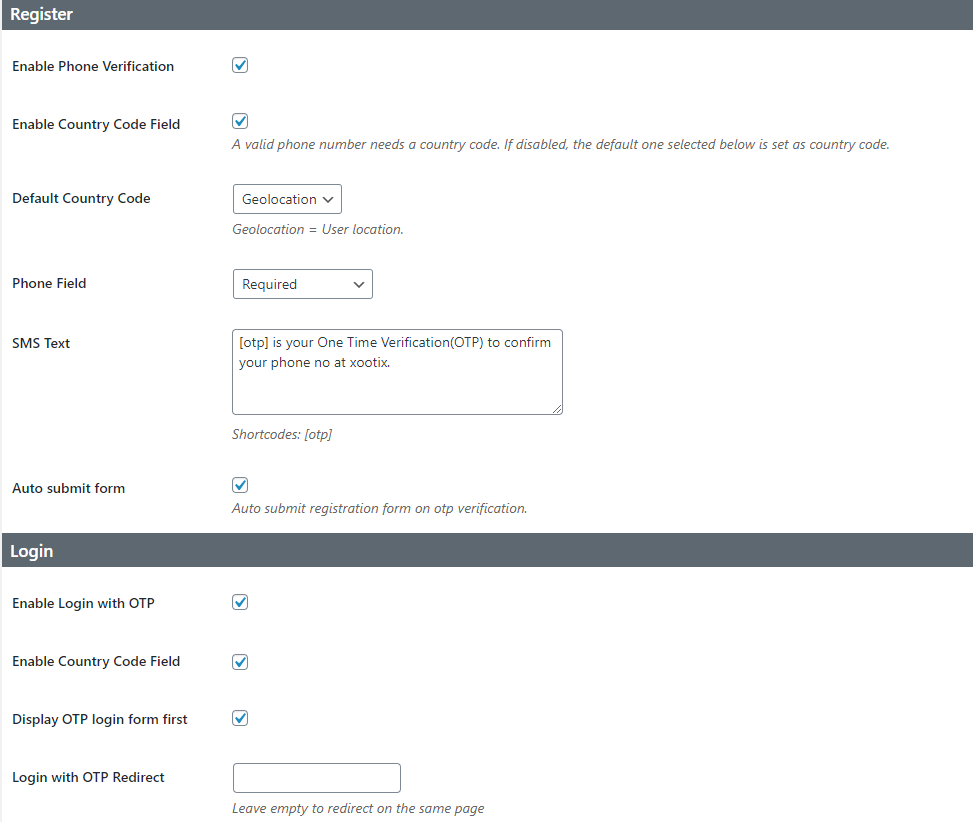
Changelog
2.6.9
- Woodmart theme compatibility
- Minor fixes
- Settings UI update
2.6.8
- Custom SMS operator settings fix
- Settings UI update
2.6.7
- New – added Authorization fields for custom SMS gateway.
- Fix – copy paste OTP for external form type
- Template update – xoo-ml-external-otp-form.php and xoo-ml-inline-otp-input.php
2.6.6
- New – added JSON data format for custom SMS gateway
2.6.5
- Fix – args not showing in debug
2.6.4
- Fix – PHP 8.1 compatibility warning
2.6.3
- New – Custom SMS gateway option
- Fix – Amazon region option
2.6.2
- New – SMS Operators – SMSLane, Semaphore
- Fix – non numeric characters in phone field
- Fix – Security
2.6.1
- Fix – MSG91 missing parameter
2.6
- New – Option to export/import settings
- New – Restrict country codes
- New – SMS operator – Bulksms
- Fix – MSG91 not working
Template update => xoo-ml-phone-input.php
2.5.1
- New SMS operators – MSG91, Textlocal
- Update – changed phone field from text to tel
- RTL style fix
2.5
- Added SMS Operators
2.4
- New Settings UI
2.3
- Fix – Security issues
2.2
- New – Added option to auto remove 0
2.1
- Fix – Security issues
2.0
- New – Inline input for OTP Verification
- New – Country code for login form
- New – Improved country code select field
- New – Phone number column on users page
- Tweak – Design improvement
1.4
- Fix – Geolocation not working
- Fix – Conflict with dokan
- Fix – Other minor fixes
1.3
Fix – Phone code not showing
1.2
Fix – Disable OTP registration
1.1
- Add – Twilio Service
- Add – (Option) auto signup on verification
- Add – (Option) – display OTP form first
- Tweak – Slight changes in design
1.0.0
- Initial Public Release.