

Moderation API: Automated Content Moderation
Use Moderation API to automatically moderate comments on your WordPress site. Supports multisite networks.
Plugin info
Maintenance & Compatibility
Maintenance score
Stale • Last updated 254 days ago • 4 reviews
Is Moderation API: Automated Content Moderation abandoned?
Likely maintained (last update 254 days ago).
Compatibility
Similar & Alternatives
Explore plugins with similar tags, and compare key metrics like downloads, ratings, updates, support, and WP/PHP compatibility.
Description
Use Moderation API to automatically moderate comments on your WordPress site. Detects a large range of content such as bullying, discrimination, sentiment, NSFW, PII, and much more.
- Automatically remove unwanted comments
- Automatically approve safe comments
- Combine with human reviews
- Works in 200+ languages
- Full multisite network support
Terms
* Terms of Service
* Privacy Policy
* DPA
Known Issues
- Webhooks do not work when using plain permalinks. Please use any other permalink structure (e.g., Post name, Day and name, etc.) for webhook functionality to work properly.
Installation
- Install from the WordPress plugin directory or upload the
moderation-apifolder to the/wp-content/plugins/directory - Activate the plugin through the ‘Plugins’ menu in WordPress
- Login or create an account on moderationapi.com
- Press the “Connect” button on the plugin settings page
Frequently Asked Questions
Moderation API is a paid service. You can use the free tier to get started and upgrade to a paid plan to get more powerful features.
We recommend to use the review queue to see if Moderation API is working. You might want to update the queue settings to show all comments instead of just flagged ones. You can also see the API response in the WordPress admin under “Comments”.
You need to connect your WordPress site to Moderation API to use the service. This is so we can moderate content for you.
You can select various types of content to flag such as bullying, discrimination, sentiment, NSFW, PII, and much more in the Moderation API dashboard. We have a comprehensive list of categories, attributes, and taxonomies you can select.
You can also create your own custom rules and guidelines using AI agents.
The free plugin can only moderate comments. If you want to moderate other types of content such as posts, pages, or custom post types, please get in touch with us.
Moderation API supports 200+ languages. Some models work better for certain languages. See the language support when you add a model to your project.
You can choose what to do with your flagged content. You can automatically approve it, send it to the review queue, or delete it.
No. You can automatically approve or delete content that is flagged by the AI. This way the plugin is a set and forget solution, and you can get deeper insights into flagged content by using the review queue.
Yes, the plugin plays nicely with other plugins. If other plugins are also moderating comments, these will most likely run before Moderation API, and the value from the other plugins will be used if Moderation API does not flag the content.
Yes, this plugin fully supports WordPress multisite networks. Each site in your network can have its own Moderation API configuration and settings or use the global configuration – no need for multiple Moderation API accounts.
Review feed
Best plugin ever
Screenshots
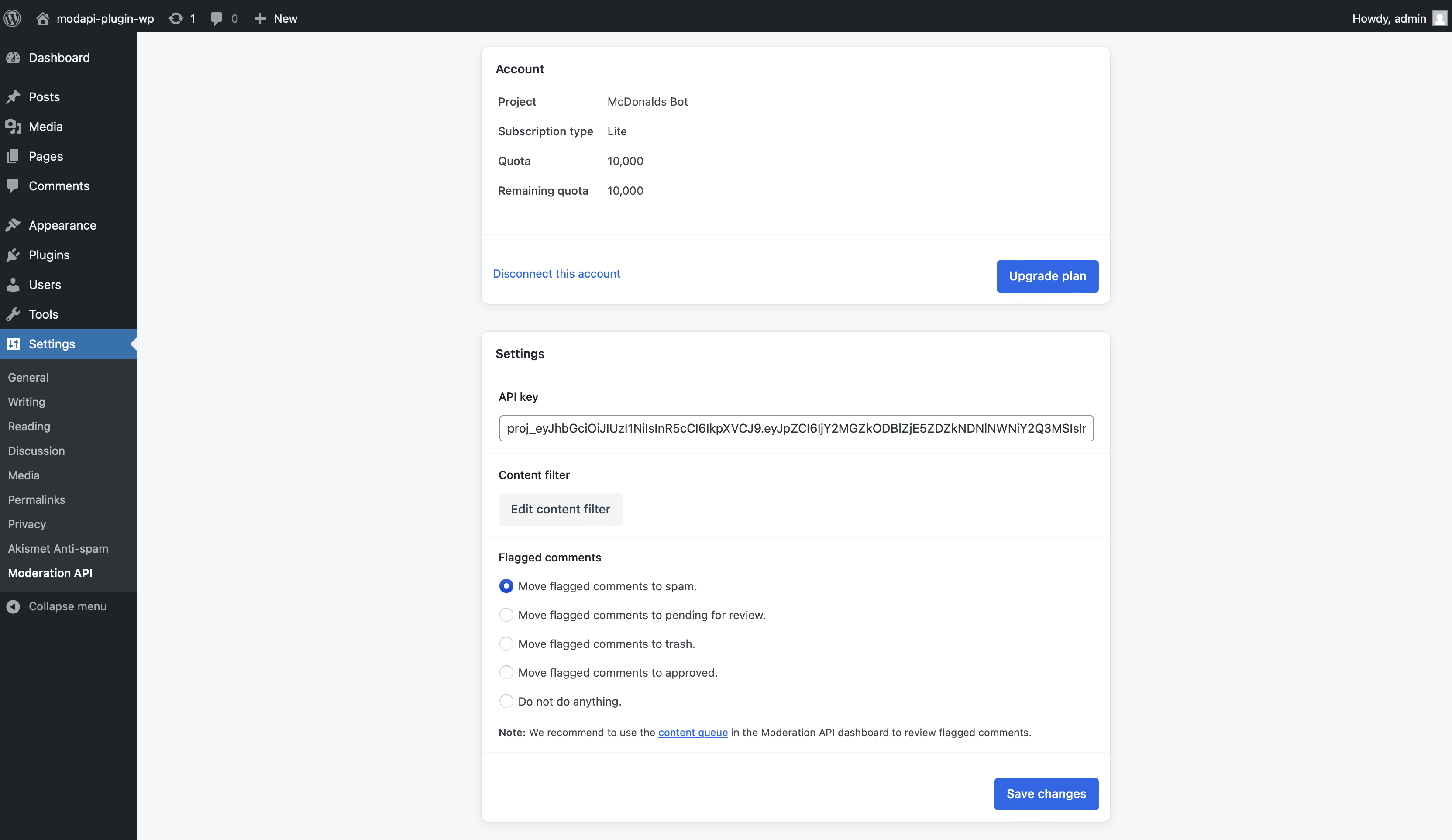
Select how you want to handle content flagged by the AI.
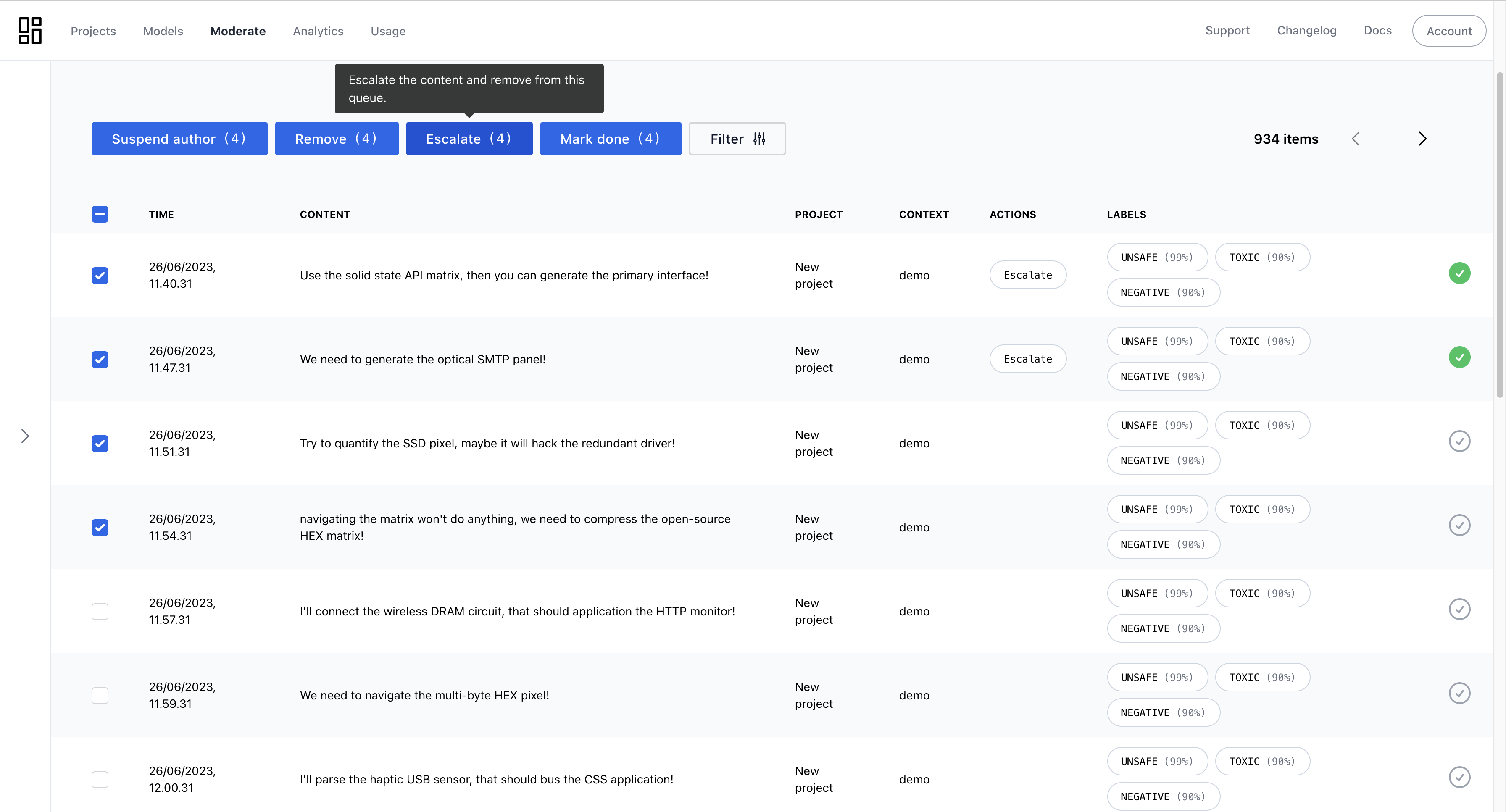
Optionally use the review queue to review content. You can configure the review queue to automatically approve content that is not flagged, or simply use it to get insights into flagged content.
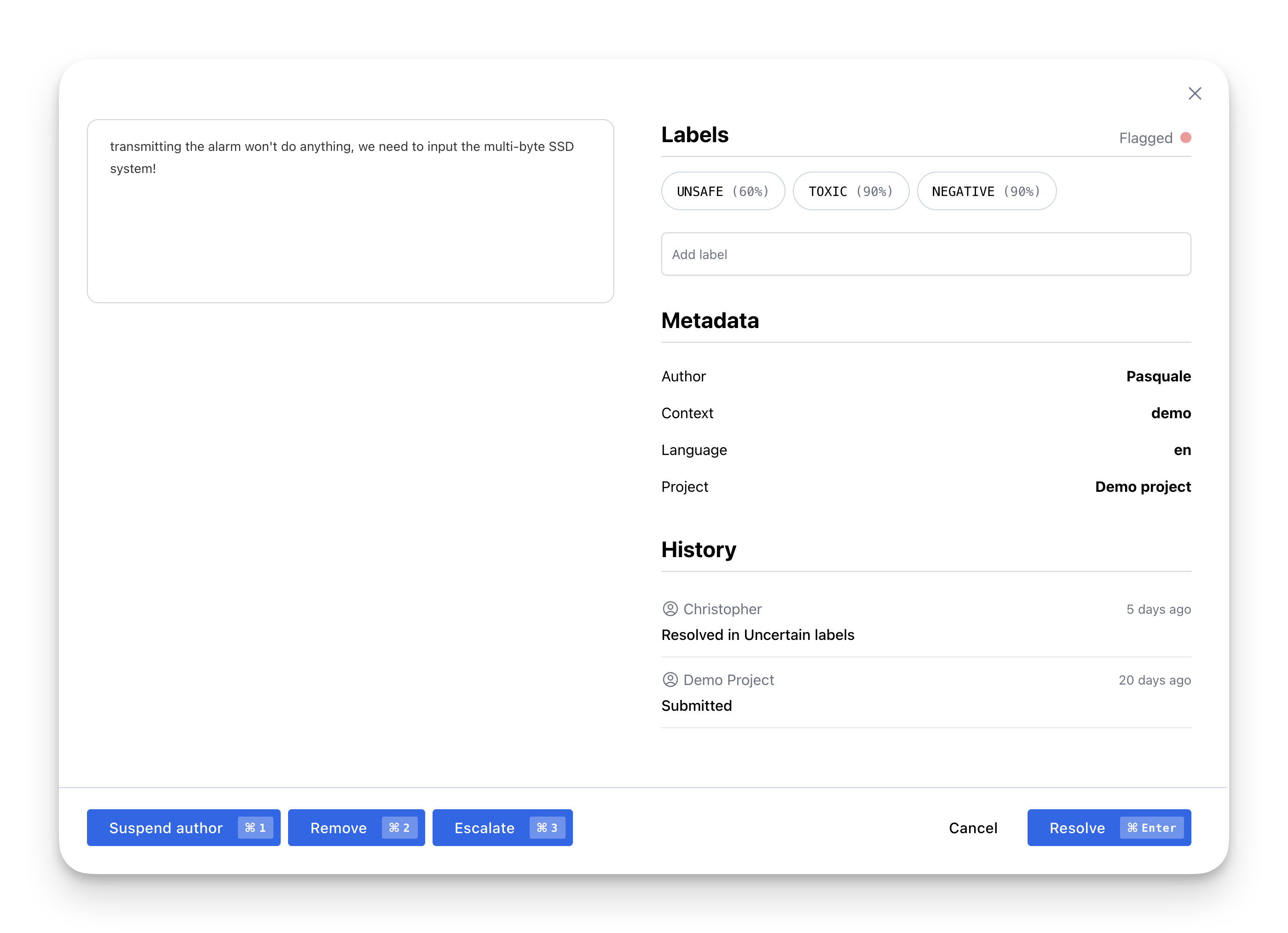
Take actions on flagged content such as approve, block, or delete.
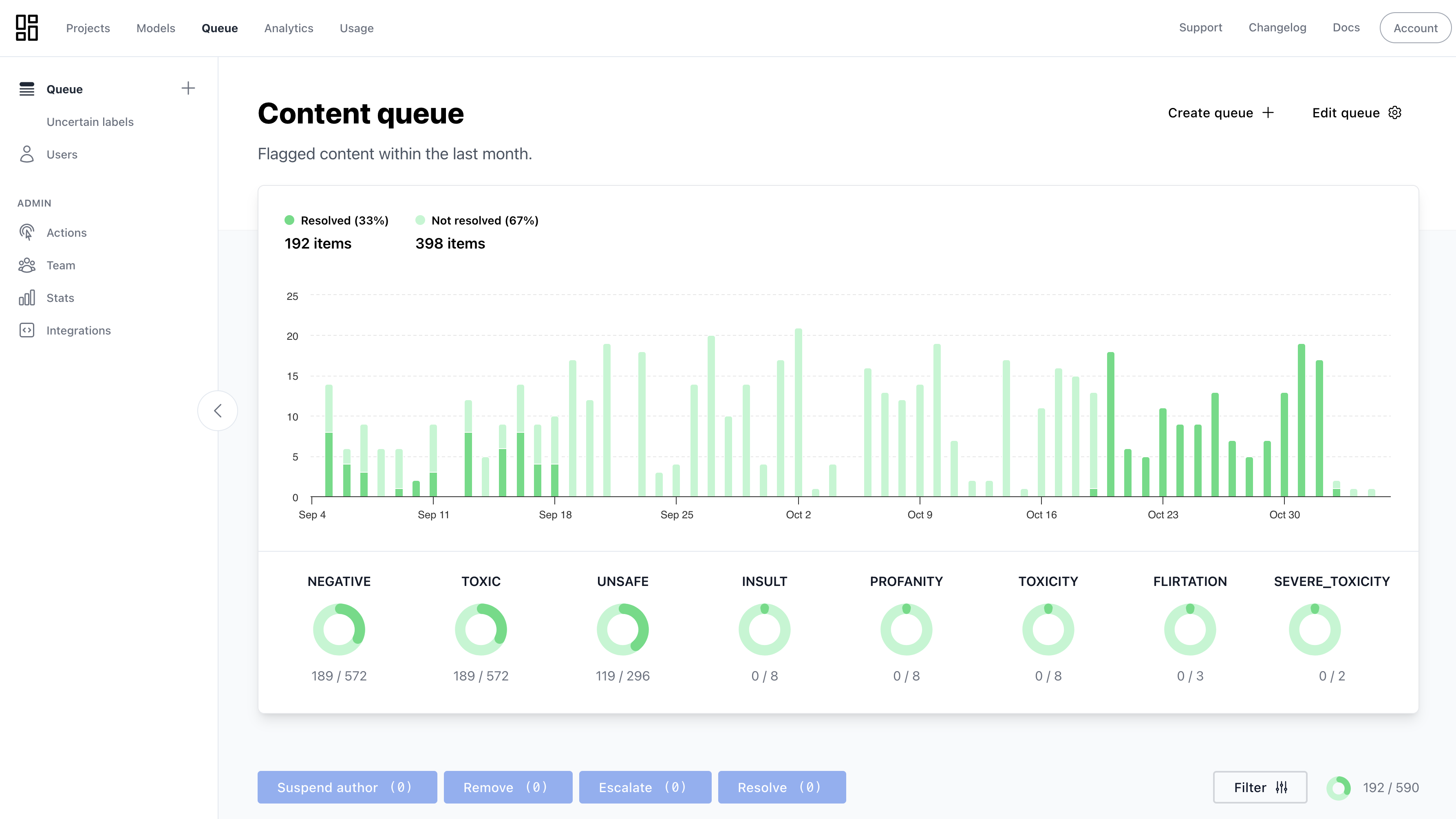
Charts lets you understand the impact of the Moderation API.
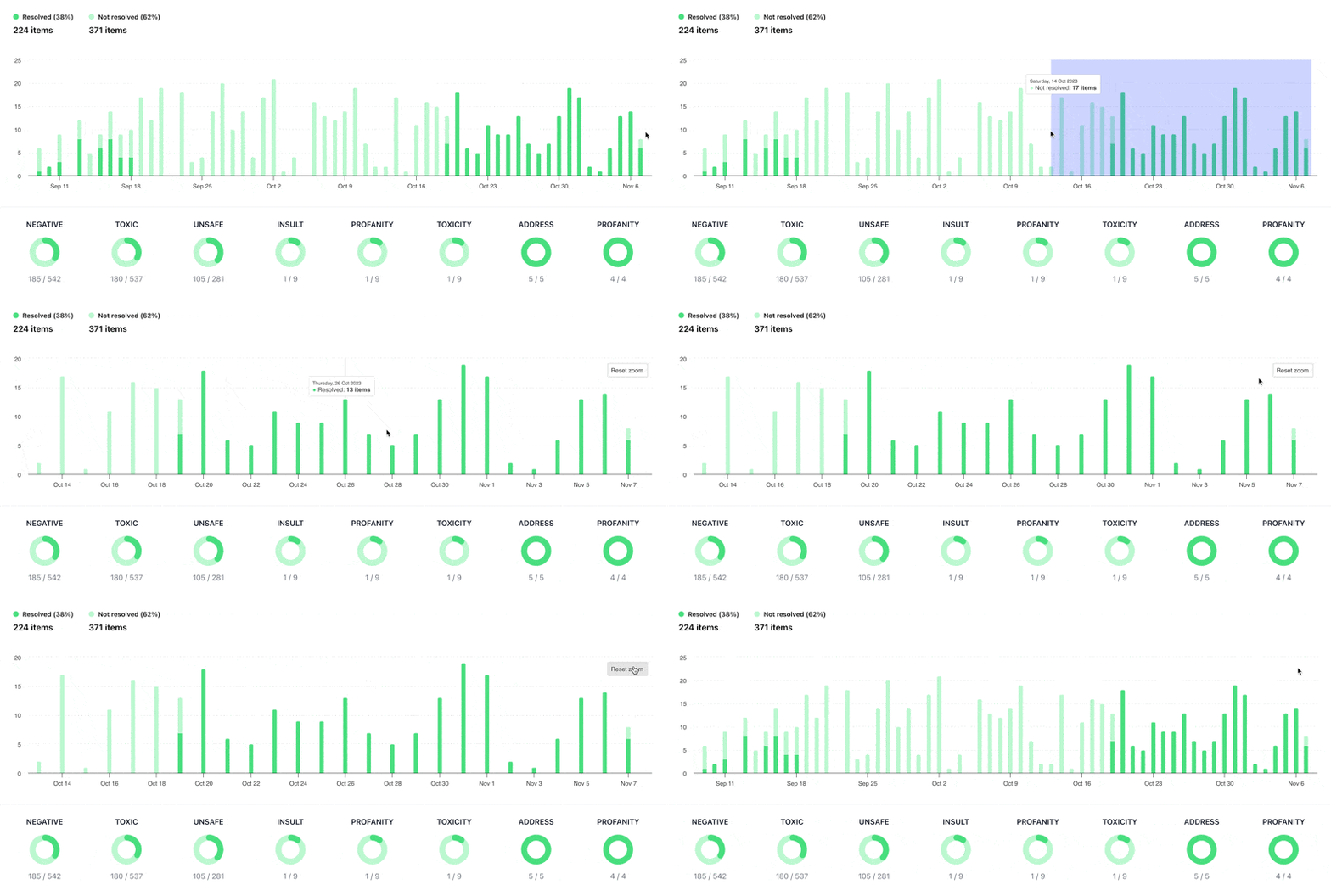
Focus your moderation efforts on specific time periods, languages, or content types.
Changelog
1.0.0
- Initial release
1.0.1
- Add error column to comments table
- Fix issue where comments were not being added to the review queue
- Add flagged labels to comments table
1.0.2
- Fixed order of operations for comment moderation. Comments are now moderated before WordPress adds them to the database.
- Add admin notice to activate Moderation API account.
1.0.3
- Added full WordPress multisite network support
- Fixed bug where items could enter review queue twice under some circumstances
- Added moderation on comment edit with automatic sync to review queue
- Added comment history tracking in review queue
- Automatic flag removal when edited comment is not flagged
- Tested up to WordPress 6.8.1
1.0.4
- Enhanced webhook support to handle both GET and POST requests for action parameter
1.0.5
- Fixed bug where comment flagged status wasn’t being saved to comment meta
- Improved reliability of comment analysis storage using WordPress transients
- Enhanced transient key generation for better consistency across different server configurations
1.0.6
- Further improved transient key consistency across different hosting environments
- Enhanced multisite network support and initialization
- Streamlined release process and automation improvements