

Monetbil – Mobile Money Gateway for WooCommerce
This is the Mobile Money payment gateway for WooCommerce.
Maintenance 20/1002482d since update
Active installs
100
Downloads
6,197
Reviews
0
Age
8.9y
Plugin info
Total downloads: 6,197
Active installs: 100
Total reviews: 0
Average rating: 0
Support threads opened: 0
Support threads resolved: 0 (0%)
Available in: 1 language(s)
Contributors: 1
Last updated: 6/16/2019 (2482 days ago)
Added to WordPress: 5/24/2017 (8 years old)
Minimum WordPress version: 3.0
Tested up to WordPress version: 5.2.23
Minimum PHP version: f
Maintenance & Compatibility
Maintenance score
Possibly abandoned • Last updated 2482 days ago
20/100
Is Monetbil – Mobile Money Gateway for WooCommerce abandoned?
Possibly abandoned (last update 2482 days ago).
Compatibility
Requires WordPress: 3.0
Tested up to: 5.2.23
Requires PHP: f
Similar & Alternatives
Explore plugins with similar tags, and compare key metrics like downloads, ratings, updates, support, and WP/PHP compatibility.
Country Based Payments for WooCommerce
Rating 4.3/5 (12 reviews) • Active installs 4,000
Flutterwave Payment Gateway for WooCommerce
Rating 4.2/5 (5 reviews) • Active installs 2,000
Disable Payment Methods based on cart conditions for WooCommerce
Rating 4.7/5 (14 reviews) • Active installs 1,000
Viva Payments – Viva Wallet WooCommerce Payment Gateway
Rating 4.3/5 (13 reviews) • Active installs 1,000
Fake Pay For WooCommerce
Rating 4.6/5 (8 reviews) • Active installs 1,000
Conditional Payments and Shipping for WooCommerce
Rating 5.0/5 (3 reviews) • Active installs 900
Description
This is the Mobile Money payment gateway for WooCommerce.
About Monetbil
Monetbil is a payment method for digital goods and services online using the Mobile Money billing service.
About the plugin
The plugin allows you to use Monetbil payment gateway with the WooCommerce plugin. The plugin uses an iframe-based form.
Features
- Pay with MTN Mobile Money
Donations
Installation
Installation
- In your WordPress Dashboard go to \”Plugins\” -> \”Add Plugin\”.
- Search for \”Monetbil Woocommerce Gateway\”.
- Install the plugin by pressing the \”Install\” button.
- Activate the plugin by pressing the \”Activate\” button.
- Open the settings page for WooCommerce and click the \”Checkout\” tab.
- Click on the sub tab for \”Monetbil\”.
- Configure your Monetbil Gateway settings.
Minimum Requirements
- WordPress version 3.0 or greater.
- PHP version 5.2.4 or greater.
- MySQL version 5.0 or greater.
Recommended Requirements
- Latest WordPress version.
- PHP version 5.6 or greater.
- MySQL version 5.6 or greater.
Frequently Asked Questions
What is the cost for the gateway plugin?
This plugin is a FREE download.
Review feed
No reviews available
Screenshots
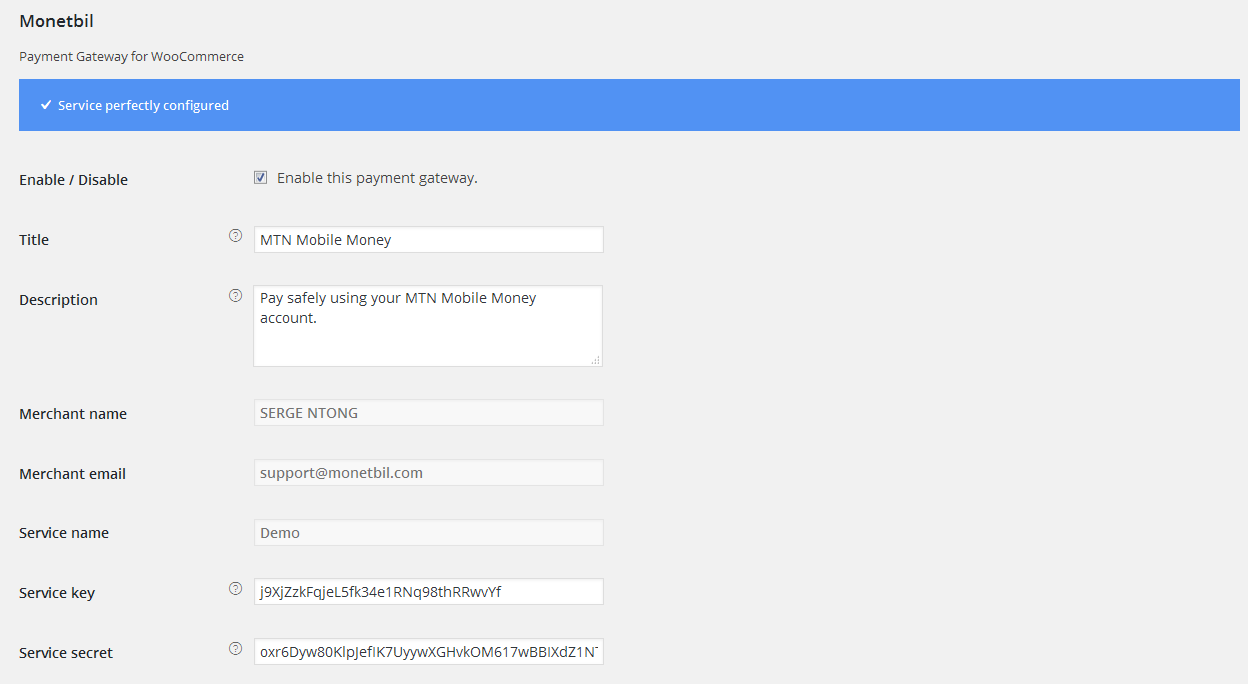
Easy configuration.

Payment gateway selection.

Widget IFrame-based form.
Changelog
No changelog available