

Mosaic Gallery – Advanced Gallery
Mosaic Gallery is an advanced plugin for creating stunning, responsive mosaic-style galleries with ease, offering customizable layouts and effects.
Plugin info
Maintenance & Compatibility
Maintenance score
Maintained • Last updated 134 days ago • 1 reviews
Is Mosaic Gallery – Advanced Gallery abandoned?
Likely maintained (last update 134 days ago).
Compatibility
Similar & Alternatives
Explore plugins with similar tags, and compare key metrics like downloads, ratings, updates, support, and WP/PHP compatibility.
Description
Mosaic Gallery is an advanced WordPress plugin designed to help you create stunning and dynamic galleries with ease. Whether you’re a photographer, artist, or business owner, this plugin offers a versatile and customizable solution for showcasing your images in a unique, mosaic-style layout. With Mosaic Gallery, you can effortlessly arrange your photos in a visually appealing grid, with various size options that automatically adjust to create a seamless, cohesive look.
The plugin comes with a user-friendly interface, allowing you to drag and drop images, customize layouts, and apply a variety of effects without any coding knowledge. Mosaic Gallery is fully responsive, ensuring your galleries look great on all devices, from desktops to mobile phones. Additionally, it offers advanced features like lightbox integration, lazy loading for faster page speeds, and compatibility with popular themes and page builders. Elevate your WordPress site with Mosaic Gallery, where art meets functionality.
Features:
-
Responsive Design with Touch Support:
-
Unlimited Galleries:
-
Compatibility with Popular Page Builders:
-
Sleek User Interface:
-
Lightweight and Fast:
-
Lazy Load Image:
-
Flexible Image Sizes:
-
Customizable Gallery Layouts:
-
Image Filtering:
-
Image Title:
-
Lightbox Integration:
-
More features are coming soon..
🔥 Get the WordPress Bundle
✨ Explore Pro Templates
Libraries Used
This plugin utilizes the following third-party libraries:
-
Masonry v4.2.2 – A cascading grid layout library that allows you to create fluid, responsive grids. Masonry is used in this plugin to arrange images in a mosaic-style layout.
- Source: Masonry by David DeSandro
- License: MIT License
-
Viewer v1.0.0-beta – A JavaScript image viewer plugin used for displaying images in a full-screen lightbox with support for touch gestures.
- Source: Viewer by Chen Fengyuan
- License: MIT License
- Date: 2018-03-15
-
MixItUp v2.1.11 – A filtering and sorting library used for creating dynamic, animated galleries. It allows users to filter and sort gallery items with smooth transitions.
- Source: MixItUp by KunkaLabs Limited
- License:
- Commercial Use: Requires a commercial license (https://mixitup.kunkalabs.com/licenses/)
- Non-Commercial Use: Permitted under terms of the CC-BY-NC license (http://creativecommons.org/licenses/by-nc/3.0/)
These libraries contribute to the functionality, performance, and user experience of the Mosaic Gallery plugin.
Installation
- Download and unzip the plugin. Upload the unzipped folder to the wp-contents/plugins folder of your WordPress installation.
- Active the plugin from the WordPress Plugins administration page.
- OR, Go to WP admin panel, click ‘Plugins’ -> ‘Add new’. In the search input box, type ‘Mosaic Gallery’.
- Install and activate the plugin.
Frequently Asked Questions
Review feed
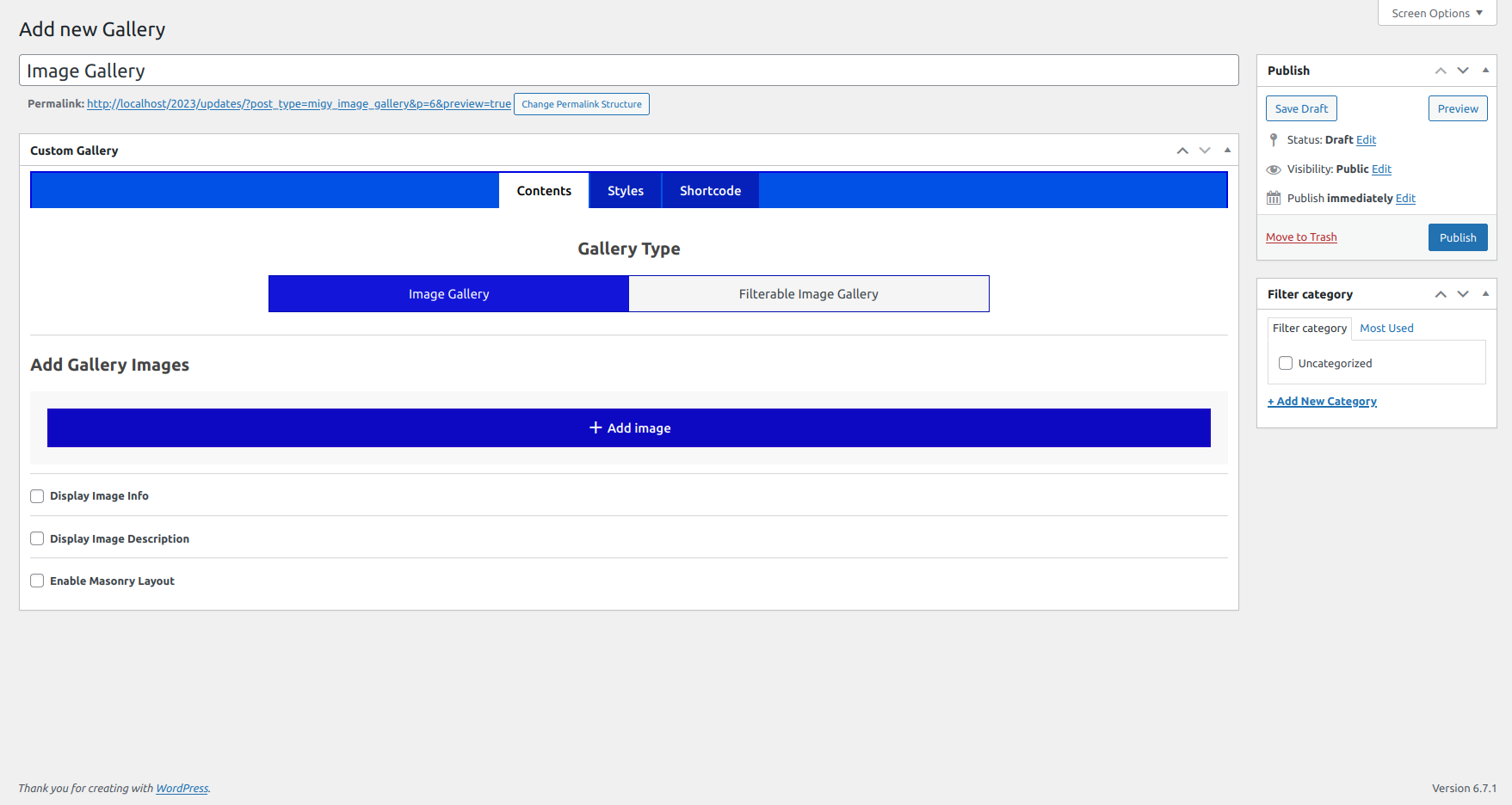
Screenshots


Changelog
1.1.5 – 2025-18-11
- Minor Fixes.
1.1.4 – 2025-31-10
- Added font family option in style settings.
- Improved template include using global path constants and WordPress standards.
- Minor Fixes.
1.1.3 – 2025-04-09
- Popup added for templates.
1.1.2 – 2025-25-08
- Added customization options for image title and description colors in the gallery.
- Enhanced gallery customization flexibility for better design control.
1.1.1 – 2025-23-07
- Added image border radius option in Style Settings tab.
- Added predefined box shadow presets (Soft, Medium, Strong) for easier styling.
- Improved UI clarity by replacing box shadow text input with a user-friendly dropdown.
- Minor code cleanup and CSS structure enhancements.
1.1.0 – 2025-09-05
- Updated customization settings.
- Minor fixes and improvements.
1.0.9 – 2025-11-04
- Minor Fixes.
1.0.8 – 2025-29-03
- Updated UI.
- Minor Fixes.
1.0.7 – 2025-13-02
- Updated UI.
- Minor Fixes.
1.0.6 – 2025-22-01
- Updated UI.
1.0.5 – 2024-29-11
- Updated UI.
- Minor Fixes.
1.0.4 – 2024-31-10
- Minor Fixes.
1.0.3 – 2024-18-10
- Minor Fixes.
1.0.2 – 2024-16-10
- Minor Fixes.
1.0.1 – 2024-10-10
- Minor Fixes.
1.0.0 – 2024-09-10
- Initial release