

Plugin info
Maintenance & Compatibility
Maintenance score
Possibly abandoned • Last updated 3589 days ago • 5 reviews
Is mPress Fix URL References abandoned?
Possibly abandoned (last update 3589 days ago).
Compatibility
Similar & Alternatives
Explore plugins with similar tags, and compare key metrics like downloads, ratings, updates, support, and WP/PHP compatibility.
Description
The mPress Fix URL References plugin allows you to easily fix URL references in your WordPress database.
Why?
When you move your site from one domain to another, there is no built-in process for updating URL references in the database. For example, if you have internal links in your post content that point to the full URL of other pages on your site, these URL references will become invalid when you migrate your site to a new domain. If you aren’t a developer who knows how to write MySQL queries, replacing potentially thousands of instances of incorrect URLs is a real pain. No worries. I’m a developer and I’ve done all the work for you.
How?
Using this plugin is simple:
- Ensure that you define the WP_HOME and WP_SITEURL constants in your wp-config.php file. It’s not that hard.
- Install the plugin
- Activate the plugin
- In the WordPress admin, click on ‘Fix URL References’ in the ‘Tools’ menu
- Enter the URL that you want to have replaced
- Click on ‘Fix References’
Features
- Clean, well written code that won’t bog down your site
Installation
Prerequisites
If you don’t meet the below requirements, I highly recommend you upgrade your WordPress install or move to a web host
that supports a more recent version of PHP.
- Requires WordPress version 3.2 or greater
- Requires PHP version 5 or greater ( PHP version 5.2.4 is required to run WordPress version 3.2 )
The Easy Way
- In your WordPress admin, go to ‘Plugins’ and then click on ‘Add New’.
- In the search box, type in ‘mPress Fix URL References’ and hit enter. This plugin should be the first and likely the only result.
- Click on the ‘Install’ link.
- Once installed, click the ‘Activate this plugin’ link.
The Hard Way
- Download the .zip file containing the plugin.
- Upload the file into your
/wp-content/plugins/directory and unzip - Find the plugin in the WordPress admin on the ‘Plugins’ page and click ‘Activate’
Usage Instructions
Before you do anything else, this plugin requires that you define the WP_HOME and WP_SITEURL constants in your wp-config.php file.
Once the plugin is installed and activated, just click on ‘Fix URL References’ in the ‘Tools’ menu on the left hand side in the WordPress admin area. Next, simply enter the old URL you want to have replaced and click ‘Fix References’. Yep… it’s that easy.
Frequently Asked Questions
By default, this plugin only replaces URLs in specific tables and fields that would typically have URL references. I understand that this doesn’t meet everyone’s use cases, so this plugin exposes a simple PHP function for replacing string content from any given table and field.
Please only use this function if you know what you are doing:
mPress_Fix_URL_References::run_replacement_query( $table, $field, $old, $new );
This plugin replaces content in the ‘post_content’ field in the ‘posts’ table. The line of code below is from this plugin and is given as an example of how to use this function:
mPress_Fix_URL_References::run_replacement_query(
    'posts',
    'post_content',
    'http://www.old-domain.com',
    'http://www.new-domain.com'
);
Notice how the table name doesn’t include the WordPress table prefix. This gets added automatically.
Review feed
Screenshots
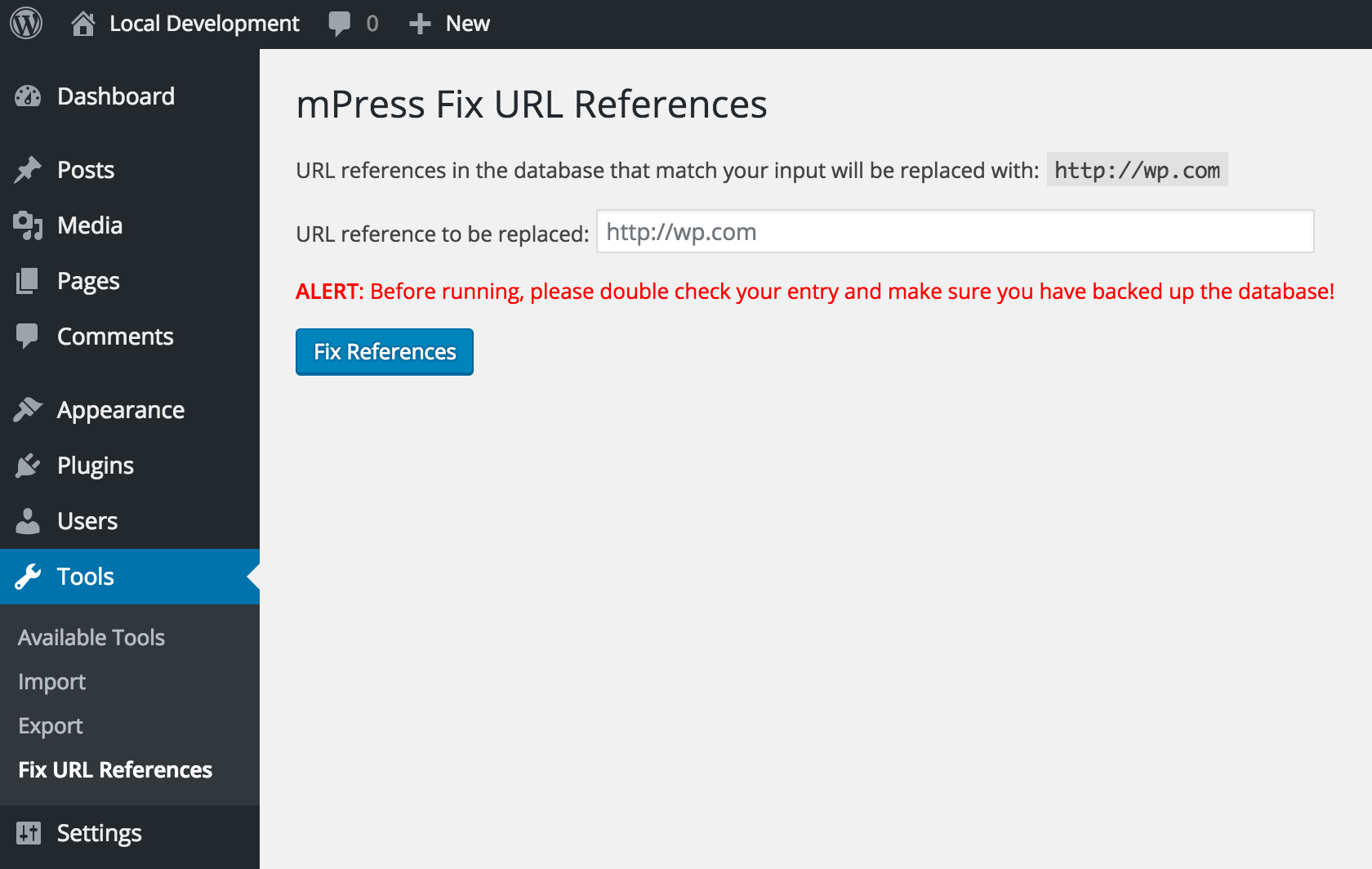
Go to 'Tools' -> 'Fix URL References' to get started.
Changelog
1.0
- Updated to release version after testing in WordPress 4.5.2
0.2
- Removed deprecated screen_icon() function (props Shelob9)
0.1
- Initial commit