

Ms Post Type Shortcode
Ms Post Type Shortcode is a very lightweight plugin that helps to display posts in a grid, slider, or with pagination.
Plugin info
Maintenance & Compatibility
Maintenance score
Stale • Last updated 349 days ago
Is Ms Post Type Shortcode abandoned?
Likely maintained (last update 349 days ago).
Compatibility
Similar & Alternatives
Explore plugins with similar tags, and compare key metrics like downloads, ratings, updates, support, and WP/PHP compatibility.
Description
The main purpose of this plugin is to display custom post type posts as well as default posts in a grid, slider, or with pagination. There are three types of shortcodes available in the plugin, each with some common and different parameters. This plugin also has grid, slider, and pagination design settings available and is very easy to use.
Shortcode
[ms_post_grid]
Without passing any parameters in the shortcode, it will display posts from the default post type ‘post’ and term ‘1’ (Uncategorized) in a grid layout.
[ms_post_slider]
It will display posts in a slider.
[ms_post_paginate]
It will display posts with pagination.
You can also pass parameters in the shortcode
[ms_post_grid type='your_custom_post_type_name' ms_show_all='true']
Installation
How to Install
- Download Ms Post Type Shortcode.
- Unzip the folder into the /wp-content/plugins/ directory.
- Activate the plugin through the ‘Plugins’ menu in WordPress or upload the zip file from wp-admin.
- After installing the plugin, the user will be redirected to the plugin ‘Introduction’ page, where they will learn how the shortcode parameters work.
Frequently Asked Questions
Create a support ticket on the WordPress forum, and I will take care of any issue.
Review feed
Screenshots
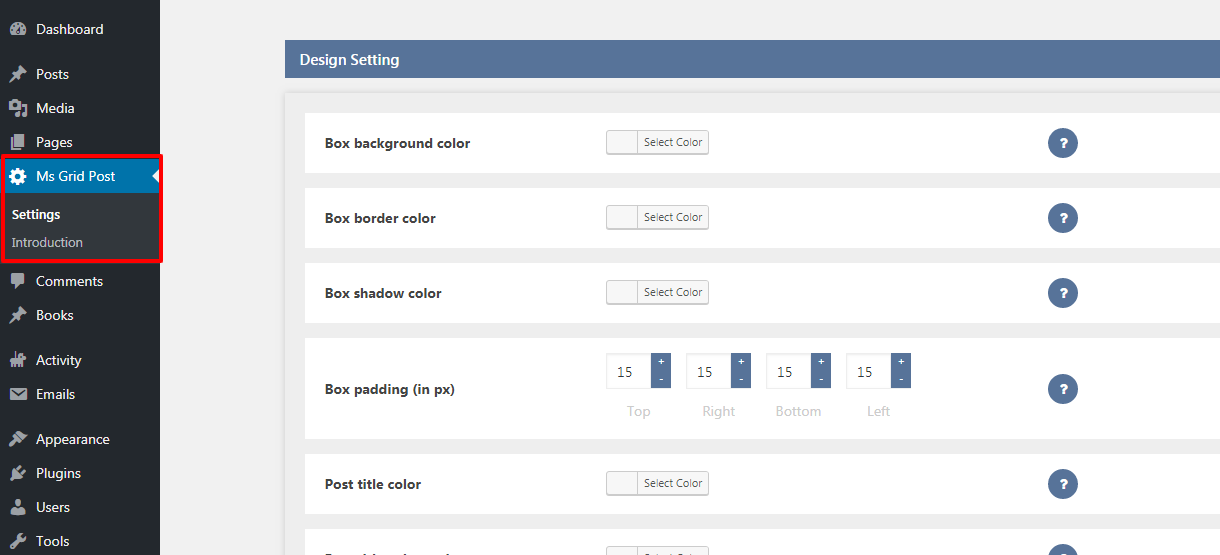
Design and slider setting screen in the plugin.

Frontend view of the grid and pagination.

Frontend view of the slider layout.
Changelog
1.0
- Initial release