

Multi-Platform Stock Sync (MPSS)
Seamlessly synchronize your inventory across WooCommerce and multiple e-commerce platforms.
Plugin info
Maintenance & Compatibility
Maintenance score
Possibly abandoned • Last updated 516 days ago
Is Multi-Platform Stock Sync (MPSS) abandoned?
Possibly abandoned (last update 516 days ago).
Compatibility
Similar & Alternatives
Explore plugins with similar tags, and compare key metrics like downloads, ratings, updates, support, and WP/PHP compatibility.
Description
Multi-Platform Stock Sync (MPSS) is a powerful WordPress plugin that allows you to effortlessly manage your inventory across WooCommerce and various other e-commerce platforms. With MPSS, you can ensure consistent stock levels across all your sales channels, reducing overselling and improving inventory accuracy.
Key Features:
- Automatic stock synchronization between WooCommerce and external platforms
- Flexible platform integration system
- Customizable sync schedules
- Trusted stock calculation algorithm
- User-friendly interface for managing integrations
- Detailed logs and reports for tracking sync activities
MPSS is perfect for businesses selling on multiple platforms who want to streamline their inventory management process.
Additional Info
For more information, please visit The Plugin Website.
Privacy Policy
We do not transfer any of your data to our servers or to any 3rd party service.
For more details on our privacy practices, please visit our Privacy Policy.
Installation
- Upload the plugin files to the
/wp-content/plugins/multi-platform-stock-syncdirectory, or install the plugin through the WordPress plugins screen directly. - Activate the plugin through the ‘Plugins’ screen in WordPress.
- Use the WooCommerce->Stock Sync screen to configure the plugin.
Frequently Asked Questions
MPSS comes with built-in support for WooCommerce. Additional platform integrations can be added through extension plugins.
By default, MPSS register a cronjob. However, you should set the sync schedule in the plugin settings.
Yes, MPSS fully supports WooCommerce variable products and their variations.
Review feed
Screenshots
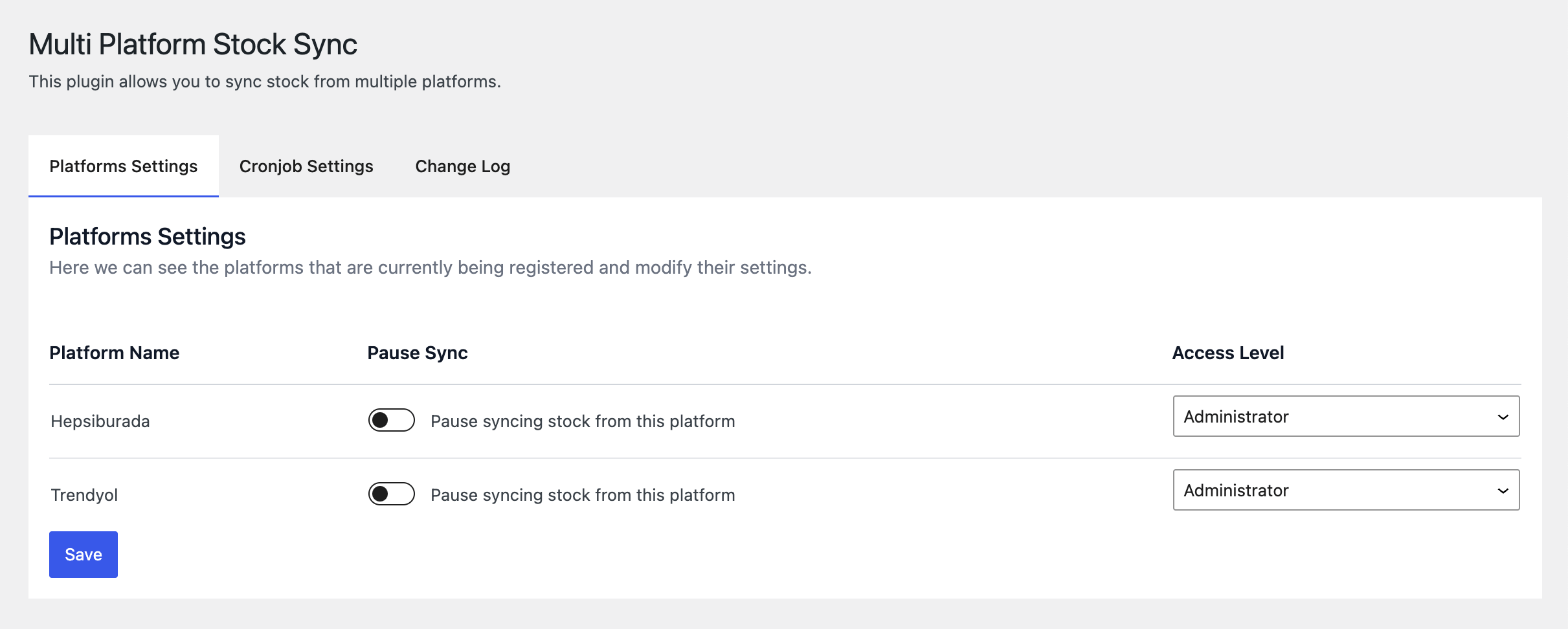
Platforms settings Screen - Pause sync and set access level for each registered platform.

Cronjob settings - Set cronjob interval and email notifications.

Sync Logs - Track sync activities and review any errors.

Log settings - Set whether you want to delete the log after uninstalling the plugin.

Trendyol Example - A sample screen from Trendyol integration plugin.
Changelog
1.0.0
- Initial release
1.0.1
- Very small fixes
1.0.2
- Very small fixes