

Multilang Block
Multilang block provides a simple multilanguage experience right in Gutenberg. You can create hidden content visible only for speakers of other langua …
Plugin info
Maintenance & Compatibility
Maintenance score
Possibly abandoned • Last updated 1883 days ago
Is Multilang Block abandoned?
Possibly abandoned (last update 1883 days ago).
Compatibility
Similar & Alternatives
Explore plugins with similar tags, and compare key metrics like downloads, ratings, updates, support, and WP/PHP compatibility.
Description
Not every site needs 1:1 multilanguage experience. Sometimes you want to give your visitors from a certain country a piece of information like “check my other site in your language”, or provide a brief introduction.
Multilang block was created with this idea. Of course, nothing prevents you from wrapping all the content in Multilang block, because it’s the best block out there!
Installation
- Upload the plugin files to the
/wp-content/plugins/multilang-blockdirectory, or install the plugin through the WordPress plugins screen directly. - Activate the plugin through the ‘Plugins’ screen in WordPress
- Insert “Multilang block” into your post or page
- Select a language for the block
- Every block INSIDE the multilang block will be visible only for people who have the selected language in
navigator.languagesof their browsers.
Frequently Asked Questions
Everything. Except donuts, they get squished and the filling will be all over the place.
The block is functionally identical to the group block.
Users can set up languages in the browser settings. They are passed to navigator.languages property.
Multilang block reads this list and if the language you selected is on there – block is displayed.
It stays hidden for users that don’t have that language set in browser settings.
Review feed
Screenshots
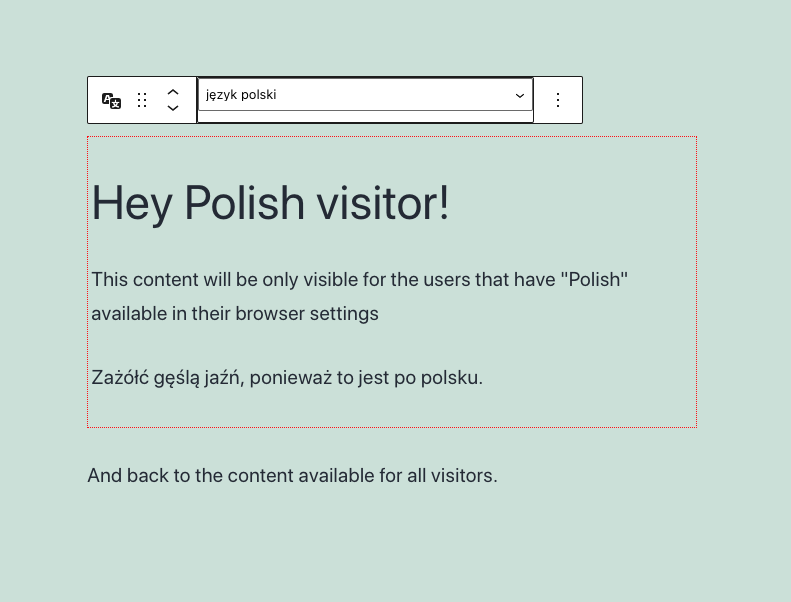
An example of the Multilang block wrapping an introduction for Polish visitors.
Changelog
0.1.0
- Release