
Multipart robots.txt editor
Customize your site's robots.txt and include remote content to it
Plugin info
Maintenance & Compatibility
Maintenance score
Possibly abandoned • Last updated 2966 days ago • 3 reviews
Is Multipart robots.txt editor abandoned?
Possibly abandoned (last update 2966 days ago).
Compatibility
Similar & Alternatives
Explore plugins with similar tags, and compare key metrics like downloads, ratings, updates, support, and WP/PHP compatibility.
Description
This plugin needs more documentation!
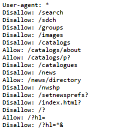
You can edit your robots.txt and add remote content to it.
E.g. you have several sites and want to use a centralized robots.txt.
Features
- Include or exclude WordPress’ own robots.txt (core function)
- Include or exclude plugins – e.g. sitemap plugins – output to robots.txt (filter output)
- Include or exclude a remote text file (the common part)
- Include or exclude custom records from the settings page (the site specific part)
Where is robot.txt?
WordPress handles robots.txt as a virtual URL – just the same way as posts and pages.
So when you browse to https://example.com/robots.txt WordPress generates robots.txt on the fly.
TODO
- add more description here
- add a video too
- add an admin notice for subdir installs (robots.txt is useless in a subdir)
- ‘At least one “Disallow” field must be present in the robots.txt file.’ – check for that
Links
Development of this plugin goes on on GitHub.
Installation
This section describes how to install the plugin and get it working.
- Upload the content of the ZIP feil to the
/wp-content/plugins/directory - Activate the plugin through the ‘Plugins’ menu in WordPress
Frequently Asked Questions
Where is robot.txt? Why isn’t it generated at WordPress root directory?
WordPress handles robots.txt as a virtual URL – just the same way as posts and pages.
So when you browse to https://example.com/robots.txt WordPress generates robots.txt on the fly.
How often will be the remote text file downloaded?
Every 24 hours and when you press the Sava Changes button on the setting page.
Review feed
Screenshots
Changelog
0.4.0
- After Shiny Updates (AJAX plugin actions) it was not possible to uninstall
0.3.0
- Prettify and sort output (thus the final robots.txt) by Robots.txt-Parser-Class by @t1gor
- Update core’s default robots.txt content
0.2.2
- Added explanation about robots.txt file – NO code change
0.2.1
- Googlebot needs CSS and JS files
- Introducing semver
0.2
- Fixed some serious PHP Notices, sorry
0.1
- Initial release