

MultiSyde
A WordPress plugin that explores practical, focused solutions and enhancements for WordPress Multisite.
Plugin info
Maintenance & Compatibility
Maintenance score
Maintained • Last updated 162 days ago
Is MultiSyde abandoned?
Likely maintained (last update 162 days ago).
Compatibility
Languages
Similar & Alternatives
Explore plugins with similar tags, and compare key metrics like downloads, ratings, updates, support, and WP/PHP compatibility.
Description
MultiSyde enhances the WordPress Multisite experience by addressing common usability challenges and streamlining network administration tasks. Developed by Syde as both a practical tool and proof-of-concept for potential WordPress core improvements, with a focus on Multisite.
The plugin targets WordPress Multisite network administrators, developers, and organizations managing multiple WordPress sites. It focuses on targeted, high-impact enhancements rather than attempting to solve all Multisite challenges at once.
MultiSyde follows a modular architecture where each feature addresses specific pain points identified in WordPress Trac tickets and community feedback. The plugin is actively developed and welcomes community contributions via the GitHub repository. See the FAQ for more details on how to contribute.
Features
Enhanced Site Retrieval – New get_site_by() utility function for easier site lookups by ID, slug, domain, path, or URL (addresses Trac #40180)
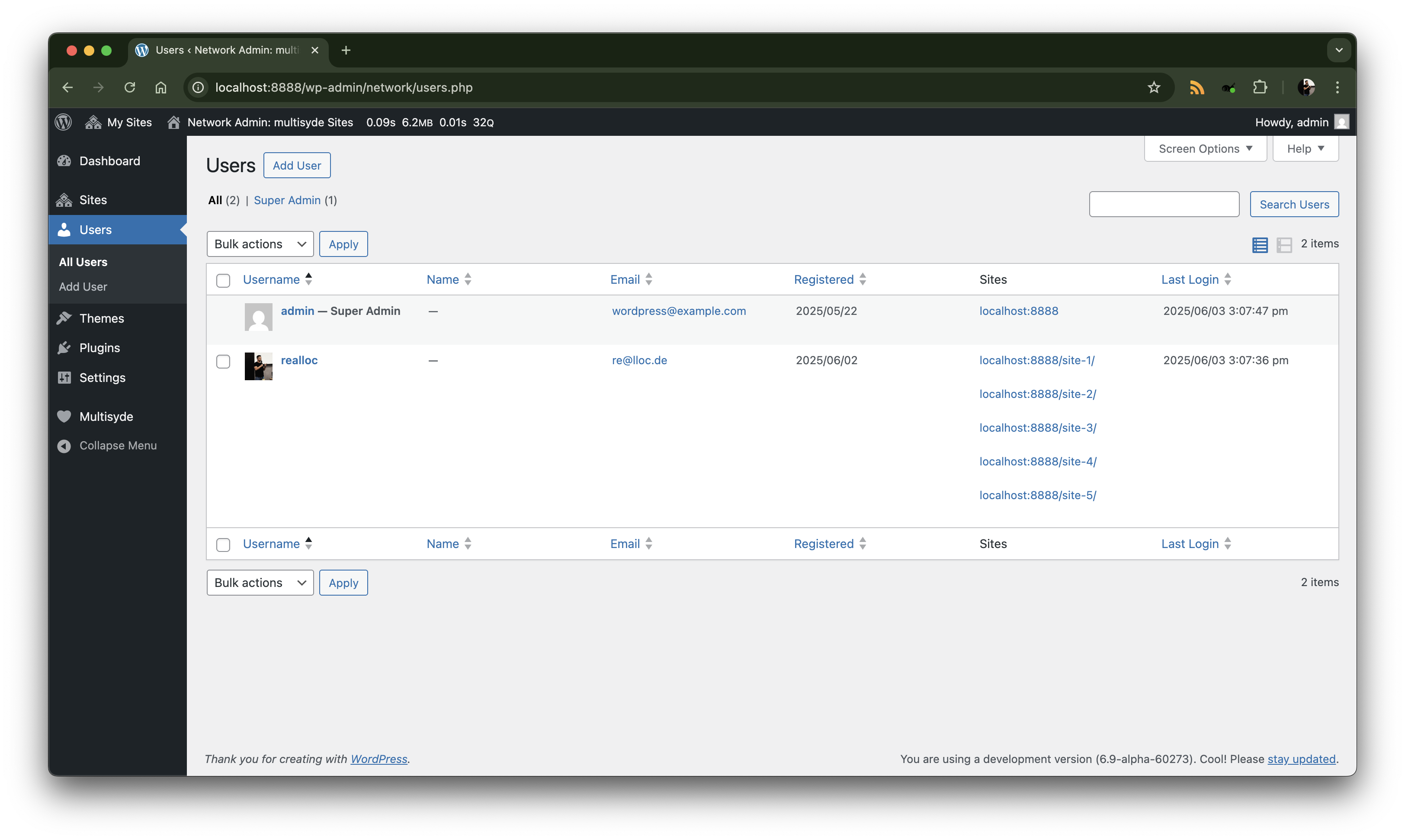
Last User Login Tracking – Adds “Last Login” column to Network Admin Users screen with automatic timestamp recording (addresses MultiSyde GitHub issue #11)
Site Active Plugins – See which plugins are active on each site, with bulk deactivation across subsites (addresses Trac #53255)
Site Active Theme – Displays the active theme for each site in the Network Admin dashboard, making it easier to manage themes across the network (addresses Trac #56458)
Permalink Cleanup – Automatically removes the /blog prefix from the main site’s permalink structure in multisite networks for cleaner URLs (addresses GitHub issue #24)
The feature set continues to expand based on community contributions and real-world needs.
Installation
Important: This plugin requires a WordPress Multisite installation and must be network activated.
Automatic Installation
- Go to Network Admin Plugins Add New
- Search for “MultiSyde”
- Click “Install Now” then “Network Activate”
Manual Installation
- Download the plugin ZIP file
- Upload to
/wp-content/plugins/and extract - Go to Network Admin Plugins
- Network Activate “MultiSyde”
Development Installation
- Clone the repository:
git clone https://github.com/inpsyde/multisyde/ /wp-content/plugins/multisyde - Install dependencies:
composer install - Network activate the plugin
Requirements: WordPress 6.8+, PHP 7.4+, Multisite installation
Frequently Asked Questions
MultiSyde explores and demonstrates practical improvements to the WordPress Multisite experience. It provides focused solutions that enhance usability, transparency, and network management efficiency for administrators and developers.
WordPress Multisite is a core feature that allows you to run multiple WordPress sites from a single WordPress installation. It’s ideal for organizations managing multiple websites, educational institutions, or businesses with separate sites for different departments or locations. MultiSyde specifically enhances the network administration experience for Multisite installations. The Before You Create A Network document outlines some requirements to consider before you begin creating a multisite network.
The plugin provides targeted enhancements to solve common challenges, including:
– Better visibility into which plugins are active across your network sites
– Easier site lookup and management with the new get_site_by() function
– User login tracking to monitor network activity
– Streamlined bulk operations for plugin management
Each feature is designed to solve specific challenges that Multisite administrators commonly encounter.
MultiSyde is functional but also serves as a proof-of-concept and exploration tool. It’s designed to demonstrate potential improvements and gather community feedback. Use in production environments should be carefully evaluated based on your specific needs and risk tolerance.
We welcome contributions! You can:
– Report bugs and issues on GitHub Issues
– Suggest new features or improvements
– Submit pull requests with code improvements
– Improve documentation
– Test the plugin in different environments
Visit our GitHub repository for detailed contribution guidelines and development setup instructions in CONTRIBUTING.md.
Please visit our GitHub repository to:
– Report bugs using our issue tracker
– Request new features
– View existing issues and discussions
– Access detailed documentation
Comprehensive documentation for each module is available in the plugin and the GitHub repository. Each feature includes detailed documentation explaining its purpose, functionality, and customization options.
Yes! MultiSyde uses a modular architecture that makes customization straightforward. Developers can:
– Modify existing modules
– Create new enhancement modules
– Integrate with existing Multisite workflows
– Extend functionality through hooks and filters
See our contribution guidelines and feature description for detailed guidance on customization and extension.
MultiSyde follows these key principles:
– Focused enhancements that solve real-world pain points
– Self-contained modules that can be independently evaluated
– Practical improvements that demonstrate potential for WordPress core integration
– Community-driven development with open contribution guidelines
Many features in MultiSyde address specific WordPress Trac tickets, serving as working examples of potential core improvements. The plugin acts as a testing ground for enhancements that could eventually be proposed for WordPress core inclusion.
Review feed
Screenshots

MultiSyde overview page in Network Admin dashboard
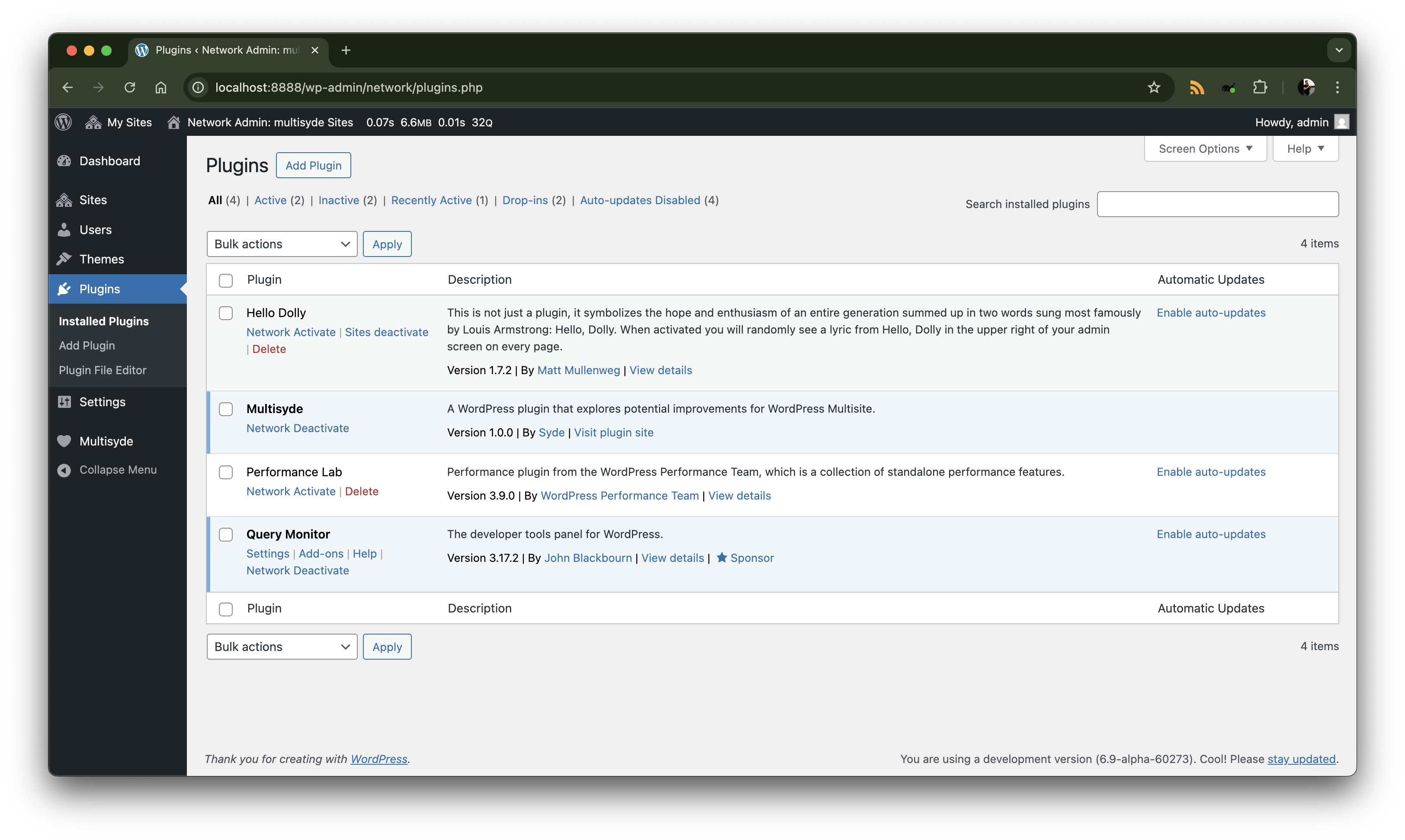
Enhanced user management interface with Last Login column
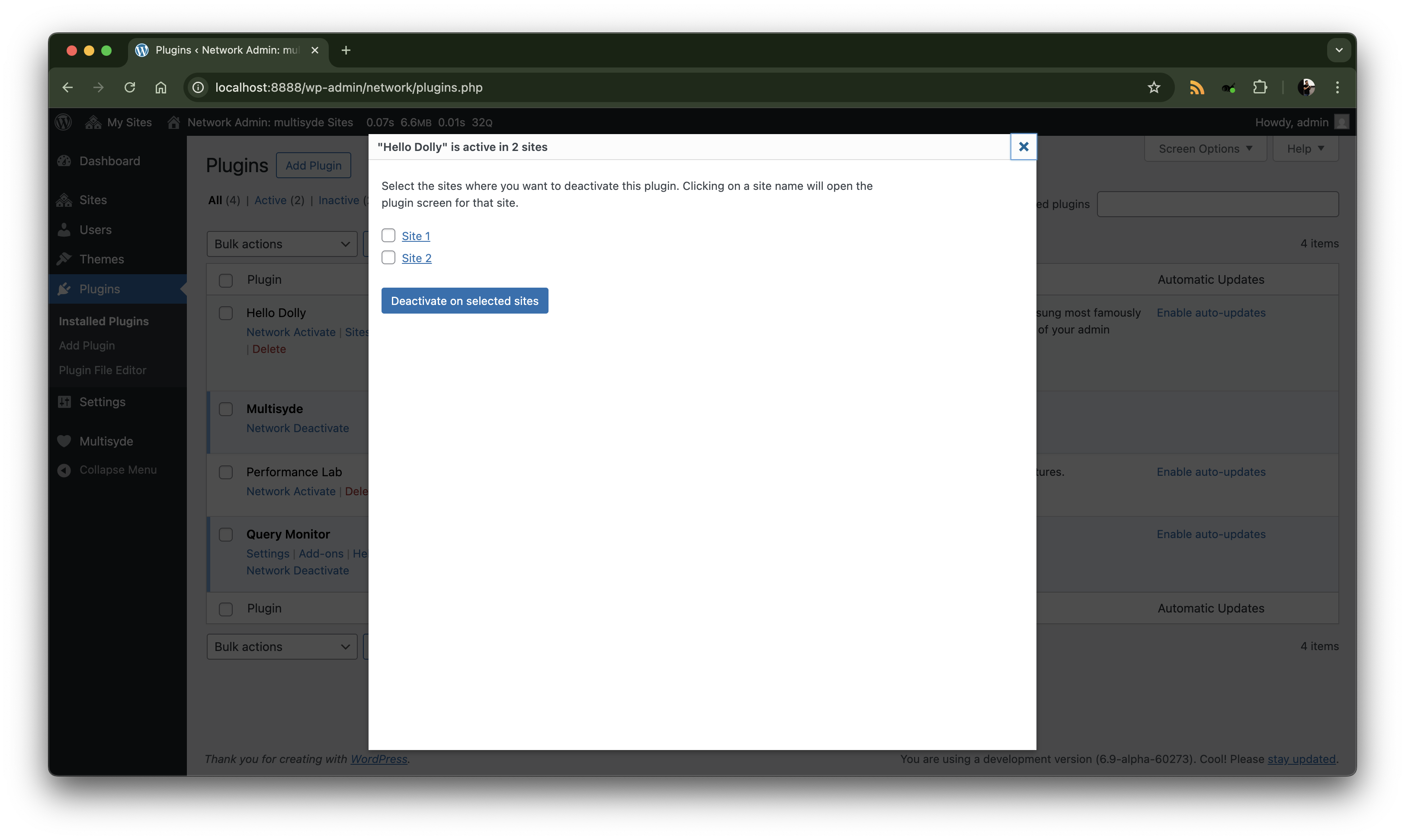
Site Active Plugins management with bulk deactivation modal
Advanced site retrieval using get_site_by() function

Site Active Theme feature in site management dashboard
Changelog
1.2.0
- Enhancement: Added Permalink Cleanup to automatically remove the
/blogprefix from the main site’s permalink structure in multisite networks.
1.1.1
- MultiSyde is now network-wide activatable only.
1.1.0
- Enhancement: Added Site Active Theme in site management dashboard.
1.0.1
- Enhancement: Site Active Plugins – Added a filter to allow other plugins to modify the list of active plugins on a site.
1.0.0
- Initial release.
- Added Site Active Plugins feature with bulk deactivation.
- Added Enhanced Site Retrieval with
get_site_by()function. - Added Last User Login tracking in Network Admin.
- Established a modular architecture for extensibility.