

My Coderwall Badges
gets your badges from coderwall website and let you show them on your blog.
Maintenance 22/1004682d since update
Active installs
10
Downloads
1,623
Reviews
1
Age
14.0y
Plugin info
Total downloads: 1,623
Active installs: 10
Total reviews: 1
Average rating: 5
Support threads opened: 0
Support threads resolved: 0 (0%)
Available in: 1 language(s)
Contributors: 1
Last updated: 4/23/2013 (4682 days ago)
Added to WordPress: 2/20/2012 (14 years old)
Minimum WordPress version: 3.0
Tested up to WordPress version: 3.3.2
Minimum PHP version: f
Maintenance & Compatibility
Maintenance score
Possibly abandoned • Last updated 4682 days ago • 1 reviews
22/100
Is My Coderwall Badges abandoned?
Possibly abandoned (last update 4682 days ago).
Compatibility
Requires WordPress: 3.0
Tested up to: 3.3.2
Requires PHP: f
Similar & Alternatives
Explore plugins with similar tags, and compare key metrics like downloads, ratings, updates, support, and WP/PHP compatibility.
No similar plugins found yet.
Description
This simple plugin lets you get your Coderwall badges and show them on your blog.
Install, activate the plugin and set your username in the CW Badges Panel.
You can display your badges using the [cwbadges] shortcode inside your pages/posts.
There’s also a widget which waits to be activated by you in the theme options.
Installation
- Upload my-coderwall-badges directory to the
/wp-content/plugins/directory - Activate the plugin through the ‘Plugins’ menu in WordPress
- Copy the style in
css/style.cssto your theme’s stylesheet and adapt it to your needs.
Frequently Asked Questions
No FAQ available
Review feed
No reviews available
Screenshots
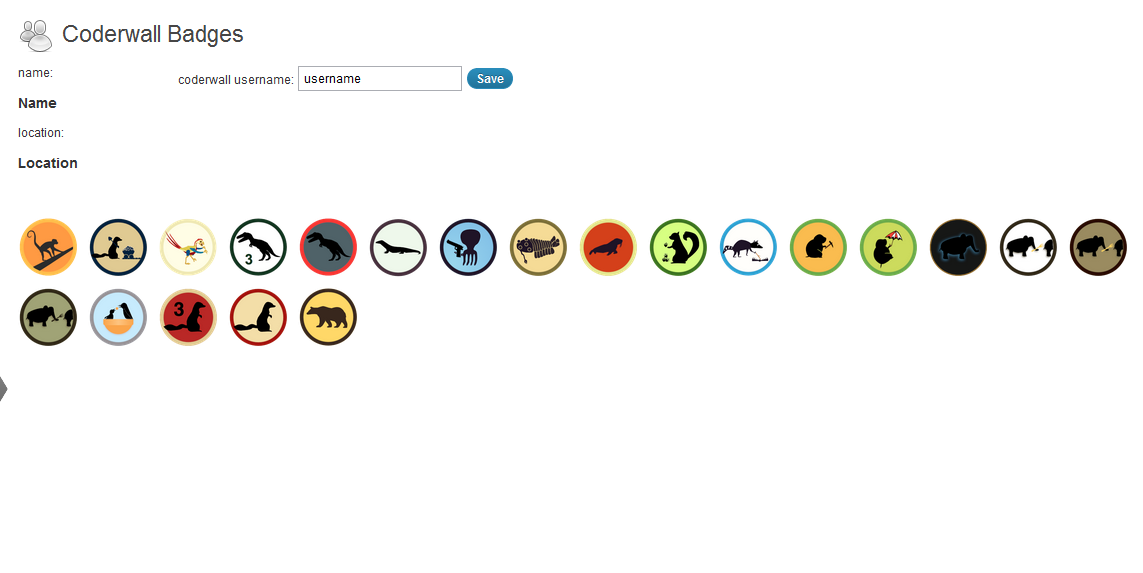
Setup Panel
Changelog
0.6
- fixed ssl verification issue (thanks to tmeinlschmidt)
0.5
- Added option to show Coderwall endorsements (http://coderwall.com/blog/2012-01-16-the-hacker-version-of-an-embeddable-social-button) (thanks to picandocodigo)
0.4
- German translation (thanks to bountin)
0.3
- Added a simple widget. (thanks to picandocodigo)
0.2
- Minor fixes, added shortcode, removed curl functions.
0.1
- First release.