

Maintenance 20/1006116d since update
Active installs
10
Downloads
3,185
Reviews
0
Age
16.8y
Plugin info
Total downloads: 3,185
Active installs: 10
Total reviews: 0
Average rating: 0
Support threads opened: 0
Support threads resolved: 0 (0%)
Available in: 1 language(s)
Contributors: 1
Last updated: 7/5/2009 (6116 days ago)
Added to WordPress: 7/3/2009 (16 years old)
Minimum WordPress version: f
Tested up to WordPress version: 0.2
Minimum PHP version: f
Maintenance & Compatibility
Maintenance score
Possibly abandoned • Last updated 6116 days ago
20/100
Is My CSS Editor abandoned?
Possibly abandoned (last update 6116 days ago).
Compatibility
Requires WordPress: f
Tested up to: 0.2
Requires PHP: f
Similar & Alternatives
Explore plugins with similar tags, and compare key metrics like downloads, ratings, updates, support, and WP/PHP compatibility.
Forget About Shortcode Buttons
Rating 4.7/5 (69 reviews) • Active installs 30,000
AIM Style Vault
Rating 5.0/5 (1 reviews) • Active installs 10
E2Pdf – Export Pdf Tool for WordPress
Rating 4.8/5 (56 reviews) • Active installs 10,000
Improved Save Button
Rating 5.0/5 (26 reviews) • Active installs 4,000
Post Date Time Change
Rating 3.7/5 (21 reviews) • Active installs 4,000
Require Featured Image
Rating 3.9/5 (16 reviews) • Active installs 4,000
Description
This adds the Style Sheet definition that I set while it is – to use Style Sheet besides the theme being used now when contributing.
Installation
- Upload
my-css-editor.phpto the/wp-content/plugins/directory - Activate the plugin through the ‘Plugins’ menu in WordPress
- If the Style Sheet definition that you want to use is set and the update button is pressed, it is possible to use it
Frequently Asked Questions
Where is the Style Sheet definition preserved?
It is preserved in the data base by the name described in the left of the text area on the definition screen.
It is a name of “mse_option.css.1” now.
Is it good if it does very to delete the definition?
“delete” Please press the button. It is deleted from the data base.
Review feed
No reviews available
Screenshots
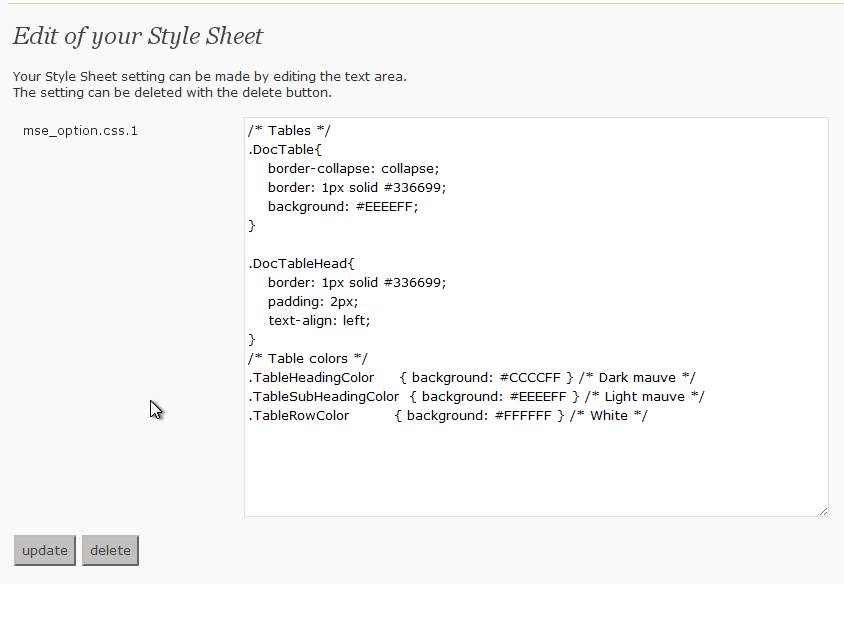
The options page.
Changelog
0.2
- Opening to the public