

My Sites Sort and Filter
Sorts multisite dropdown site list alphabetically and adds a filter-as-you-type search input.
Plugin info
Maintenance & Compatibility
Maintenance score
Possibly abandoned • Last updated 2713 days ago • 1 reviews
Is My Sites Sort and Filter abandoned?
Possibly abandoned (last update 2713 days ago).
Compatibility
Similar & Alternatives
Explore plugins with similar tags, and compare key metrics like downloads, ratings, updates, support, and WP/PHP compatibility.
Description
This plugin helps you find sub-sites in the My Sites dropdown on large WordPress multisite installations. It sorts sites alphabetically and allows you to filter as you type.
This plugin was forked from code by Kailey Lampert and Eric Juden.
Please submit issues before giving a negative rating so I have the opportunity to fix them. Thank you.
GitHub repo: https://github.com/cloudverve/my-sites-sort-filter
Requirements
- WordPress 4.7 or higher
- PHP 5.4 or higher
- WordPress Multisite
Features
- Sorts My Sites list alphabetically
- Adds a filter-as-you-type search input to the My Sites dropdown
- Supports multiple color schemes (including Dark Mode)
GDPR Safe
This plugin does not use or track any user data, either from visitors or users of WP Admin.
Installation
- Simply download, install and activate.
Once activated, it automatically sorts sites and adds a filter search input. No configuration needed.
Frequently Asked Questions
Can I change the number of sites that triggers the filter search input to appear?
By default, the filter search field appears when there are greater than 10 sites in your My Sites list. To change this, you can define the following constant in wp-config.php (replace 5 with the number of your choice):
define( 'MSSF_MINIMUM_SITES', 5 );
Review feed
Screenshots
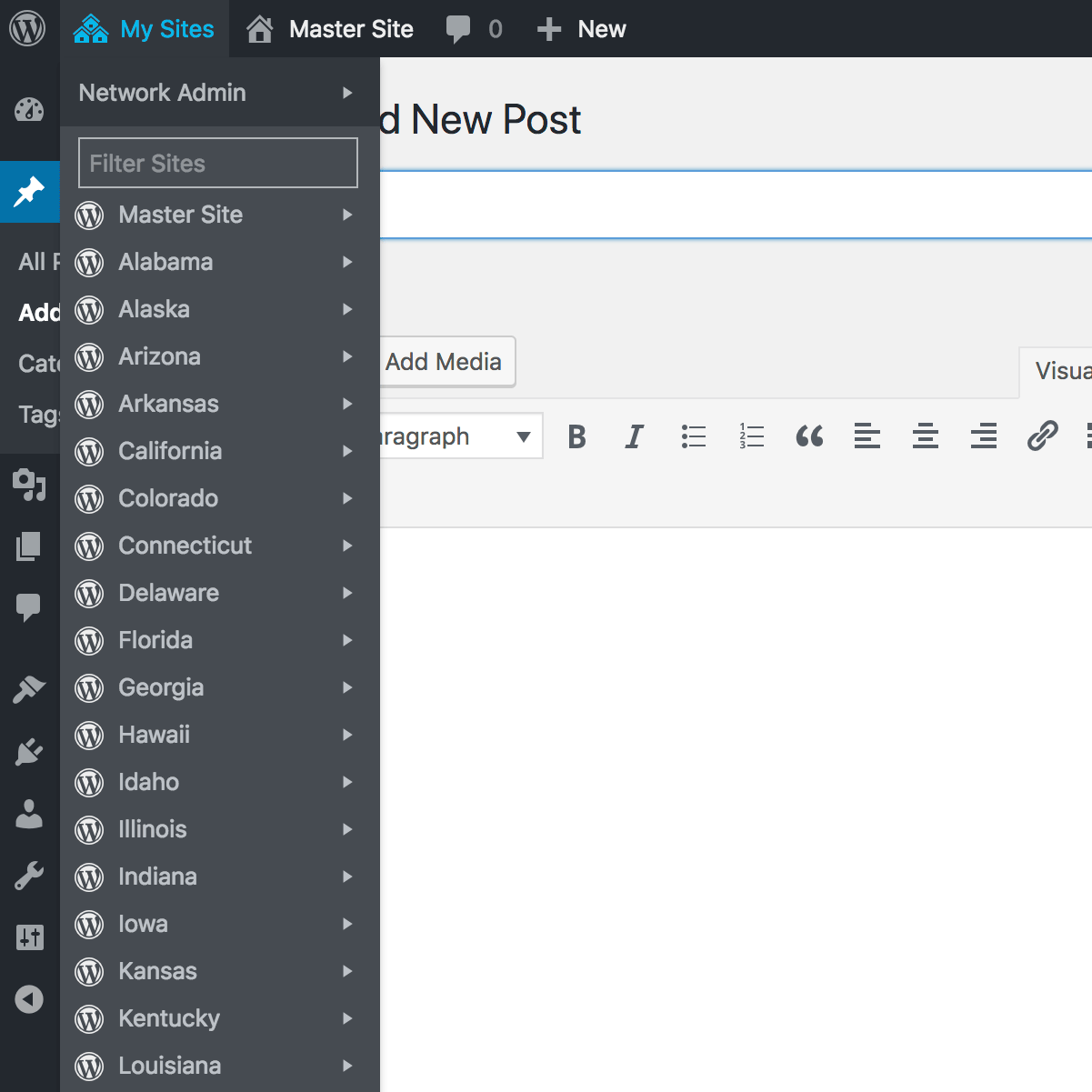
Sorted My Site List with Filter Input

Filter-as-you-type Example

Ectoplasm Theme

Example with Dark Mode
Changelog
1.1.1
- Updated dependencies
- Bumped WordPress compatibility to 5.0
1.1.0
- Added Russian translations
- Added missing string translations for other languages
- Reduced minimum requirements to PHP 5.4 and WordPress 4.7
1.0.0
- Initial release