

myCred Paid Memberships Pro
📢🚨Important Notice: myCred Paid Memberships Pro is now part of the myCred Toolkit and will no longer receive updates here.
Plugin info
Maintenance & Compatibility
Maintenance score
Stale • Last updated 351 days ago • 5 reviews
Is myCred Paid Memberships Pro abandoned?
Likely maintained (last update 351 days ago).
Compatibility
Similar & Alternatives
Explore plugins with similar tags, and compare key metrics like downloads, ratings, updates, support, and WP/PHP compatibility.
Description
📢🚨Important Notice: myCred Paid Memberships Pro is now part of the myCred Toolkit and will no longer receive updates here. Only security fixes will be provided.
myCred Paid Membership Pro addon allows you to reward or deduct myCred points based on actions like: new membership purchase, membership renewal, membership cancellation or membership expiration.
The biggest game-changer is the ability to add myCred as a payment gateway which will allow users to purchase memberships using myCred points. You can define the point type and its exchange rate which will be used at checkout. For customization, you can edit or change the labels for Total Point Balance, Exchange Rate and Total Amount at checkout.
Custom Messages and Notifications – You can set the log entry message which will appear on the log page of the respective point type. This will allow you to view entry notes for each log. You can also choose to display notification messages for successful payments or errors generated during the payment process.
Paid Memberships Pro plugin gives you all the tools you need to start, manage, and grow your membership site. This plugin lets you create a complete membership plan with unique pricing and content access for each level. Members can hold one or more membership plans at one time.
Paid Memberships Pro is designed for premium content sites, clubs, associations, subscription products, newsletters and more.
For the myCred Paid Membership Pro addon to work on your WordPress powered site, you should have myCred (Points Management system) plugin and Paid Membership Pro plugin.
myCred Paid Membership Pro Features:
- Award myCred Points for New Membership Purchase with options to set Points, limits, and select All or Specific memberships for rewarding points.
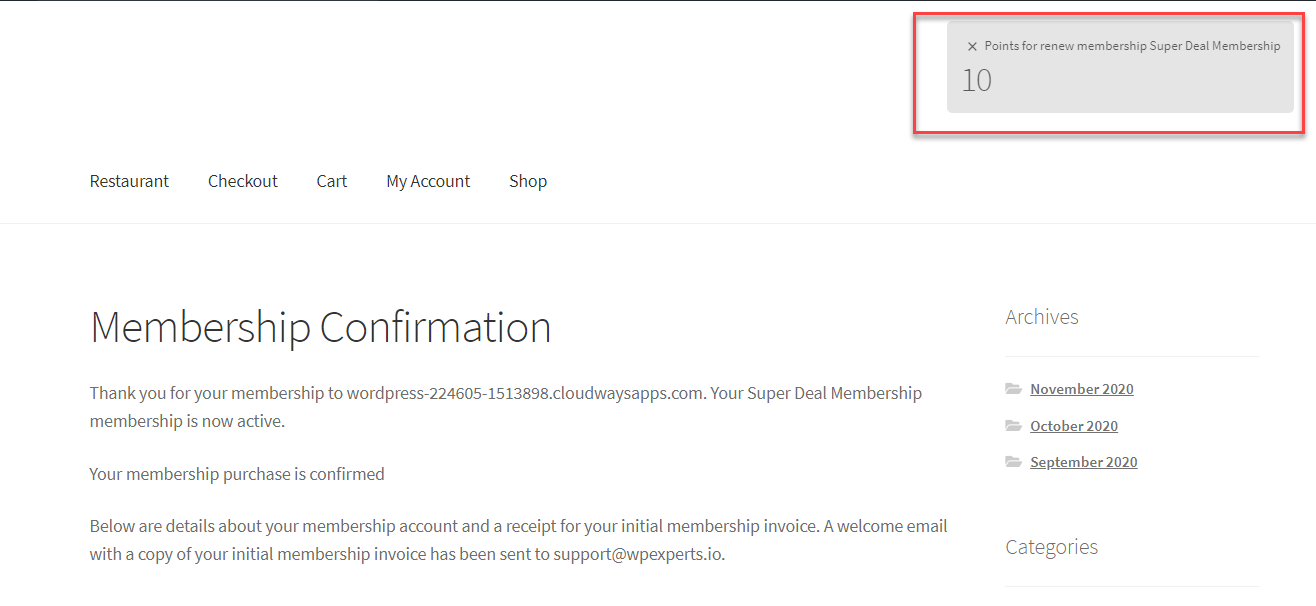
- Award myCred Points for Membership renewal with options to set Points, limits, and select All or Specific memberships for rewarding points.
- Deduct myCred Points for Membership cancellation with options to set Points, limits, and select All or Specific memberships for deducting points.
- Deduct myCred Points for Membership expiration with options to set Points, limits, and select All or Specific memberships for deducting points.
- Choose myCred as a payment gateway on Paid Membership Pro.
- Allow users to purchase memberships with myCred points.
- Select the pre-defined point type against which the user will make a purchase.
- Integrate myCred with Paid Membership Pro’s checkout system.
- Set the exchange rate which will define myCred point against the site’s currency.
- Set the log entry message which will appear on the log page of the respective point type.
- Set the Custom Message for payment.
- Set the label for the payment title.
- Display myCred Exchange Rate, Point Balance, and Total Amount on checkout.
- Edit the myCred Point Balance and Exchange Rate labels on checkout.
- Enable/Disable Total Amount label on checkout.
- Display notification after the payment is successful.
- Display notification if the payment is unsuccessful (i.e. low point balance).
myCred Paid Memberships Pro Requirements
- myCred 1.8+
- Paid Membership Pro Plugin
- WordPress 5.0+
- PHP 7.0+
More myCred Freebies Integrations
- myCred H5P
- myCred Credly
- myCred – Learndash
- LifterLMS Plugin Integration with myCred
- myCred BP Group Leaderboards
- myCred for Event Espresso 4.6+
- myCred for Wp-Pro-Quiz
- myCred for Rating Form
- myCred Birthdays
- myCred for WP-PostViews
- myCred for TotalPoll
- myCred for Events Manager Pro
- myCred for BuddyPress Compliments
- myCred Retro
- myCred for Courseware
- myCred for GD Star Rating
- myCred for BuddyPress Links
- myCred for BP Album and BP Gallery
- myCred Elementor
DOCUMENTATION
Click here to view the detailed technical documentation. The documentation includes a step-by-step configuration guide and troubleshooting.
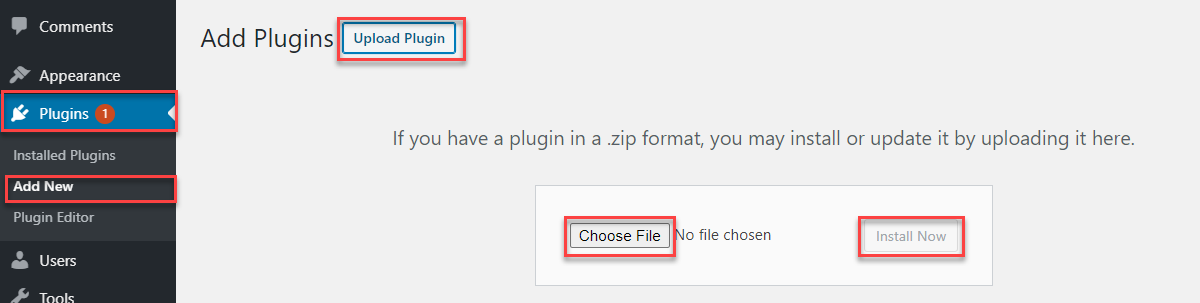
Installation
Frequently Asked Questions
Review feed
Screenshots




Changelog
1.3.1
TWEAK – Added compatibility for WordPress 6.8.
1.3
TWEAK – Code improvement.
1.2
TWEAK – Depreciation notice for users updated.
1.0.9
TWEAK – Added depreciation notice for existing users.
1.0.8
TWEAK – Added notice for current users.
1.0.7
TWEAK – Added compatibility for WordPress 6.6.1.
1.0.6
TWEAK – Added compatibility for WordPress 6.5.2.
1.0.5
TWEAK – Added compatibility for WordPress 6.4.2.
1.0.4
TWEAK – Added compatibility for the myCred v2.6.
1.0.3
New – Compatible with WordPress Version 6.2.2.
1.0.2
Added – myCred gateway support
1.0.1
New – Compatible with WordPress Version 5.8.1.
1.0
- Initial release