

WooCommerce Checkout Field Manager
PPOM plugin is simply the best plugin to manage extra fields on Product page.
Plugin info
Maintenance & Compatibility
Maintenance score
Possibly abandoned • Last updated 848 days ago • 2 reviews
Is WooCommerce Checkout Field Manager abandoned?
Possibly abandoned (last update 848 days ago).
Compatibility
Similar & Alternatives
Explore plugins with similar tags, and compare key metrics like downloads, ratings, updates, support, and WP/PHP compatibility.
Description
PPOM plugin is simply the best plugin to manage extra fields on Product page.
But to manage extra fields on Checkout N-Media developed another great plugin WooCommerce Checkout Field Manager. Simple and Fast
interface allow Admin to manage Checkout Page by adding extra fields or updating or removing existing fields in 13 areas.
Input Types
- Text
- Textarea
- Select
- Radio
- Checkbox
- Date
- Number
- Hidden
Features
- Fast and Simples UI
- Support for 13 Sections/Areas on Checkout Page
- Tooltip
- One Click Disable/Enable
- Field Visibility based on User (Guest/Member/Role) – PRO Feature
- WPML/Polylang Ready
- PO/MO Files included in languages/ directory
Pro Version
- 20 Input Types
- Set Prices with Options
- File Input (Image,PDF etc Uploads)
- Color Picker
- Color Palette
- Date Range
- Images Options (with price)
- Audio/Video Options
- Image Cropper
- Tooltip for Description
- Timezone Input
- HTML Content
PDF Export
- Export all Extra Fields in PDF from Order Panel
Video Tutorial
Installation
- Upload plugin directory to the
/wp-content/plugins/directory - Activate the plugin through the
Pluginsmenu in WordPress - After activation, you can set options from
WooCommerce -> Checkout Fieldsmenu
Frequently Asked Questions
Review feed
Create Checkout Fields So Easily
Screenshots
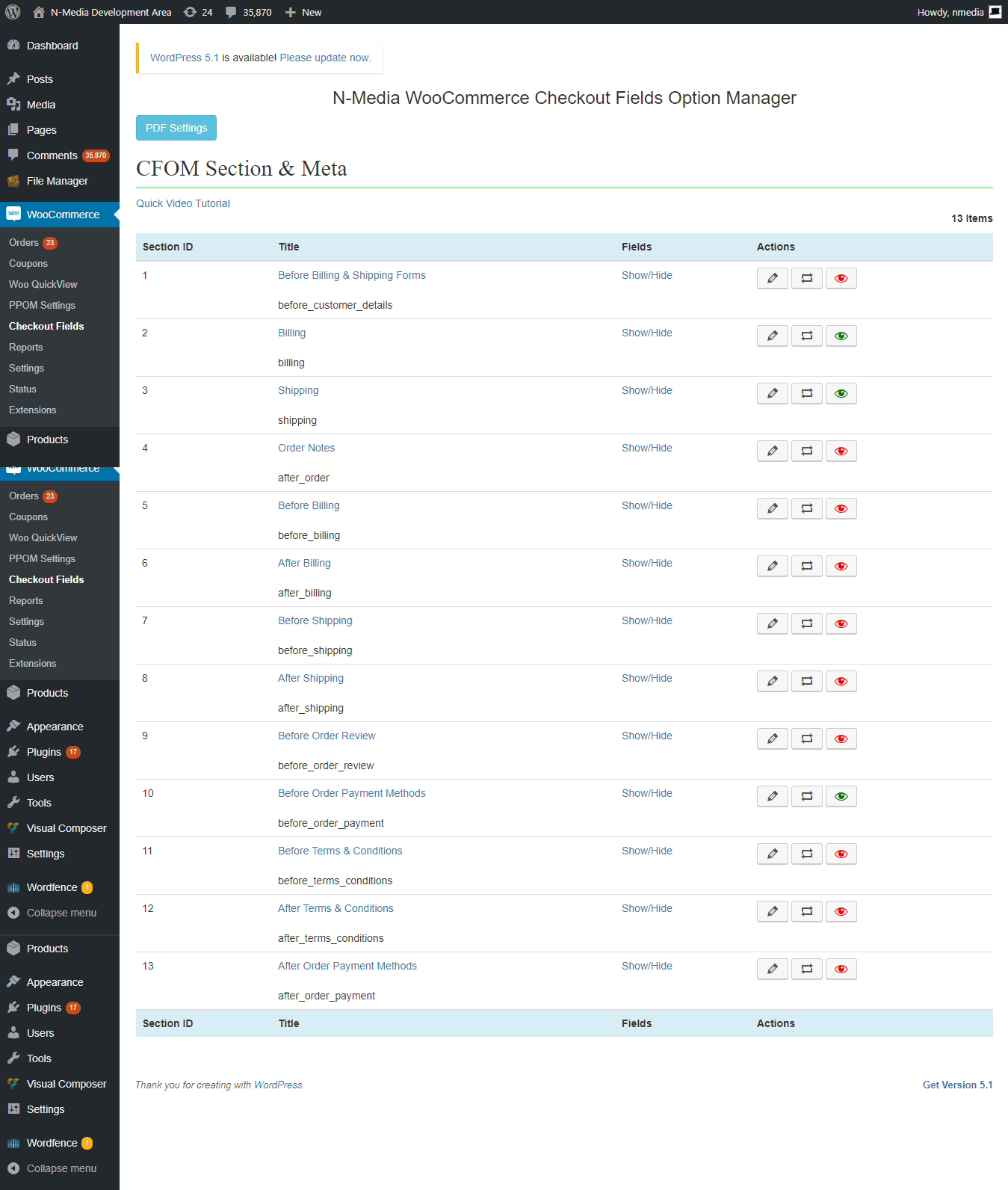
Checkout Page Sections

Billing Section Fields

Adding New Field

Field Settings

Checkout page with some Extra Fields and Sections

Checkout Fields After Checkout with PDF Export Option (PRO)

Checkout Fields in Order with PDF Export Option (PRO)
Changelog
18.0 February 11, 2023
- Feature: WordPress latest version updated
- Bug fixed: Some vulnerability removed.
17.3 March 16, 2021
17.2 February 10, 2021
- Bug fixed: Warning remoed: Use of undefined constant CFOM_PRO_PATH – assumed ‘CFOM_PRO_PATH’ (this will throw an Error in a future version of PHP)
- Bug fixed: Critical bug fixed
17.1 December 10, 2020
- Feature: Deactivate form added
17.0 May 5, 2020
- Bug fixed: Bug fixed in while saving settings
15.5 April 15, 2019
- Bug fixed: Fields not showing on checkout page when saved first time.
1.10.0 January 27, 2019
- Releasing first FREE version
September 24, 2018: Version 6.9.2
- Bug Fixed: Issue while updating other plugins, now it’s fixed
September 23, 2018: Version 6.9.1
- Adjustment: Minor issue fixed while validating plugin API key
September 6, 2018: Version 6.9
- Bug Fixed: File download issue when (‘) used in the label, fixed now.
August 8, 2018: Version 6.8
- Bug Fixed: conditional check error fixed for hidden fields