

Plugin info
Maintenance & Compatibility
Maintenance score
Possibly abandoned • Last updated 3048 days ago • 37 reviews
Is Nav Menu Images abandoned?
Possibly abandoned (last update 3048 days ago).
Compatibility
Developers
Languages
Similar & Alternatives
Explore plugins with similar tags, and compare key metrics like downloads, ratings, updates, support, and WP/PHP compatibility.
Description
Plugin homepage | Plugin author | Donate
This plugin enables you to upload images for nav menu items on a menu edit screen. By default, those images will be displayed instead of text for respective menu items. Note that after upload, you should set an image as ‘featured’ to be able to display it.
You can also set images that will be displayed only when you hover menu item, or when menu item is of currently displayed page. Read detailed instructions about using plugin.
Developers can use many available filters to make their own way of displaying images, or even create a child class on top of base one. See source code for more ideas.
Although this plugin displays uploaded images out of the box, it will probably not give best possible look, so it’s recommended to create custom CSS styles for affected elements.
Nav Menu Images code is partly based on a code from now defunct plugin Custom Menu Images by Anabelle Handdoek
/∞manos s.a.s and a code from plugin Metronet Profile Picture by Ronald Huereca/Metronet Norge AS.
Installation
Either install the plugin via the WordPress admin panel, or …
- Upload
nav-menu-imagesfolder to the/wp-content/plugins/directory - Activate the plugin through the ‘Plugins’ menu in WordPress
There are no configuration options in this plugin.
Frequently Asked Questions
Installation Instructions
Either install the plugin via the WordPress admin panel, or …
- Upload
nav-menu-imagesfolder to the/wp-content/plugins/directory - Activate the plugin through the ‘Plugins’ menu in WordPress
There are no configuration options in this plugin.
Review feed
Code quality
Does what it promise
Works well.
Screenshots

Link to upload form on nav menu item's edit screen

Setting featured image from media modal screen
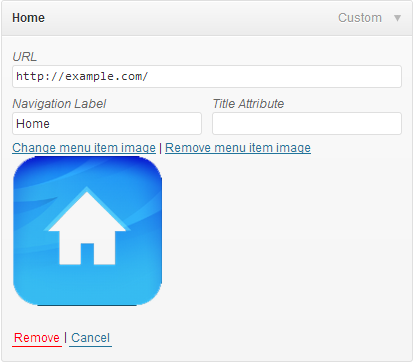
Uploaded image on nav menu item's edit screen

Setting image used on hover from media modal screen
Changelog
3.4
- Released on 11th September 2016
- Removed ‘srcset’ and ‘sizes’ attributes.
- Fixed PHP notice that could happen in some cases.
3.3
- Released on 15th April 2016
- Fixed PHP notice in
Nav_Menu_Images_Admin::attachment_fields_to_save() - Wrap image in AJAX response in
<div>tag - Change translations text domain
- Removed
languagesfolder
3.2
- Released on 14 January 2014
- Fixed PHP notice in NMI_Walker_Nav_Menu_Edit::start_el()
- Don’t pass class object by reference
- Maybe fixed issues with “Missing argument 3 for Nav_Menu_Images::register_menu_item_filter()” errors
- Add ‘has-image’ class to the menu item that has image
3.1
- Released on 12th August 2013
- Don’t cache media frame and instead load new each time
- Don’t overwrite
wp.media.view.settingsbut extend it, and only with post data - Force listing of images uploading only to current post
3.0
- Released on 26th March 2013
- Add support for active and hover menu item images
2.0
- Released on 11th February 2013
- Use new media views for WordPress 3.5+
- Add more hooks for developers
1.0
- Released on 22nd October 2012
- Initial release