

NETOPIA Payments Payment Gateway
NETOPIA Payments Payment Gateway extends WooCommerce payment options by adding NETOPIA's Payment Gateway options.
Plugin info
Maintenance & Compatibility
Maintenance score
Stale • Last updated 346 days ago • 8 reviews
Is NETOPIA Payments Payment Gateway abandoned?
Likely maintained (last update 346 days ago).
Compatibility
Similar & Alternatives
Explore plugins with similar tags, and compare key metrics like downloads, ratings, updates, support, and WP/PHP compatibility.
Description
NETOPIA Payments Payment Gateway extends WooCommerce payment options by adding NETOPIA’s Payment Gateway options.
Features:
- 100% FREE TO USE (GPLv2 license).
- Integrates NETOPIA payments’ card and cryptocoin payments service with your WordPress + WooCommerce online shop. SMS and Wire transfer options are still under development.
- Accepts payments with Visa and Mastercard credit/debit cards
- Handles IPN responses and automatically changes order status on your shop in real time (confirmed/paid or failure messages and refunds).
Requirements:
Please note that on first update your private.key and public.cer could be removed and the plugin might need to be reconfigured!
* PHP 7+
* openssl and dom extensions
Installation
-
Install the plugin through the WordPress plugins screen directly (recommended) or upload
netopiapaymentsto the/wp-content/plugins/directory using your favourite FTP client. -
Activate the plugin through the
Pluginsmenu in WordPress. -
Configure your settings under
WooCommerce > Settings > Checkout > NETOPIA Paymentsoption panel: enable the payment gateway and test mode, fill in your Seller Account ID (get it from your Netopia account under Admin – Seller accounts – Edit – Security settings) and select at least one payment option (usually Credit Card). -
Upload your live
private.keyandpublic.cerfiles from your NETOPIA merchant account. These certificates should look like this:live.XXXX-XXXX-XXXX-XXXX-XXXXprivate.keyandlive.XXXX-XXXX-XXXX-XXXX-XXXX.public.cer. Don’t rename.keyand.cerfiles and make sure thatXXXX-XXXX-XXXX-XXXX-XXXXmatches your Seller Account ID! -
For testing purposes you will also need your sandbox keys to be uploaded into the plugin. Synchronize your seller account in Admin – Seller accounts – Edit – Synchronize and then access sandbox through Implementation – Test the implementation. Once in sandbox, download the certificates from Admin – Seller accounts – Edit – Security settings). They should look like this:
sandbox.XXXX-XXXX-XXXX-XXXX-XXXXprivate.keyandsandbox.XXXX-XXXX-XXXX-XXXX-XXXX.public.cer. Don’t rename.keyand.cerfiles and make sure thatXXXX-XXXX-XXXX-XXXX-XXXXmatches your Seller Account ID! -
With test mode enabled contact NETOPIA’s support team to test the configuration. Send your shop URL to [email protected] and ask for your account to be tested and activated for live mode.
Frequently Asked Questions
Review feed
e ok
Screenshots
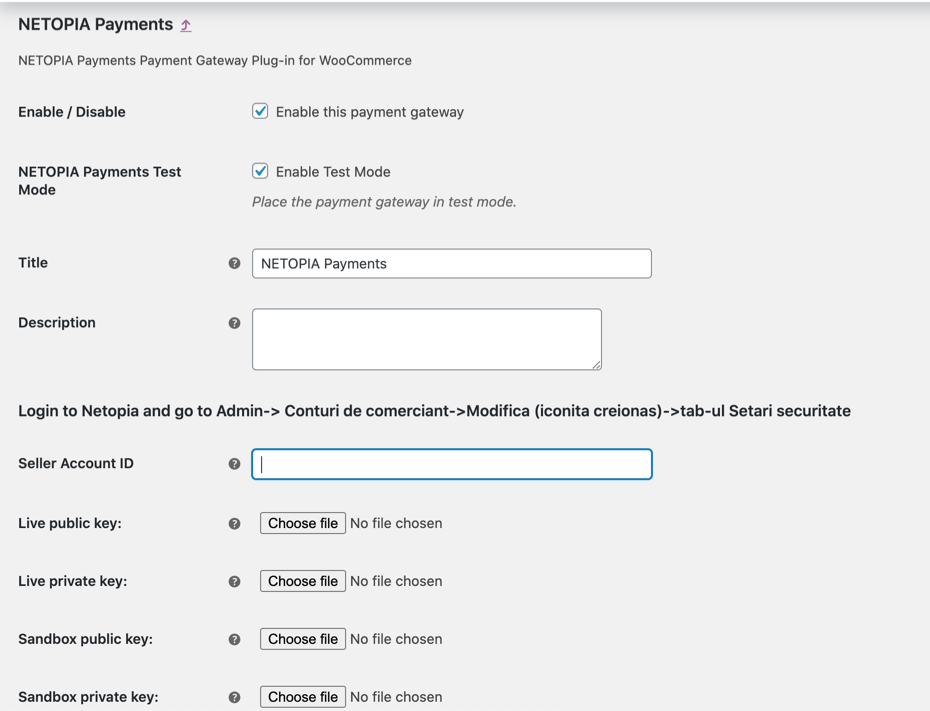
Backend: WooCommerce > Settings > Checkout screenshot-1.png
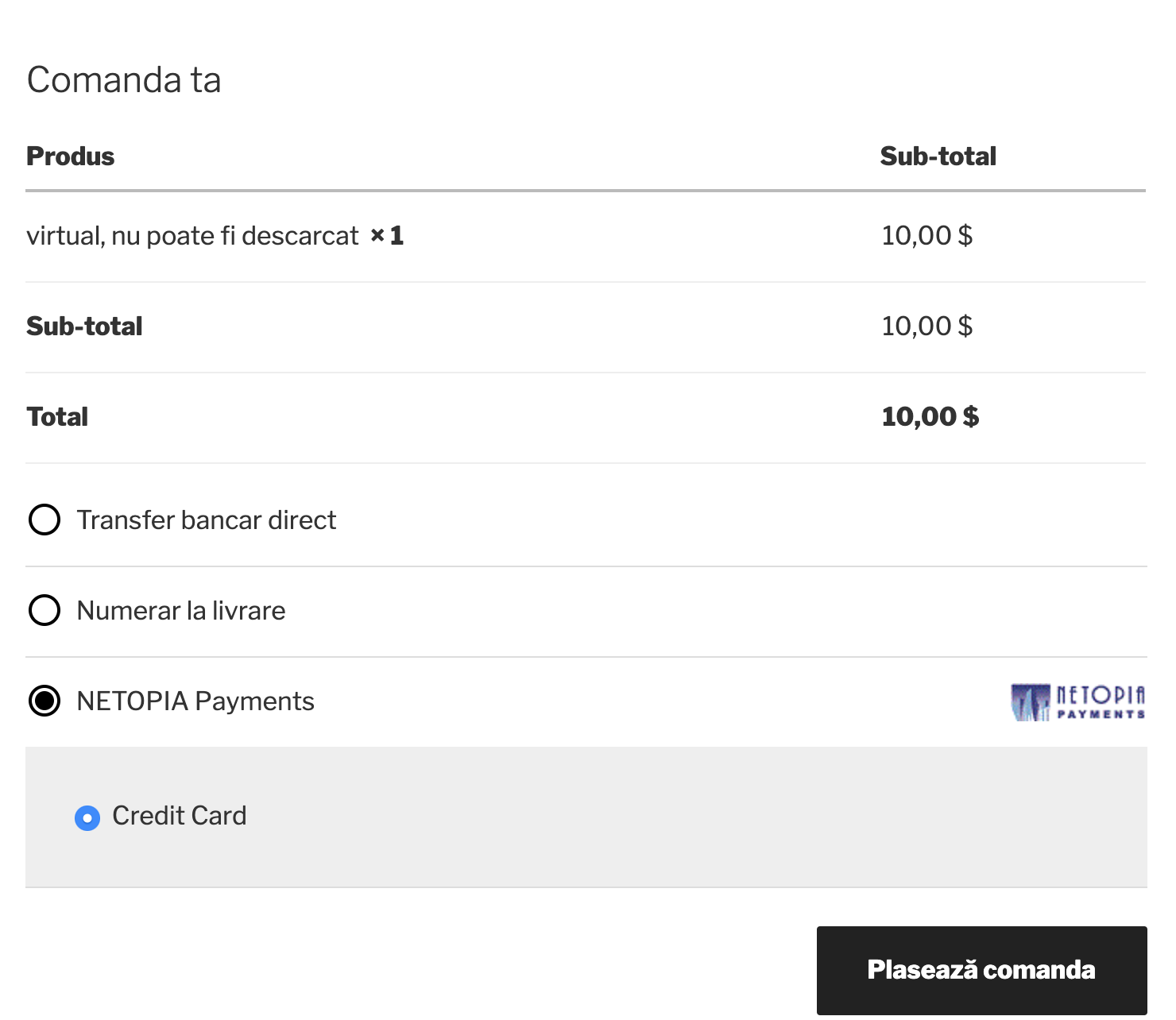
Frontend: Your website checkout page screenshot-2.png
Changelog
Please note that on first update your private.key and public.cer could be removed and the plugin might need to be reconfigured!
1.0
- Initial release (Tested up to WP 5.7 with WooCommerce 4.0.1)
1.1
- PHP8 openssl fix
1.1.1
- chmod on security keys
- added select status option
1.3
- keep keys on auto update
- add openssl aes256 cipher option
1.3.1
- compatible with WooCommerce blocks
- fix auto inactive
1.4
- add agreement to add Oney page
1.4.1
- Check if the table exists before making the query
1.4.2
- remove Oney option
- manage radiobox options on single method
1.4.3
- remove { and } from IPN responses
1.4.4
- remove BTC option
- fix Conflict with Revolut
- Remove the radio box if there is more than one payment option
- Fix the unnecessary initialization for IPN