

Neurogenesis Styler – Advanced Block Styler
Add advanced typography, spacing (margin/padding), backgrounds, borders, and responsive controls to native Gutenberg blocks.
Plugin info
Maintenance & Compatibility
Maintenance score
Maintained • Last updated 148 days ago • 3 reviews
Is Neurogenesis Styler – Advanced Block Styler abandoned?
Likely maintained (last update 148 days ago).
Compatibility
Similar & Alternatives
Explore plugins with similar tags, and compare key metrics like downloads, ratings, updates, support, and WP/PHP compatibility.
Description
Neurogenesis Styler extends the native Gutenberg blocks with advanced design controls – it does not add new blocks.
This means your site stays incredibly lightweight, fast, and future-proof, while you gain professional-grade styling options directly inside the block editor.
With Neurogenesis Styler, you design using the blocks you already know – headings, paragraphs, groups, columns, images, and more – but with a far richer set of visual tools. No custom blocks, no theme lock-in, no clutter.
Take full creative control with advanced styling features:
Full Typography Control for Pixel-Perfect Readability: Stop fighting with your theme. Gain options for custom fonts, weights, sizes, line heights, letter spacing, and text shadows—all instantly responsive across devices.
Backgrounds That Bring Designs to Life
Enhance any block with colors, gradients, or images. Layer them together for modern, brand-consistent backgrounds and stunning visual depth.
Borders with Style and Precision
Add borders and radius controls to native blocks. Define width, style, and color globally or per side with precision.
Pixel-Perfect Spacing Controls (Margins & Padding)
Banish custom CSS! Effortlessly fine-tune outer margins and inner padding directly in the sidebar for any block across desktop, tablet, and mobile views.
Visual Effects That Add Depth
Use shadows, transitions, opacity, and z-index layering for polished, interactive layouts that truly stand out.
Flexible Block Sizing
Control width, height, min/max constraints, and responsive sizing on native blocks for total layout mastery.
Responsive Design Made Simple
Style blocks differently for desktop, tablet, and mobile – built-in, no extra frameworks required.
Interactive Hover States
Add life to your designs by applying dynamic hover styles (colors, borders, shadows, and backgrounds) to any block, creating truly engaging user experiences.
Template Editing for Consistency
Apply the same styling power to templates and template parts for cohesive, site-wide design—perfect for Full Site Editing (FSE) themes.
With Neurogenesis Styler, Gutenberg finally feels complete – empowering you to design modern, responsive websites directly in the editor without adding a single new block.
Roadmap and Future Plans
We are committed to making Neurogenesis Styler the best tool for styling native Gutenberg blocks. Here is what we’re actively working on for upcoming releases:
View generated CSS by section, so you can inspect easy all the properties.
Background Blend Modes: Giving designers even more creative control over layered background images and colors.
Custom Font Provider Integration: Expanding support for popular custom font services.
Source Code
This plugin uses JavaScript and SCSS, which are compiled into the production-ready files in the /assets/dist/ directory.
The original, human-readable source code is included in the /assets/js directory.
The build configuration for this plugin is included in package.json.txt. Rename it to package.json before npm install. Developers can review, modify, or extend the code from there.
Build Instructions
- Make sure you have Node.js and npm installed.
-
From the plugin root, install dependencies:
npm install
-
To build the production assets:
npm run build
-
For development with automatic rebuilds on file changes:
npm run start
Installation
- Upload the plugin files to the
/wp-content/plugins/neurogenesisdirectory, or install directly through the WordPress plugin screen. - Activate the plugin through the ‘Plugins’ screen in WordPress.
- Open the block editor and explore the new styling controls in the sidebar.
Frequently Asked Questions
No. Neurogenesis Styler extends the native Gutenberg blocks you already use. It does not register new blocks.
No, existing block styles cannot be overridden. You need to remove the block styles.
No. All design options are accessible directly in the block editor sidebar.
Yes, if you’re using a block-based (FSE) theme. Neurogenesis Styler integrates directly with Gutenberg, ensuring compatibility with most block themes. However, some CSS rules defined by your theme may override certain styles.
Yes. The same controls work inside full site editing templates and template parts.
Review feed
Screenshots
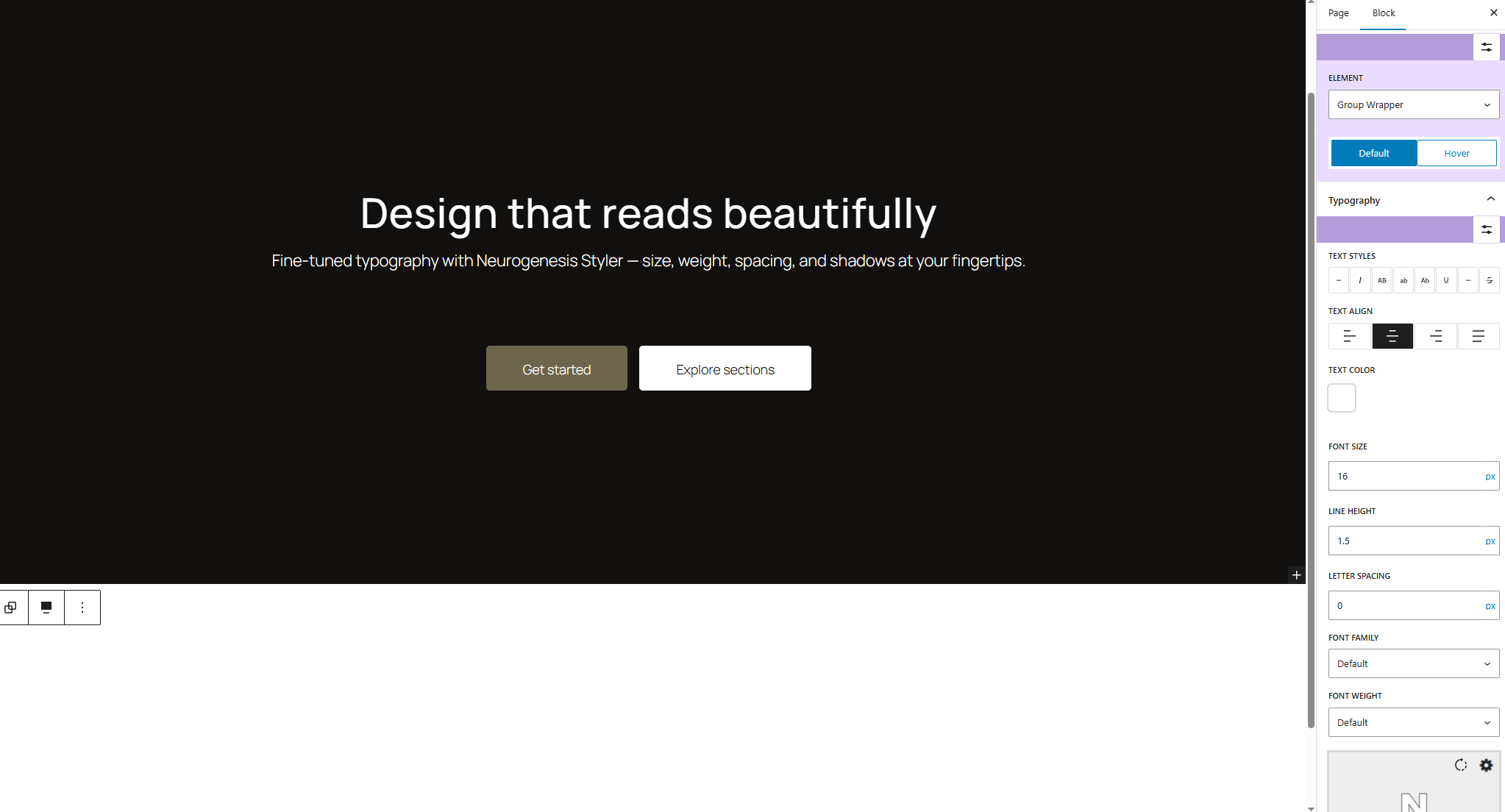
Typography controls in the block sidebar - customize fonts, sizes, line height, spacing, and text shadows.
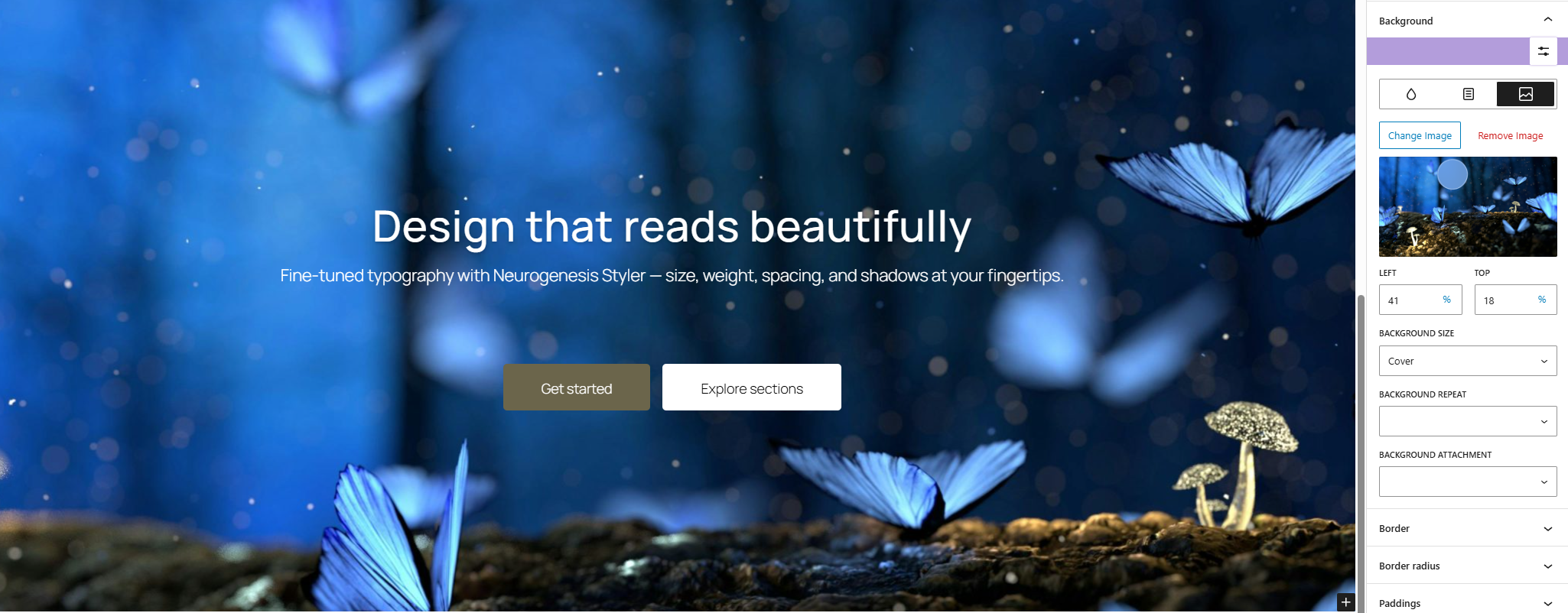
Background settings - apply gradients, images, or layered effects directly to any block or group.
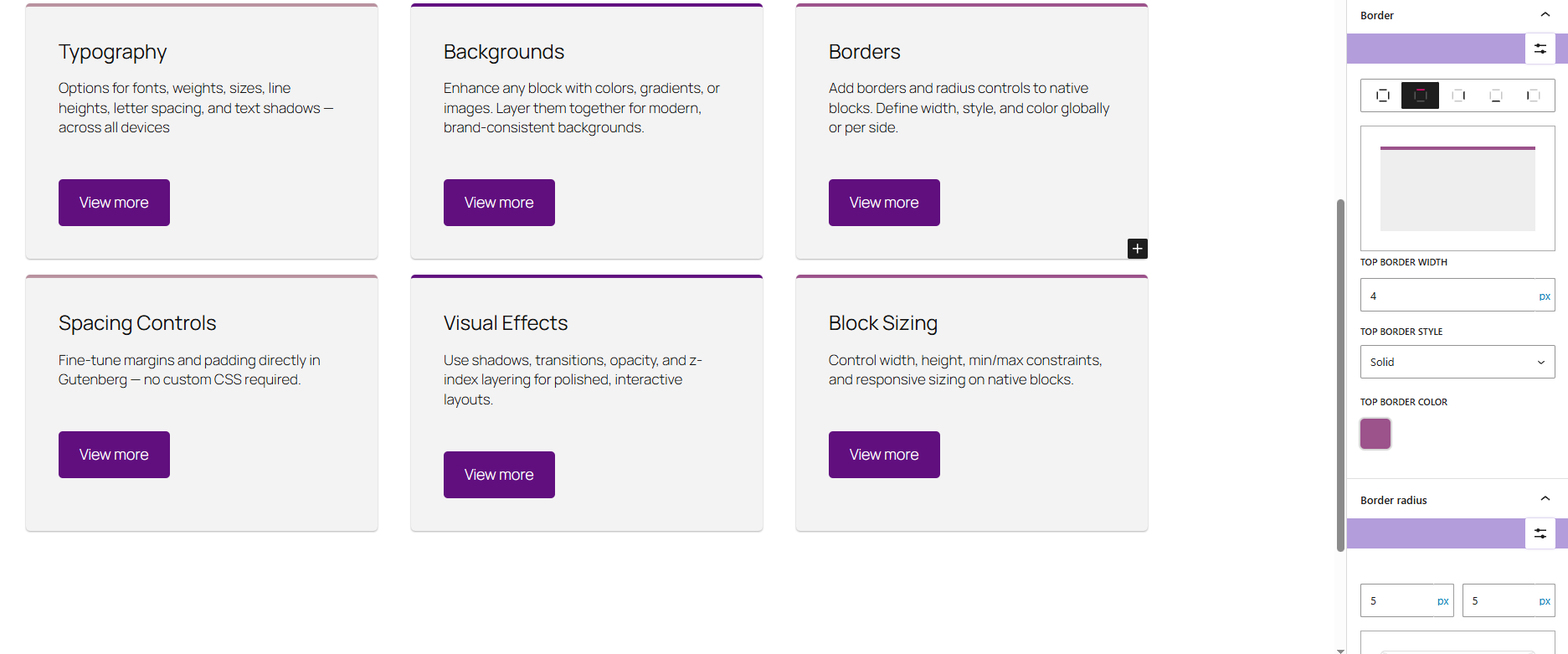
Border and spacing tools - fine-tune widths, styles, radii, margins, and padding with precision.
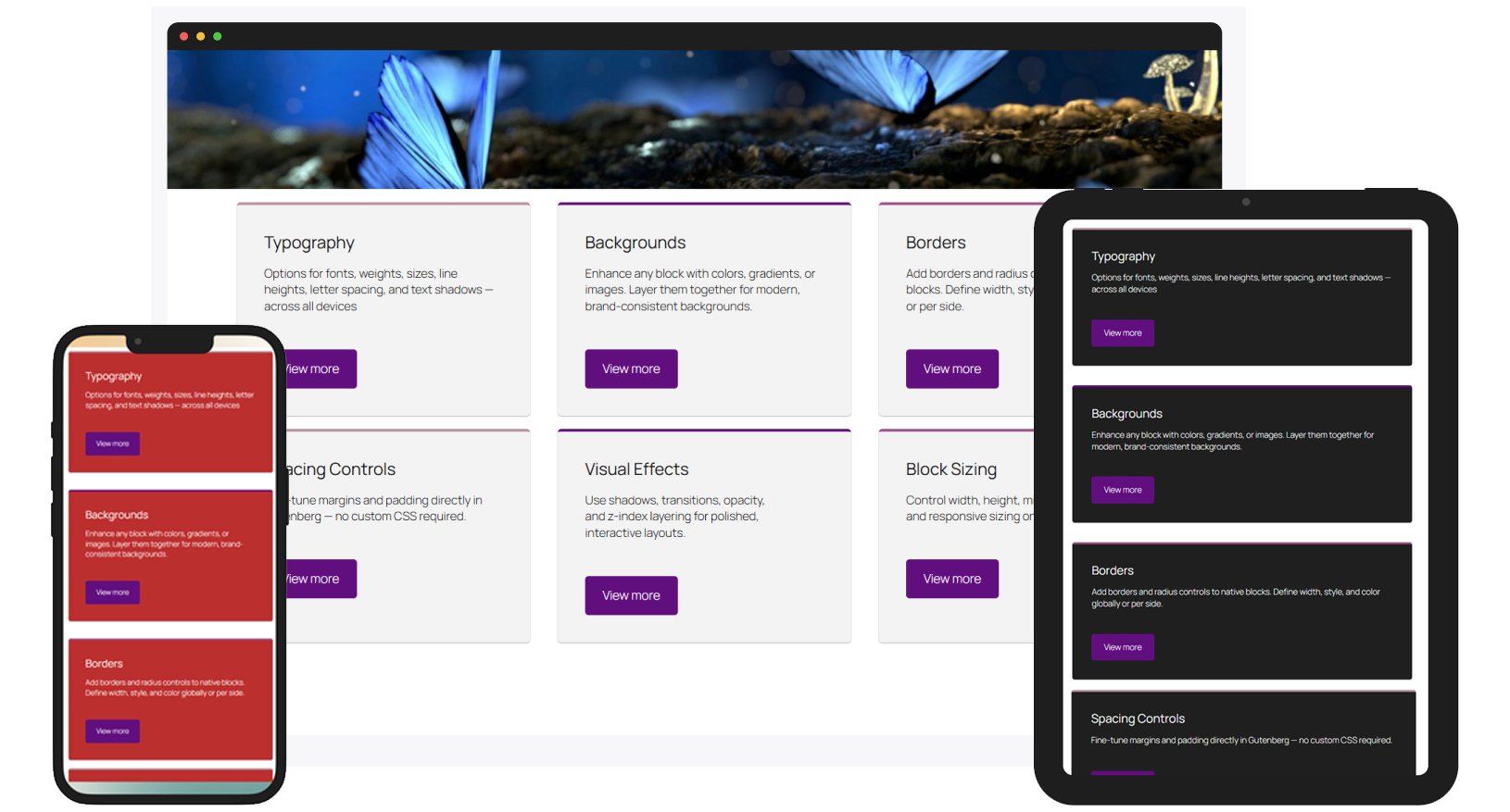
Responsive controls - style blocks differently for desktop, tablet, and mobile views.
Changelog
0.2.0
November 06, 2025
– Polished the color picker and added a “Recent Colors” section for faster styling.
– Fixed minor bugs and improved overall editor performance.
0.1.1
October 27, 2025
– Improved style rendering in the editor for more accurate visual previews.
– Fixed issues with duplicated and pasted blocks not retaining custom styles.
0.1.0
September 27, 2025
– Initial release
– Adds advanced design controls to native Gutenberg blocks:
– Typography
– Backgrounds
– Borders
– Spacing
– Shadows
– Responsive settings
– Hover states