

New Year Countdown Clock
New Year countdown clock showing days and hours until New Year day. Select from several designs, sizes, animations and backgrounds
Plugin info
Maintenance & Compatibility
Maintenance score
Possibly abandoned • Last updated 1825 days ago • 3 reviews
Is New Year Countdown Clock abandoned?
Possibly abandoned (last update 1825 days ago).
Compatibility
Similar & Alternatives
Explore plugins with similar tags, and compare key metrics like downloads, ratings, updates, support, and WP/PHP compatibility.
Description
New Year countdown clock showing days and hours until New Year day. Select from several designs, sizes, animations and backgrounds
- Select from a range of designs
- Select size, background colours, pictures or animations
- Full range of designs can be seen at mycountdown.org
Installation
- Download the zip file and extract the contents,
- Upload the folder
new-year-countdown-clockto your WP plugin folder/wp-content/plugins/directory, - Go to Plugins > Installed, and activate the plugin,
- Go to Appearance > Widgets, and drag the widget to a sidebar,
- Select the countdown type, size, colors, or background from the setting menu
- Email any problems widgets at mycountdown.org, we will respond promptly
- Please rate our plugin!
Frequently Asked Questions
Go to the Appearance->Widgets tab in your wordpress admin panel, and click on settings for the countdown clock. Select text, border and background colors from the drop downs
Yes, choose your time zone from timezone drop down in the admin panel
Yes, the javascript is available directly from mycountdown.org. You must paste the javascript into the page, blog entry or template, in HTML mode.
Further support is available at mycountdown.org/support
Email us to widgets at mycountdown.org or follow us on twitter.com/mycountdown
Review feed
Screenshots

Compact countdown

Horizontal countdown

Fireworks design

Vertical countdown with animation
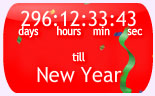
Compact countdown with animation

Square countdown with background picture

Large Vertical countdown with background picture
Changelog
1.0
- Released 10/03/2011