

NexButton
NexButton is a custom Elementor widget that provides a variety of button styles with text and icon customization options.
Plugin info
Maintenance & Compatibility
Maintenance score
Stale • Last updated 302 days ago
Is NexButton abandoned?
Likely maintained (last update 302 days ago).
Compatibility
Similar & Alternatives
Explore plugins with similar tags, and compare key metrics like downloads, ratings, updates, support, and WP/PHP compatibility.
Description
NexButton Elementor Plugin adds a custom button widget to Elementor, offering a variety of button styles with text and icon customization options.
Features:
- Multiple button styles (Style 1, Style 2, Style 3 & Style 4)
- Show/Hide button text and icon
- Customizable button colors, backgrounds, and typography
- Full control over button alignment, padding, margin, and border
- Hover effects, including color and box-shadow transitions
- Responsive design and controls for mobile devices
This plugin is easy to use and fully integrates into Elementor’s design workflow.
License
This plugin is licensed under the GPLv2 (or later) license. You can redistribute it and/or modify it under the terms of the GNU General Public License.
Installation
- Upload the plugin files to the
/wp-content/plugins/nex-buttondirectory, or install the plugin through the WordPress plugins screen directly. - Activate the plugin through the ‘Plugins’ screen in WordPress.
- Open Elementor Editor and find the “NexButton” widget under the Elementor’s “Widgets” panel.
- Drag and drop the widget into the desired section and start customizing.
Frequently Asked Questions
Yes, the plugin supports icon customization, allowing you to choose from a variety of icons provided by Elementor’s icon library.
Yes, the plugin provides responsive controls to ensure the button looks great on all devices.
No, this plugin is an extension for the Elementor page builder, so you need to have Elementor installed and activated.
Review feed
Screenshots

Drag and drop the "NexButton" widget in Elementor editor.
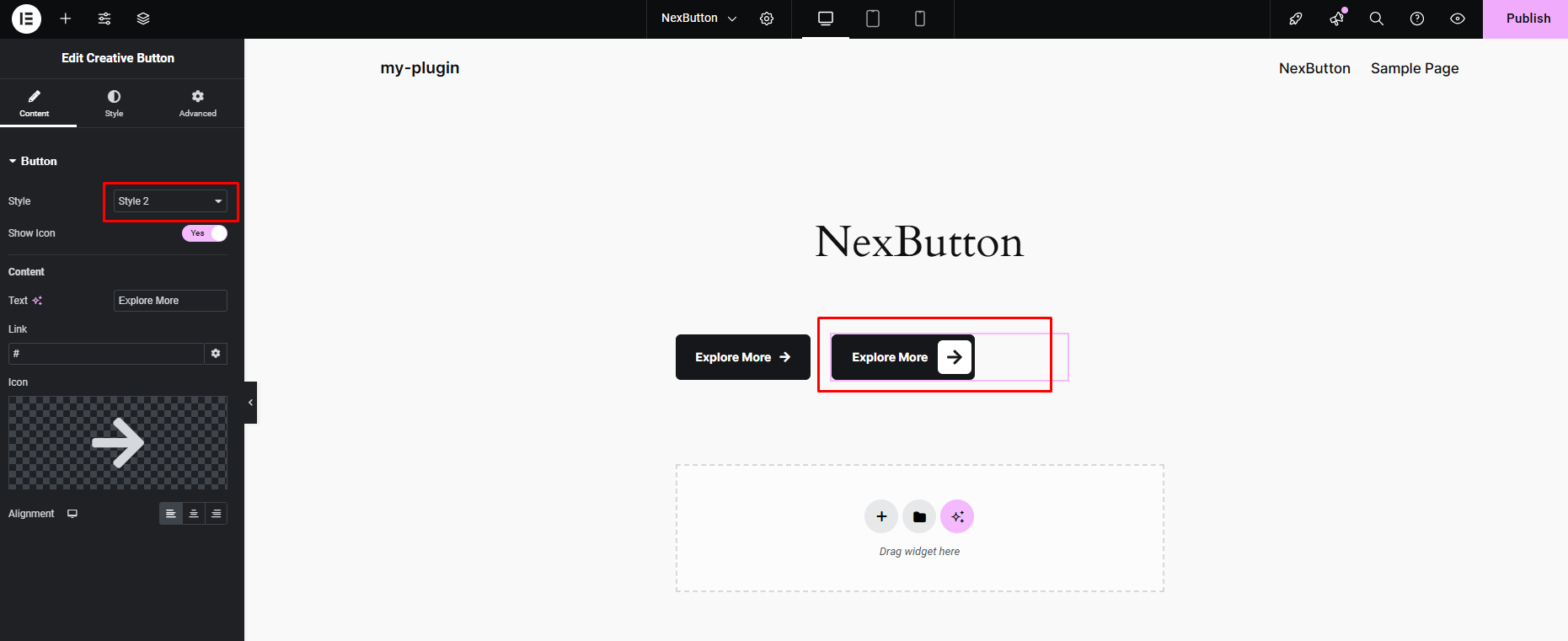
Customize the button styles, text, and icons.

Adjust button alignment, padding, and margin.

Configure hover effects and responsiveness.
Changelog
1.5 [28th January 2025]
- Added: New button style “Style 4”.
1.0.1
Initial release of NexButton Elementor Plugin.
Features include customizable button styles, icons, and hover effects.
1.0.1
New Feature: Added Style 3 Button.