

Ni Payment Reminder For WooCommerce
Automate payment reminders for WooCommerce orders with the Ni Payment Reminder for WooCommerce plugin. Customize reminder emails with shortcodes.
Plugin info
Maintenance & Compatibility
Maintenance score
Possibly abandoned • Last updated 740 days ago • 7 reviews
Is Ni Payment Reminder For WooCommerce abandoned?
Possibly abandoned (last update 740 days ago).
Compatibility
Similar & Alternatives
Explore plugins with similar tags, and compare key metrics like downloads, ratings, updates, support, and WP/PHP compatibility.
Description
The Ni Payment Reminder for WooCommerce plugin enables you to send payment reminder emails to customers with unpaid orders. With a convenient email reminder button in the WooCommerce Order list, you can easily manage payment reminders. Customize your reminder emails using shortcodes to include order details such as order number, order date, and first name. The plugin also provides settings to customize the sender name, sender email, and subject line of the reminder emails.
Customize reminder email with short code like order number, order date, first name and many more. Setting provide the option to set the from name and from email and subject line
Key Features of Ni Payment Reminder for WooCommerce
- Send payment reminder emails to WooCommerce customers with unpaid orders.
- Access the email reminder button directly from the WooCommerce Order list.
- Customize payment reminder emails using shortcodes for personalized content.
- Get valuable sales analysis on your dashboard, including today’s sales, yesterday’s sales, and daily sales.
Support/Feedback Email/New Report Requirement
- We are open to your suggestions and feedback – Thank you for using or trying out one of our plugins
- [email protected]
Disclaimer
It is not responsible for any harm or wrong doing this Plugin may cause. Users are fully responsible for their own use. This Plugin is to be used WITHOUT warranty.
Installation
- Use the WordPress plugin installer or upload files to WordPress plugin directory.
- Activate “Ni Payment Reminder For WooCommerce” plugin from admin panel.
- Find “Payment Reminder” menu in admin.
Frequently Asked Questions
Click on support tab or email :[email protected]
Yes, as per requirement we can customize this plugin.
Review feed
Breaks admin styling
Screenshots

Dashboard Showing Stock Analysis Summary
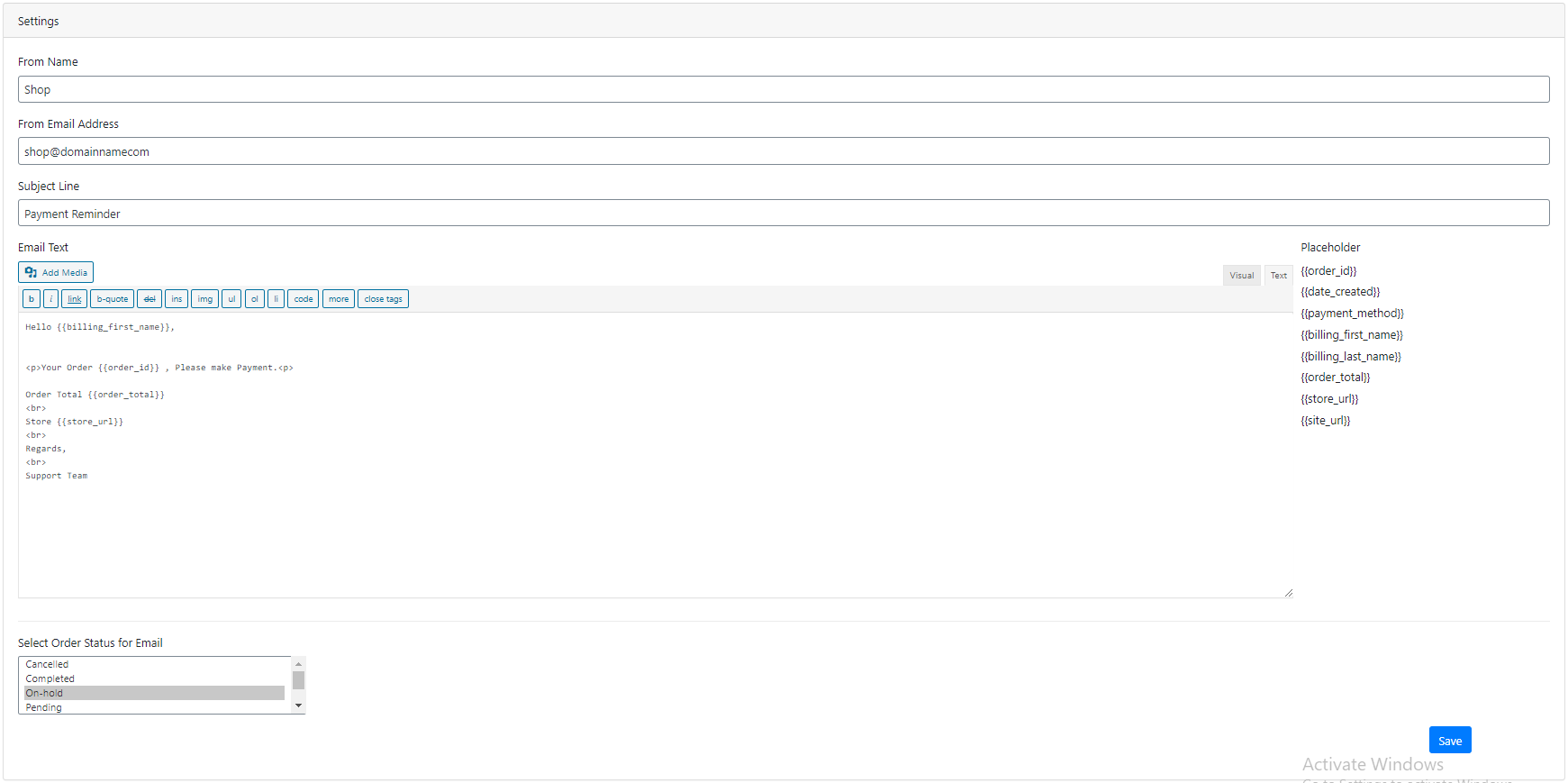
Setting page

Order list.
Changelog
version 1.2.9 -24-March-2024
- Fixed: Security issue
- Tested: Compatible With WooCommerce 8.7.0
- Tested: Compatible With WordPress 6.4.3
version 1.2.8 -17-December-2023
- Tested: Compatible With WooCommerce 8.4.0
- Tested: Compatible With WordPress 6.4.2
version 1.2.7 -24-September-2023
- Tested: Compatible With WooCommerce 8.1.1
- Tested: Compatible With WordPress 6.3.1
version 1.2.6 -05-June-2023
- Tested: Compatible With WooCommerce 7.7.2
- Tested: Compatible With WordPress 6.2.2
version 1.2.5 -19-February-2023
- Tested: Compatible With WooCommerce 7.4.0
- Tested: Compatible With WordPress 6.1.1
version 1.2.4 -07-August-2022
- Tested: Compatible With WooCommerce 6.7.0
- Tested: Compatible With WordPress 6.0.1
version 1.2.3 -12-June-2022
- Tested: Compatible With WooCommerce 6.5.1
- Tested: Compatible With WordPress 6.0
version 1.2.2 -28-January-2022
- Tested: Compatible With WooCommerce 6.1.1
- Tested: Compatible With WordPress 5.9
version 1.2.1 -03-October-2021
- Tested: Compatible With WooCommerce 5.7.1
- Tested: Compatible With WordPress 5.8.1
version 1.2.0 -11-Aug-2021
- Tested: Compatible With WooCommerce 5.5.2
- Tested: Compatible With WordPress 5.8
version 1.1.0 -17-June-2021
- Tested: Compatible With WooCommerce 5.4.1
- Tested: Compatible With WordPress 5.7.2
version 1.0.9 -17-March-2021
- Tested: Compatible With WooCommerce 5.1.0
- Tested: Compatible With WordPress 5.7
version 1.0.8 -04-February-2021
- Tested: Compatible With WooCommerce 4.9.2
- Tested: Compatible With WordPress 5.6.1
version 1.0.7 -12-December-2020
- Tested: Compatible With WooCommerce 4.8.0
- Tested: Compatible With WordPress 5.6
version 1.0.6 -28-October-2020
- Tested: Compatible With WooCommerce 4.6.1
- Tested: Compatible With WordPress 5.5.1
version 1.0.5 -16-August-2020
- Tested: Compatible With WooCommerce 4.3.3
- Tested: Compatible With WordPress 5.5
version 1.0.4 -22-July-2020
- Tested: Compatible With WooCommerce 4.3.1
- Tested: Compatible With WordPress 5.4.2
version 1.0.3 -01-June-2020
- Added: Last Reminded In Order List
version 1.0.2 -17-March-2020
- Tested: Compatible With WooCommerce 4.1.0
- Tested: Compatible With WordPress 5.4.1
- BugFix: Internal bugfix
version 1.0.1 – 24-April-2020
- release
version 1.0 – 23-April-2020
- Initial release