

Notes Widget Wrapper
Apply a "sticky note" style box around your widget content. All text is displayed in hand writing font too.
Plugin info
Maintenance & Compatibility
Maintenance score
Possibly abandoned • Last updated 1174 days ago • 4 reviews
Is Notes Widget Wrapper abandoned?
Possibly abandoned (last update 1174 days ago).
Compatibility
Similar & Alternatives
Explore plugins with similar tags, and compare key metrics like downloads, ratings, updates, support, and WP/PHP compatibility.
Description
Notes Widget Wrapper PRO is now available! Features shortcodes and more!
Notes Widget Wrapper wraps your widget in a “sticky note” style box and displays the text in a hand writing style. Although this plugin may work with numerous widgets, it has been developed with the intended use of applying a “sticky note” style to custom HTML content. The built in “Text” and “Custom HTML” WordPress widgets work great with Notes Widget Wrapper.
Installation
- Download and activate in your plugin administration page
- Go to your Widgets administration page. You will notice all active widgets now have the Notes Widget Wrapper controls under the main widget controls.
- Check “Apply Notes Widget Style” to activate the “sticky note” style on this widget
- Configure the thumb tack color, background color, text color, and font size to your desired settings
Frequently Asked Questions
Here are a few key differences between WP Notes Widget and Notes Widget Wrapper:
- WP Notes Widget has more restrictive HTML elements, and a standard order for those elements.
- WP Notes Widget allows you to manage and organize many notes easier than Notes Widget Wrapper.
- WP Notes Widget must display all notes in sequential order.
- WP Notes Widget enforces a standard look for all notes. Notes Widget Wrapper has much more flexibility.
You can download Notes Widget Wrapper PRO at webrockstar.net.
Review feed
Screenshots

Example 1: front end post rendering
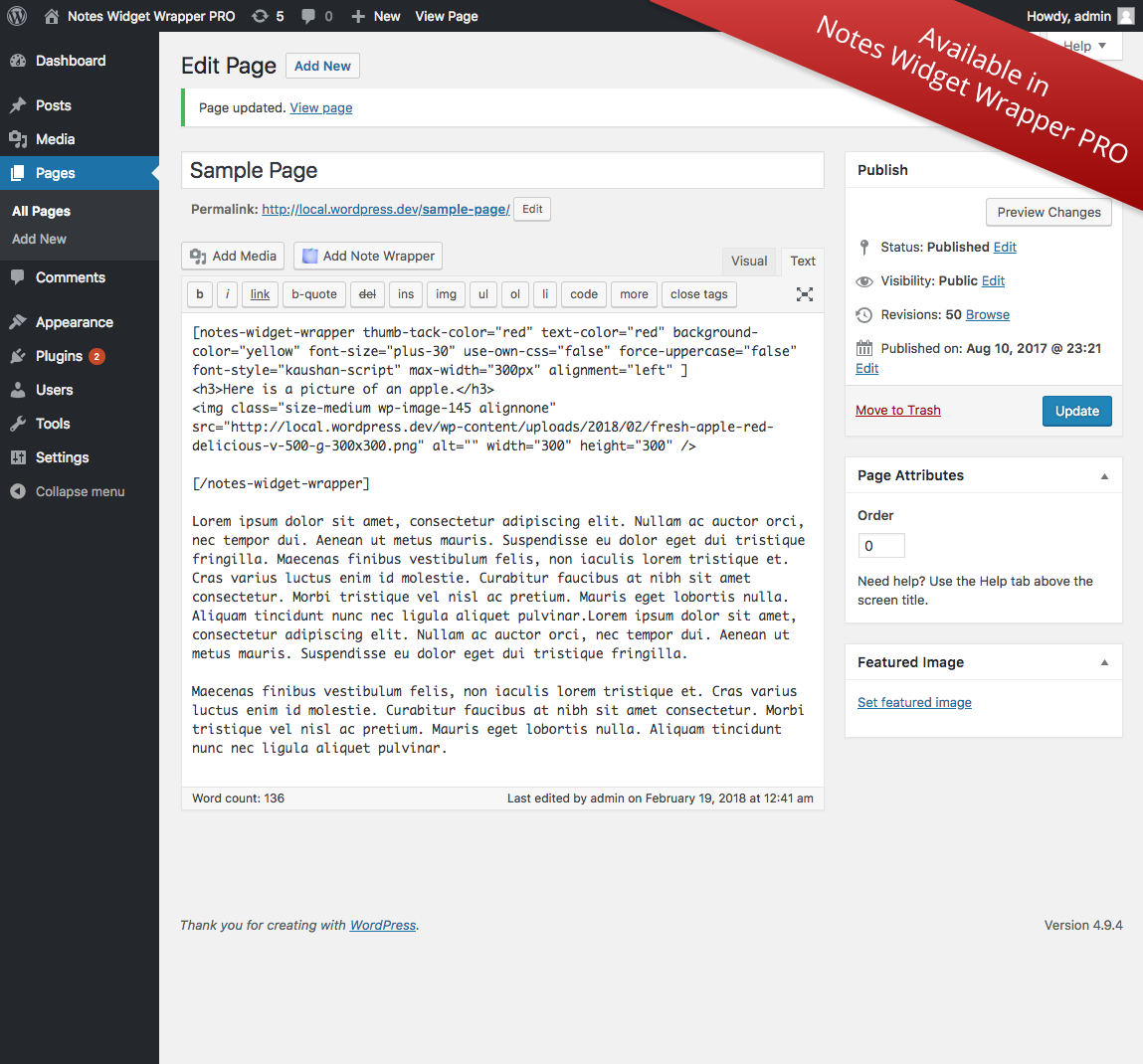
Example 1: back end post content and shortcode

Example 2: front end post rendering

Example 2: back end content and shortcode

Example 3: front end post rendering

Example 3: back end content and shortcode

The shortcode editor modal window. Configure your shortcode as desired.

These are the settings available on the widget administration page. The built in "Text" and "Custom HTML" widgets work great with Notes Widget Wrapper.

This is how the widget configuration in screenshot 8 looks on the front end. The note content is quite long to demonstrate the range of styling that is available.
Changelog
1.2.1
- fix: enforce media buttons only on admin, for compatibility with some site builder plugins
1.2.0
- add: default settings
- change: proper escaping of gettext functions
- add: population of notes-widget-wrapper.pot translations file
1.1.0
- change: input sanitization and escaping refinement
- fix: display toggle of interface effecting all possible instances
- change: interface clean up
1.0.2
- added ability to force uppercase letters in widget styling
- code cleanup