

Notification Review for Gravity Forms
Adds a "Notification Review" submenu item under Forms to display a table of all Gravity Forms notifications on your website.
Plugin info
Maintenance & Compatibility
Maintenance score
Stale • Last updated 191 days ago
Is Notification Review for Gravity Forms abandoned?
Likely maintained (last update 191 days ago).
Compatibility
Similar & Alternatives
Explore plugins with similar tags, and compare key metrics like downloads, ratings, updates, support, and WP/PHP compatibility.
Description
Notification Review for Gravity Forms adds a “Notifications Review” submenu item under Forms to display a table of all form notifications, including Send To, From Name, From Email, Reply To, BCC, and Subject, with filtering by form status and search by email or subject. This can be a very helpful plugin when you have a lot of forms with notifications going to many different people. One use case might be checking to see what notifications are being sent to an individual that is no longer in their position.
Installation
- Upload the plugin files to the /wp-content/plugins/ directory, or install the plugin through the WordPress plugins screen directly.
- Activate the plugin through the ‘Plugins’ screen in WordPress.
- Ensure Gravity Forms is installed and active, as this plugin requires it to function.
- Navigate to the “Forms” menu in the WordPress admin, and click “Notification Review” to view and filter form notifications.
Frequently Asked Questions
This plugin provides a centralized table to review all Gravity Forms notifications, including Send To, From Name, From Email, Reply To, BCC, and Subject fields, with options to filter by form status (Active or Inactive) and search by email address or subject.
After activating the plugin, go to the “Forms” menu in the WordPress admin and select “Notification Review.” Use the dropdown to filter by Active, Inactive, or All Forms, and use the search box to find notifications by email address or subject. Click the “Form Title” to edit the form or “Edit” links to modify notifications directly in Gravity Forms.
Review feed
Screenshots
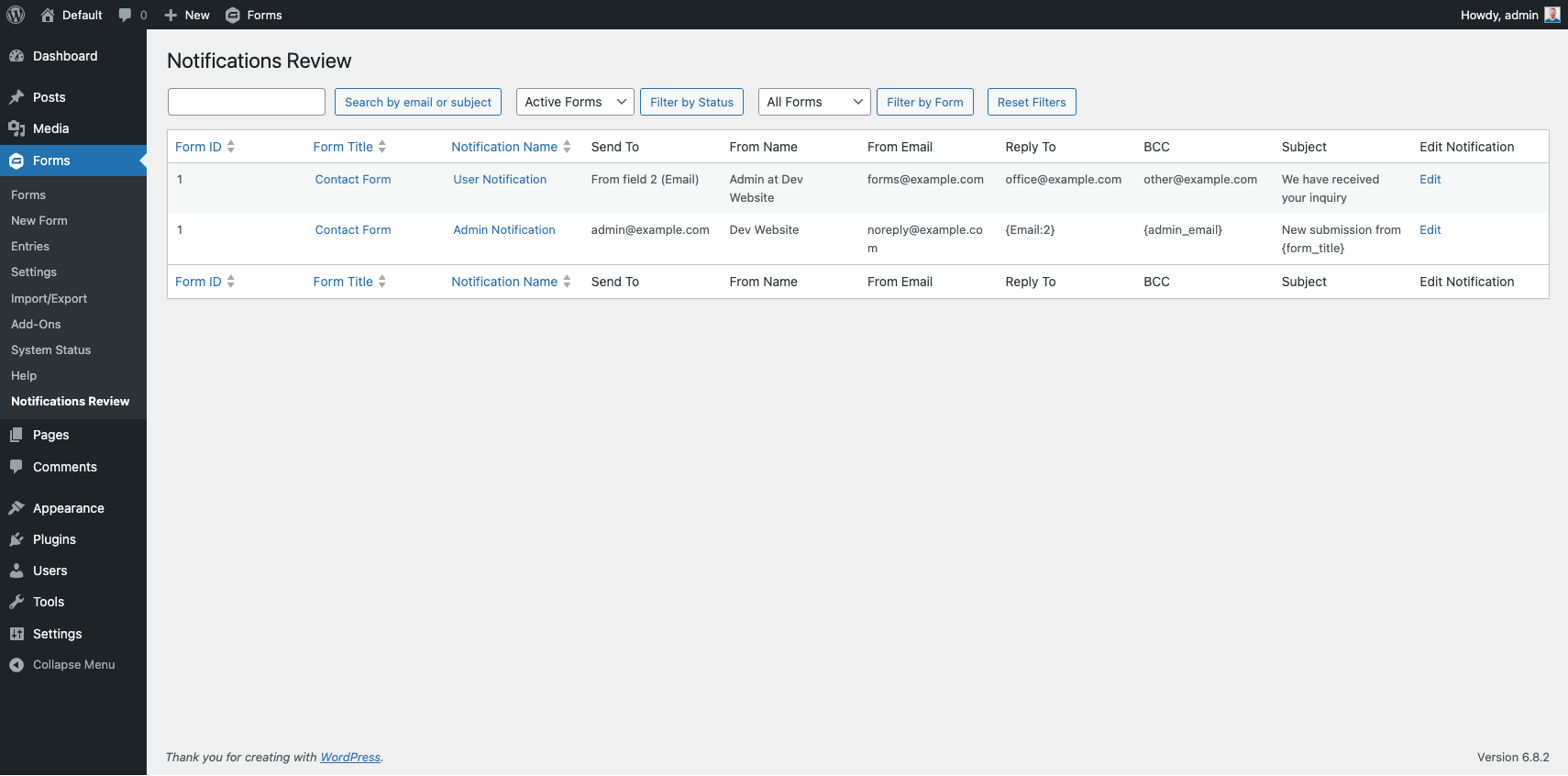
This is the default view of the notifications review table.
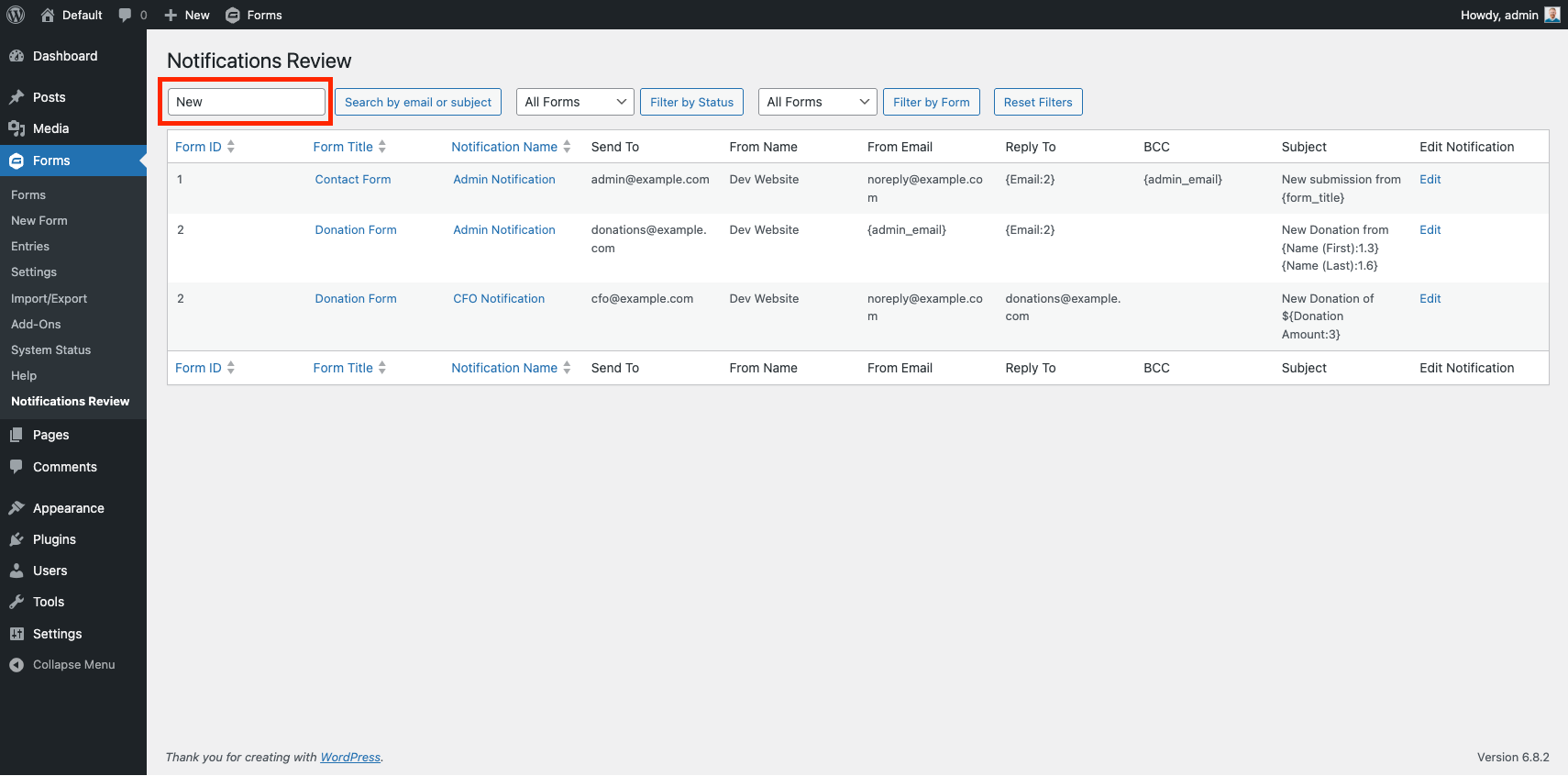
This is an example showing filtering the notifications by the keyword "New."
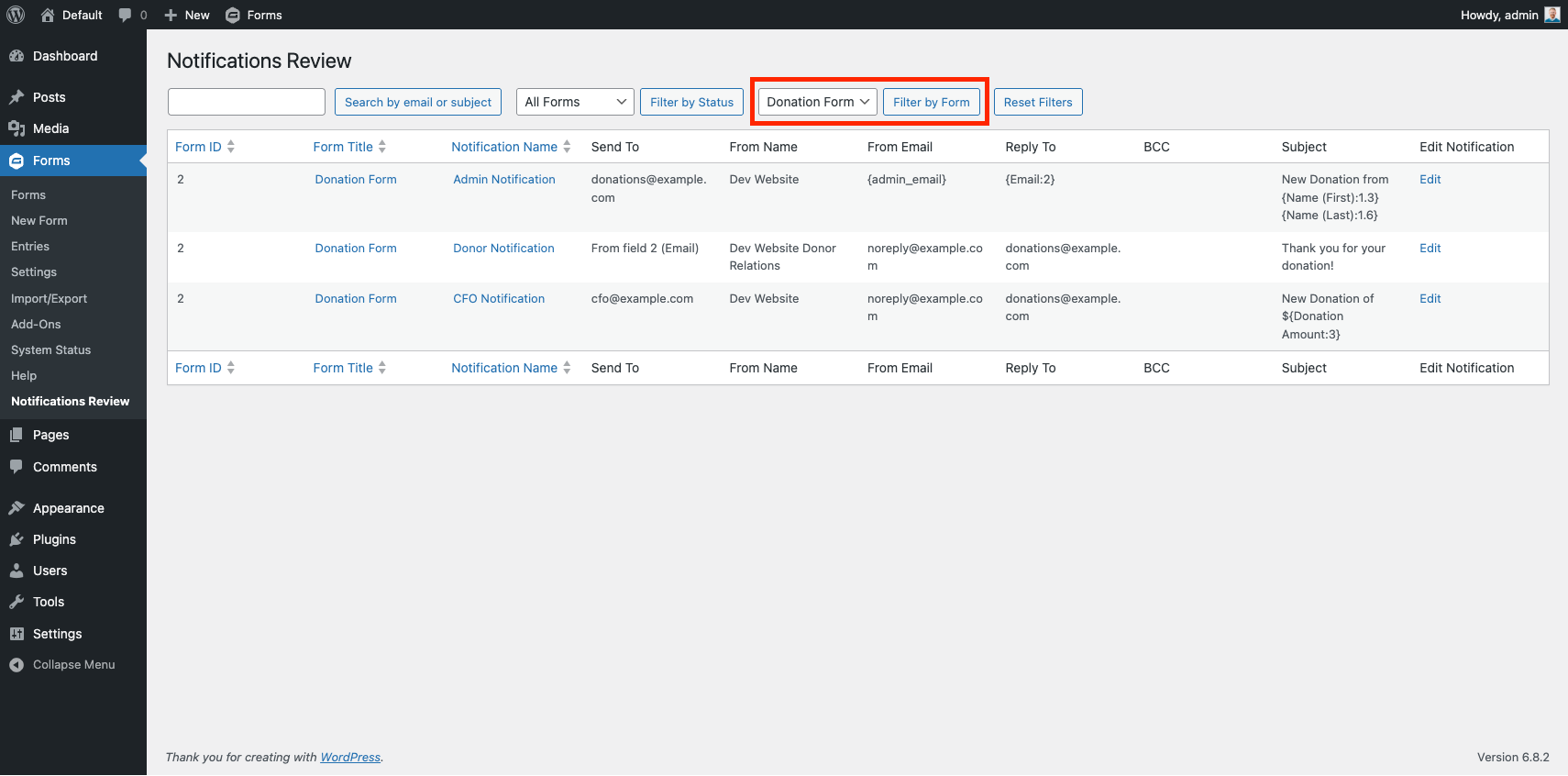
This is an example showing all notifications of a single form.
Changelog
1.2
- Fixed incorrect call to $form[‘notifications’] causing the table of notifications to not return anything
1.1
- Updating plugin name and function references to match
1.0
- Initial release with table display, email search, status filter (Active/Inactive/All), and Edit links for Gravity Forms notifications.