

NWS Sendy
A block to display a subscription form integrated with Sendy, allowing users to easily manage their email subscriptions.
Plugin info
Maintenance & Compatibility
Maintenance score
Stale • Last updated 299 days ago
Is NWS Sendy abandoned?
Likely maintained (last update 299 days ago).
Compatibility
Similar & Alternatives
Explore plugins with similar tags, and compare key metrics like downloads, ratings, updates, support, and WP/PHP compatibility.
Description
NWS Sendy is a WordPress plugin that integrates with Sendy, allowing users to easily manage their email subscriptions through a simple interface. This plugin provides an admin settings page for configuring the Sendy API key and List ID, as well as a shortcode and block to display a subscription form on the front end.
Features
- Admin interface under the Tools menu for setting the API key and List ID.
- Shortcode to display a subscription form widget.
- Block for the WordPress block editor that replicates the functionality of the shortcode.
- Fallback template for the subscription form if the theme template is not found.
Success and error message customization
There are two filters availabe for overriding success and error message after subscribe attempt.
You can simpy override them by implementing filters:
* nws_sendy_form_success_message
* nws_sendy_form_error_message
Usage
- Use the shortcode
[nws_sendy_form]to display the subscription form in posts or pages. - Add the Sendy form block in the block editor to include the subscription form in your content.
Installation
- Upload the
nws-sendyfolder to the/wp-content/plugins/directory. - Activate the plugin through the ‘Plugins’ menu in WordPress.
- Navigate to Tools > NWS Sendy to configure your API key and List ID.
Frequently Asked Questions
You can customize the success and error messages by using the following filters in your theme’s functions.php:
`php
add_filter(‘nws_sendy_form_success_message’, function($message) {
return “Thank you for subscribing!”;
});
add_filter(‘nws_sendy_form_error_message’, function($message) {
return “There was an error with your submission. Please try again.”;
});
`
Review feed
Screenshots
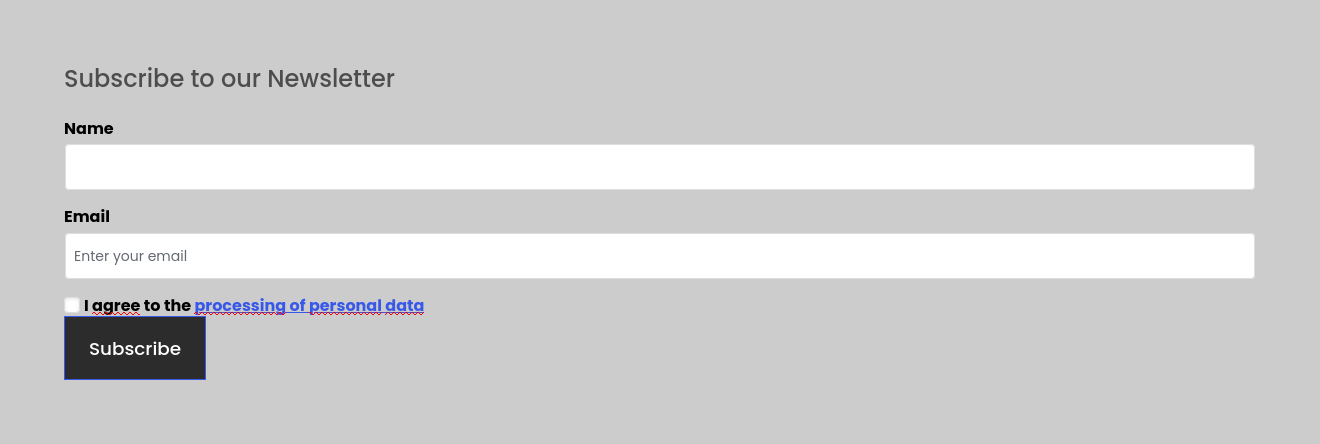
Example of usage inside block editor.

Plugin settings.
Changelog
1.0.1
- Fixed direct access security issue.
1.0.0
- Release