

oEmbed Manager
Manage oEmbed capabilities of your website and take a new step in the GDPR compliance of your embedded content.
Plugin info
Maintenance & Compatibility
Maintenance score
Maintained • Last updated 131 days ago • 4 reviews
Is oEmbed Manager abandoned?
Likely maintained (last update 131 days ago).
Compatibility
Similar & Alternatives
Explore plugins with similar tags, and compare key metrics like downloads, ratings, updates, support, and WP/PHP compatibility.
Description
oEmbed Manager helps you to:
- allow/disallow other websites to embed your content;
- conditionally allow/disallow the display of embedded content on your site;
- fine tune the way oEmbed operates in the WordPress core;
- list, clear and update/create oEmbed cached items.
To conditionally allow/disallow the display of embedded content, oEmbed Manager fully integrates with:
- Cookie Consent
- Cookie Notice for GDPR
- Do Not Track Stats
- EU Cookie Law
- GDPR
- GDPR Cookie Compliance
- GDPR Cookie Consent
If you use one of these plugins, you can set oEmbed to display embedded content only when a visitor has agreed your cookie or privacy policy, or when she/he has not set the Do Not Track flag of her/his browser.
oEmbed Manager is part of PerfOps One, a suite of free and open source WordPress plugins dedicated to observability and operations performance.
Privacy
This plugin, as any piece of software, is neither compliant nor non-compliant with privacy laws and regulations. It is your responsibility to use it with respect for the personal data of your users and applicable laws.
This plugin doesn’t set any cookie in the user’s browser.
This plugin doesn’t handle personally identifiable information (PII).
Donation
If you like this plugin or find it useful and want to thank me for the work done, please consider making a donation to La Quadrature Du Net or the Electronic Frontier Foundation which are advocacy groups defending the rights and freedoms of citizens on the Internet. By supporting them, you help the daily actions they perform to defend our fundamental freedoms!
Installation
From your WordPress dashboard
- Visit ‘Plugins > Add New’.
- Search for ‘oEmbed Manager’.
- Click on the ‘Install Now’ button.
- Activate oEmbed Manager.
From WordPress.org
- Download oEmbed Manager.
- Upload the
oembed-managerdirectory to your/wp-content/plugins/directory, using your favorite method (ftp, sftp, scp, etc…). - Activate oEmbed Manager from your Plugins page.
Once Activated
- Visit ‘PerfOps One > Control Center > oEmbed Manager’ in the left-hand menu of your WP Admin to adjust settings.
- Enjoy!
Frequently Asked Questions
You need WordPress 5.2 and at least PHP 7.2.
oEmbed Manager works for all embedded content based on core WordPress features. This excludes exotic things like embedded content in JetPack comments and other plugins not relying on core WordPress features.
Yes. It is designed to work on multisite too. Network Admins can configure the plugin options. Sites Admins can set the plugin and use management tools for their own site.
Support is provided via the official support page.
You can report bugs and suggest ideas via the official support page.
Review feed
Screenshots
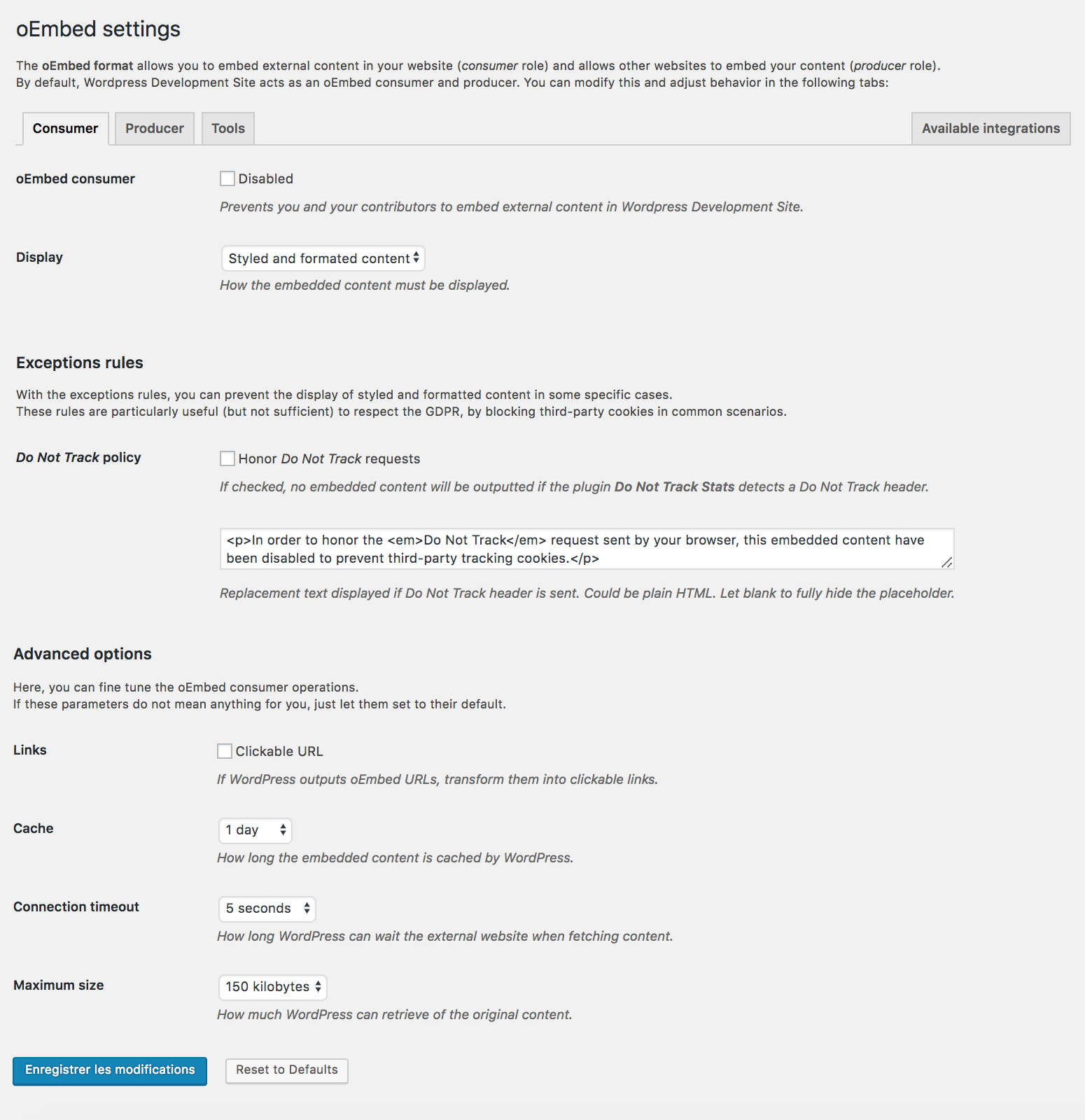
Consumer Settings

Producer Settings

Quick Actions in Admin Bar
Changelog
Please, see full changelog.