

Plugin info
Maintenance & Compatibility
Maintenance score
Possibly abandoned • Last updated 2467 days ago • 9 reviews
Is MailChimp Campaigns abandoned?
Possibly abandoned (last update 2467 days ago).
Compatibility
Similar & Alternatives
Explore plugins with similar tags, and compare key metrics like downloads, ratings, updates, support, and WP/PHP compatibility.
Description
This plugin allows you to import and display your Mailchimp campaigns in your WordPress site with simple embed content.
Import your campaigns in WordPress as custom posts and display them anywhere you want with just a copy/paste of the internal URL.
You can display your campaigns as HTML in any Post, Widget, Page or Custom Post Type.
Plans
- Free (forever): simply requires a free MailChimp API key.
- Premium (online): register for free on our online platform.
Features
- Import your MailChimp campaigns in WordPress
- List all your campaigns with their statistics in WordPress
- Display your newsletter as HTML anywhere you want
Installation
Plugin installation
- Download this plugin and add it to ‘/wp-content/plugins/’
- Activate it from WordPress » Plugins admin screen
- Go to Settings and scroll down until ‘MailChimp Campaigns’ section
- Save your username and your API Key
Plugin usage
- Import your campaigns in WordPress from the settings screen
- Copy/paste a new imported campaign post’s url in a Post or a Page of your site
Frequently Asked Questions
How to find my MailChimp API Key?
- Log into your MailChimp account
- Go to your Account
- Click on the Extra tab and you’ll find your API keys 😉
How to embed a Campaign in a Post?
There are two ways to embed a campaign.
1. Copy/paste the campaign Post’s url and insert it into another Post.
1. Insert shortcode as follow: [campaign id=”642f031e96″ width=”800px” height=”3000px”].
Examples are provided by default in Admin > Newsletters list.
“Page not found” after import
When you display a Newsletter post on front end after import it gives you a 404 Page not found error, proceed as follow:
1. Go to Admin > Settings > Permalinks
1. Select “postname”
1. Save
This must have fix the issue.
Iframe is cut-off / Campaign is not fully displayed
This is a limitation due to WordPress’s JS itself.
It limits iframe height to 1000px maximum.
Luckily, others have already found a solution:
1. Install Bypass Iframe Height Limit plugin
Review feed
Screenshots
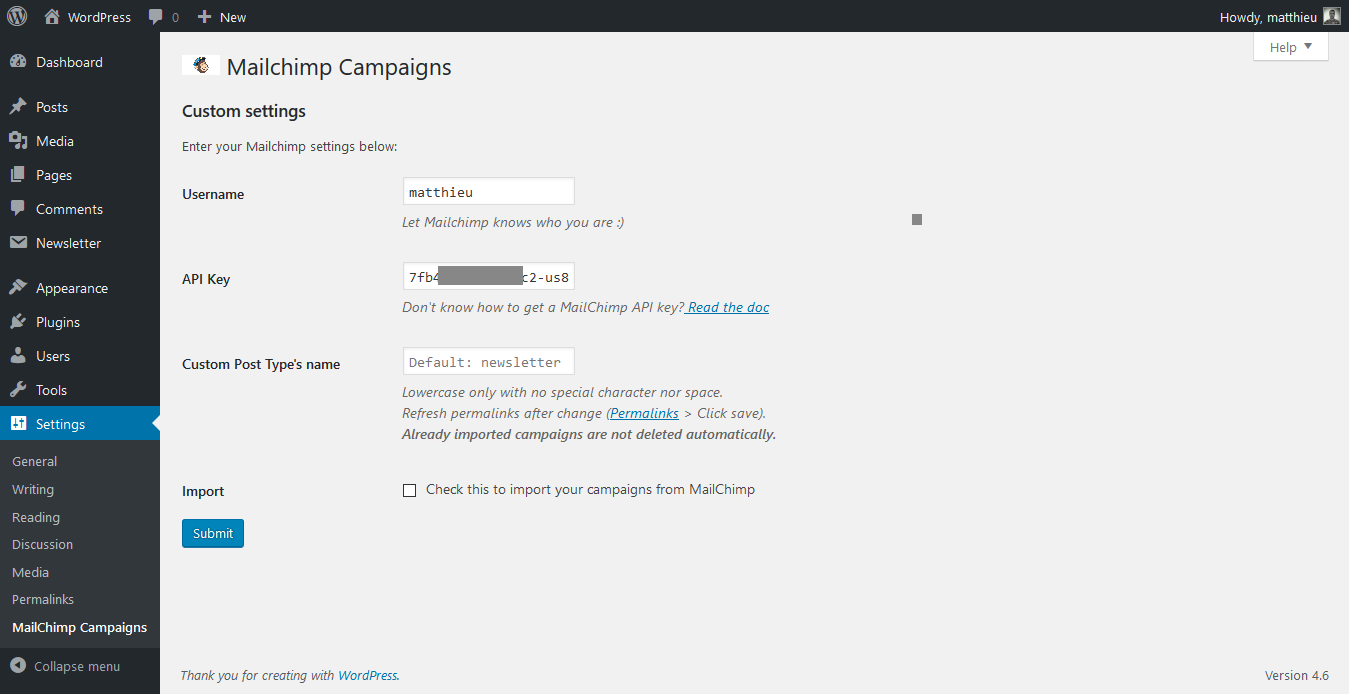
This screenshot shows the Setting section where you can save you API key and import your data.
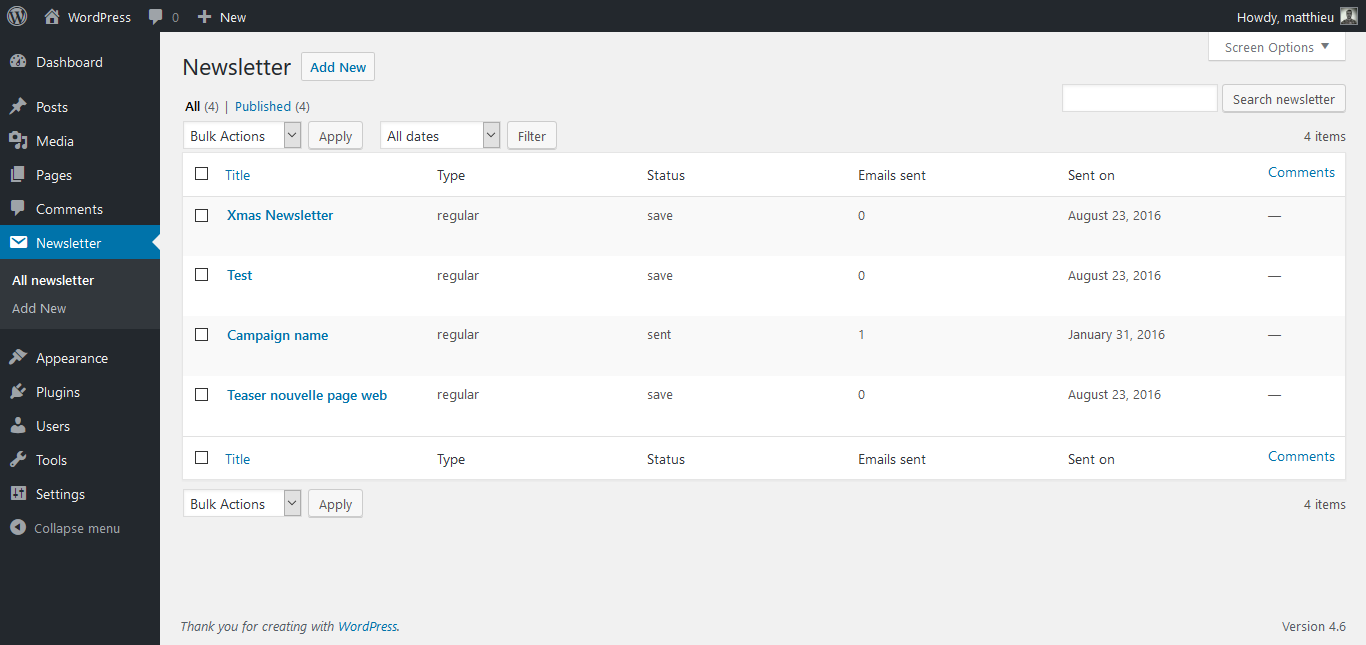
This is the WordPress admin screen where your can see all your imported MailChimp campaigns
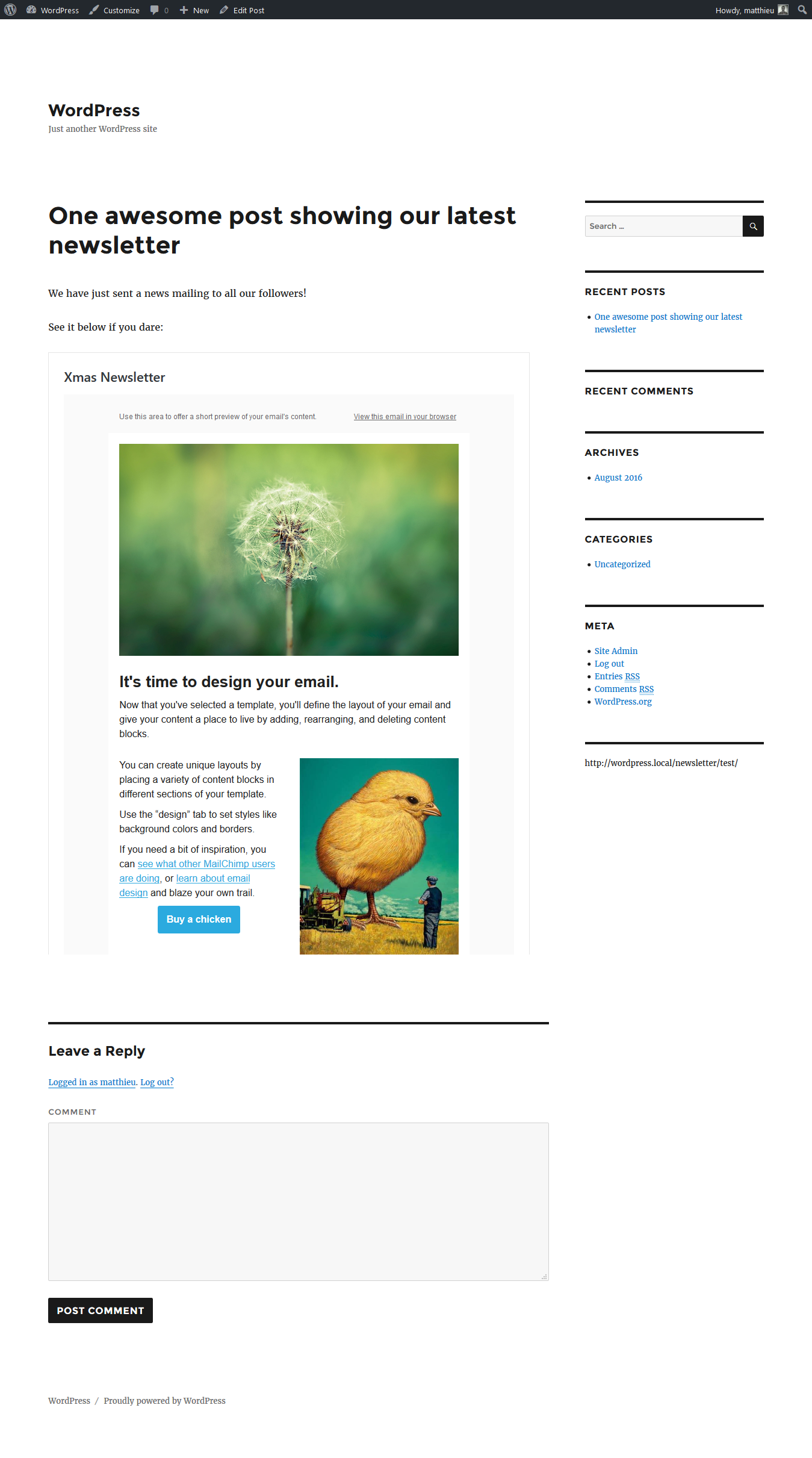
Campaigns are rendered in a Responsive iframe on front.

Campaigns are rendered in a Responsive iframe on front.
Changelog
3.2.0 “Chet Baker”
- New major version release
- Improved code quality
- New PRO features