

One Click Start
A simple, reliable tool to automate your initial WordPress setup tasks like cleanup, permalink changes, comment setting, and bulk plugin installation.
Plugin info
Maintenance & Compatibility
Maintenance score
Maintained • Last updated 147 days ago
Is One Click Start abandoned?
Likely maintained (last update 147 days ago).
Compatibility
Similar & Alternatives
Explore plugins with similar tags, and compare key metrics like downloads, ratings, updates, support, and WP/PHP compatibility.
Description
Time-saving tool for every new WordPress project.
One Click Start automates the boring setup tasks every developer repeats — from cleanup to configuration and plugin installation — all in one go.
Perfect for developers, agencies, and freelancers who build multiple websites and want a consistent, reliable starting point.
Key Highlights
- Automated Setup: Delete default posts, pages, comments, and bundled plugins like Hello Dolly in seconds.
- Core Configuration: Set permalinks, disable comments, and adjust comment moderation, search engine visibility, and disable XML-RPC.
- Bulk Plugin & Theme Installation: Choose from a curated list of popular developer themes and plugins to install automatically.
- Recipe Export/Import: Save your setup as a JSON recipe and reuse it across projects for consistent workflows.
- Developer-Friendly: Built with a robust batch handler that avoids timeouts and shows real-time progress.
This plugin is lightweight, modern, and designed for professionals who value automation and consistency.
One Click Start lets you focus on building — not setting up basic things again & again.
Want to Supercharge Workflow? Try One Click Start Pro
Take your workflow to the next level with One Click Start Pro, built for agencies and professional developers.
Pro Adds:
- Live Plugin & Theme Search: Instantly find and add any plugin or theme from the WordPress.org repository.
- Premium ZIP Uploads: Include your paid plugins and themes directly in your setup recipe.
- Header & Footer Scripts: Add analytics, verification tags, or tracking codes without extra plugins.
- Advanced Content Protection: Disable right-click, selection, and shortcuts for visitors with one click.
- Enhanced Task Engine: Handles large or complex recipes faster and more reliably with auto-skip feature if an error occur.
👉 Explore the Pro Version — or continue enjoying the free version forever.
(Fully optional — One Click Start Free remains powerful and maintained.)
Installation
- Upload the
one-click-startfolder to the/wp-content/plugins/directory. - Activate the plugin through the ‘Plugins’ menu in WordPress.
- Open One Click Start in your admin sidebar to build or import your recipe.
Frequently Asked Questions
The plugin is built with safety in mind. Each task runs in a controlled batch process to prevent timeouts or crashes. Still, always use it on a fresh new install or back up your site first.
The free version includes a curated, stable list. The Pro version adds full search and premium uploads so you can include your exact stack.
Currently optimized for single-site installations. Some actions may partially work on sub-sites, but full Multisite support is being considered for a future version.
The “Export” button will save a .json file of your currently configured recipe to your computer. On another site, you can use the “Import” button to upload that file, and it will instantly load all the saved settings.
Yes. Everything the recipe changed (installed plugins, theme, and WordPress settings) remains in place; the plugin doesn’t auto‑roll back.
Review feed
Screenshots
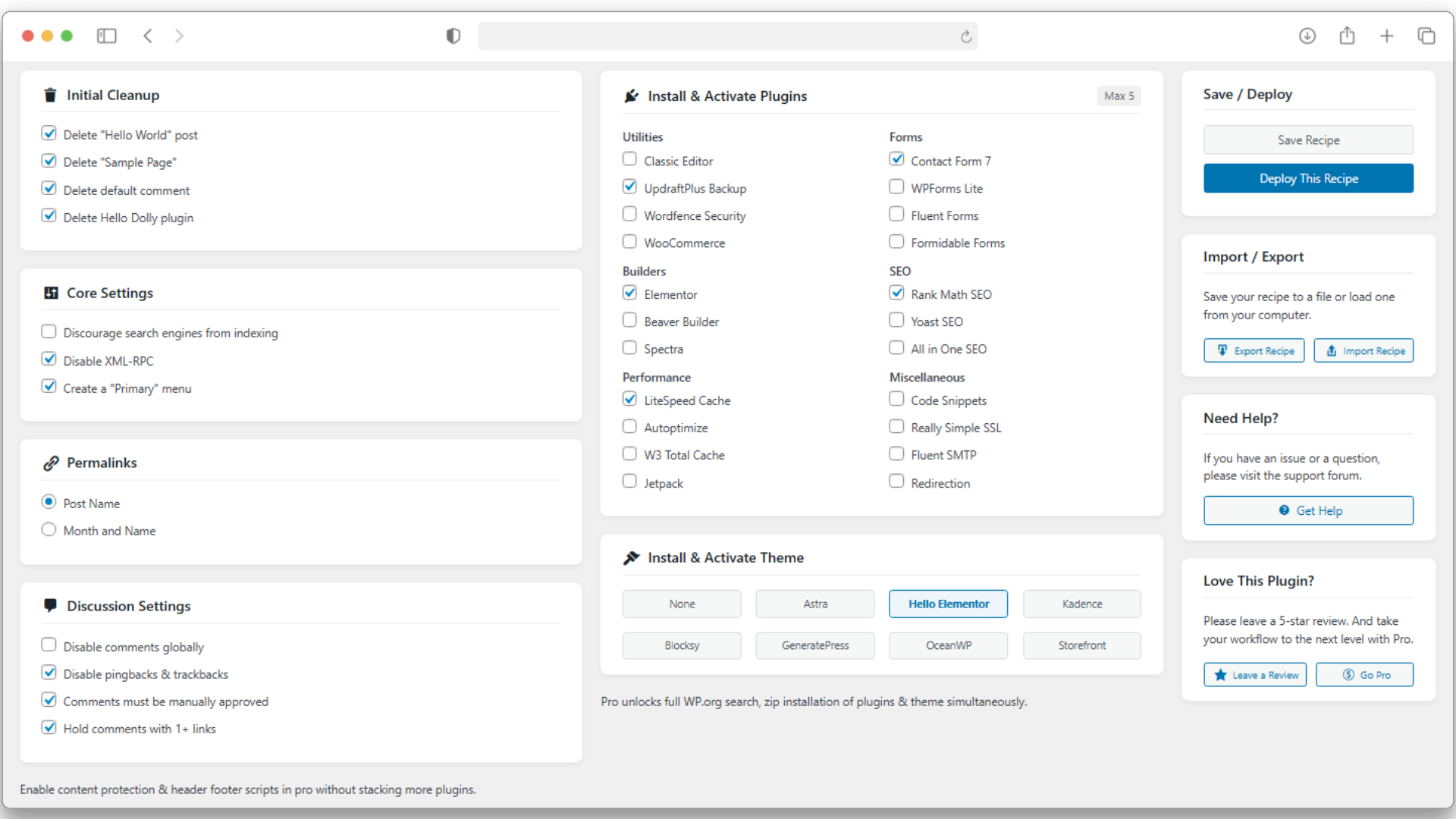
Recipe builder interface.
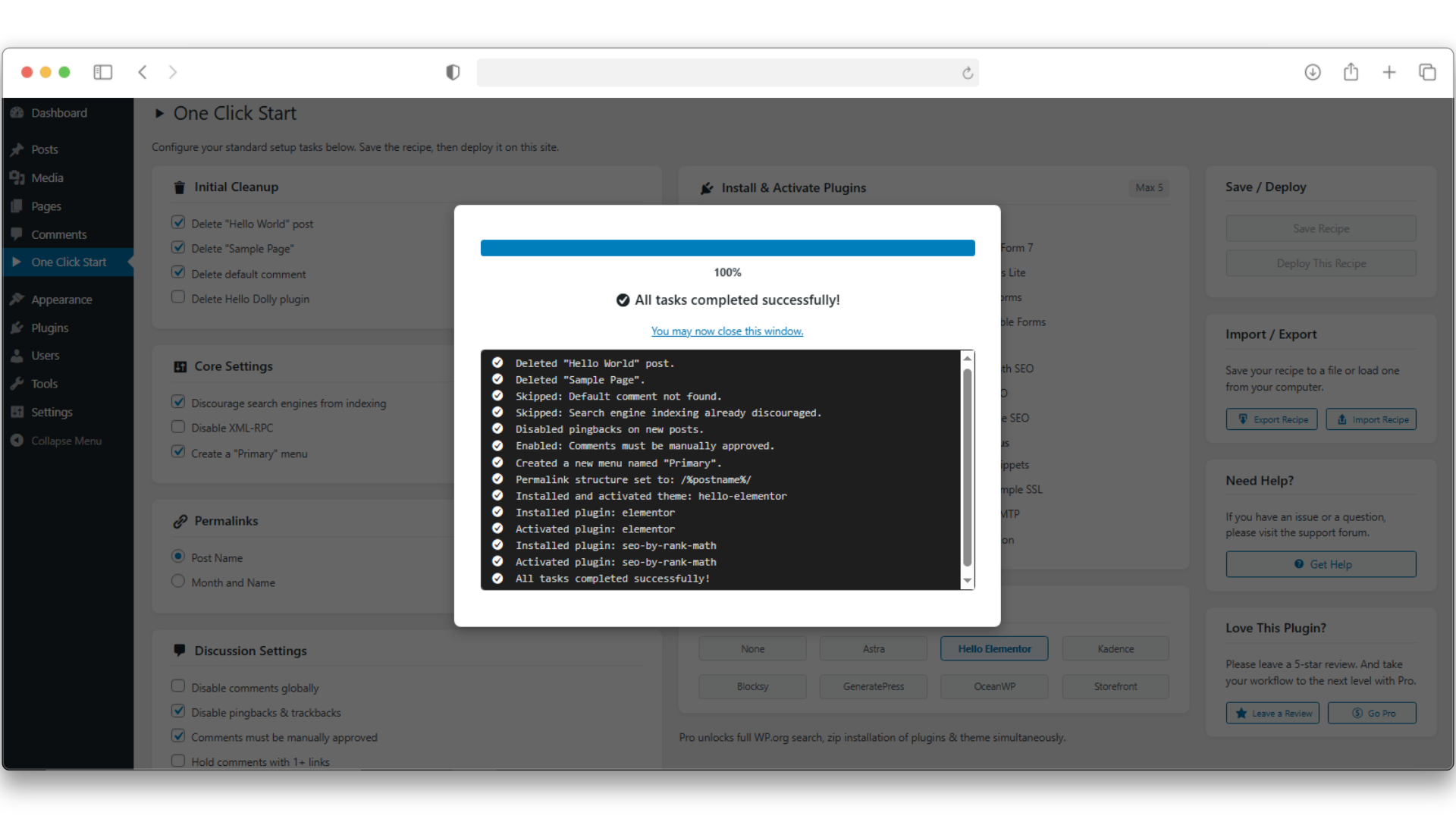
Deployment progress modal in action.
Changelog
1.0.0
- Initial public release.
1.0.1
- Improved import security.