

One Tap Google Sign in
Allows users to add Google One Tap Sign-in Or Sign-up to wordpress website.
Plugin info
Maintenance & Compatibility
Maintenance score
Possibly abandoned • Last updated 746 days ago • 18 reviews
Is One Tap Google Sign in abandoned?
Possibly abandoned (last update 746 days ago).
Compatibility
Developers
Similar & Alternatives
Explore plugins with similar tags, and compare key metrics like downloads, ratings, updates, support, and WP/PHP compatibility.
Description
Allows users to add Google One Tap Sign-in Or Sign-up to wordpress website.
Dependencies
- WordPress v5.1 and later
- PHP v7.4 and later
Installation
- Install the plugin via WordPress repository or by uploading the plugin
- Activate the plugin through the ‘Plugins’ menu in WordPress
- In the Google Cloud Console create a project and create a oauth app
- And create credentials for “OAuth client ID” and choose web application and add your homepage to ‘Authorized JavaScript origins’ and you can leave ‘Authorized redirect URIs’ empty.
- Get the ‘Client ID’ from your credentials
- Enter your ‘Client ID’ of you oauth login credentials in the ‘Google One Tap Login’ menu in the wordpress
Frequently Asked Questions
When google sends user information, if the user email is already registered it will login the user and if the user email is not registered it will create a user account and it will login the user. And after logging in the user will be redirected to the same page.
New user registration user role is defined in the ‘New User Default Role’ field in the Settings -> General in the admin menu.
Automatic sign-in is currently not enabled. You can look for this feature in the upcoming release
Review feed
works PERFECTLY ... so simple
thanks for the plugin
Screenshots
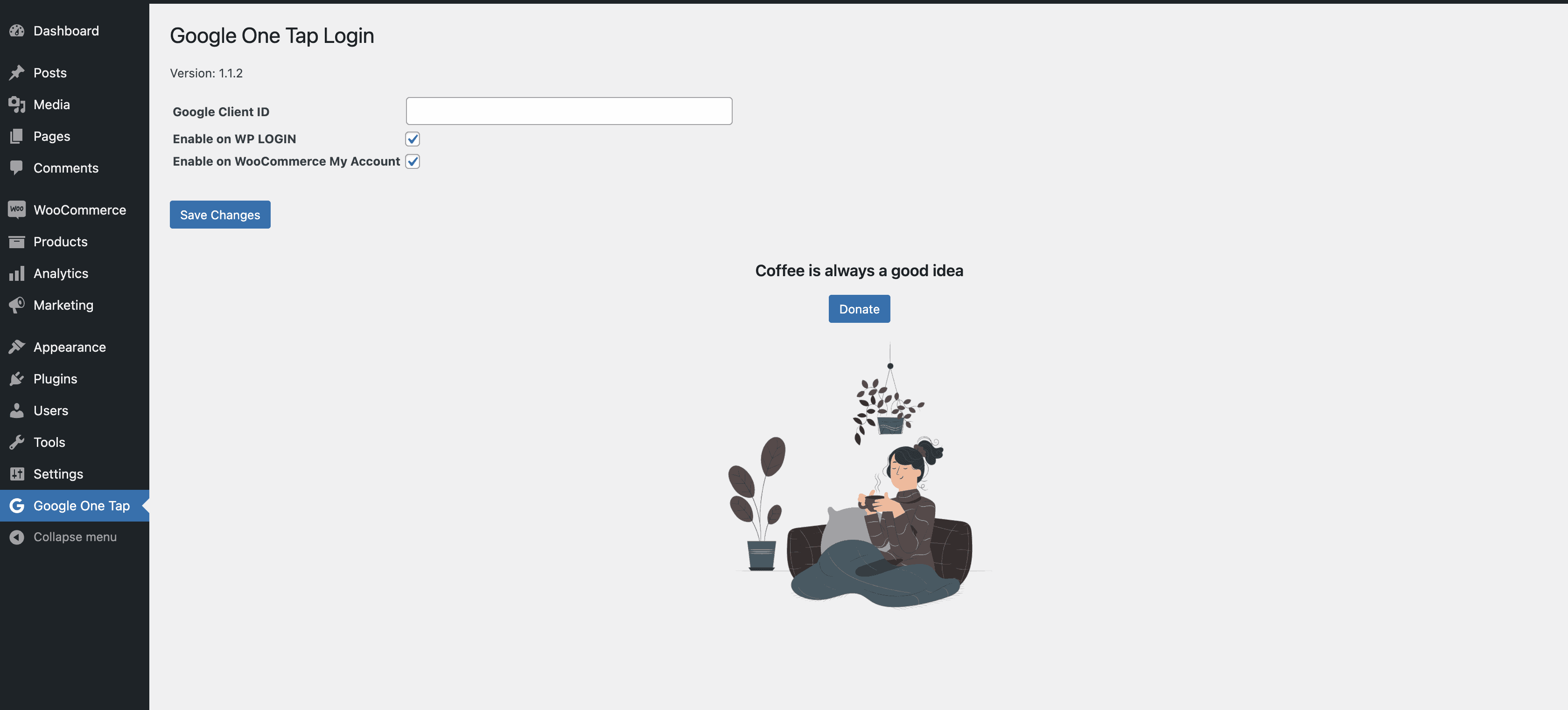
Plugin Settings Page
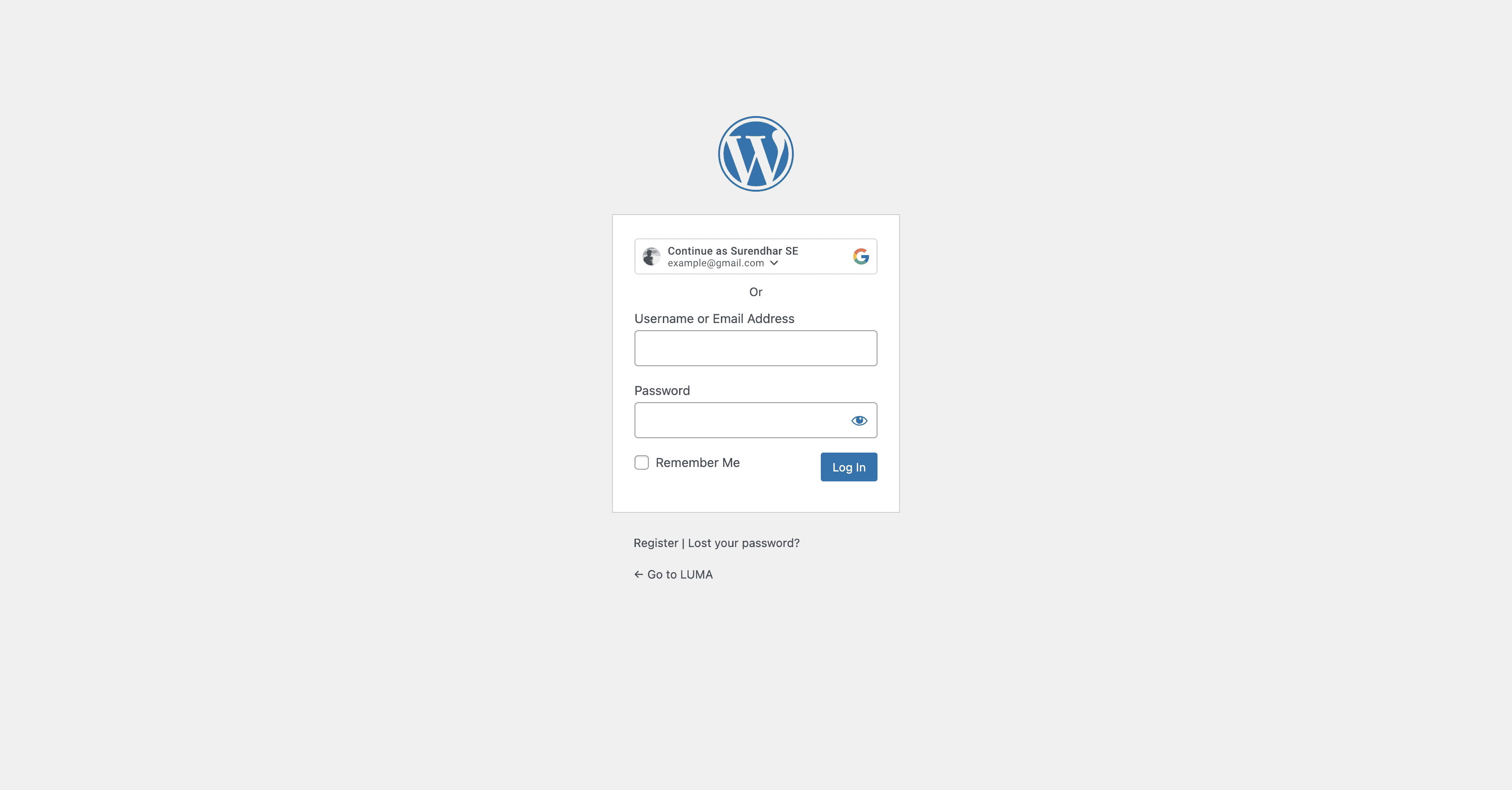
WP-Login Page
Changelog
1.4.1
- Updated Google APIs Client Library for PHP Dependencies
- Tested with latest wordpress 6.5
- Reduced no of plugin tags to 5
- Added cache busting on the login redirection
1.4.0
- Disbale auto login option in the admin settings
- Tested with latest wordpress 6.4.3
1.3.1
- Revert google library
1.3
- Something Awesome
- Updated google/apiclient to 2.12.6
1.1.2
- Updating User Firstname Lastname and getting profile picture for future use
- Added security fixes sanitize input and output
1.1
- Updating User Firstname Lastname and getting profile picture for future use
- Added security fixes sanitize input and output
1.0
- Added Lisence and added guidlines for wordpress plugin repository
0.0.1
- Google One Tap Sign-in added for wordpress