

Online Indicator For Twitch
Add a customisable streaming indicator to your WordPress site to let your visitors know when your Twitch channel is live.
Plugin info
Maintenance & Compatibility
Maintenance score
Possibly abandoned • Last updated 678 days ago • 2 reviews
Is Online Indicator For Twitch abandoned?
Possibly abandoned (last update 678 days ago).
Compatibility
Similar & Alternatives
Explore plugins with similar tags, and compare key metrics like downloads, ratings, updates, support, and WP/PHP compatibility.
Description
A discreet method to highlight your live twitch stream. Works with most themes, looks good out of the box and is entirely customisable.
After installation you’ll need to enter your Twitch channel name.
You can customise the following settings, with a live preview of your changes using the Appearance Customiser built into WordPress:
- Whether to hide the indicator when the channel is offline.
- Whether to open the stream in a new window if clicked.
- The text to display when Live.
- The text to display when Offline.
- Whether to position the indicator in the top/bottom, left/right.
- How far from the top/bottom/left/right in pixels.
- Whether to scroll with the content or remain in a fixed position
- The colour of the background, text colour, live text colour, hover text colour, and live hover text colour.
- Whether to round the corners of the indicator (and by how many pixels). The indicator will remove the rounded corners on one side if set to be against the edge of the window.
- Whether to underline the link on hover.
- Whether to hide below a certain width/resolution (for example on mobile).
Requirements
PHP 5.6+, 7, 7.1, 7.2 & 7.3 recommended for better performance, WordPress 5.7+
Installation
To install the plugin automatically:
- Through WordPress admin, use the menu: Plugin > Add new
- Search for Online Indicator For Twitch
- Click on install then click activate link
To install the plugin manually:
- Download and unzip the plugin online-indicator-for-twitch.zip
- Upload /online-indicator-for-twitch/ to the /wp-content/plugins/ directory
- Activate the plugin through the ‘Plugins’ screen in WordPress
- Use the “Appearance->Customize->Online Indicator For Twitch” screen to configure and customize the plugin
Support
Before leaving a review >> Feel free to ask questions here in the support section, we reply to every question!
Frequently Asked Questions
Did you configure your channel name in the settings?
Check you have filled in this REQUIRED setting in Apperance >> Customise >> Online Indicator For Twitch >> Main Settings.
Yes completely free!
Absolutely check out our website.
Review feed
Screenshots

The default appearance
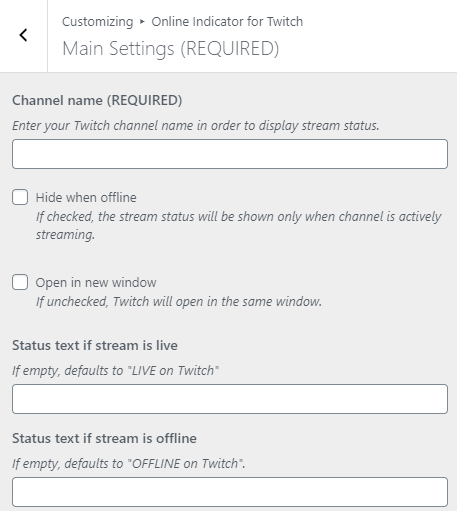
The main settings
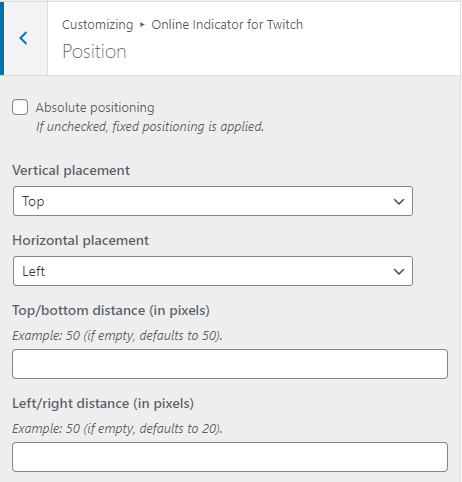
The position settings
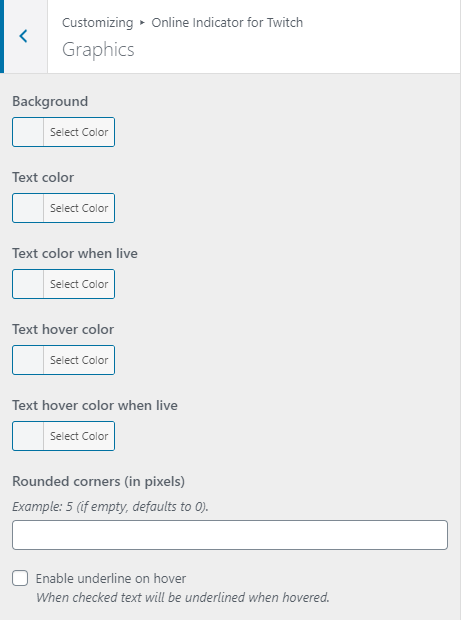
The graphical settings
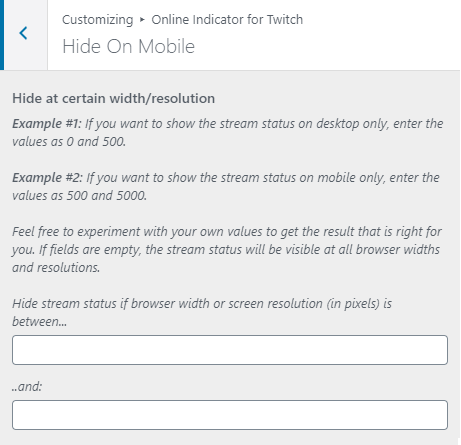
The hide on mobile settings
Changelog
1.3.2
- Small change to z-index to use 100000 instead of 10000000 to allow it to appear under certain lightbox overlays.
1.1
- Public Release
1.0
- Development Release