

Opal Woo Custom Product Variation
Plugin Advanced Product Field for Woocommerce, add some field for user select
Plugin info
Maintenance & Compatibility
Maintenance score
Maintained • Last updated 119 days ago
Is Opal Woo Custom Product Variation abandoned?
Likely maintained (last update 119 days ago).
Compatibility
Similar & Alternatives
Explore plugins with similar tags, and compare key metrics like downloads, ratings, updates, support, and WP/PHP compatibility.
Description
Opal Woo Custom Product Variation add-on plugin is a powerful extension for the WooCommerce platform, designed to enhance the online shopping experience for customers. With the ability to create flexible custom fields, this plugin provides a unique way to tailor products and meet the diverse needs of customers.
Features
1. Create Dynamic Option Fields: This extra product option plugin supports following form elements
- Text input field
- Number input field
- Radio field
- Checkbox field
- Select input field
- Textarea field
- Hidden input field
- Upload Field
- Paragraph (p) tag
- Header (h) tag, H1-H6
- Color picker field
- Color Option
- Image Option
- Button Option
- Image Group
- True/False field
2. Allow adding prices for each option within each field.
3. Allow using condition to show/hide any field by other fields.
4. Benefits:
- Creates unique and interactive products for shoppers.
- Improves sales performance and enhances the user experience.
- Facilitates easy and flexible integration with any WooCommerce interface.
Opal Woo Custom Product Variation plugin not only improves the interactivity of your WooCommerce store but also opens up creative opportunities for online advertising and sales.
Installation
- Unzip the downloaded zip file.
- Upload the plugin folder into the wp-content/plugins/’ directory of your WordPress site.
- Activate plugin ‘Opal Woo Custom Product Variation’ from Plugins page
Frequently Asked Questions
Of course. You can attach the form to one or more product categories, or simply attach it to each product.
Review feed
Screenshots

Admin: List form page

Admin: Edit form page

Admin: Form's settings
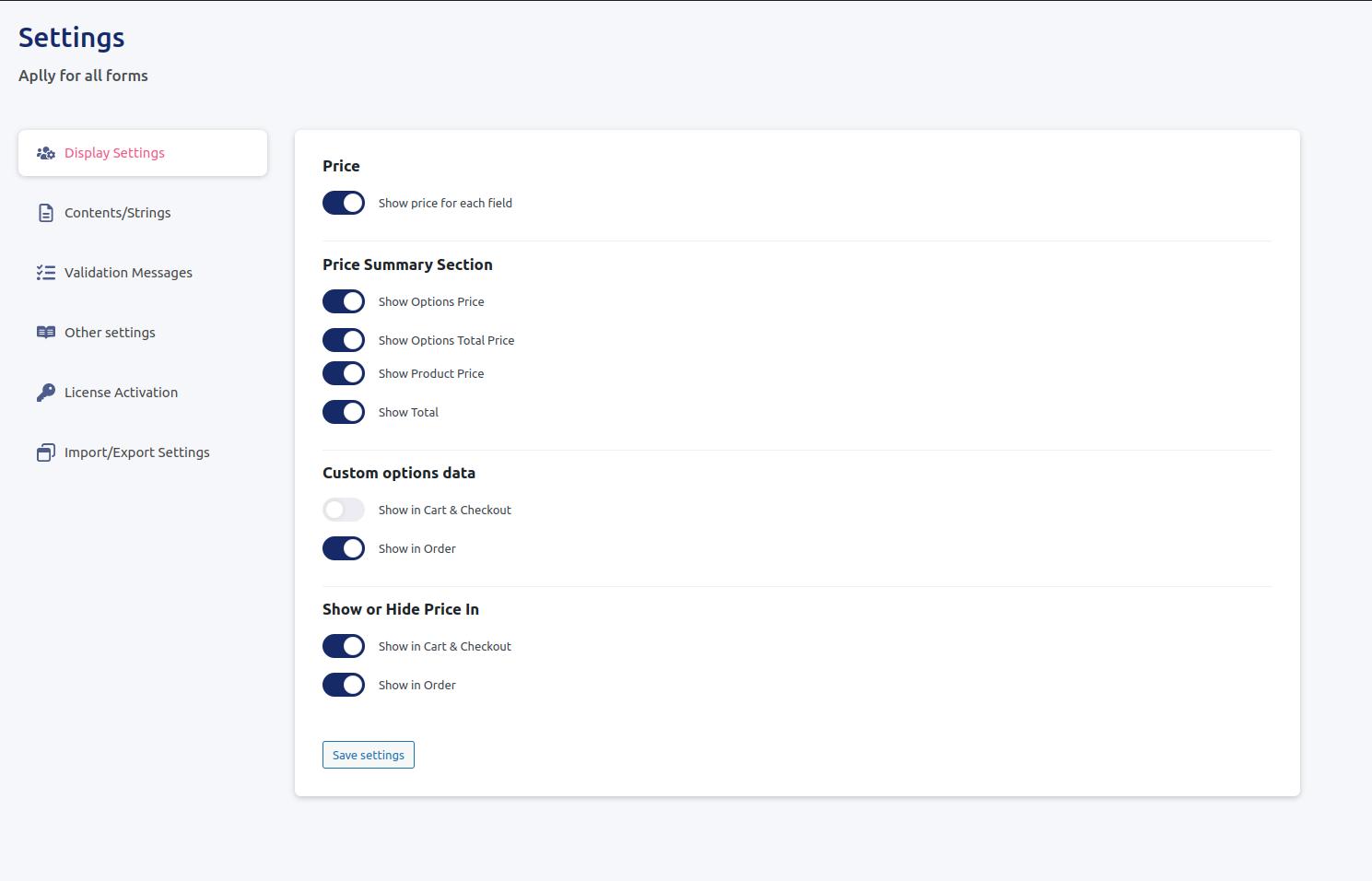
Admin: Global settings page

Frontend: Form render in add to cart form
Changelog
1.3.0 – Update Core:
- Compatible up to: WP 6.9
- Improve/Optimize processing speed
1.2.4 – Fix bug: Upload File from Temp Dir to Cart
1.2.3 – Fix bug: Fix Recursive conditions in Frontend script
1.2.2 – Support some addon
1.2.1 – Fix bug: Security directory traversal when deleting files
1.2.0 – Fix bug: Compatible up to: WP 6.8
1.1.6 – Fix bug: Price calculation
1.1.5 – Remove support woosq_quickview
1.1.4 – Fix bug and vulnerability
1.1.3 – Fix bug: Sortform in product edit page
1.1.2 – Update: Add item width config
1.1.1 – Fix bug: Add JSON_UNESCAPED_UNICODE for Label form
1.1.0 – Update uploader
1.0.40 – Update security
1.0.39 – Update Order Preview
1.0.38 – Update library: JS Magnific Popup
1.0.35 – Update field: Color Option
- Hide label
1.0.30 – Fix bugs
1.0.28 – Update field: Button Option
- Button color
- Button shape
- Button size
1.0.27 – New Feature: Clone form
1.0.25 – New Feature: Render position
- Option: Catalog mode
- Render hook position
- Pritoty position
1.0.24 – Add feature
- Add setting: Changing price box
1.0.23 – Fix bugs
- Calling files remotely
- Data Must be Sanitized, Escaped, and Validated
- Processing the whole input
- Variables and options must be escaped when echo’d
- Generic function/class/define/namespace/option names
- Allowing Direct File Access to plugin files
- Unsafe SQL calls
1.0.22 – Update setting
- Add Option: Force using classic cart page
1.0.20 – Update choose forms
- Update choose forms for edit product
- Add sortable forms form for product feature
1.0.19 – Update some fields
- Add select apply products for single form
1.0.6 – Released: Dec 19, 2023
- Add select apply products for single form
1.0 – Released: Dec 15, 2023
- Initial release