

Plugin info
Maintenance & Compatibility
Maintenance score
Maintained • Last updated 116 days ago • 4 reviews
Is Open Search abandoned?
Likely maintained (last update 116 days ago).
Compatibility
Similar & Alternatives
Explore plugins with similar tags, and compare key metrics like downloads, ratings, updates, support, and WP/PHP compatibility.
Description
The plugin creates an OpenSearch Document for your blog.
It supports Google Chromes “Tab to Search” and “search_provider” WebExtension, Firefox’ “OpenSearch plugins”, Safaris “Quick Website Search”, and “custom searches” for Microsofts Edge browser.
From the spec:
Search clients can use OpenSearch description documents to learn about the public interface of a search engine. These description documents contain parameterized URL templates that indicate how the search client should make search requests. Search engines can use the OpenSearch response elements to add search metadata to results in a variety of content formats.
Other integrations and extensions:
- Extension links for HTML, Atom and RSS
- Autodiscovery via XRDS-Simple, host-meta and WebFinger
- RSS and Atom search responses
- OpenSearch Suggestions extension
Installation
- Upload
open-search-document-folder to the/wp-content/plugins/directory - Activate the plugin through the Plugins menu in WordPress
- that’s it 🙂
Frequently Asked Questions
Chromes “Tab to Search” is now an opt-in feature. Go to chrome://settings/searchEngines, search for your Website and press the “Activate” button.
You can add custom params to the search URL using the osd_search_url_template filter.
function custom_osd_extend( $url, $type ) {
    $url = add_query_arg( 'mtm_campaign', 'opensearch', $url );

    return $url;
}
add_filter( 'osd_search_url_template', 'custom_osd_extend', 10, 2 );
Review feed
Do what it should
thanks for the update, why not used on more webpages?
Screenshots
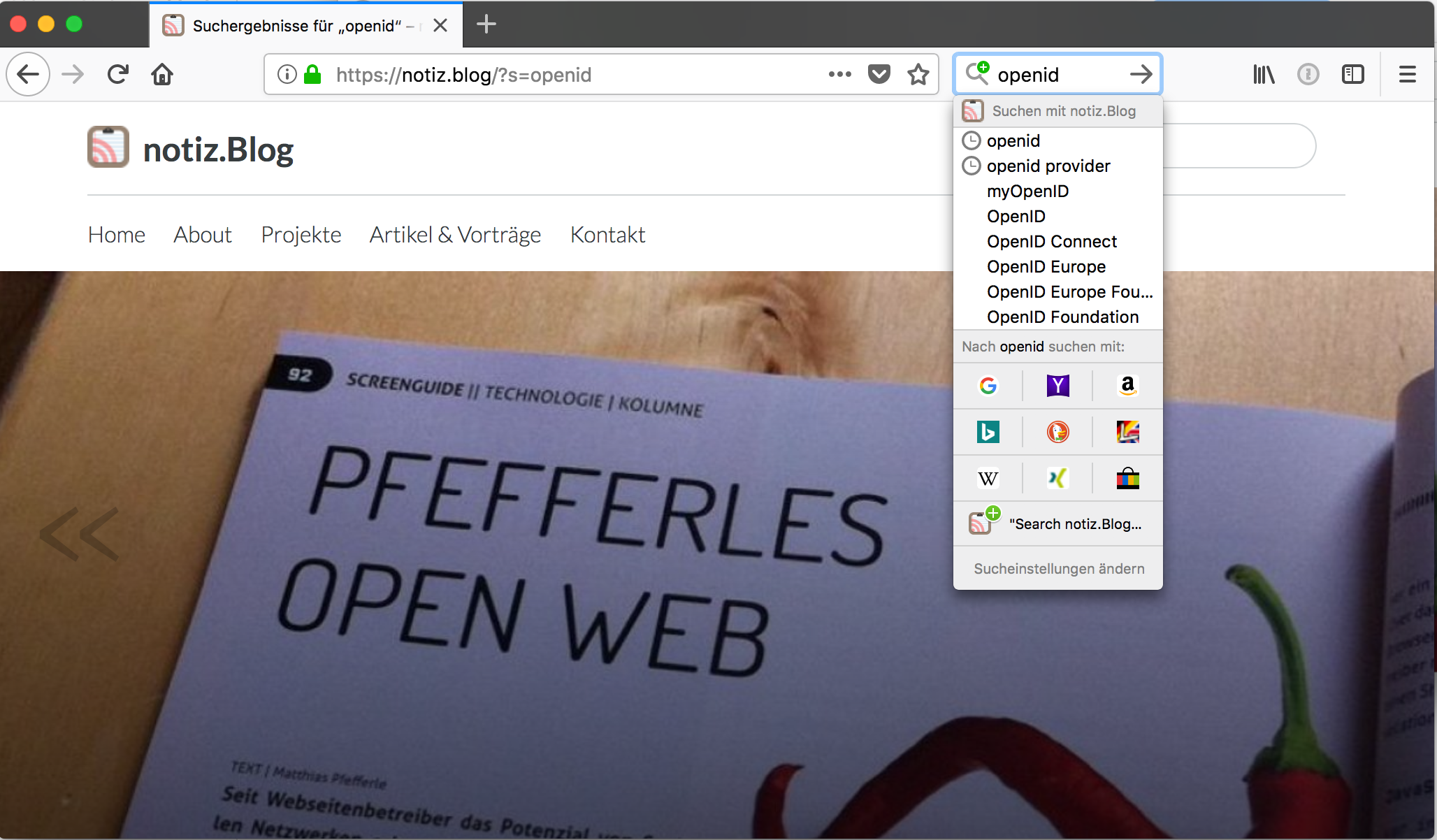
Firefox OpenSearch plugins

Safari Quick Website Search

Chrome Tab to Search
Changelog
4.1.3
- update plugin structure
4.1.1
- fix PHP deprecated: strstr(): Passing null to parameter
4.1.0
- added “search_provider” WebExtension support
4.0.1
- fix broken XML output
4.0.0
- modernize code
- added filters for the search URLs in the OSD document
3.0.3
- fix missing permission callback
3.0.2
- update requirements
3.0.1
- added screenshots
- code improvements
3.0.0
- moved to WordPress API
2.1.2
- fixed site icon implementation
2.1.1
- fixed site icon implementation
2.1.0
- fixed XML output
- encapsulated XML data
2.0.0
- complete refactoring
- WordPress coding style
- Site icon support
1.3.1
- Some smaller fixes
1.3
- fixed host-meta link
- added webfinger support
1.2.2
- Added function to flush rewrite_rules
1.2.1
- Autodiscovery for host-meta
1.2
- OpenSearch Suggestions extension
1.1
- WordPress 2.8.x compatibility
- Autodiscovery for RSS/Atom and XRDS
- Profile-Services
1.0
- Initial release