

Opskill Ecommerce
Run your online like a pro with all payment methods accepted. Customized solution that works faster. Faster checkout process and instant payments
Plugin info
Maintenance & Compatibility
Maintenance score
Stale • Last updated 227 days ago
Is Opskill Ecommerce abandoned?
Likely maintained (last update 227 days ago).
Compatibility
Similar & Alternatives
Explore plugins with similar tags, and compare key metrics like downloads, ratings, updates, support, and WP/PHP compatibility.
Description
Opskill eCommerce is a lightweight, custom-built eCommerce solution for WordPress that is fully invoicing / billing system and fully ecommerce.
Invoicing system:
- Create invoices in any currency in seconds, and easily deliver them to your clients (via email / SMS / Whatsapp).
- Receive instant online invoice payments from anywhere, any customer and in any currency around the world.
- Accept more than 10 payment methods (PayPal, PayStack, Stripe, Authorize.net, Intasend, Payyed, Flutterwave ++ more)
- Recurring payments and subscriptions supported
- SMS / Whatsapp and email reminders for invoices
- Increase revenue with an optimized checkout page, simple, one step.
Ecommerce System
- Manage your inventory in one place and sell online with ease
- Choose how you want to get paid. Conveniently manage payments from the comfort of your desk.
- Track sales and get to know moving products
- Use AI to track sales and analyze statistics
Dependencies
-
Plugin uses PayPal rest API as payment gateway so laods paypal sdk if you have enabled PayPal. Signup with PayPal, check their terms and privacy
-
If you use intasend as payment method, you need to sign up with them here. You can refer to their terms and condition
-
If you use stripe as payment method, you need to sign up with them here. You can refer to their terms and condition
-
If you use Paystack as payment method, you need to sign up with them here. You can refer to their terms and condition
-
We handle all SMS via payyed plase sign up here for SMS package Payyed you can check SMS pricing and terms Payyed
Why this plugin?
- Start receiving payments instantly—go from sign-up to your first real transaction in as little as 2 minutes
- Connect your own gateways and receive payments direct
- Modern, seamless payment experience via the modern slim, simple Checkout
- Advanced fraud detection and prevention
- Understand your customers better through a simple and elegant dashboard that use AI
- Access to attentive, empathetic customer support 24/7
- Free updates as we launch new features and payment options
- Clearly documented APIs to build your custom payment experiences
Installation
- Go to WordPress Admin > Plugins > Add New from the left-hand menu
- In the search box type Opskill eCommerce
- Click on Install now when you see Opskill eCommerce to install the plugin
- After installation, activate the plugin.
- Go to products and enter products.
Frequently Asked Questions
Yes! Opskill Ecommerce will work with any theme.
Report bugs on opskill.com. We provide free support for the plugin.
Request new features from opskill. We regularly review requests and consider them valuable for product upgrade. Some updages we do via the main repository.
- Shop page [opskill-shop]. The shop page is created automatically upon installation
- Search function [opskill-product-search]
Review feed
Screenshots

Screenshot of the plugin setting.

Screenshot of invoices.

Screenshot of invoice.
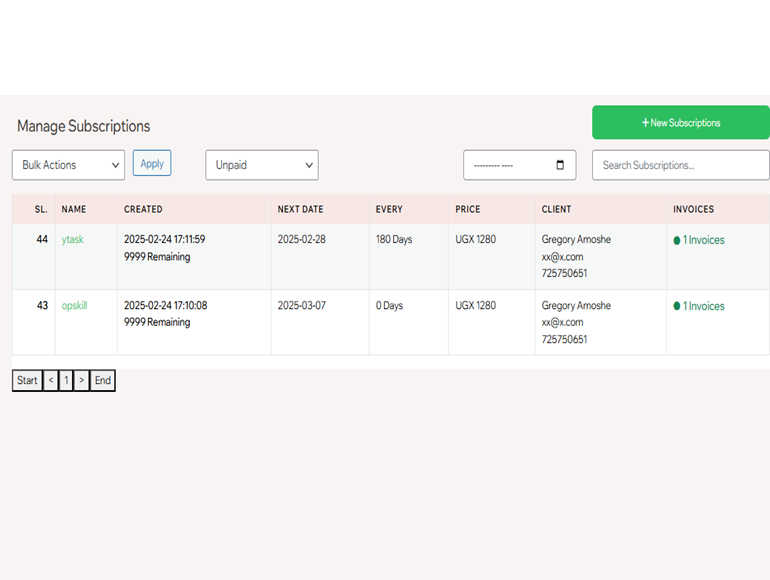
Screenshot of subscriptions.

Screenshot of customer.
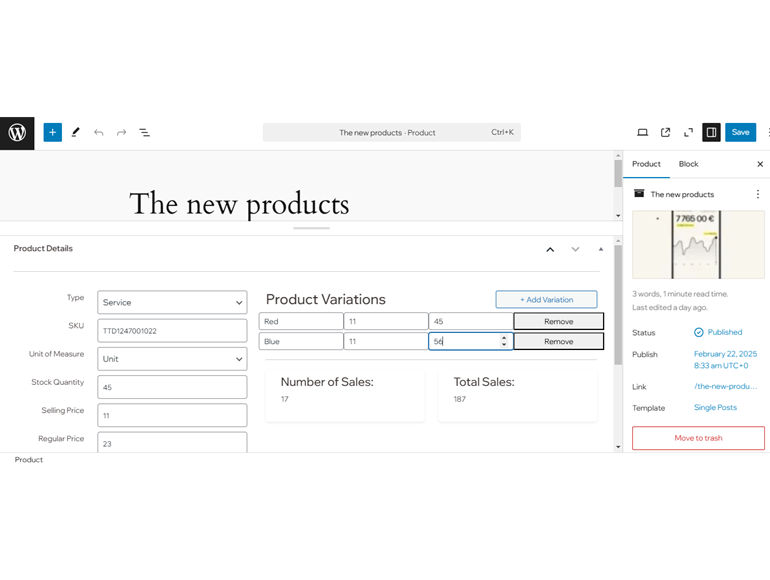
Screenshot of product.
Changelog
1.0.0 – Feb 28, 2025
- Plugin produced